Hello,
In the past weeks I tested 34 iPhone apps to figure out which is the best for reducing unwanted screen-time. You will find my conclusions in this issue, along with my iPhone set-up designed to change my behavior at its core
Let’s get started.
I split the apps into five different categories and picked the best app for each. So you can choose the one that suits you best.
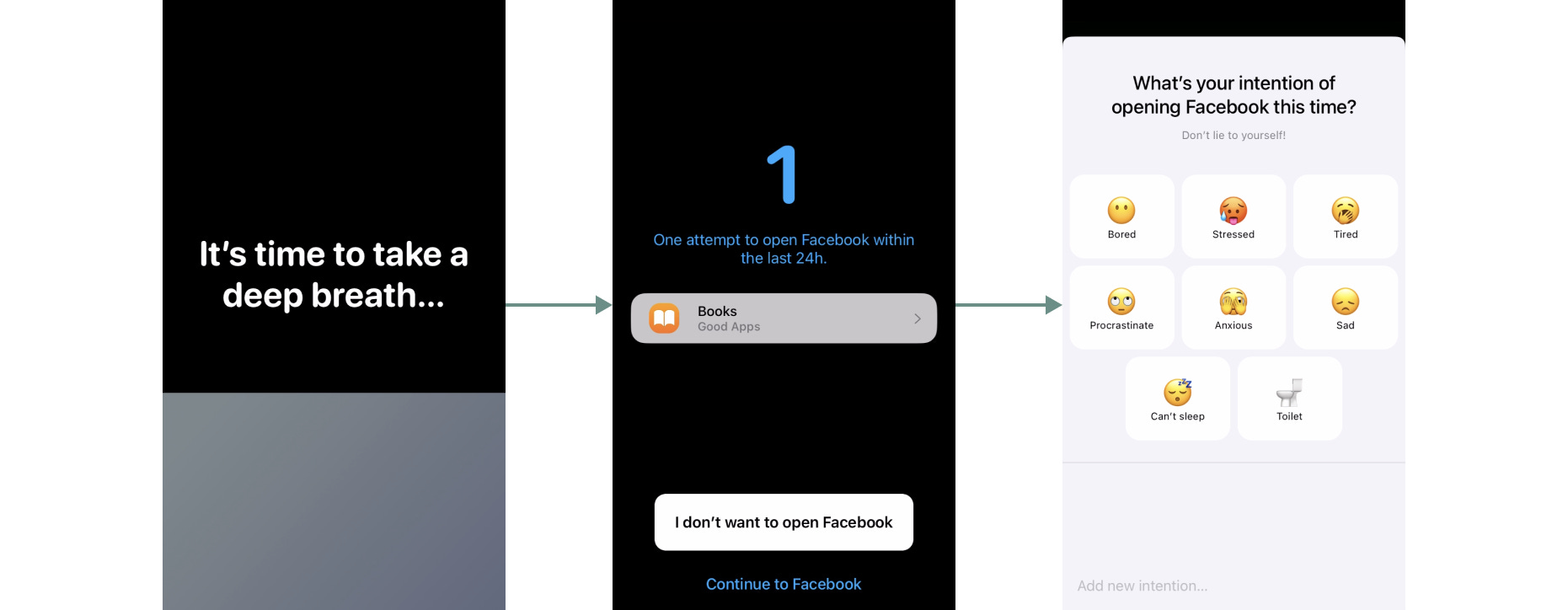
Best: one sec,
It forces you to take a deep breath and examine your intentions before opening an app. It does its job, and has the reasonable price of $9.99/year. I don’t recommend using it as intended, but as a short-term solution to retrain your behavior (more on this below).
Best: Attentive - it is well-designed app/website blocker for $18/year.
Honorable mentions: Freedom. It is a website-blocker, but it also block access to apps like Facebook, Instagram… It is on the expensive side at $40/year, but works on your other devices and you can usually find discount codes online.
Another mention is Burnout Buddy, which at $6 one-time-purchase is the cheapest app-blocker I found.
Best: Zario
Honestly, there are not many other apps based on psychology. Zario gives you daily challenges for a better relationship with your phone. The challenges are hit or miss, but the app is free, well-supported, and worth trying out.
Honorable mention: not less but better. I liked their cognitive behavioral therapy- based approach, but the app is now unsupported.
There are apps that just help tracking your statistics. I personally haven’t liked any of these, and the Screen Time setting on your phone provides more than enough data. No app to recommend here.
Best: Unscroll
I love this one. It gives you a budget of X minutes a day to use on all social media websites, which you can access through the app. It uses the browser version, which is much less enticing. Free to use.
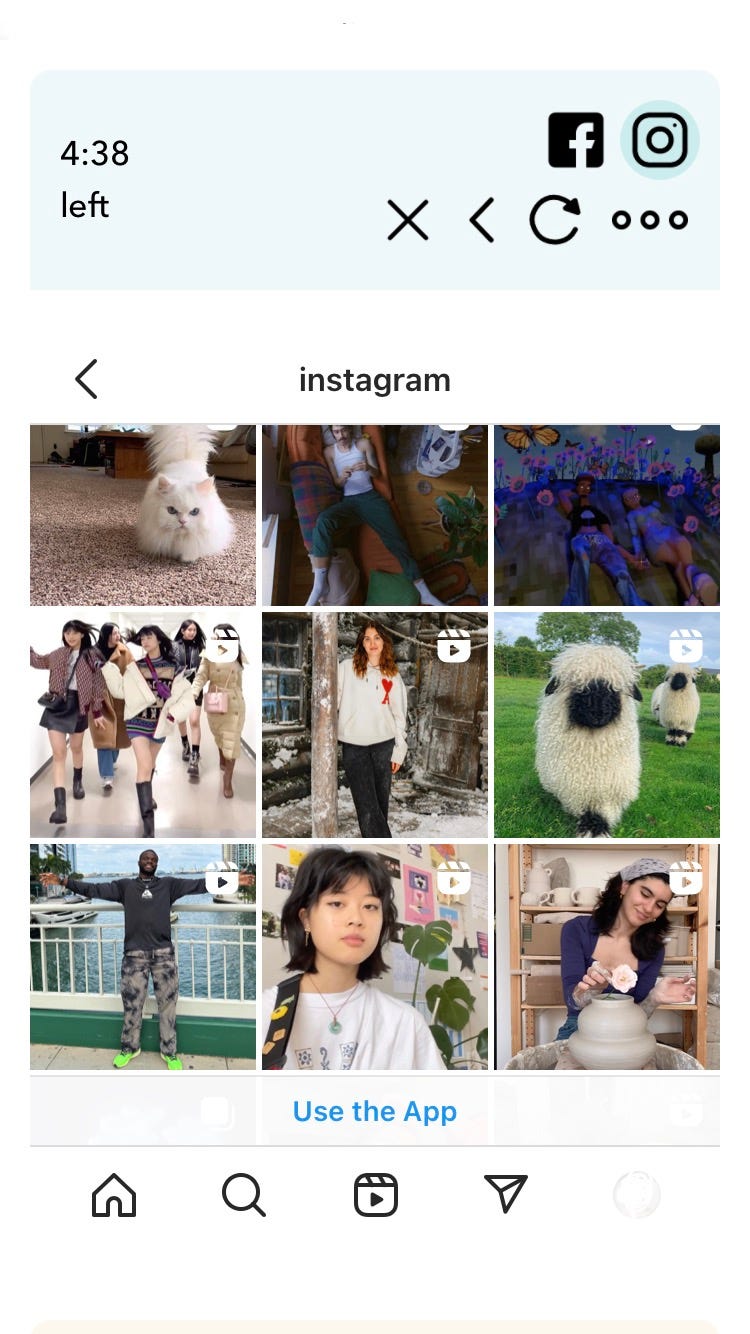
Right now it is very simple:
Unscroll for Instagram and Facebook. I noticed that it takes me less than 10 minutes a day to keep up-to-date with what my friends are up to.
One sec. I use this if I install an addictive app. I think of one sec as a temporary solution as I train my behavior to open addictive apps only if there is anything actionable (e.g. messages to reply to…). When I catch myself opening those apps because of boredom or FOMO, I close them and stay with the emotion. Once I feel confident with my new behavior, I stop using one sec.
Friend of Dachi Mehret Biruk shares some great advice for a more fulfilling life:
A monthly ritual for tricking myself to spend more time offline: Right before the start of the new month, I go over the upcoming four weeks and I try to schedule 1-2 plans for each week; the theatre, trying new bars/restaurants, visiting museums, a live show, visiting a friend, book club, meetup events, etc. I look at the films currently playing, the museum schedules, go over my meetup groups’ events, and even Google ‘things to do [city] [month] .’ The internet is an excellent place for finding things to do in the city. I buy tickets in advance, commit to time and place with people, and even plan the cute outfits I’m going to wear so I don’t chicken out last minute; “I’m tired,” “I’m sad,” “I’m lonely,” “I don’t have anything to wear,” etc. […]
Read more in Mehret’s newsletter time spent offline
Thank you for reading,
Antonio