cyberWriter
native macOS · zero dependencies · all SwiftUI
The Markdown Vault from the future.
LocalAI • Mermaid
KaTeX • Export
Stop messing around with insecure plugins. cyberWriter is a native macOS editor that turns Markdown, HTML, CSS and Mermaid into publication-ready PDFs, Word docs, and HTML - with live preview, AI workspace, file vault support, LaTeX, Mermaid diagrams, and more. No Pandoc. No Electron.
Bring your own cloud API or Local LLM AI models for full integration with your docs.
Chat with your whole vault as context, with one click RAG and embeddings on Tahoe 26+
> SAVE WITH THE BUNDLE
The Architect's Toolkit
Get devPad, cyberWriter, and Anubis together at a discount
// file vault
Your notes, interconnected.
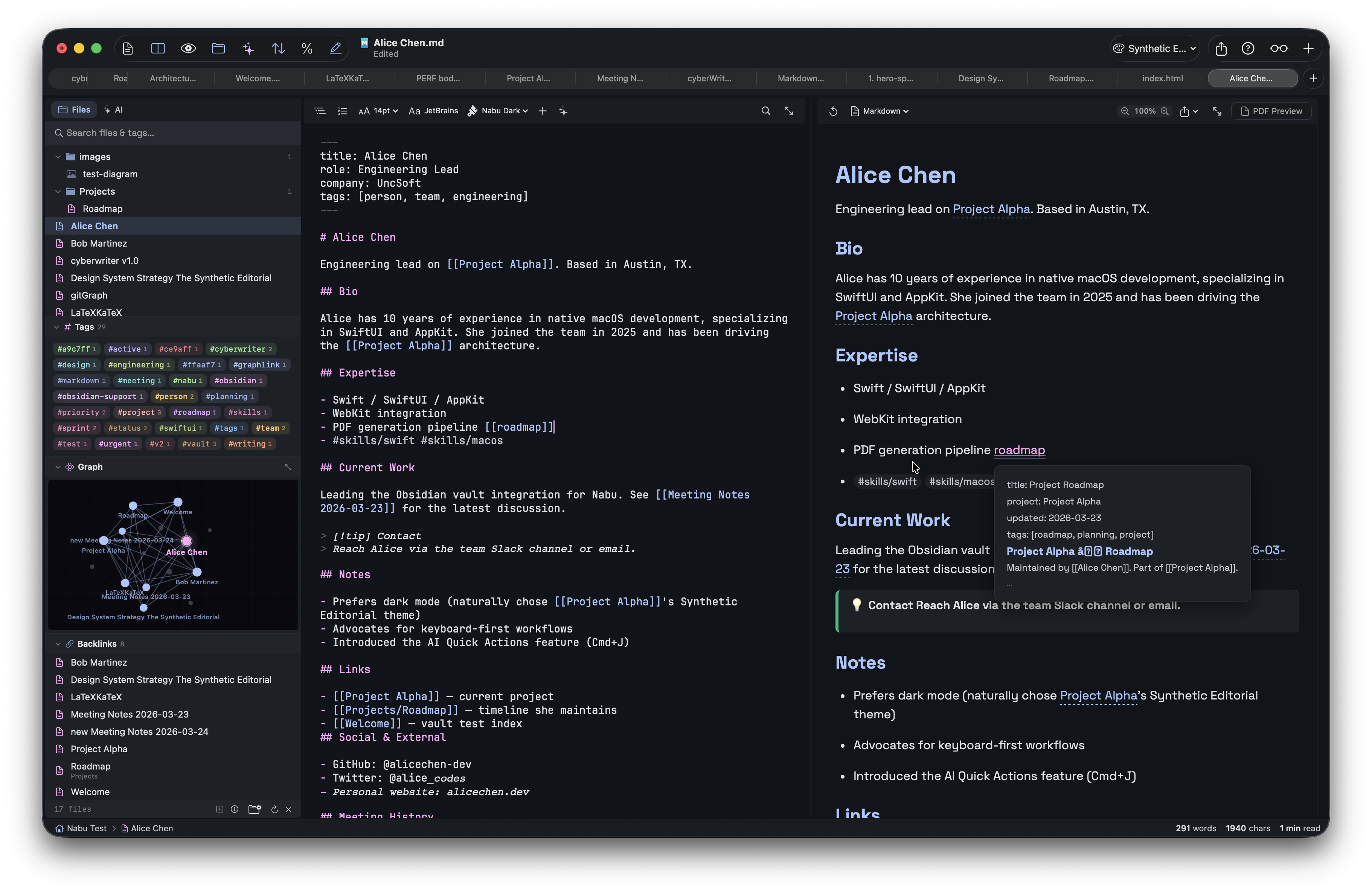
Open any folder of Markdown files as a vault. Wikilinks, backlinks, tags, callouts, image embeds, and a live knowledge graph - all built in. Works alongside Obsidian on the same vault.
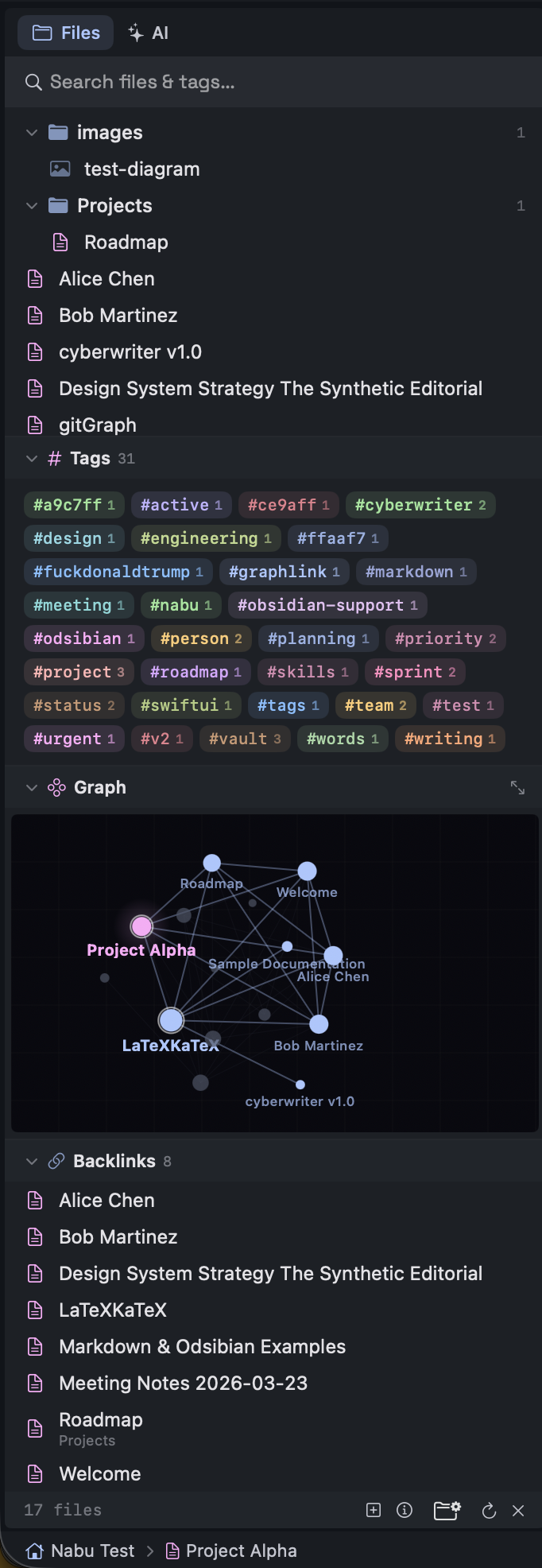
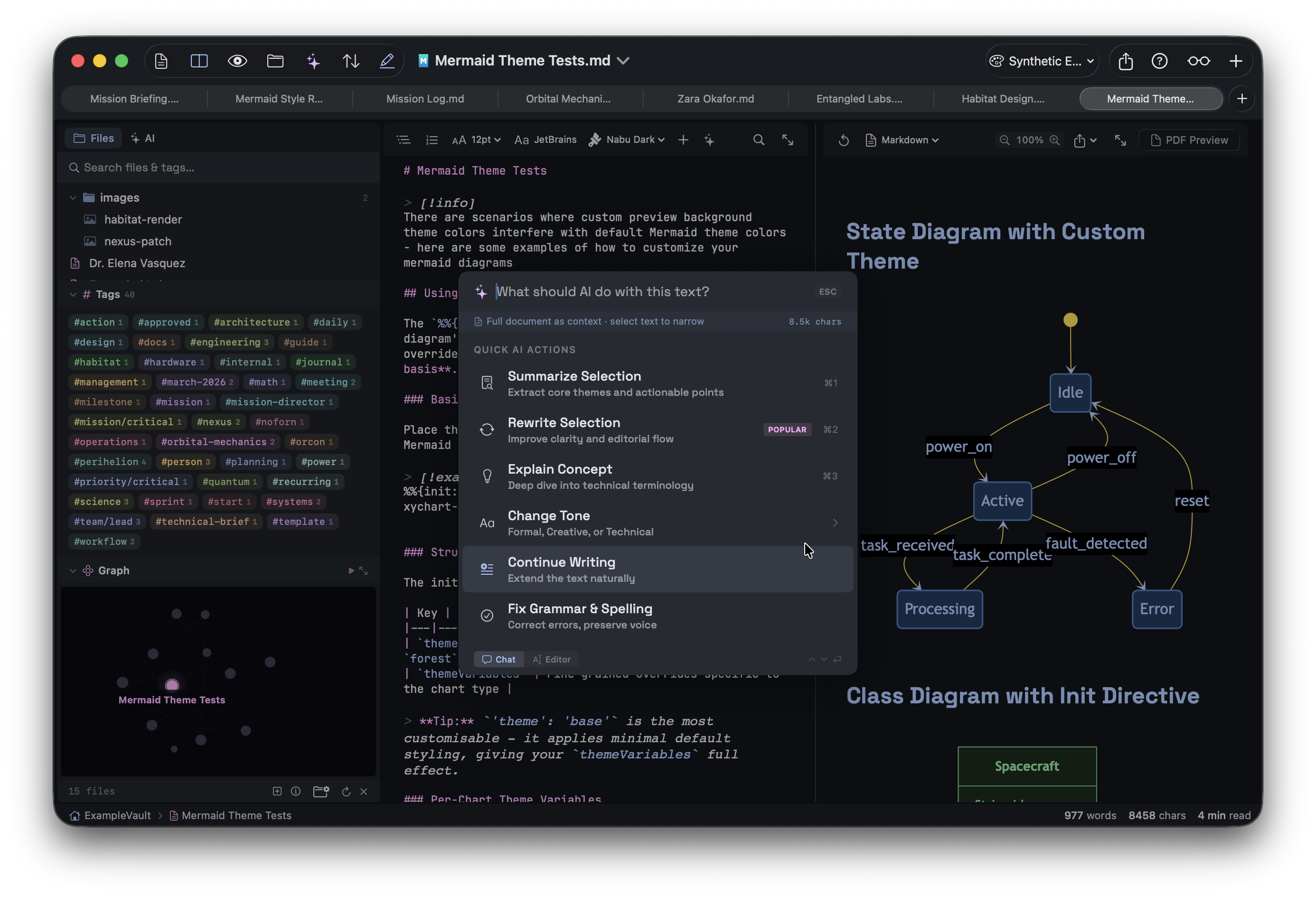
Knowledge Graph
See the big picture
Every link between your notes is visualized in a force-directed graph. Hover to explore, click to navigate, drag to rearrange. Pop it out into a floating window with Tour Mode to cycle through nodes automatically.
[[wikilinks]]with auto-resolution and hover preview- Backlinks panel shows all files that link here
- Tags as styled pills - extracted from body text and YAML frontmatter
- Image embeds with
![[image.png]]syntax - 12+ callout block types: note, tip, warning, danger, info, success, question, quote
- Quick Switcher - search and jump between vault files instantly
- Drag
.mdfiles from sidebar to insert[[wikilinks]], drag images to embed - Dataview query blocks rendered as styled info boxes
// rendering engine
LaTeX, Mermaid, HTML - all native.
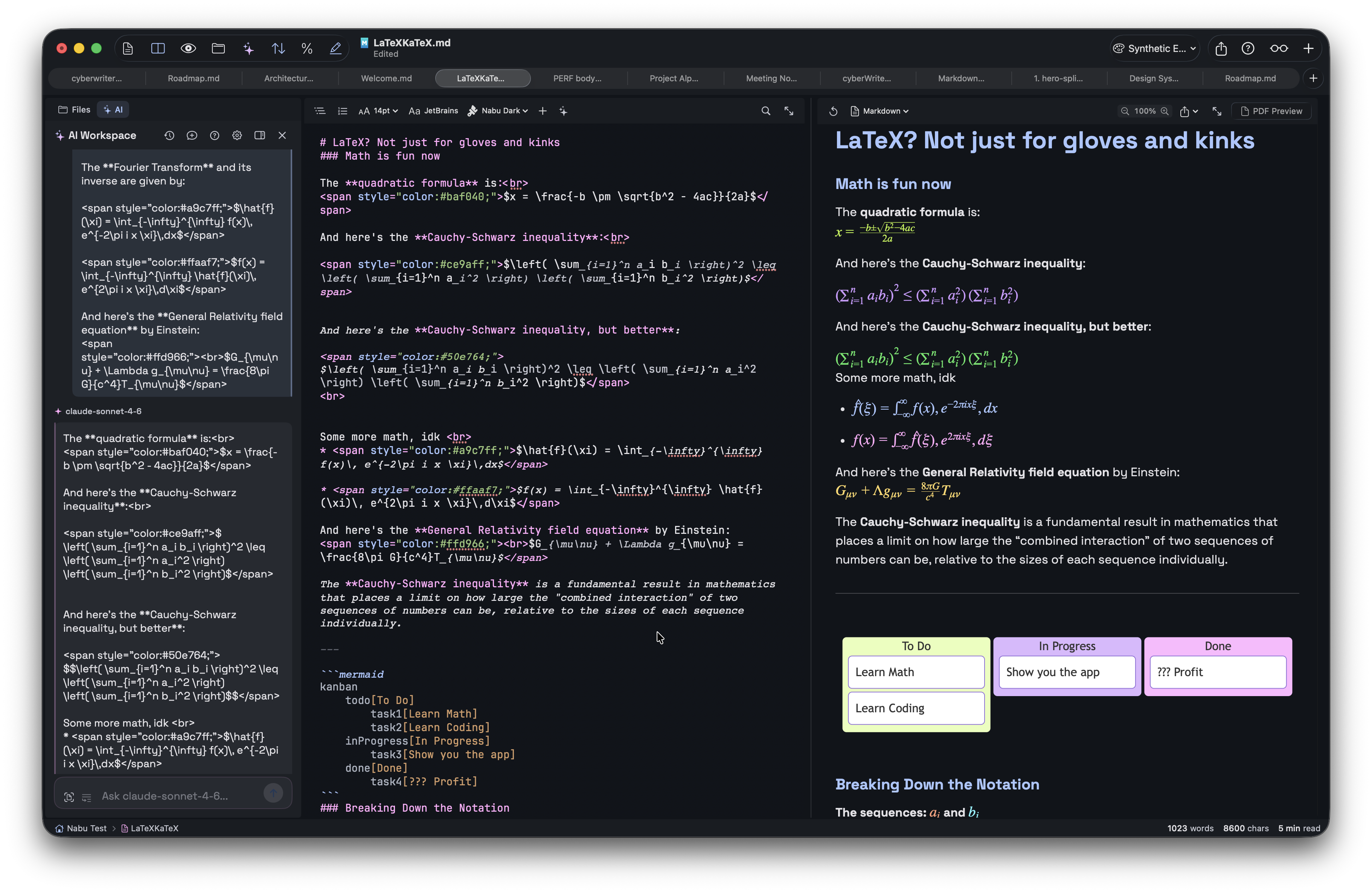
Write math equations, create diagrams, embed styled HTML - and see it all render live in the preview. What you see is exactly what exports.
Zero Dependencies
No Pandoc. No LaTeX install. No plugins.
KaTeX renders math natively. Mermaid renders diagrams to SVG. Inline HTML and CSS render exactly as written. All in a sandboxed macOS app with nothing to install.
- KaTeX math - inline
$...$and display$$...$$ - 16 Mermaid diagram types - flowchart, sequence, class, state, gantt, pie, ER, mindmap, timeline, git graph, XY chart, C4, sankey, quadrant, kanban, tree map
- Inline HTML/CSS - text colors, alignment, sizes, backgrounds, borders, underlines
- Footnotes with automatic bottom-of-page placement
- YAML frontmatter - parsed and hidden from preview
- Diagrams render as SVG in PDF, PNG in DOCX, interactive in HTML export
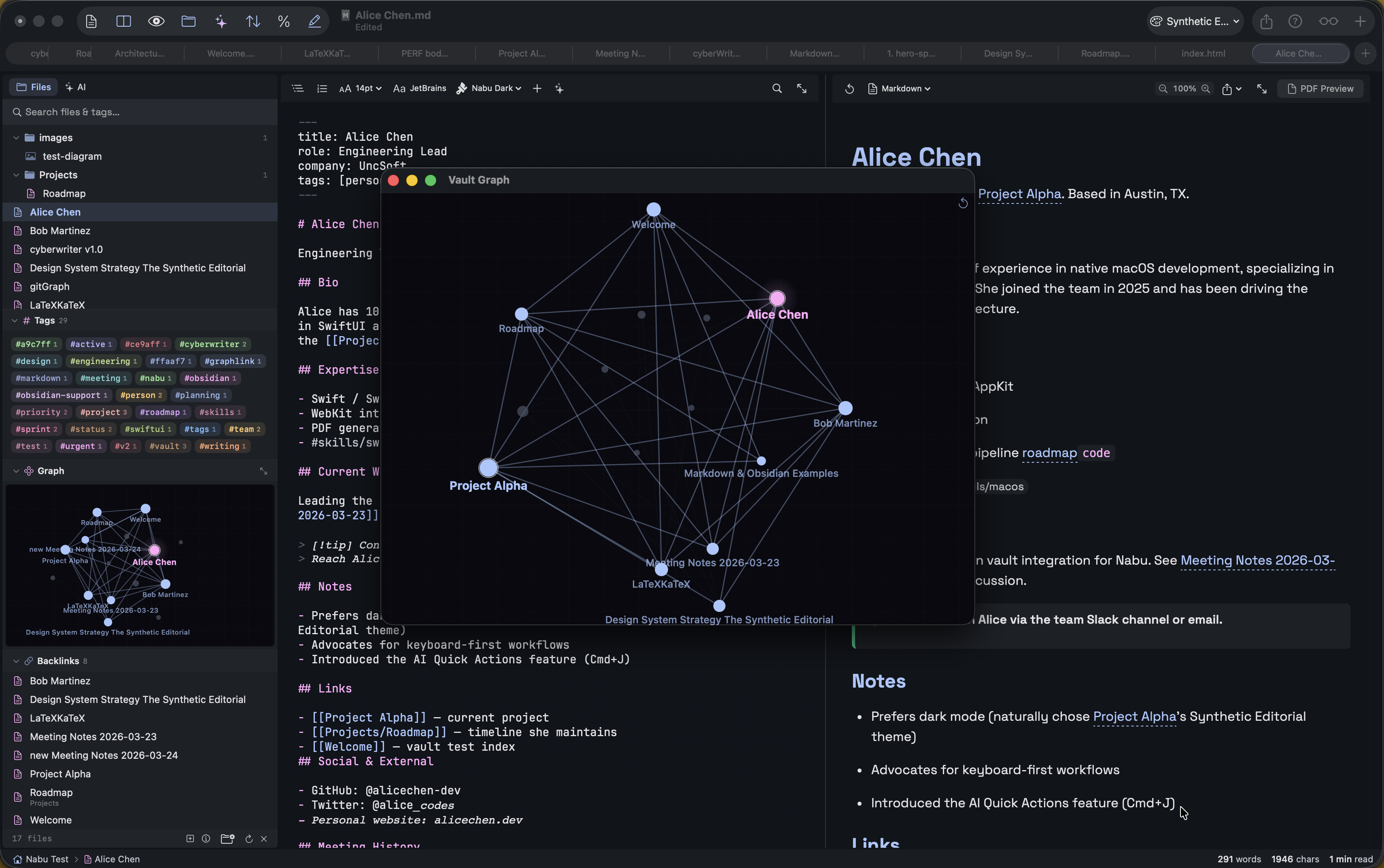
Expanded Graph
Explore your connections
Pop the graph into a floating window for a panoramic view of your entire vault. Nodes scale by connection count, edges light up on hover, and the whole thing orbits gently in a slow, satisfying drift.
- Force-directed physics simulation
- Pinch to zoom, scroll to pan
- Click nodes to open files
- Double-click to reset layout
// ai workspace
AI that writes with you.
Apple Intelligence works out of the box on macOS 26+ — no API keys, no setup. Or connect any local or cloud model. Your choice.
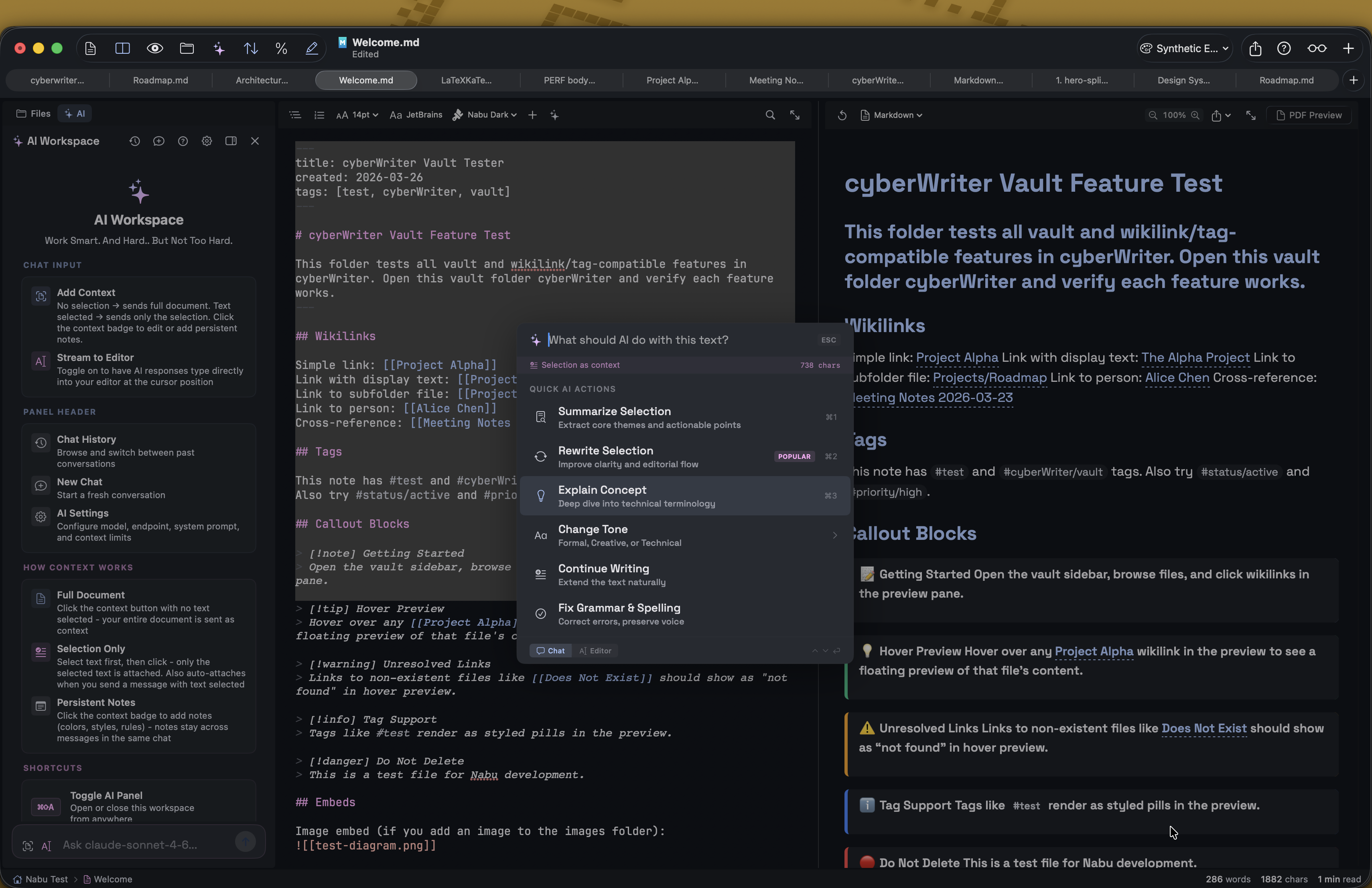
Apple Intelligence + Bring Your Own Model
On-device AI, or any model you want.
On supported hardware, Apple Intelligence runs entirely on-device with zero configuration. For heavier tasks, connect Ollama, LM Studio, Claude, OpenRouter, or any OpenAI-compatible endpoint.
- Apple Intelligence - on-device, no API keys, no downloads, works immediately (macOS 26+)
- Chat with your vault as context - RAG and embeddings with one click
- Stream-to-editor mode - AI types directly at your cursor in real-time
- Quick Actions (⌘J) - summarize, rewrite, explain, change tone on selected text
- Attach files as context - .md,.txt, .csv, .json, .pdf, and more
- Context badge - view and edit scraped content, add persistent Notes
- Auto-detects local services: Ollama, LM Studio, MLX, vLLM
- Cloud: OpenRouter (free + paid models), Claude (native Anthropic API)
⌘Zundoes entire AI insertion as a single undo group
// the editor
Your writing environment, your way.
Three view modes, 15+ syntax themes, scroll sync, an outline sidebar, and a comprehensive insert menu - all tuned for Markdown.
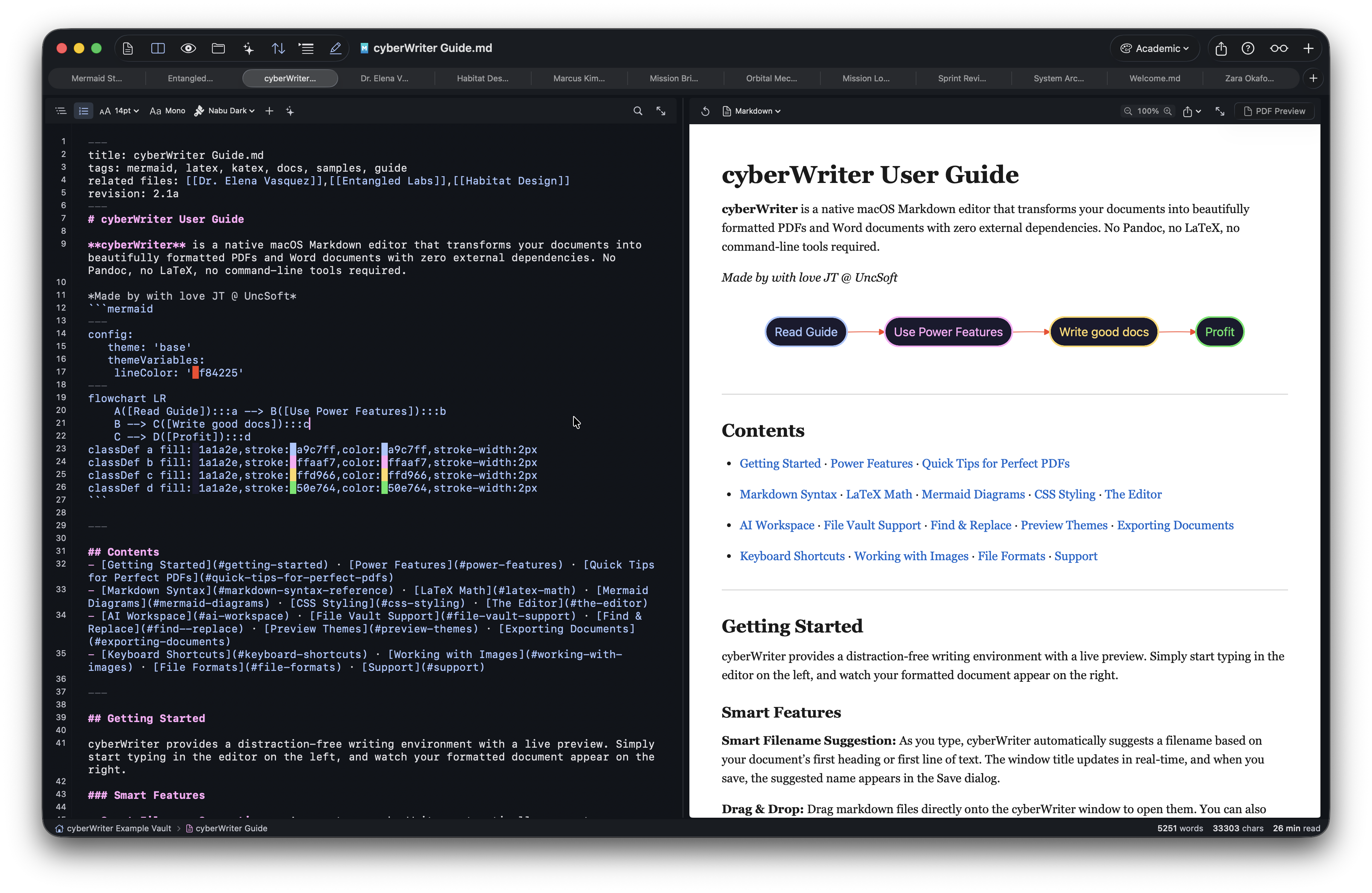
Editor
Write, preview, or both
Switch instantly between Editor Only (⌘1), Split View (⌘2), and Preview Only (⌘3). The editor adapts to how you work.
- 15+ syntax themes - Nabu Dark/Light, Atom One, Monokai, Dracula, Nord, Solarized, and more
- System mode auto-switches between Nabu Light and Nabu Dark
- Scroll Sync - line-based (accurate) or percentage-based (smooth)
- Outline Sidebar (
⌘⇧O) - navigable heading list, color-coded by level - Insert Menu (+ button) - headings, lists, code blocks, tables, 16 Mermaid diagram types, CSS styles
- Line numbers toggle, resizable sidebar (drag to resize)
// hex color picker
See your colors. Change them live.
Every hex code in your document gets an inline color swatch. Option-click to open the system color picker and edit colors in place.
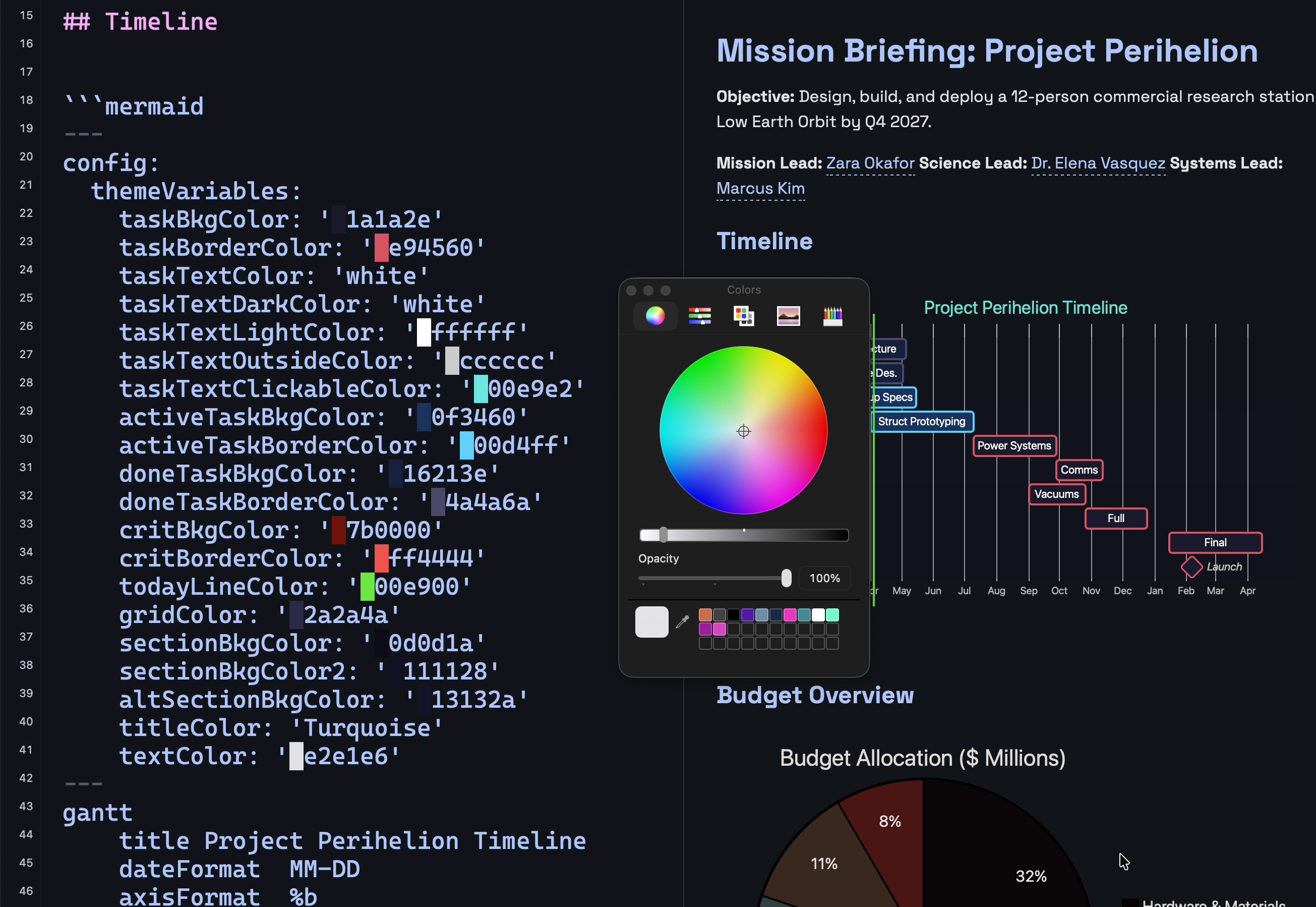
Color Tools
Inline swatches. One-click editing.
The # symbol renders as a colored block matching the hex value. Option-click to open the system color picker, or Option-click anywhere to insert a new color at the cursor.
- Option-click any hex code - opens system color picker
- Option-click elsewhere - inserts a new hex color at cursor
- Picker stays open for multiple inserts - move cursor and pick again
- Works with 3, 4, 6, and 8 character hex codes
- Tags like
#a9c7ffrender as colored pills in preview
// document map
Every page at a glance.
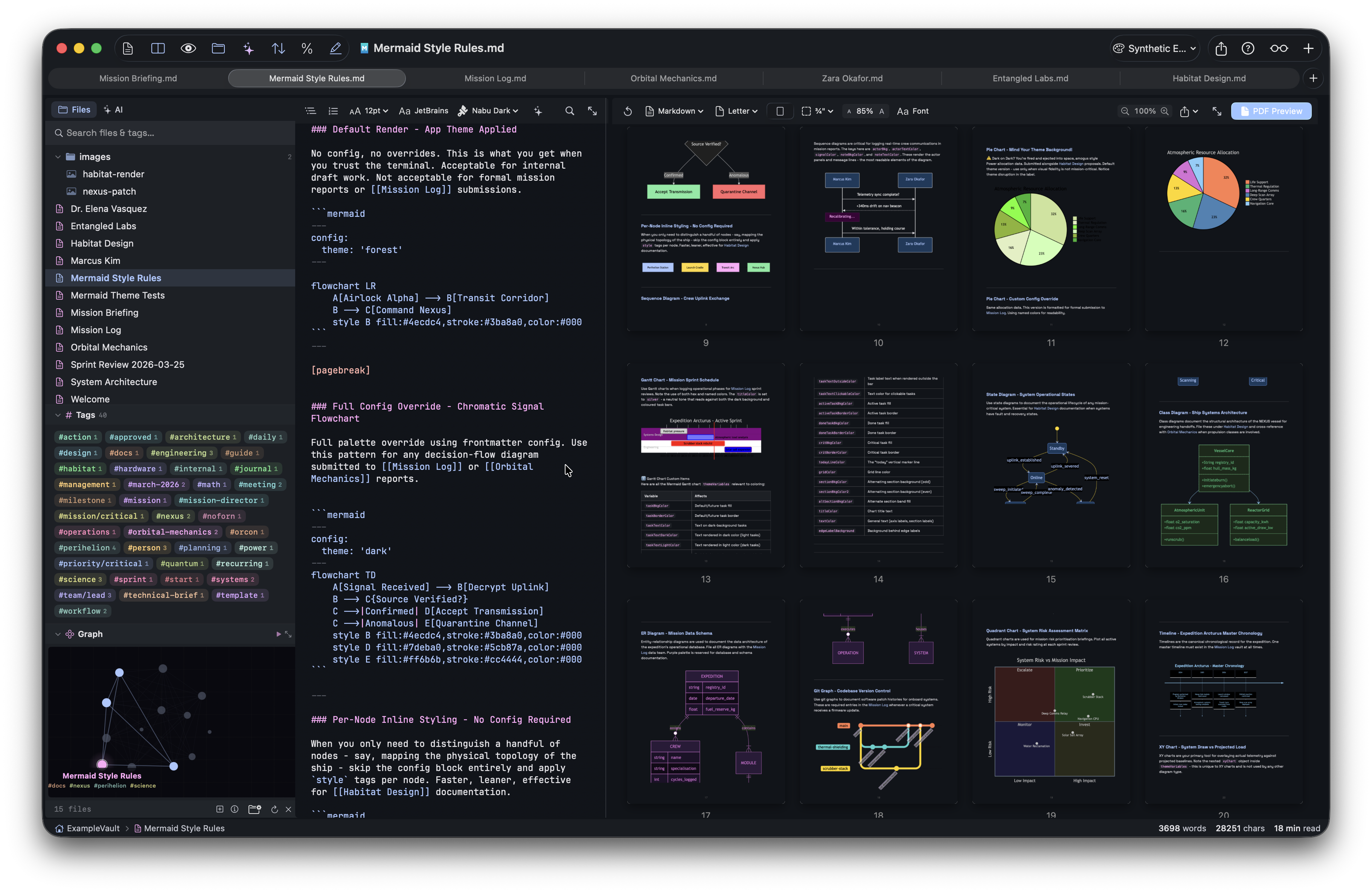
A zoomable grid of your entire document. Navigate large PDFs instantly, spot formatting issues across pages, and fine-tune your export settings.
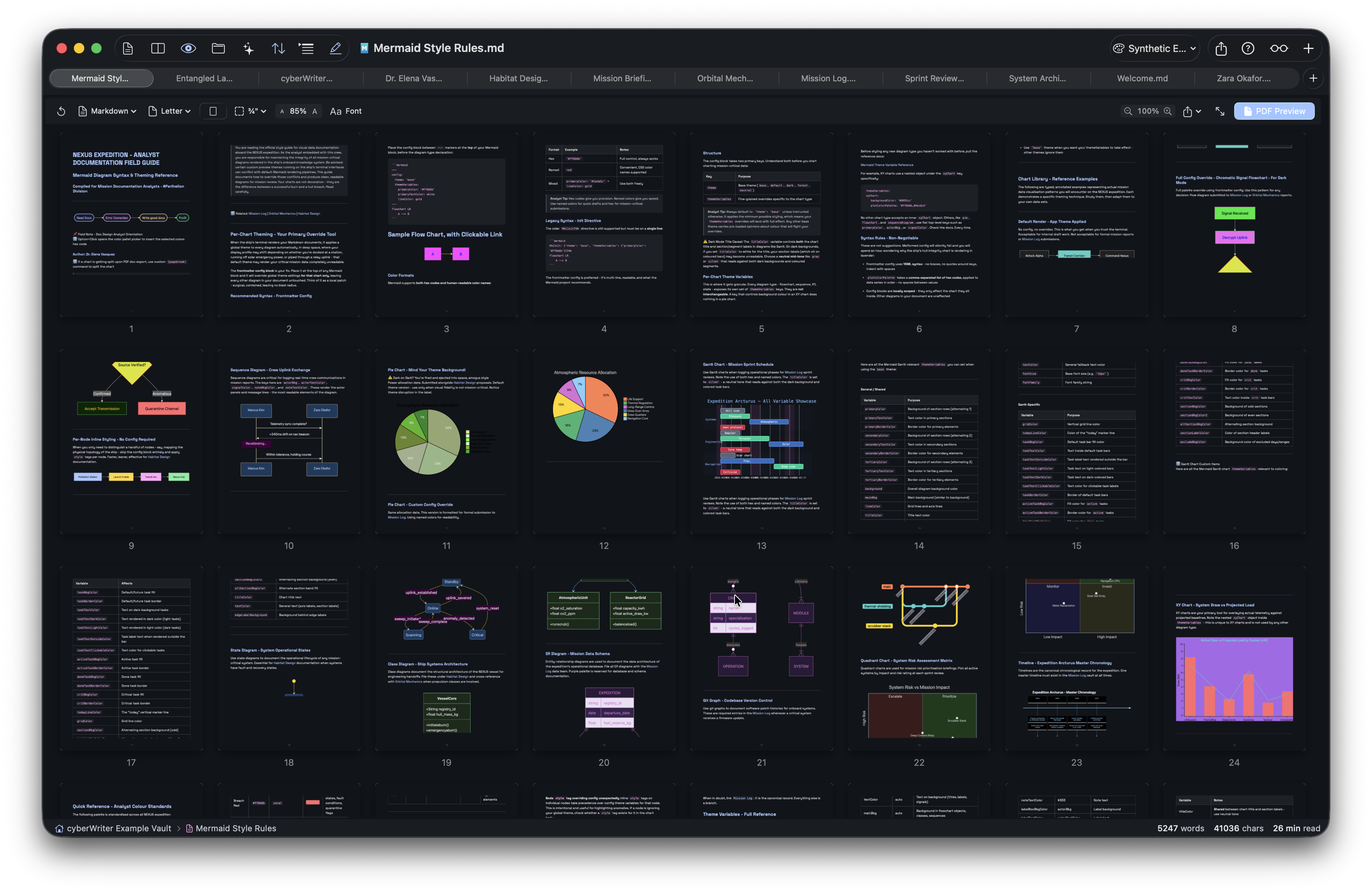
PDF Power
Live PDF preview. Full export control.
Edit and see your PDF update in real-time (⌘P). Click the grid icon to see all pages at once. Zoom with ⌘+/⌘-.
- Zoomable page grid - click any page to jump to it
- Live PDF preview updates as you type
[pagebreak]- force clean page breaks before headings, tables, or images- Paper size - Letter, A4, Legal, A3, A5, and custom dimensions
- Orientation - portrait or landscape for wide tables
- Margins, font size scale, page numbers (Arabic, Roman, or letters)
// voice notes & media
Record, transcribe, embed anything.
Voice notes with on-device transcription, plus inline embeds for audio, video, PDFs, and YouTube — all from a single ![[file]] syntax.
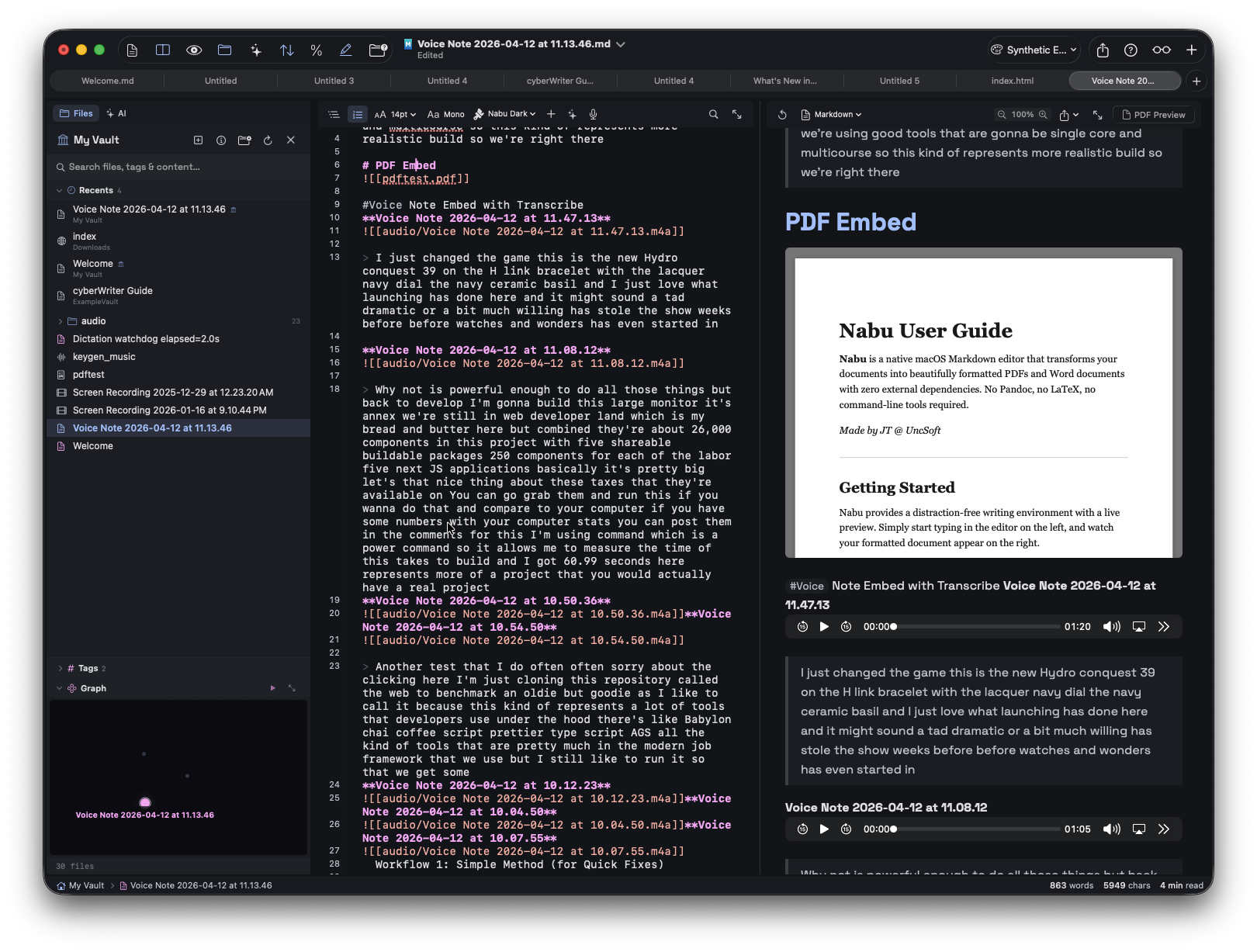
Voice & Media
Speak it. Embed it. Play it back.
Click the mic button in the editor toolbar for three recording modes. Media files embed inline with full playback controls.
- Record Voice Note - saves .m4a to vault, inserts audio player
- Record & Transcribe - records audio, then auto-transcribes with on-device speech recognition
- Live Dictation - speak and text appears in real time, no audio file saved
![[recording.m4a]]- inline audio player![[clip.mp4]]- inline video player![[document.pdf]]- scrollable PDF viewer![[data.csv]]- rendered HTML table![[doc.rtf]]- formatted rich text![[notes.md]]- rendered Markdown with full formatting- YouTube links auto-embed as click-to-browser cards
- All media encodes into portable HTML exports
// slides & flash cards
Present it. Study it.
Turn any document into a slideshow or a flash card deck. Spaced repetition tracks what you know. Ask AI to format your notes for you.
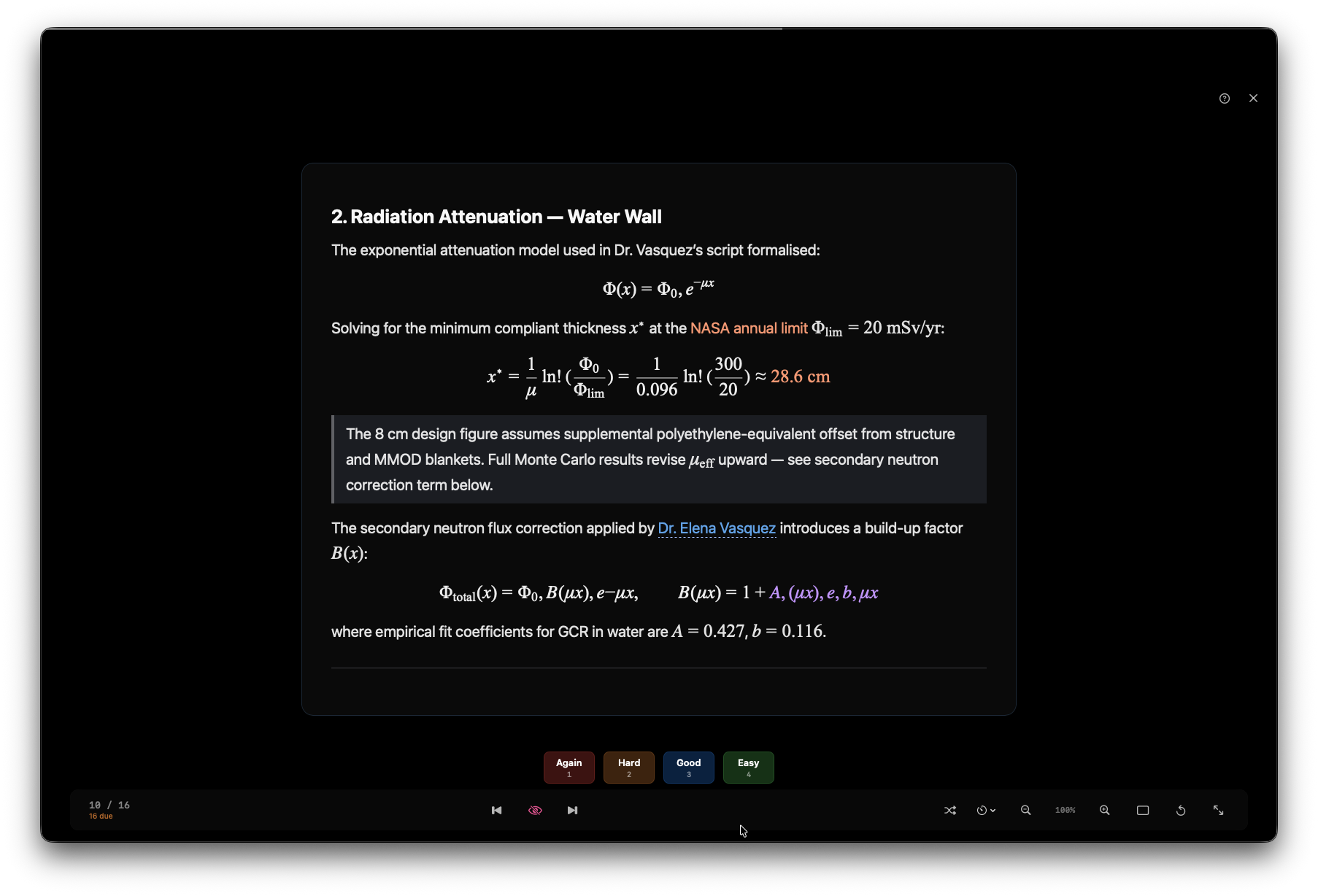
Slides & Flash Cards
Play your document. Study your notes.
Click the play button and choose Play as Slides or Flash Cards. Documents split by --- dividers or headings. Flash cards use ??? to separate question from answer.
- Slides - auto-play, shuffle, three layout modes (Standard / Wide / Card)
- Flash Cards - click or Space to reveal answer, rate with 1-4 keys
- Spaced repetition (SM-2) - cards you struggle with come back sooner
- Mermaid diagrams and KaTeX math render on slides
- Auto-generated title slide from YAML frontmatter
- Zoom in/out (50%-200%), fullscreen, keyboard navigation
- Progress saved per-document, persists between sessions
- Format with AI - one click restructures your doc into slides or flash cards
// focus & templates
Distraction-free. Instant start.
Strip away everything but your words, or jump-start a new document from a built-in or custom template. cyberWriter adapts to how you write.
Writing Flow
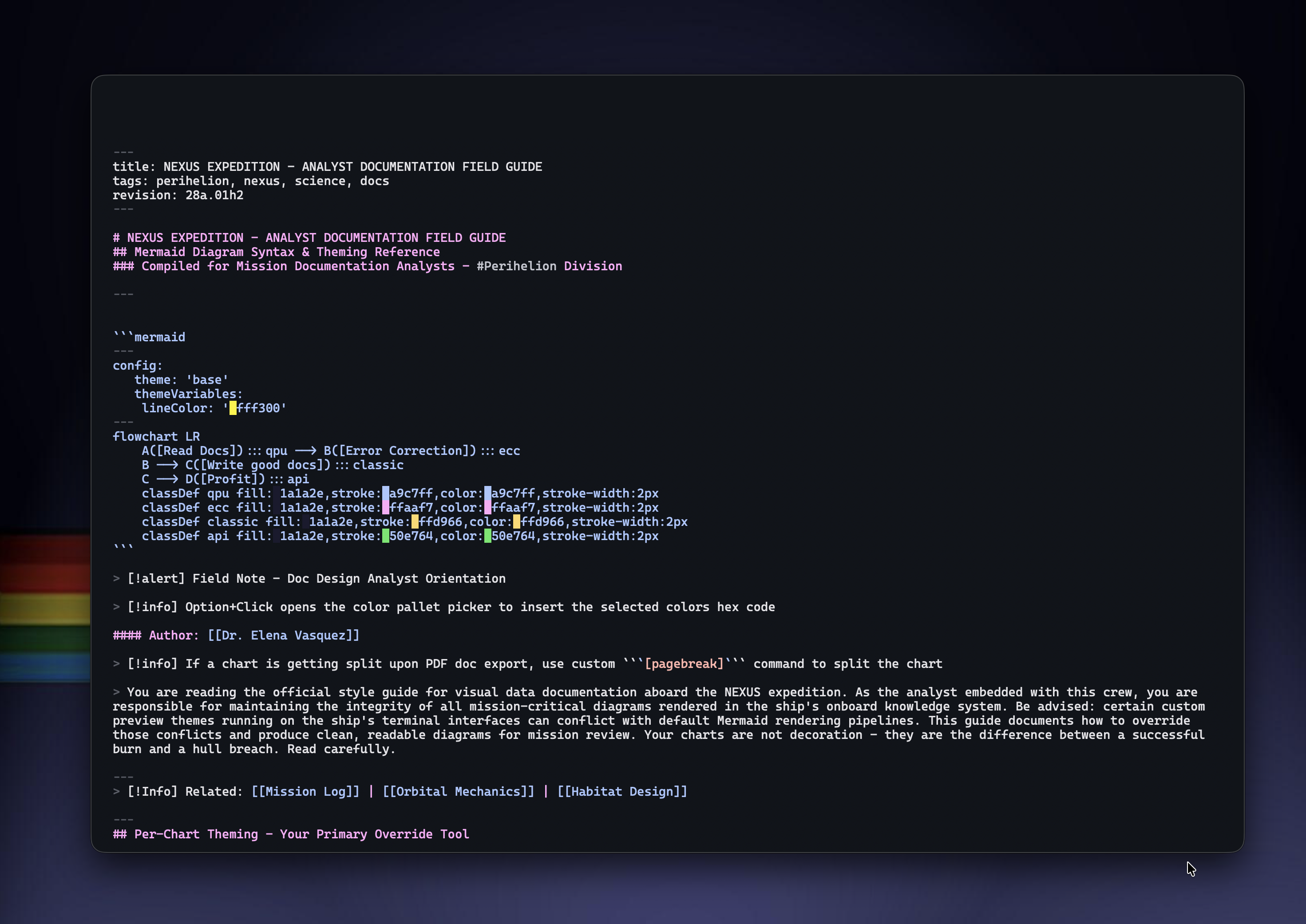
Just you and your words
Press ⌘⇧F and all toolbars and chrome vanish. Your content centers on screen. Move your mouse to reveal controls when needed.
- Focus Mode (
⌘⇧F) - all UI disappears, centered content - Toggle preview visibility while in focus mode
- 5 built-in templates + save your own with File > Save as Template
- Custom templates appear in the template picker on new documents
- Smart filename suggestion from your first heading
- Drag & drop
.mdfiles onto the window or dock icon to open
// preview themes
Five built-in looks. Infinite custom ones.
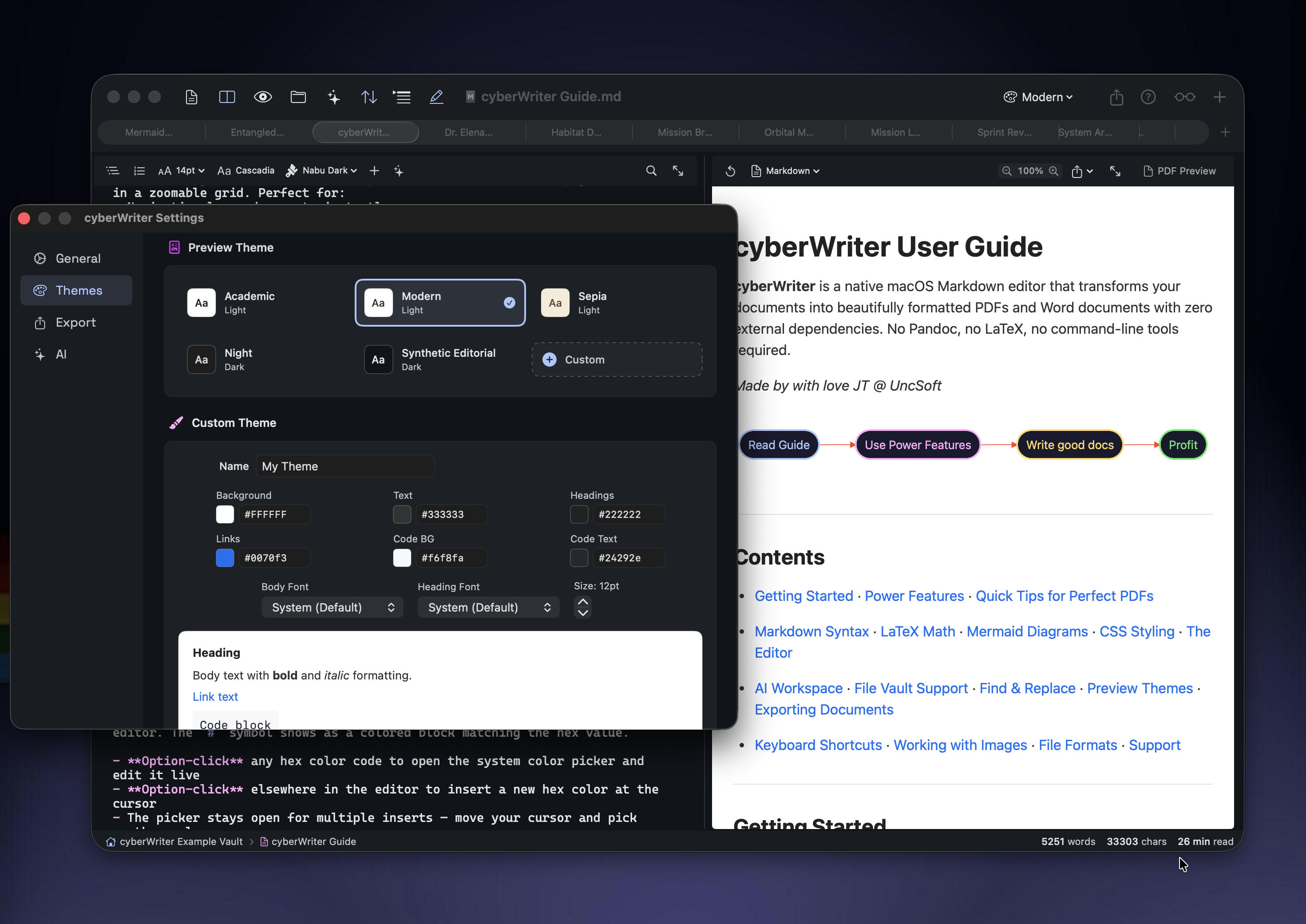
Choose a preview theme for how your document looks in the preview and in exports. Or build your own with full control over colors, fonts, and typography.
Themes
Your document, your style
Switch between five built-in themes or create unlimited custom ones. Every theme applies to both preview and exported documents.
- Academic - white, formal. Papers, theses, reports.
- Modern - white, clean. Tech docs, READMEs.
- Sepia - warm cream. Long-form reading, books.
- Night - dark gray. Dark-mode PDFs, reduced eye strain.
- Synthetic Editorial - deep navy. Modern dark aesthetic.
- Custom - full control: colors, fonts, font size. System color picker with palettes, sliders, and color wheel.
- Right-click any theme to duplicate as a custom starting point
// find & replace
Find anything. Replace everything.
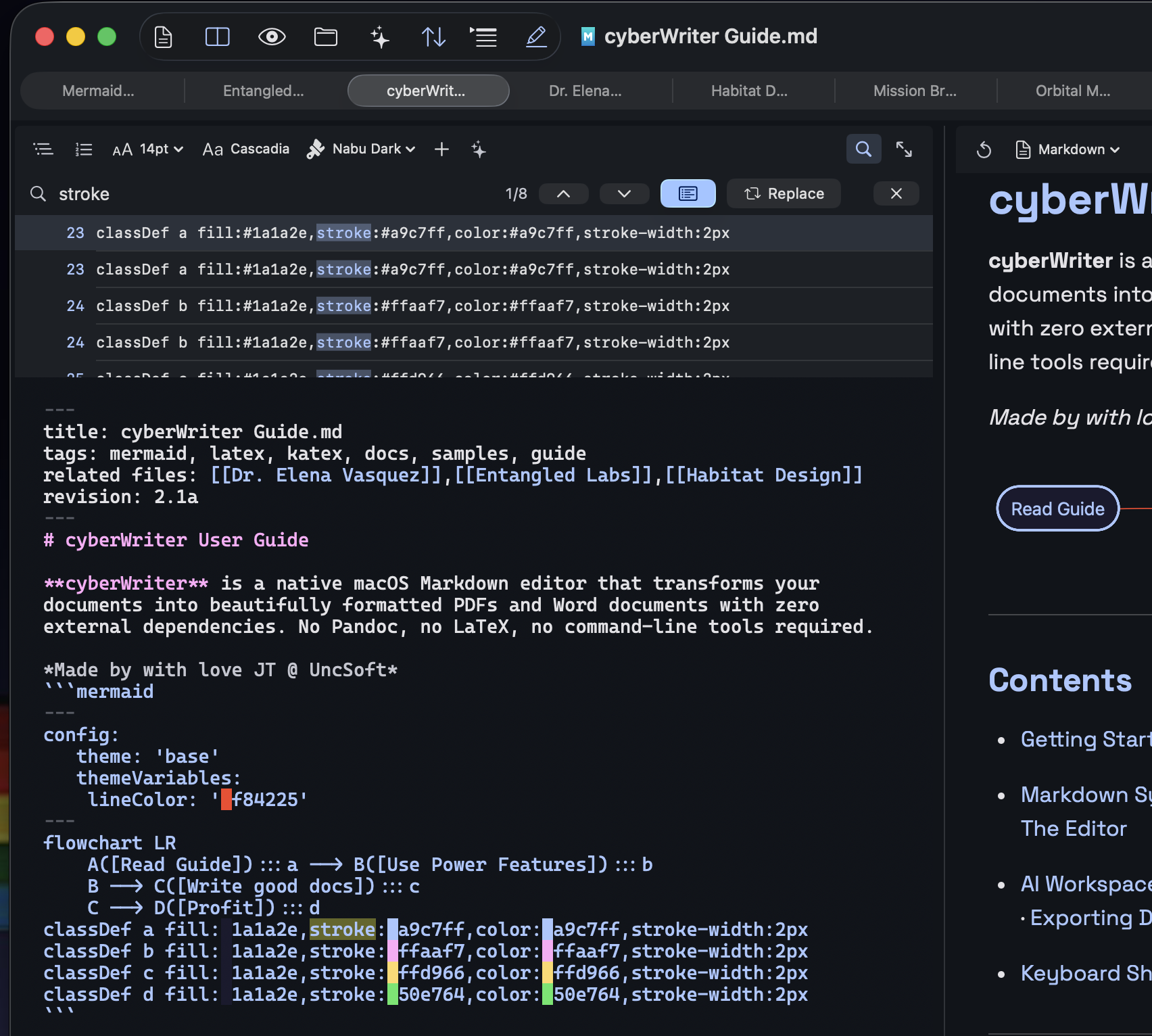
Quick inline search or a full results panel with line numbers, context preview, and one-click navigation.
Search
Two modes. Zero friction.
Press ⌘F for quick inline search with highlighted matches. Press ⌘⌥F for Enhanced Find with a scrollable results list.
- Quick Find (
⌘F) - inline search bar, highlighted matches, arrow navigation - Enhanced Find (
⌘⌥F) - results list with line numbers and context preview - Click any result to jump directly to that location
- Replace mode - replace one or replace all with confirmation
// all features
Everything, built in.
No plugins to install, no extensions to manage. Every feature ships in the app.
📄
Live PDF Preview
Real-time formatted preview updates as you type. Switch to PDF preview mode for export-ready output.
🗺️
Document Map
Zoomable grid view of every page. Navigate large documents at a glance.
🖼️
Drag & Drop Images
Paste or drag images into the editor. Auto-saved alongside your document or into the vault.
📑
Auto Table of Contents
Generate a linked TOC from your headings with ⌘⇧T. Stays in sync as you write.
🎨
Themes & Focus Mode
Multiple editor themes, full-page PDF backgrounds, and distraction-free writing mode.
📊
Mermaid Diagrams
Flowcharts, sequence diagrams, gantt charts, mind maps, ER diagrams, git graphs, and more.
🔗
File Vault & Wikilinks
Open any folder as a vault. Wikilinks, backlinks, knowledge graph, tags, and drag-to-link.
🔍
Find & Replace
Search with highlighting, outline navigation, line numbers, templates, and document statistics.
✨
AI + Apple Intelligence
On-device AI on macOS 26+ with zero setup. Or connect local/cloud models. Stream responses into the editor.
🎬
Slides & Flash Cards
Present documents as slideshows or study with flash cards. SM-2 spaced repetition tracks your progress.
🎙️
Voice Notes & Dictation
Record voice notes, auto-transcribe with on-device speech recognition, or use live dictation to type by speaking.
🎬
Media Embeds
Embed audio, video, PDFs, CSV, RTF, Markdown, and YouTube inline with ![[file]] syntax. All media encodes into portable exports.
⌘
Command Palette
Press ⌘/ for instant access to 90+ commands — formatting, diagrams, templates, AI, export, vault, and voice recording.
// export
Your words, any format.
Export to PDF, Word, or HTML with customizable margins, fonts, and page settings. All generated natively - no external tools required.
📄
Publication-ready with LaTeX, Mermaid, themed backgrounds, and custom page settings.
📝
DOCX
Pure Swift OOXML generation. No Pandoc, no dependencies. Opens in Word, Pages, and Google Docs.
🌐
HTML
Standalone HTML with embedded styles, audio, video, and PDFs. Share one file with everything included.
📊
Markdown
Full extended Markdown support with inline CSS, HTML, Image Embed, customized mermaid diagrams, and vault style backlinks and tags
📝
Plain Text
Write regular old boring plaintext. We don't judge. We do it too. I still have to look up markdown syntax even though I wrote the app.
👨
Full Scripts
Full scripts in any langauge. They won't run in the app, but at least the syntax is highlighted.🤷
// keyboard shortcuts
Built for keyboard-first workflows.
Every major action has a shortcut. No mouse required.
File & View
⌘1 Editor only
⌘2 Split view
⌘3 Preview only
⌘P Toggle PDF preview
⌘⇧A AI Workspace
⌘⇧O Outline sidebar
⌘⇧F Focus mode
⌘/ Command palette
⌘⇧/ Show all shortcuts
Editing & Search
⌘B Bold
⌘I Italic
⌘K Insert link
⌘` Inline code
⌘⇧T Table of Contents
⌘F Quick Find
⌘⌥F Enhanced Find
⌘E Export PDF
// pricing
Simple. Honest.
No Subscription
cyberWriter for macOS
Lifetime license. Every feature included. Free updates.
Bundle with devPad and Anubis Pro for only $217.99
- ✓ Live PDF preview & export
- ✓ DOCX & HTML export
- ✓ AI workspace (bring your own model)
- ✓ File vault with wikilinks & tags
- ✓ Knowledge graph & backlinks
- ✓ LaTeX, Mermaid, inline HTML/CSS
- ✓ Themes, focus mode, document map
- ✓ Native macOS performance
Mac App Store Buy Direct (faster upgrades) or download 14-day free trial →
> SAVE WITH THE BUNDLE
The Architect's Toolkit
Get devPad, cyberWriter, and Anubis together at a discount
// contact
Get in touch.
Bug reports, feature requests, or just want to say hi - drop a message.