Sync Your Vim Config
Across Machines
ConfigMesh is a macOS app that provides end-to-end encrypted sync, encryption, and backup for your dotfiles and application configuration files.
Watch the Demo Video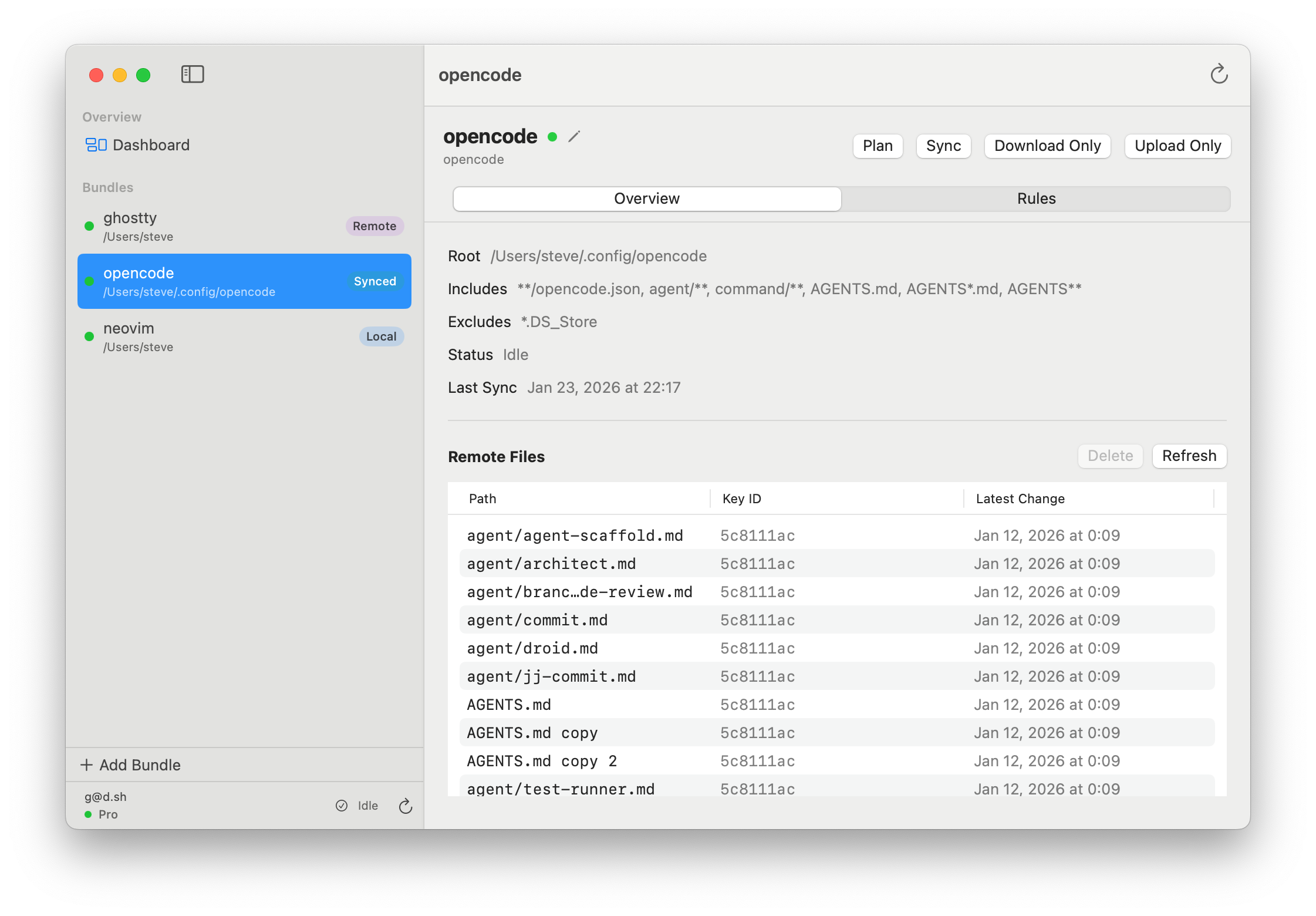
See it in Action
Watch how ConfigMesh makes dotfile management and sync seamless across your macOS machines.
How It Works
ConfigMesh runs as a native macOS app on your machine. It monitors your specified config files, encrypts them with your personal key, and syncs them across machines. Your encryption key never leaves your device, ensuring true end-to-end encryption.
1
Configure
Define which files and directories you want to sync using simple include/exclude patterns.
2
Encrypt Locally
Files are encrypted on your Mac with your personal key before ever touching the internet.
3
Sync & Version
Encrypted files sync with full version history tracked automatically.
4
Restore Anywhere
Pull your configs to any Mac, decrypt with your key, and pick up where you left off.
What It Can Do
Powerful Features, Simple Interface
Your Key, Your Data
Encrypts with a key of your choosing that never leaves your machine. We can't access your data even if we wanted to. True zero-knowledge architecture.
Smart Syncing
Diffs and syncs config files across Macs intelligently. Only changed files are transmitted, saving bandwidth and time.
Time Machine for Configs
Roll back to previous versions. Every change is tracked. Restore any file to any previous state with one click.
Bring Your Own Storage
Use your own Dropbox as storage backend. Keep full control over where your encrypted data lives, or use ConfigMesh's built-in storage — your choice.
What Will You Sync?
Ideas to get you started
⌨️
Dotfiles Across Machines
Sync your .vimrc, Zsh aliases, or Git config between your local Mac and remote servers.
🔄
Work & Home In Sync
Keep Safari settings, DEVONthink smart rules, or Raycast snippets consistent between your Work and Home Macs.
☁️
Remote Dev Environments
Have your remote OpenCode or VS Code setup changes sync back to your local Mac automatically.
📦
Cloud Sync for Any App
Add cloud sync to apps that don't support it by targeting their config folders. If it's a file, ConfigMesh can sync it.
🖥️
Server-to-Server Sync
Keep config files consistent across your fleet of servers. Update once, sync everywhere — with the CLI or the macOS app.
🎨
Terminal Profiles
Sync your iTerm2 profiles, Alacritty config, or Kitty themes so every terminal looks and feels the same.
🤖
AI Agent Configs
Sync your ~/.claude, ~/.codex, and ~/.gemini settings across machines so your AI coding assistants work the same everywhere.
💻
IDE Settings
Keep your Cursor, Antigravity, or Xcode keybindings, themes, and preferences in sync across all your development machines.
Simple Pricing
Choose the plan that works best for you. No hidden fees, no surprises.
Free
Try it out, no strings attached
$0/forever
No credit card required
- 1 bundle (up to 10 files)
- 2 weeks version history
- E2EE with your personal key
- ConfigMesh storage or Dropbox
- No billing required
One-time
Use your own Dropbox storage
One-time purchase
- Unlimited config files
- E2EE with your personal key
- Sync to Dropbox
- Web dashboard access
- Version history
- ConfigMesh storage
Ready to Modernize?
Join developers who trust ConfigMesh to keep their dotfiles and configs secure, synced, and backed up.
Get Started Free