Don’t just use AI. Understand it.
Free, hands-on activities for every age — no AI experience needed. In one hour, learners start to understand, direct, question, and create with the AI shaping their world.
AI 101: Digital fluency, for the people teaching it.
1 hour
Fits in a single class period or a lunch break.
No experience needed
No AI or coding experience is required to start.
No tech requirements
Activities are available for any devices — or none at all.
All ages
Kindergarten to the C-suite, and everyone in between.
Fits in a single class period — or a lunch break.
Zero
AI or coding experience needed. Every activity walks you through it.
Any setup
Laptops, tablets, or no devices at all.
Every age
Kindergarten to the C-suite, and everyone in between.
What is the Hour of AI?
Building on over a decade of success with the Hour of Code, our new global initiative is designed to help students and educators everywhere take their first step into understanding and creating with AI.
Through hands-on, easy-to-follow activities, learners around the world will demystify AI and imagine what’s possible when they harness it for good.
Because the future isn’t something we wait for.
It’s something we build — together.
Students are creators, not just users
AI is all around them. The Hour of AI empowers students to move from users to creators, building the skills to shape their future with it.
Adults are learners too
This is a moment when everyone is learning about AI simultaneously. You don’t need to be an AI expert to lead Hour of AI. It’s designed for anyone to teach — simple, hands-on, and ready to go.
Participation begins with access
AI literacy should be accessible to every student, in every community, across the globe. This initiative ensures that learners from any country can participate.
And yes — AI can be fun
From building in Minecraft to creating AI-generated art, students explore AI through the games and apps they already love.
Participation begins with access
AI literacy should be accessible to every student, in every community, across the globe. This initiative ensures that learners from any country can participate.
And yes — AI can be fun
From building in Minecraft to creating AI-generated art, students explore AI through the games and apps they already love.
Start building this December
Sign up to get new activities, classroom tips, and reminders ahead of CSEdWeek, December 7–11. No CS or AI background needed. Every activity is planned and ready to go, so you and your students can take the first step together.
- Ready-to-teach activities for every grade, from hundreds of organizations
- First look at new activities launching November 16
- Free webinars and a classroom toolkit
Ready-to-teach activities for every grade, from hundreds of organizations.
First look at new activities launching November 16.
Free webinars and a classroom toolkit.
By signing up for HourofAI.org, you are agreeing to our Privacy Policy. You can unsubscribe at any time.
Try an activity today!
Every one-hour activity below teaches something real. Browse by grade, topic, or whatever your class is ready for.

Mix & Move with AI
CodeAI
Design your own dancer, code a music remix, and choreograph a dance — all in one experience! Students explore three creative stages, using AI prompts to spark inspiration and coding concepts to customize their final project. No prior experience needed!

Minecraft Hour of AI: The First Night
Minecraft Education
Survive your first night in Minecraft with an AI helper that needs your guidance! Teach it to recognize resources, craft tools, and build shelter before darkness falls. When it forgets essential details, you'll discover why AI requires human oversight.

AI Quests
Google
AI Quests is a gamified, in-class learning experience, which allows students to step into the shoes of Google researchers using AI to solve real-world challenges.

LEGO® Education: Modeling Machine Learning
LEGO® Education
This activity uses hands-on materials, imaginative play, and iterative development to demystify Artificial Intelligence and machine learning models. Students build and “train” a model of an animal to understand how computer scientists train a computer.

Create Your Dream Product with Generative AI
Adobe
In “Create Your Dream Product,” students brainstorm an original product idea, design its logo or ad using Adobe Express, and use generative AI to visualize how it looks and works—encouraging creativity, innovation, and ideas.

MakeCode Bug Arena
Microsoft Corporation
Use Microsoft MakeCode Arcade to code and train your own super-smart bug using AI algorithms and challenge other AI bugs in an epic Tower battle for ultimate Bug Arena glory!

Exploring AI with Scratch Face Sensing Blocks
Scratch Foundation
Use Scratch Face Sensing blocks to control a game with a face tilt, draw with your nose, create face filters, and more! Test for false negatives or positives.
Dance Party: AI Edition
CodeAI
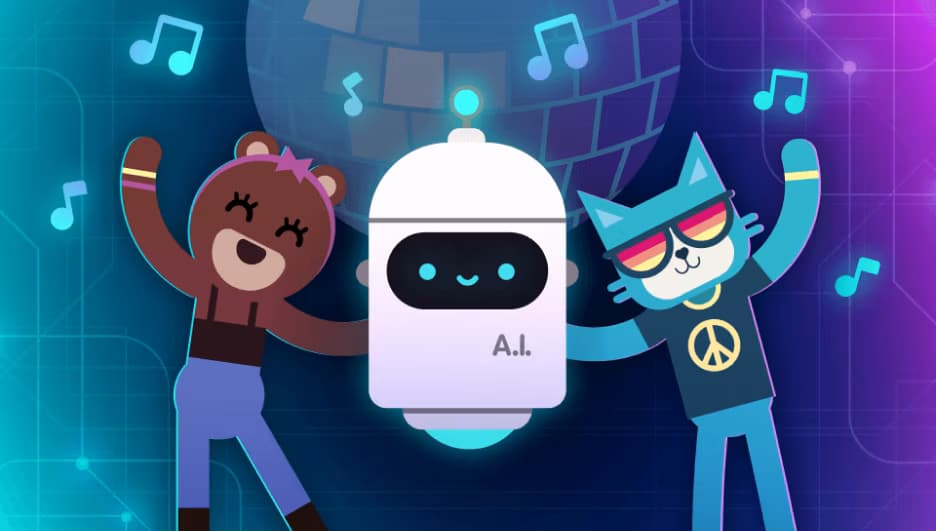
Learn about artificial intelligence (AI) concepts to create your own virtual dance party showcasing today's top artists. With dozens of songs to choose from, reach every student no matter their music taste. It's time to strut your stuff!

Music Lab: Jam Session
CodeAI
Make music and learn to code with Music Lab: Jam Session! In this self-guided, one-hour activity, students remix tracks from artists like Lady Gaga, and Shakira whilecoding basics such as sequencing, and exploring AI-driven beat creation.

AI for Oceans
CodeAI
Computer science is about so much more than coding! Learn about AI, machine learning, training data, and bias, while exploring ethical issues and how AI can be used to address world problems.

Intro to Web Lab
CodeAI
Intro to Web Lab is a single-lesson unit that introduces students to an AI-powered programming environment and teaches them to use AI tools thoughtfully within the web design process.

Intro to App Lab
CodeAI
Create your own app in JavaScript using blocks or text. You'll make a simple app with buttons, images, sounds and multiple screens that you can share with your friends or publish to a public gallery.

Make a Flappy game
CodeAI
Use drag-and-drop programming to make your own Flappy Bird game, and customize it to look different (Flappy Shark, Flappy Santa, whatever). Add the game to your phone in one click.

Hello World: Food
CodeAI
Learn the basics of computer science by programming in Sprite Lab. You will create and animate sprites, and make your own interactive scenes.
Mix & Move with AI
CodeAI
Design your own dancer, code a music remix, and choreograph a dance — all in one experience! Students explore three creative stages, using AI prompts to spark inspiration and coding concepts to customize their final project. No prior experience needed!
- Audience: Ages 6-18
- Activity type: Game or app
- Length: One hour
- Topics: Computer Science, Art, Media, Music
Additional resources
Find everything you need for a successful Hour of AI.
Hour of AI resources
Find all the resources you need — print and digital — to bring attention to your Hour of AI event.
Teacher toolkit
A step-by-step plan, slides, family and admin handouts, stickers, certificates, and free webinars, all in one place.
Plan your event
Explore the how-to guide for planning your Hour of AI event.


