Mermaid is a great definition standard. It gave us a universal way to describe diagrams in plain text — version-controlled, diffable, and easy to generate. The official demos look clean.
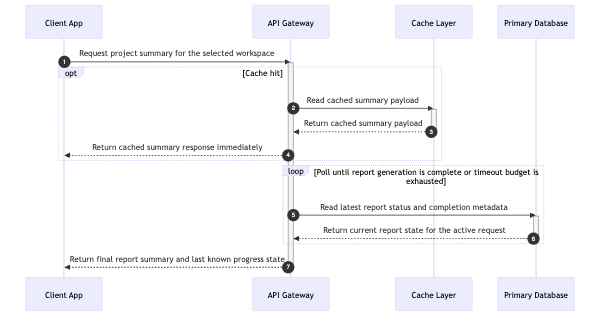
With 4 participants and short labels, Mermaid’s default output is perfectly fine:
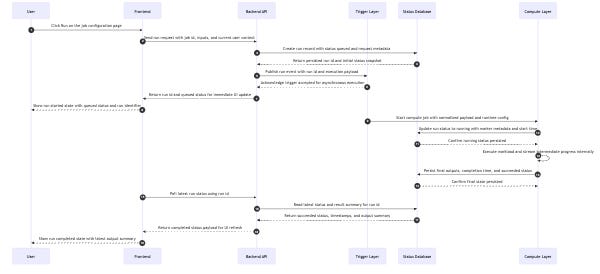
But watch what happens as complexity increases. At 6 participants, text starts getting tight:
At 10 participants with realistic message labels — which is normal for a real technical design document — it falls apart completely:
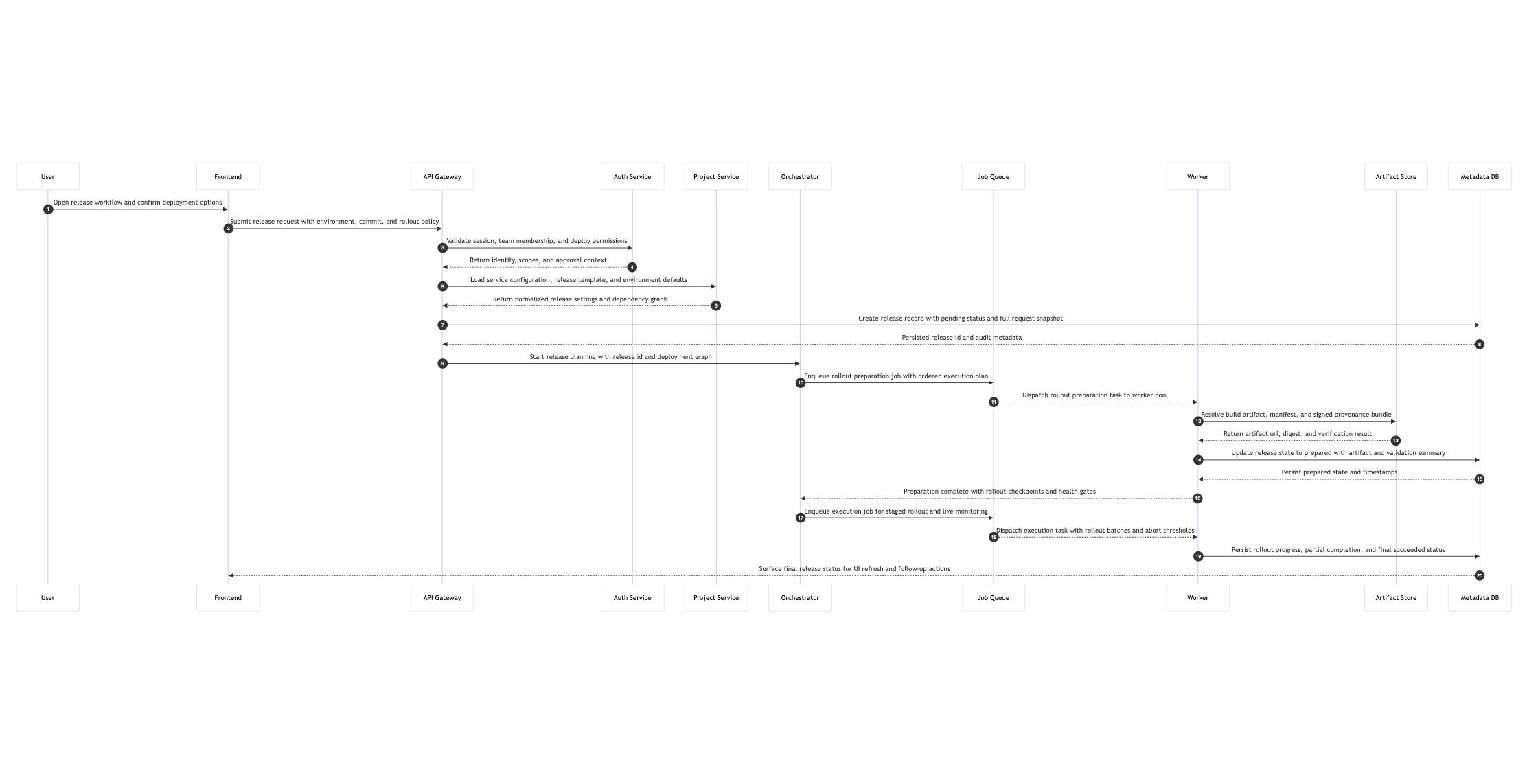
The thing is, real-world TDDs almost never have just 4 participants. Once you’re describing how a request flows through your system — frontend, API, auth, database, queue, worker — you’re at 6+ before you even start. The diagrams that matter are exactly the ones Mermaid can’t render readably.
When the cognitive effort of reading something is too high, people don’t push through — they usually unconsciously skip it. That’s what happens with complex Mermaid diagrams in design reviews. Reviewers see the diagram, but they probably don’t read it. Zooming in, panning around, mentally stitching fragments together — the cost is high enough that the brain just moves on to the text.
The problem is that the diagram is often the single most important part of a design document. It’s where the architecture lives.
Engineers know the diagrams are hard to read. They just don’t fix them, because every existing option requires manual adjustment — and engineers won’t do that.
Online Mermaid editors let you tweak colors and themes, but most can’t even adjust font size. They’re solving for aesthetics, not readability. And they’re web-based, which means uploading real architecture diagrams to external services — not something you should do with company-internal designs. Tools like Figma or Canva corp account can technically do the job — I’m a Figma power user, so I’ve done it, and it still took me way longer than it should have. Most engineers don’t use these tools and shouldn’t have to learn them just to make a diagram legible.
The common thread: every path requires you to manually adjust the diagram. So nobody does it.
AI assistants are generating more and more Mermaid diagrams as part of documentation workflows. And AI doesn’t simplify — it includes every component, every interaction, every edge case. The diagrams are technically correct but practically unreadable.
This is an accelerating trend. The volume of complex Mermaid diagrams is going up, and the readability of each one is going down.
To actually solve this — not just for one diagram, but as a default in every engineer’s workflow — the solution needs to meet a few conditions:
Local-only: no network calls, no data leaves the machine. Enterprise-safe by design.
Zero-config: one command, no parameters, no decisions. An engineer shouldn’t need to think about font sizes or spacing.
AI-callable: a CLI that any agent or script can invoke — not an editor that requires a human in front of a screen.
Output is immediately readable: the result should be a doc-ready image, not a starting point for further manual adjustment.
It doesn’t need to be beautiful. Engineers have been shipping Mermaid’s default output for years — the bar is “I can read the text at 100% zoom.” That’s it.
readable-mermaid is a CLI that takes a .mmd file and outputs a doc-ready SVG and PNG. One command, nothing to configure.
readable-mermaid input.mmdHere’s that same 10-participant diagram after processing:
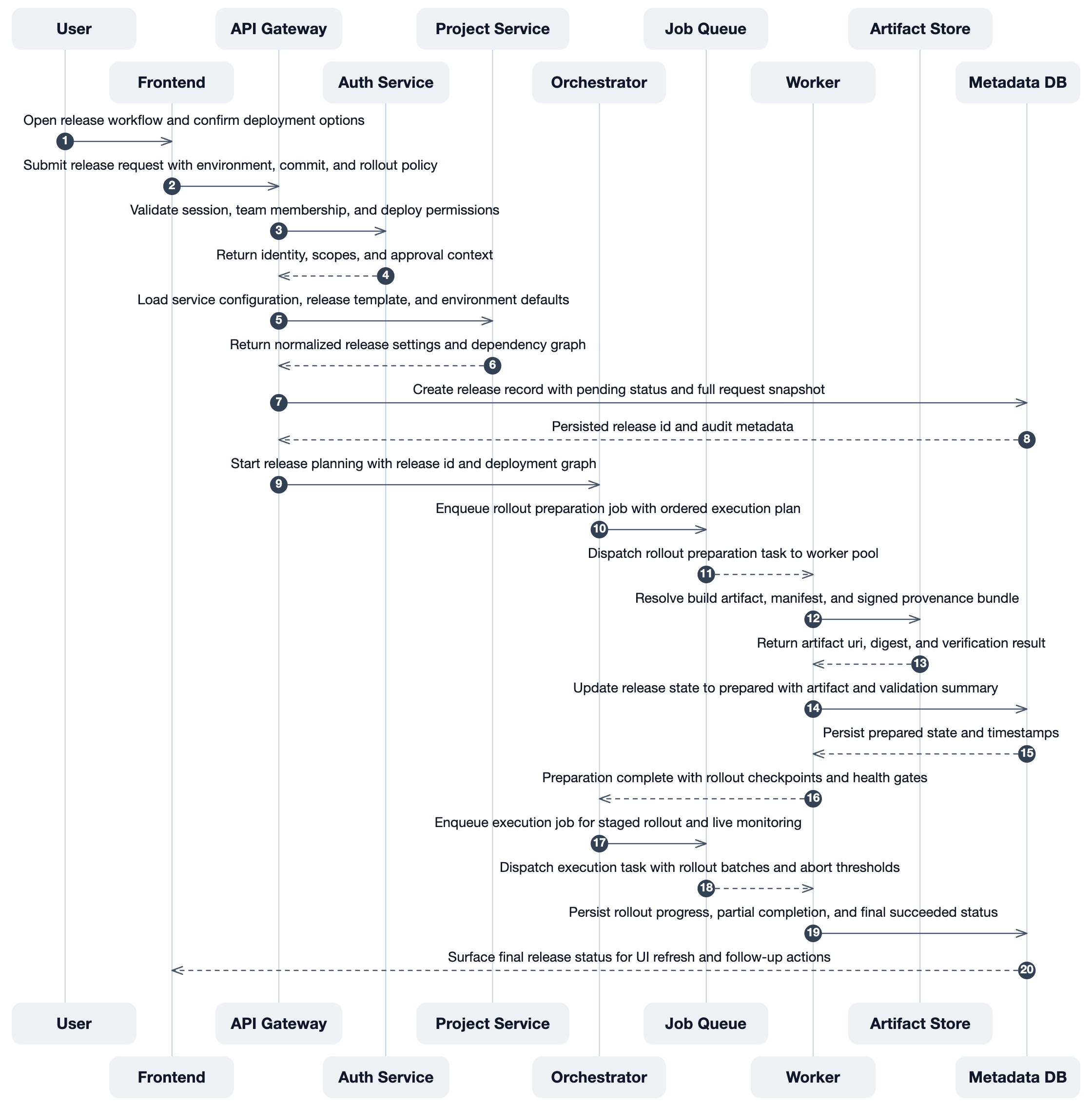
[10-participant screenshot — after processing, readable]
Under the hood, it parses the .mmd source directly and renders with its own layout engine — optimized spacing, readable font sizes, and sequence-specific heuristics. When participant headers would overlap, it staggers them into multiple rows to reclaim horizontal space. All processing happens locally using your system’s installed Chrome.
The real goal isn’t “a tool that makes Mermaid diagrams prettier.” It’s eliminating diagram optimization as a step that humans need to do.
The ideal workflow: AI generates a Mermaid diagram as part of writing a design document, calls this CLI as a post-processing step, and the output is immediately readable. The engineer never opens an editor, never adjusts font sizes, never uploads anything to an external service. The diagram just works.
That’s it.