
Overview
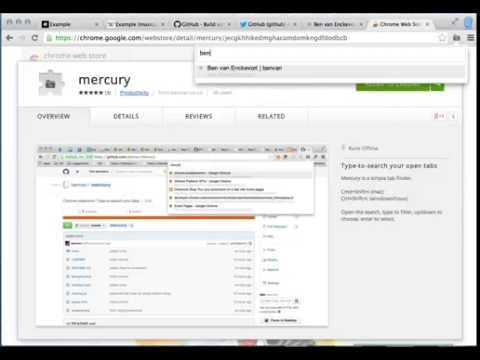
Type-to-search your open tabs
Mercury is a simple, fast tab finder. Cmd+Shift+i (mac) Ctrl+Shift+L (windows/linux) Open the search, type to filter. - up/down : navigate - enter : select tab - [cmd/ctrl]-backspace : close highlighted tab
Details
Version
2.0.3
Updated
August 14, 2025
Size
19.43KiB
Languages
Developer
WebsiteEmail
chromewebstore@benvan.co.uk
Non-trader
This developer has not identified itself as a trader. For consumers in the European Union, please note that consumer rights do not apply to contracts between you and this developer.
Privacy

Manage extensions and learn how they're being used in your organization
The developer has disclosed that it will not collect or use your data.
This developer declares that your data is
- Not being sold to third parties, outside of the approved use cases
- Not being used or transferred for purposes that are unrelated to the item's core functionality
- Not being used or transferred to determine creditworthiness or for lending purposes
Support
Related

Right Click Tab Navigation
4.6
Right Click Tab Navigation

What's The Sound
4.6
Reveal the Internet addresses (URLs) of music and sound effects on the pages you visit.

Awesome Window & Tab Manager
3.8
Displays a list of all windows and tabs open in Google Chrome. Allows filtering, sorting, refreshing, bookmarking, and saving.

Pinboard Plus
4.2
Save, tag, and manage Pinboard bookmarks in one click. The toolbar icon shows whether the current page is already saved.

Tab Ahead
4.7
Tab Ahead lets you type ahead to quickly find open tabs by title and URL.

ChromTag - tag your bookmarks
3.3
Tag your bookmarks with #hashtag!

Moly Tab Menu
2.7
Switch tabs more efficiently.

zvTabs(Close left side tabs)
4.5
zvTabs can close all the tabs on the left side with just one click by two ways, 1:right click on the web page and select 'Close…

Tab Extract
4.6
A simple & lightweight tool to reduce tab clutter, using just the address bar.

Pop-up History
4.7
Pop-up a History

Omni - Meta Search Engine
4.5
One search box. Many buttons.

tempo.tab
4.2
tempo.tab: Open, Flat, Snappy. Clarity and perspective for your tabs.
Right Click Tab Navigation
4.6
Right Click Tab Navigation
What's The Sound
4.6
Reveal the Internet addresses (URLs) of music and sound effects on the pages you visit.
Awesome Window & Tab Manager
3.8
Displays a list of all windows and tabs open in Google Chrome. Allows filtering, sorting, refreshing, bookmarking, and saving.
Pinboard Plus
4.2
Save, tag, and manage Pinboard bookmarks in one click. The toolbar icon shows whether the current page is already saved.
Tab Ahead
4.7
Tab Ahead lets you type ahead to quickly find open tabs by title and URL.
ChromTag - tag your bookmarks
3.3
Tag your bookmarks with #hashtag!
Moly Tab Menu
2.7
Switch tabs more efficiently.
zvTabs(Close left side tabs)
4.5
zvTabs can close all the tabs on the left side with just one click by two ways, 1:right click on the web page and select 'Close…