
To solve a Chedoku puzzle
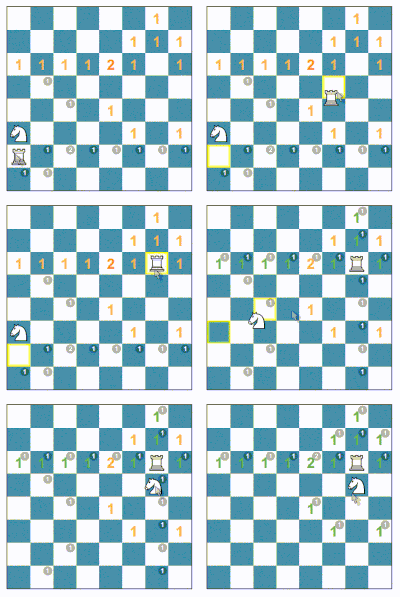
, rearrange the chess pieces so that the number of threats to each square matches the large number shown on it. White pieces increase the threat count by one (+1), while black pieces decrease it by one (−1).
FAQs:
Can you remind me how the chess pieces move to threaten a square?
Learn basics of chess piece moves by clicking here.
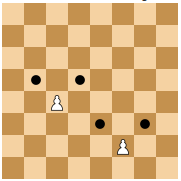
A pawn (♙) can capture an opponent's piece on a square diagonally in front of it by moving to that square. pawns do not threat the quares in front of them
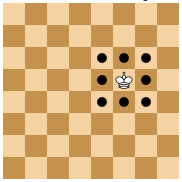
The king (♔) moves one square in any direction.
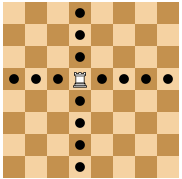
A rook (♖) can move any number of squares along a rank or file, but cannot leap over other pieces.
A bishop (♗) can move any number of squares diagonally, but cannot leap over other pieces.
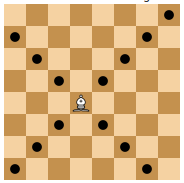
A queen (♕) combines the power of a rook and bishop and can move any number of squares along a rank, file, or diagonal, but cannot leap over other pieces.
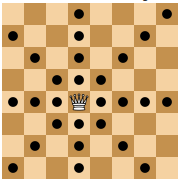
A knight (♘) moves to any of the closest squares that are not on the same rank, file, or diagonal. (Thus the move forms an "L"-shape: two squares vertically and one square horizontally, or two squares horizontally and one square vertically.) The knight is the only piece that can leap over other pieces.
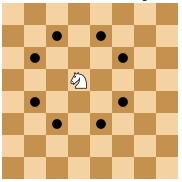
Do I have to follow chess rules to move the pieces?
Chess rules are only used to calculate the threat numbers. You can move pieces freely and place them anywhere. Chedoku puzzles can have several situations that you will never encounter in chess, for example: any arbitrary number of pieces on the board, pawns in the first and last rows, missing king, missing opposite color pieces.
Is there a limit in how many moves or how much time I can take?
There is no time limit, and you can move the pieces as many times as you want. Once you find a solution, the site will show a notification displaying how many moves and how much time you took to find it.
Can I remove pieces or add extra pieces?
No, you cannot remove any pieces. You should find a solution only using the pieces already on the board.
Why can't I move the pieces off the board to start with a clean slate?
This is a technical limitation of the javascript library that I use for showing the chess board and moving pieces around (https://chessboardjs.com). If pieces are off the board, there is no easy way to limit the number of pieces that you can add to the board. Finding a better solution is on my to-do list. I would love to hear from you if you have any ideas on how to solve this!
What do the colours of the numbers mean?
The colours of the large numbers give you a hint how close you are to a solution. If the number turns green, it is targeted by the correct number of pieces compared to the solution. If the number is targeted by fewer or more pieces than required, the number turns more red for each missing or extra piece.
What is the difference between the big and the small numbers?
The large numbers show you the target threat of each square on the board that you need to find a solution. The small numbers show the actual threat corresponding to the current configuration of pieces on the board. If you want, you can turn off the display of the small numbers using the 'hint' setting.
What is the difference between a valid solution (yellow notification with ☑️ mark) and a perfect solution (green notification with ✅ mark)?
Some puzzles can have more than one solution. If you find a solution where all the squares with large numbers are threatened by the correct number of pieces, you found a valid solution. If some extra squares are threatened in addition to the target squares, you receive a yellow notification with ☑️ mark. If all the squares with large numbers are threatened by the correct number of pieces AND no additional squares are threated (i.e. the threat is zero for all squares that do not have a number or a piece on it), you have found a perfect solution and will get a green notification with ✅ mark. If you press the ‘solution’ button, you will see a perfect solution. For example, in the puzzle below placing pawn on c2 is an imperfect solution but placing it on a2 is a perfect solution. https://chedoku.com/#gid=3&d=1 In puzzles with black pieces, perfect solutions can be extra tricky to find, since the threats of white (+) and black (-) pieces can cancel each other out, creating squares that look like there is no threat but that actually require you to place two pieces threatening it to get to zero.
This was too easy, do you have more difficult puzzles?
In the Chedoku home page you can adjust the difficulty of the puzzles by using the slider on the top of the page. In general, puzzles with more pieces and puzzles that involve black pieces are more difficult.
This was too hard, do you have easier puzzles?
We recommend you start with the Tutorial and then move on to the easier puzzles. In the Chedoku home page you can adjust the difficulty of the puzzles by using the slider on the top of the page. In general, puzzles with fewer pieces and puzzles that do not use the black pieces are easier to solve.
Download and install the right package for your system:
Windows
Android:
Linux:
OSX:
Contact
We value your feedback and would love to hear your thoughts on the puzzle you just solved.
Please don't hesitate to reach out to us with any comments or suggestions.
You can contact us via email or through any of our social media channels. See also our other website:
The easiest way to design and generate 3D-printable labels, custom parts, and stamps. Add text, braille, or QR codes to new or existing STL files in minutes. Ready for 3D printing.
hamid.ebadi@gmail.com



On News
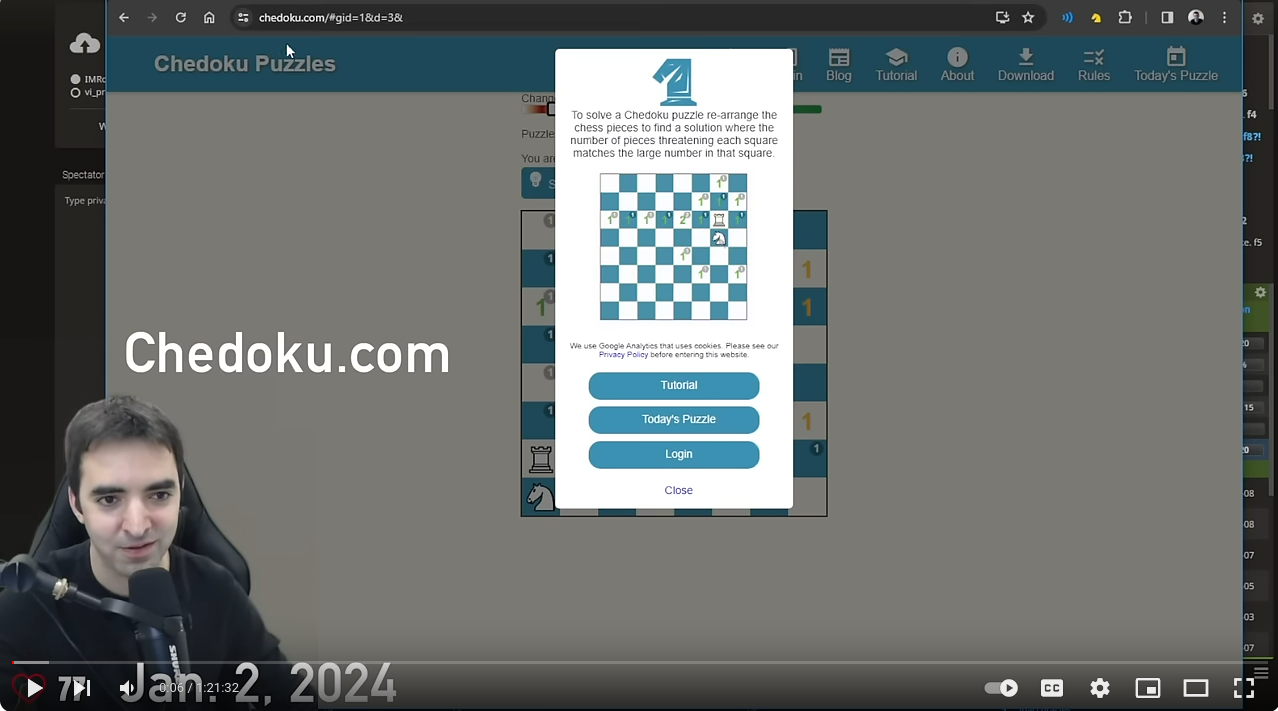
Watch National Master (NM) Nelson Lopez from “Chess Vibes” speed-run Chedoku
💬 "Combining math and chess: new type of puzzle"
💬 "Do you like Sudoku? Do you like chess? then you might like this - Chedoku! It's safer than Chess
Boxing"
💬 "I like it! Fun way to improve your understanding of the pieces' abilities." 💬 "Nieuw soort schaakpuzzels, de chedoku! Wie sudoku's en schaakproblemen leuk vindt zal misschien in
chedoku een leuke combinatie van beiden vinden." 💬 "New find!! I'm being distracted by @chedoku puzzles when work starts soon! 🤩 My students will 🖤
these @ChessPlus
#visualisation #reasoning + & -" 💬 "Chedoku is exactly what it sounds like - Sudoku, but played with Chess pieces. It's a simple concept
but it's been executed to perfection. Includes countless levels, each of which can be scaled up through 20
difficulty modes and there's also a daily puzzle. Countless hours of entertainment." 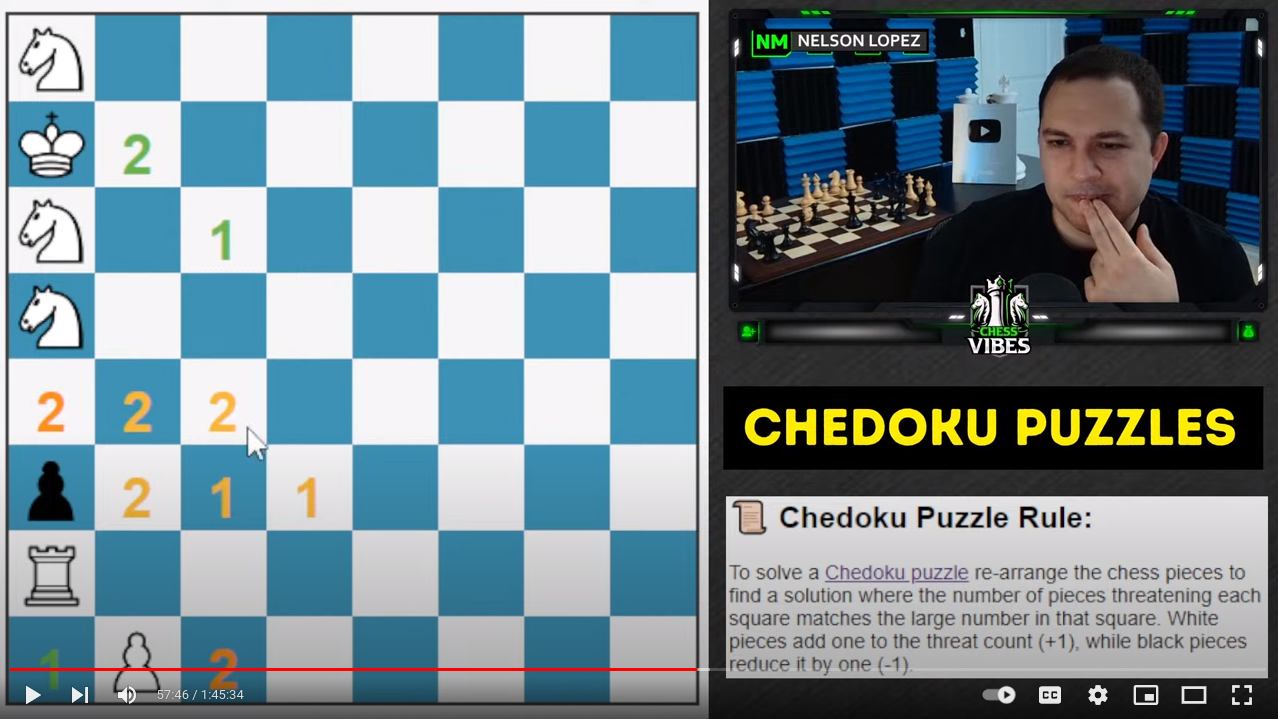 Watch International Master (IM) Eric Rosen speed run the Chedoku puzzles
Dan Heisman, US Chess Federation
National Master (NM) and a FIDE Candidate Master (CM).
- Adam Raoof, The Chess Circuit, The
Chess England, FIDE IA, IO and chess writer
- Nathan Solon,
Chess master, Former poker pro, Data scientist
- Nederlandse
bond van schaakprobleemvrienden,
Dutch association of chess problem friends
- hari_neo,
♟️Primary chess tutor 🦉Curious Maths teacher
- CSH Picone - Game Reviews,
Aussie game journo & Steam curator
Privacy Statement
The privacy and protection of your data is of great concern to us. The privacy policy statement describes any collection, usage and disclosure of personal information when using various services of our website.
Copyright
You are welcome to play, copy, and share our puzzles with others. However, please note that the rules of the game are protected by copyright. Using these puzzles for commercial purposes without obtaining permission from the author is prohibited. If you have any questions, or for inquiries please don't hesitate to contact us. Copyright © 2022 Hamid Ebadi. All rights reserved.
Credit
We are grateful to the developers of the following open-source projects, without which this project would not have been possible:
jQuery MIT License
chessboardjs.com MIT license
chess.js BSD-2-Clause license
FirebaseUI for Web - Auth Apache-2.0 license
HTML5 responsive app template Permission granted from Carlos Nogueira on 2021/12/2
How to find defended and attacked pieces? Permission granted from vitogit on 2021/11/9
To design a new puzzle: Use alt+'y' to display the board's json file, alt+'n' to reset the board.