Keep an eye on every AI coding session.
See which session is waiting on you. Jump there with a keystroke.
v0.17.0 macOS 13+ · signed & notarized
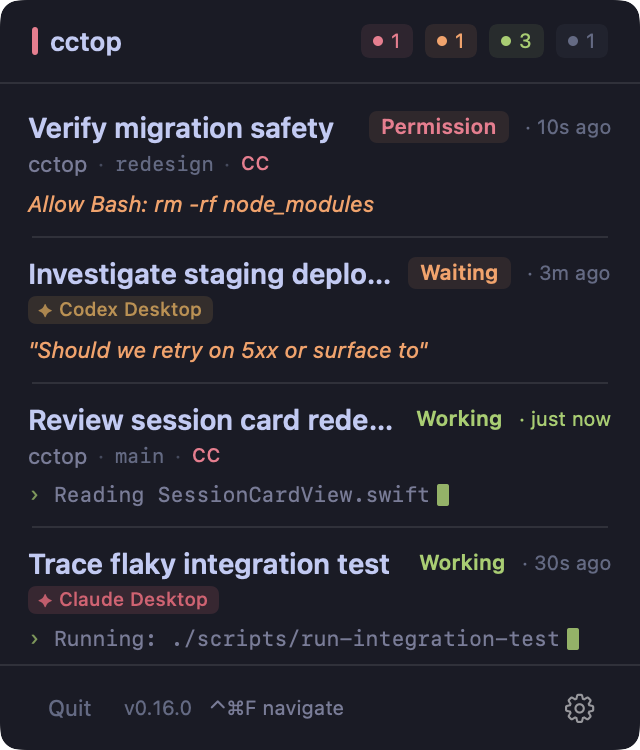
Tokyo Night theme
Compatibility
What tools does it work with?
cctop monitors your AI coding agents and jumps you back to the right editor or terminal window.
Features
Navigate mode
Hit a global hotkey to overlay numbered badges (1–9) on every session card, then press the number to jump instantly.
1–9 jump to session
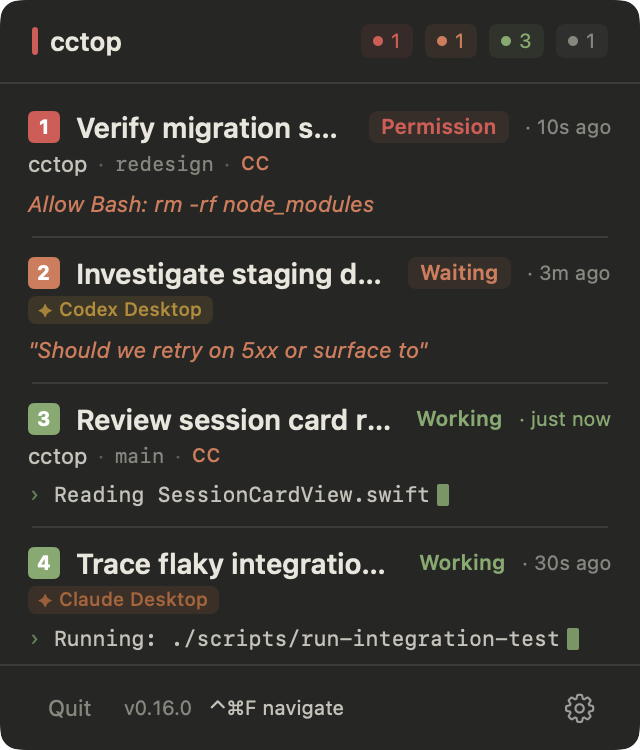
Press 1–9 to jump
Draggable panel
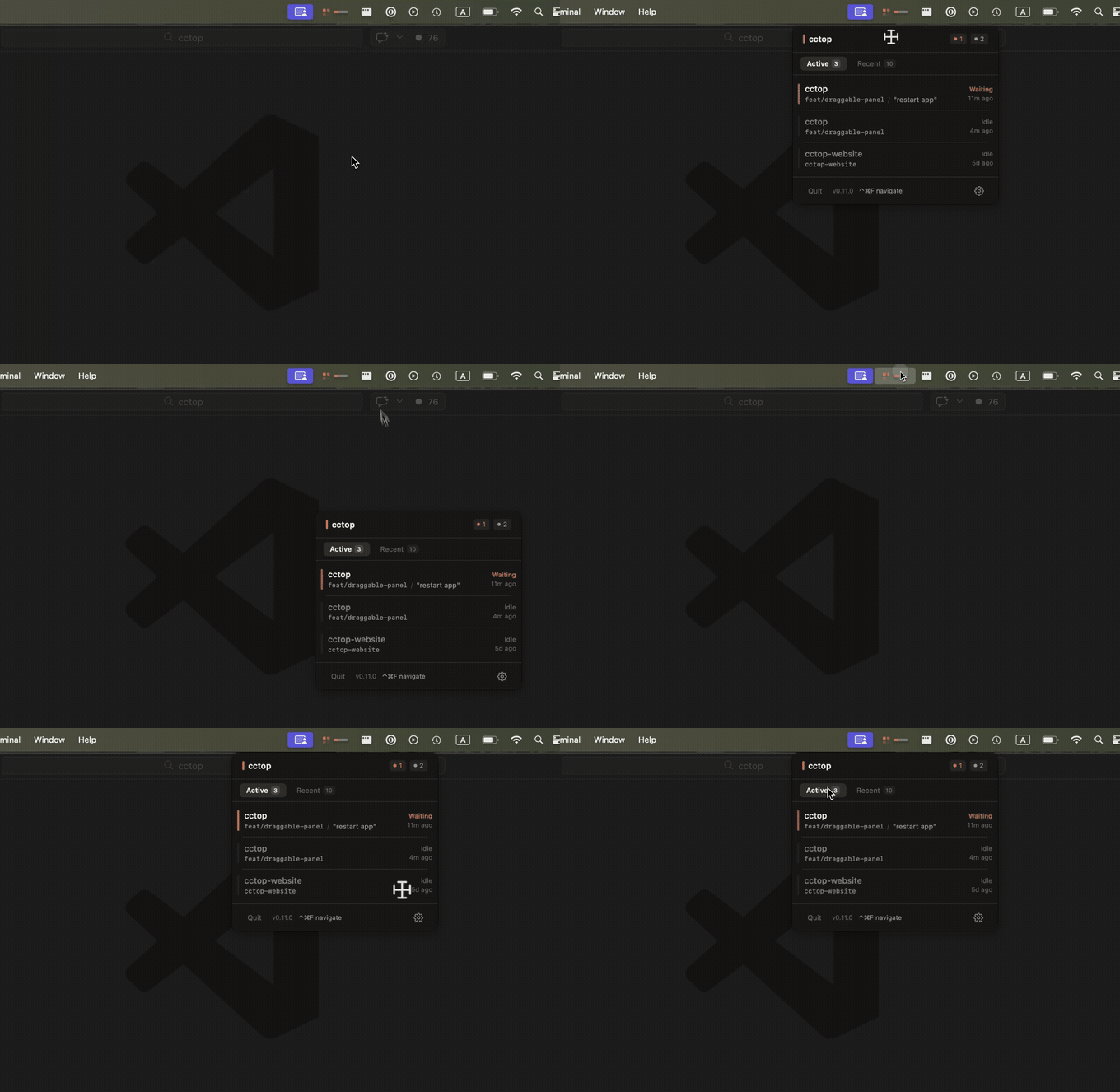
Drag the header to reposition the panel anywhere on screen — position persists across launches. Double-click the header to snap back to the default menubar anchor.
Smart status icon
Lives in your macOS menubar in three states — healthy, needs attention, and a slim pill for laptops with a camera notch. See status without opening the panel.
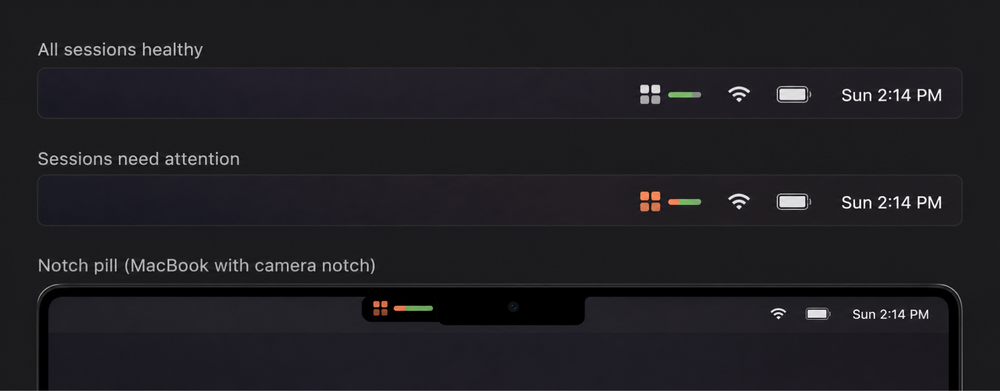
All healthy · needs attention · notch pill
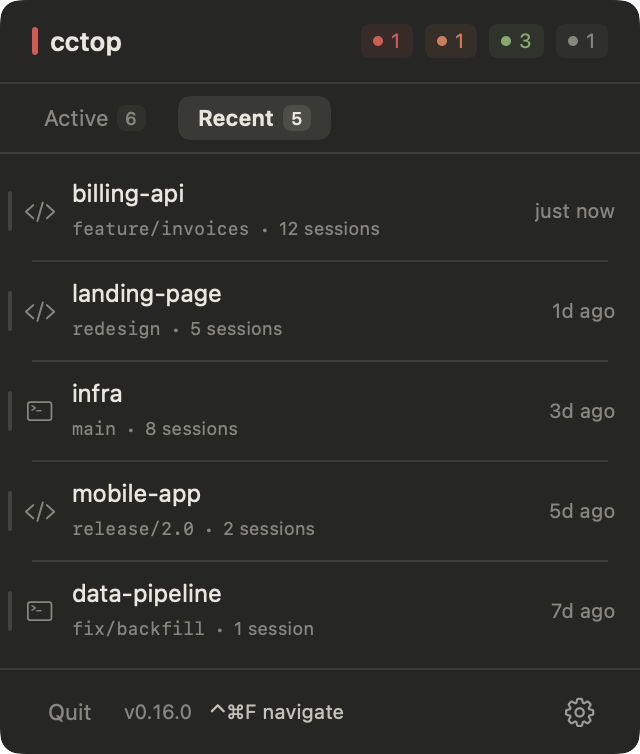
Recent projects
A second tab keeps session history so you can reopen past projects easily.
Themes
Four color schemes inspired by beloved developer tools — each with dark and light variants. Switch in Settings > Appearance > Color.
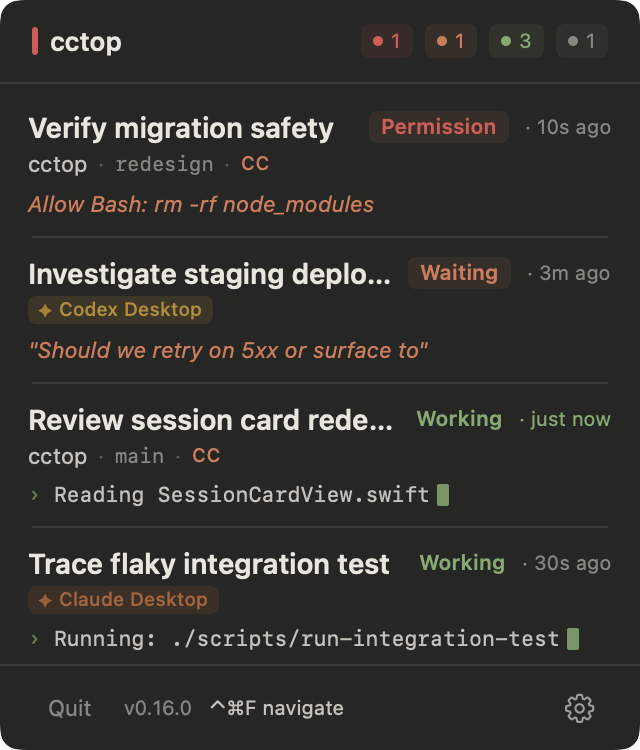
Claude
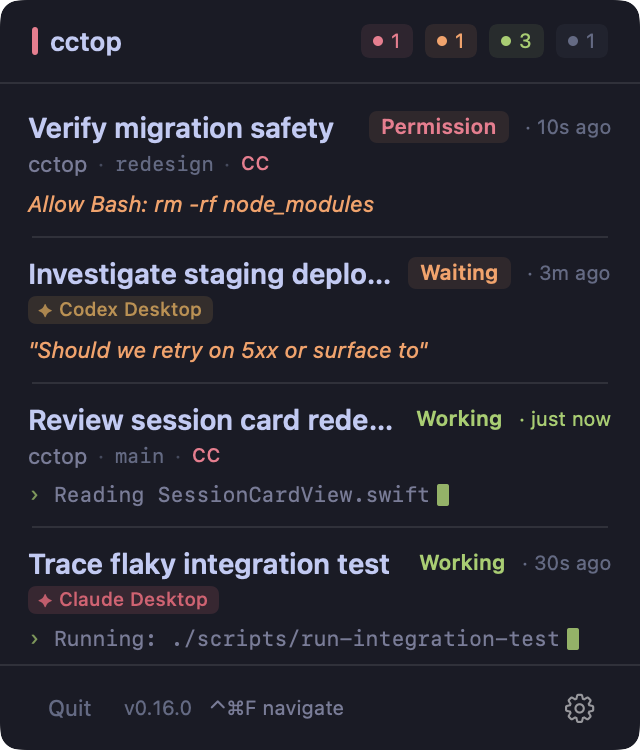
Tokyo Night
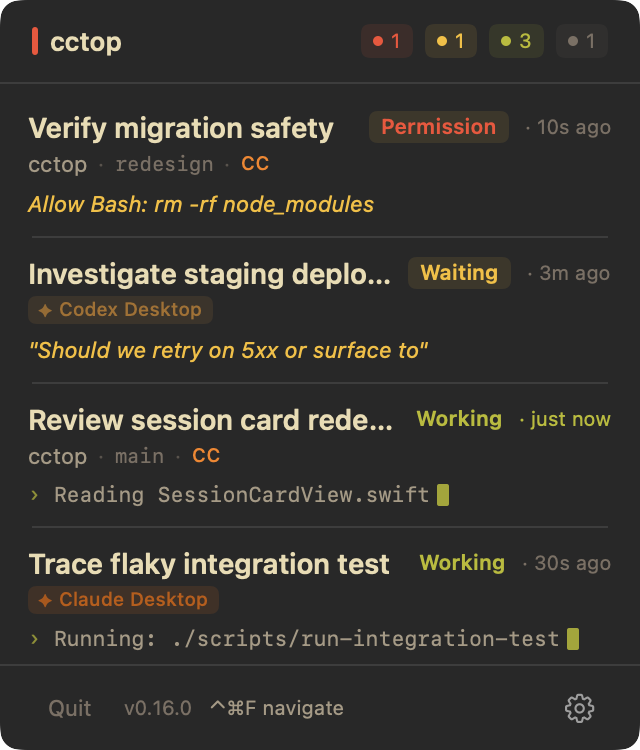
Gruvbox
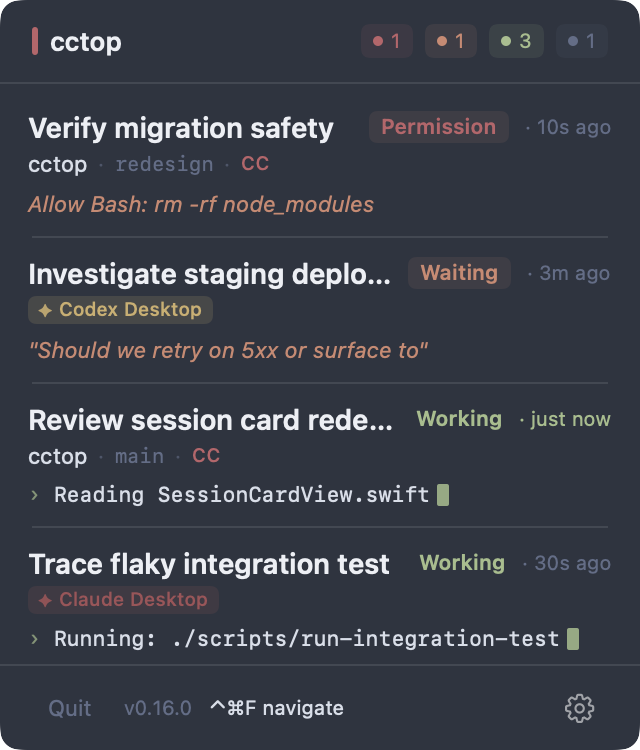
Nord
Installation
Download the latest release, open the .dmg, and drag cctop.app into /Applications. The app auto-updates via Sparkle.
Step 1 — Install the app
Signed and notarized by Apple. Runs on macOS 13+. Step 2: follow the app's instructions to connect your tools — it auto-detects what you have installed and offers plugin or hook install.
Prefer Homebrew?
$ brew install --cask st0012/cctop/cctop
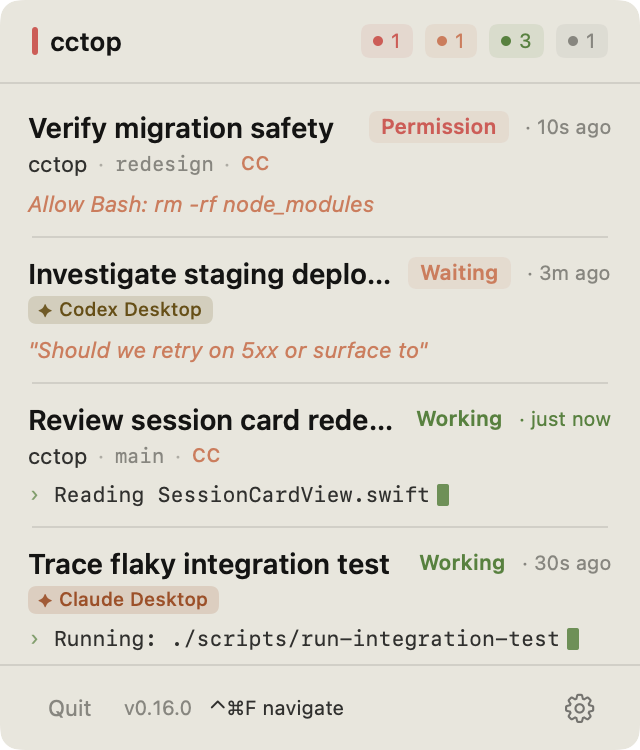
Claude theme · light
Common questions.
Does cctop slow down my coding tool?
No. The plugin runs a tiny native binary on each event, which writes a small JSON file and returns immediately. There is no measurable impact on performance.
Does cctop send any data anywhere?
No — no network access, no analytics, no telemetry. All session data stays on your machine in ~/.cctop/sessions/ as plain JSON you can inspect anytime.
Do I need to configure anything per project?
No. Once the plugin is installed, every session is automatically tracked. There's no per-project setup.
How does cctop name sessions?
By default, by the project directory name. In Claude Code, /rename gives the session a custom label and cctop picks it up.
Why does the app need to live in /Applications/?
Plugins look for the cctop helper inside /Applications/cctop.app or ~/.cctop/bin/. Installing elsewhere breaks the integration.
I'm on an Intel Mac and the in-app updater installed the wrong architecture.
cctop releases up to and including v0.15.2 shipped an appcast that confused Sparkle's update picker, so Intel Macs could receive the Apple Silicon build. The structural fix is in place going forward, but the Sparkle framework already bundled inside any installed copy of cctop ≤ 0.15.2 doesn't know about the new appcast hints. Manually download the Intel build once to get back on the upgrade path:
- Quit cctop.
- Download the Intel DMG: cctop-macOS-x86_64.dmg.
- Drag the new
cctop.appinto/Applications/, replacing the existing one. - Relaunch cctop. Future updates will pick the correct architecture automatically.
How do I uninstall?
- Remove the app:
rm -rf /Applications/cctop.app - Remove each plugin you installed (see the README's Uninstall section, e.g.
claude plugin remove cctop). - Wipe session data and config:
rm -rf ~/.cctop
Installed via Homebrew? Use brew uninstall --cask cctop for step 1.