Published on Tue Jul 14
Execute reusable remote SSH scripts from your server in one click, with safety confirmation for dangerous runbooks and live terminal output.
When something goes wrong on the infra, we usually execute the same commands to debug and solve the issue.
Remote Runbooks are scripts loaded from the server, that can be executed in just one-click via SSH1.
Create your runbooks
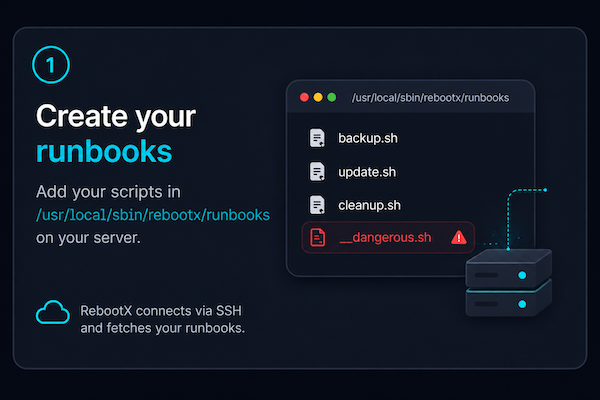 Create your runbooks
Add your scripts in /usr/local/sbin/rebootx/runbooks on your server.
Why in this folder specifically ? Simple : it seemed the more natural. But we are ready to reconsider this choice and even make it customizable. If you need it, please let us know via the app. Note that we usually favor convention over configuration though.
One-click execution
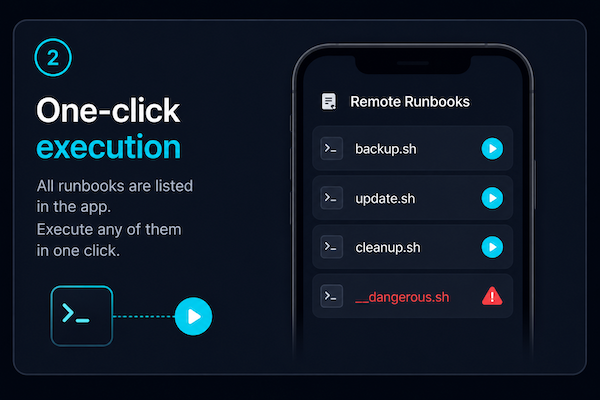 One-click execution
All runbooks are listed in RebootX via SSH. Execute any of them in one click.
Safety first
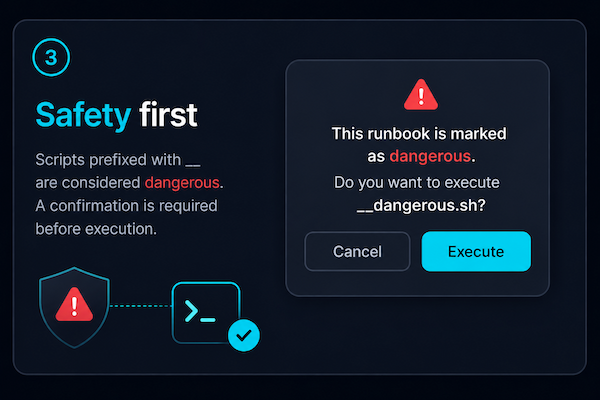 Safety first
Scripts prefixed with __ (double underscores) are considered "dangerous". They are marked with "🛡️" in RebootX. A confirmation is required before execution.
Remote Runbooks vs SSH Command Macros
Unlike SSH Command Macros, Remote Runbooks are not managed in RebootX. Instead, they are loaded from /usr/local/sbin/rebootx/runbooks on the server via SSH.
Here is a table summarizing the differences and the best usage for each one.
| SSH Command Macros | Remote Runbooks | |
|---|---|---|
| Execution channel | SSH | SSH |
| Creation | In RebootX | In the server2 |
| Shared across providers | ✅ | ❌ |
| Ideal for | Short commands | Long scripts |
| Dangerous mechanism 🛡️ | ✅ | ✅ |
Feedback
The feature is new so there are probably some sharp edges. Please contact us via the app if you encounter any issue or if you need assistance.
1This is a premium feature in RebootX
2Actually, although not ideal, you can totally do it in RebootX via SSH
Want to give it a try ? Get the app on the stores.