00 Bramble Office for Linux, Windows and macOS
Your Mac files, at home on Linux.
Three apps that open, edit and save real Keynote, Numbers and Pages files, and handle PowerPoint, Excel and Word too. Free and open source.
01 The suite
Three apps. One bramble.
They share one engine for reading, drawing and writing iWork files, so a fix in one reaches all three.
 Keydeck
Decks that move.
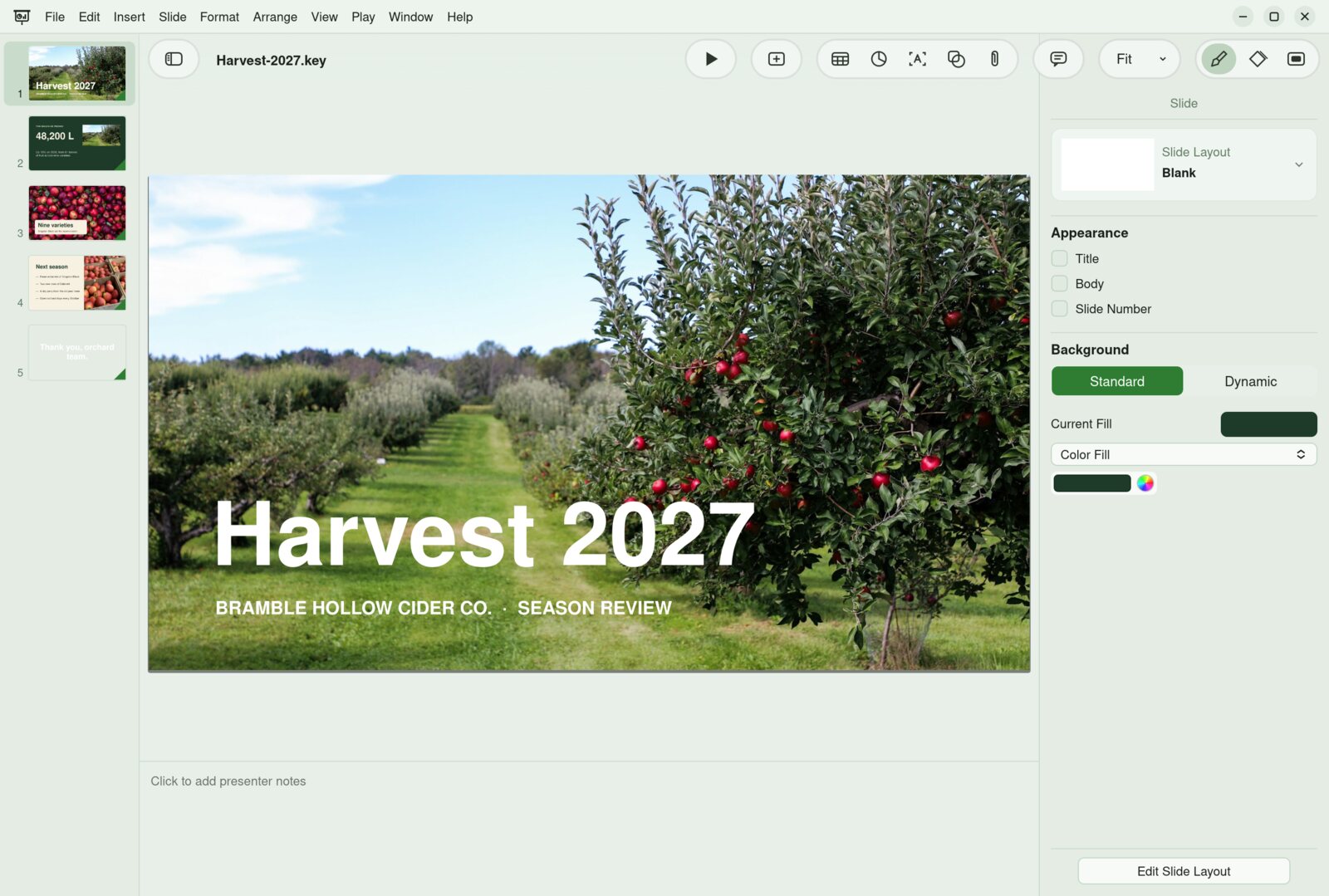
Open a Keynote or PowerPoint deck, change it, and play it full screen.
Recorded in Keydeck: Magic Move shrinks the photo into its card, then the show ends on an animated background. Scroll to play.
19 of 19 build-insEvery build-in animation from Keynote, plus Cube, Flip and Page Flip.
Slide layoutsDynamic backgrounds, tables with formulas, charts.
PowerPoint both waysOpens .pptx decks and exports back to PowerPoint.
Share it anywhereExport a movie, an animated GIF, images or a PDF.
Keydeck RemoteBeta
Your phone is the remote.
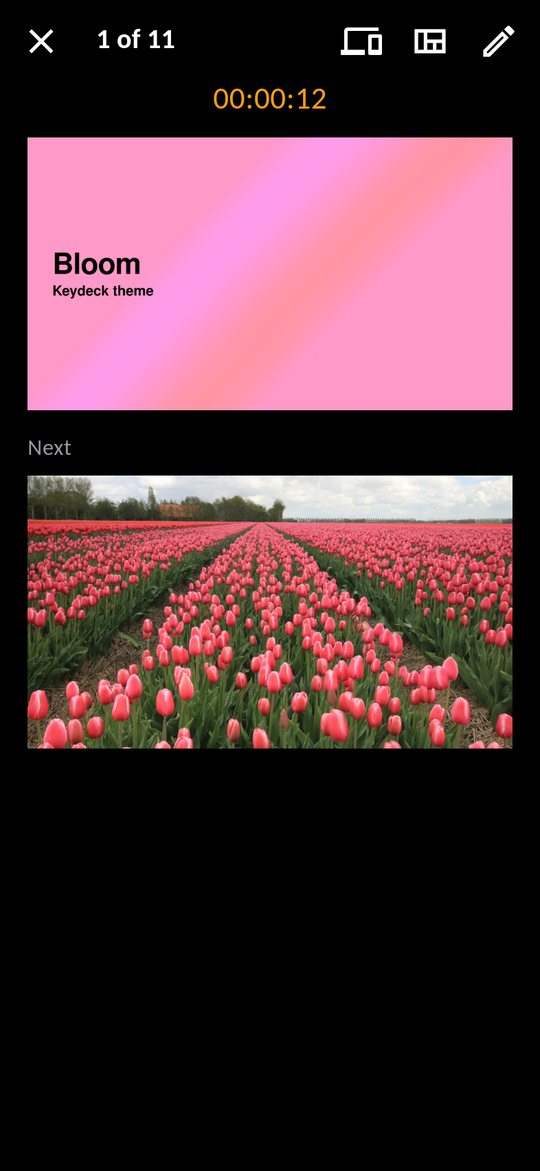
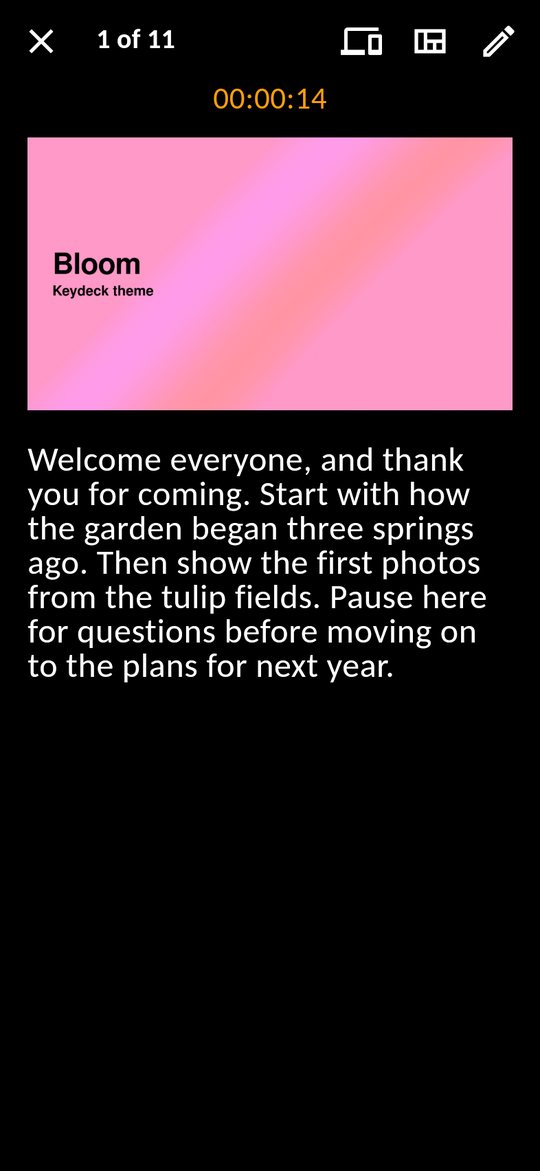
Run your slideshow from Keydeck for Android. Move through slides, read your notes and point at what matters, from anywhere in the room.

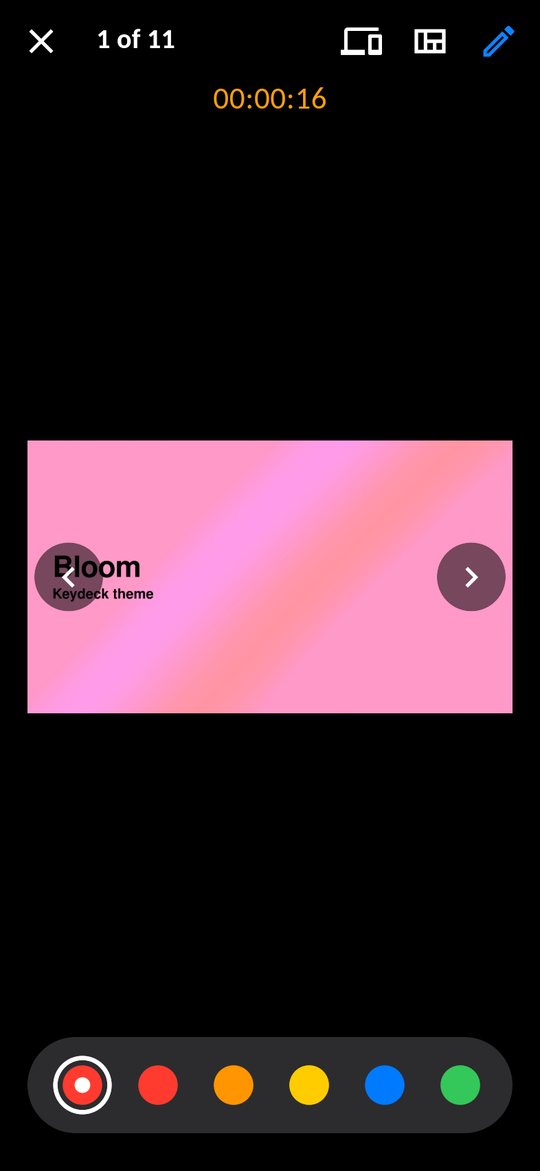
Finds your computerOn the same Wi-Fi, your computer shows up by itself. No addresses to type.
Linked with a codeMatch a 4-digit code once, and the phone reconnects every time after.
Jump anywhereTap the slide number to pick any slide; tap the timer for the clock.
Five layoutsCurrent, next and notes in any mix, so you see exactly what you need.
 Values
Numbers that add up.
Tables and charts sit anywhere on the sheet, not in one endless grid.
A table from an Excel file, dragged across the sheet by its handle. Scroll to move it.
Live formulasThey recalculate across tables and sheets.
Linked chartsCharts follow table cells, picked from a gallery with previews.
Organise dataCategories, filters, frozen headers, pivot tables and comments.
Excel in, Excel outOpens .xlsx and CSV with their number formats; exports PDF and CSV.
 Letters
Pages worth printing.
Write a letter or lay out a newsletter, in the same app.
Recorded in Letters mid-drag: as the photo moves through a Word newsletter, the text re-wraps around it. Scroll to move it.
Real typesettingColumns, drop caps, footnotes, a table of contents.
Styles and reviewParagraph and character styles, track changes, comments.
Rich layoutsPictures, shapes, tables, charts and equations with text wrap.
Word both waysOpens .docx, RTF and Markdown; exports Word, EPUB and PDF.
05 Compatibility
Opens what people actually send you.
Apple's formats and Microsoft's, in every app. Password-protected iWork files open too, and everything you don't edit stays exactly as it was.
KeydeckKeynotePowerPoint and PowerPointKeynote
.key and .pptx, plus PDF, images, movies, animated GIFs and HTML.
ValuesNumbersExcel and ExcelNumbers
.numbers and .xlsx, plus CSV, TSV and PDF.
LettersPagesWord and WordPages
.pages and .docx, plus RTF, Markdown, HTML, plain text, EPUB and PDF.
No font? No problem.
Every app has look-alikes of Apple's fonts built in, with the same letter widths. A document made on a Mac breaks its lines and pages in exactly the same places, even without the original fonts.
For SF ProSferaLines break exactly where they did on a Mac.
For Helvetica NeueHelvetia NeueLines break exactly where they did on a Mac.
For Avenir NextAvelon NextLines break exactly where they did on a Mac.
For FuturaFuturaeLines break exactly where they did on a Mac.
For New YorkNew YorkshireLines break exactly where they did on a Mac.
For Gill SansGilles SansLines break exactly where they did on a Mac.
For OptimaOptikaLines break exactly where they did on a Mac.
For BaskervilleANRT BaskervilleLines break exactly where they did on a Mac.
For DidotHellas DidotLines break exactly where they did on a Mac.
For Lucida GrandeLucido GrandeLines break exactly where they did on a Mac.
06 The deep end
Wait, it does that?
The hard parts of Keynote, Numbers and Pages, rebuilt one by one.
Keydeck- Magic MoveObjects that appear on two slides glide, grow and morph between them.
- Animated backgroundsKeynote's dynamic backgrounds, moving behind your slides.
- Every build-inAll 19, plus Cube, Flip, Page Flip, Twist, Swap, Reveal, Shimmer and Sparkle.
- Presenter displayThe next slide, your notes, a clock and a timer on a second screen.
- Keydeck RemoteRun the show from your Android phone on the same Wi-Fi: slides, notes, a timer and a laser pointer.
- Locked decksPassword-protected Keynote files open and save, encrypted the same way.
- A shape libraryOver 1,200 shapes in 11 categories, with search, in all three apps.
- Content HubCurated, openly licensed photos and illustrations from Wikimedia Commons in 24 categories, inserted with their credit.
Values- Tables you can moveDrag a table anywhere; put several side by side on one sheet.
- Charts tied to cellsChange a number and the chart redraws.
- Formulas across sheetsReferences to other tables and sheets recalculate as you type.
- Controls in cellsCheckboxes, sliders, steppers, star ratings and pop-up menus.
- Categories and pivotsGroup rows, filter them and summarise with pivot tables.
Letters- Live text wrapDrag a photo through a page and the text re-wraps around it as it moves.
- Track changesReview edits and comments, then accept or reject them.
- EquationsTypeset maths right in the text.
- Shape toolsUnite, intersect, subtract and exclude shapes; mask and adjust photos.
- Long documentsSections, facing pages, footnotes and a table of contents.
07 Themes
Make it yours.
Light or dark, in thirteen colour themes that tint the whole window. Each app keeps its own look.
Light Dark
Keydeck · Light · Forest
Default
Indigo
Ocean
Forest
Sunset
Rose
Lavender
Crimson
Teal
Sand
Slate
Midnight
Graphite
- Tinted, feathered or plain toolbars
- A classic look if you prefer it
- Liquid glass buttons that catch the light, or solid ones
08 In numbers
Small details, done properly.
Lossless
Save an iWork file and everything you didn't change comes back as it was.
19/19
Every build-in animation from Keynote is in Keydeck.
13×2
Thirteen colour themes, each in light and dark.
3+13
Three native iWork formats, thirteen more to open or export.
09 Tell someone
Know someone stuck with a .key file?
Group chat
Linux can open Keynote files now. Actually edit them, too.
Bramble Office
Work
Send me the .numbers file. I'll edit it on Linux and it'll still open on your Mac.
Bramble Office
Forum
A free, open-source suite for Keynote, Numbers and Pages files on Linux.
Bramble Office
10 Questions
Things people ask.
Will people on a Mac be able to open what I save?
Yes. Bramble saves real .key, .numbers and .pages files, and those files are tested by opening them in Keynote, Numbers and Pages on a Mac.
Does it convert my iWork files?
No. Bramble works on the iWork file itself, so the file you open is the file you save, and the parts you don't edit are written back unchanged. If you do want another format, you can convert any document to PowerPoint, Excel, Word or PDF whenever you like.
Can I use it for Word, Excel and PowerPoint files too?
Yes. Keydeck opens PowerPoint, Values opens Excel and CSV, and Letters opens Word, RTF, HTML and Markdown. Each app also exports to common formats.
Is it free?
Yes. Bramble Office is free to use, and the source code will be public.
Is this made by Apple?
No. Bramble Office is an independent project with no connection to Apple. It works with Apple's file formats so people on Linux can open and share them.
Is everything finished?
Not yet. Some features are still in progress, and each app keeps a list of what works and what's coming.
11 What's next
Help pick what comes next.
These are features being planned or considered. Vote for the ones you want, or ask for something new.
PotentialCommunity extensionsAdd tools from other people to the toolbar, such as grammar checkers, translators and AI writing helpers. Drag, hide or remove them like any other button.
BetaAndroid appKeydeck, Values and Letters on Android phones and tablets, opening the same files as the desktop apps: out now with a touch layout for phones and tablets, and Keydeck doubles as a remote for presenting from your computer. Still to come: more polish, and Google Play.