Botzilla Studio
Build browser bots
without writing code.
Your bots click, type, scrape and fill forms in a real browser, and you can make them by dragging in actions or by describing the task to Botty AI.
Windows 10 and 11 (Mac + Linux support coming soon).
Botzilla Studio has everything your bots need.
-
Visual scripting
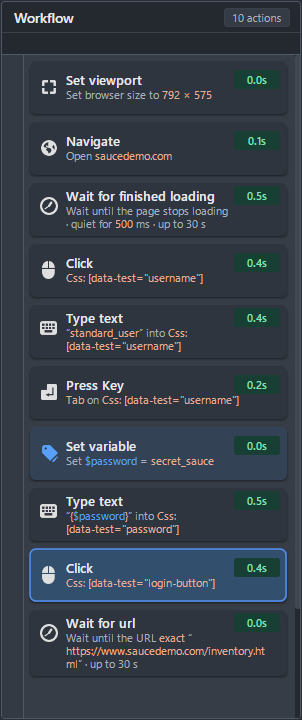
You can build bots from actions like Navigate, Type text and Click, and every action shows what it does and how long it took.
-
Built-in browser
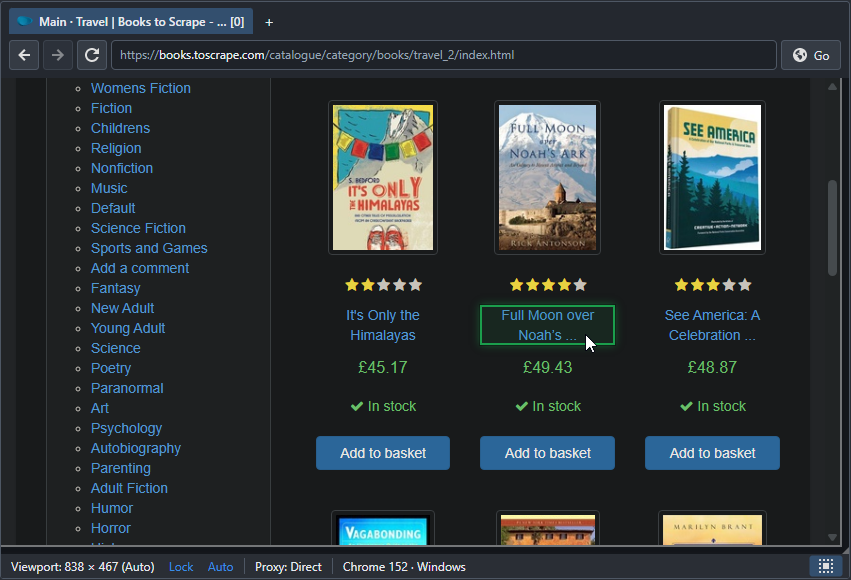
Botzilla has a full Chromium browser with tabs, and you can point at anything on a page to have your bot click it, type into it or extract its text and data.
-
Runtime Data
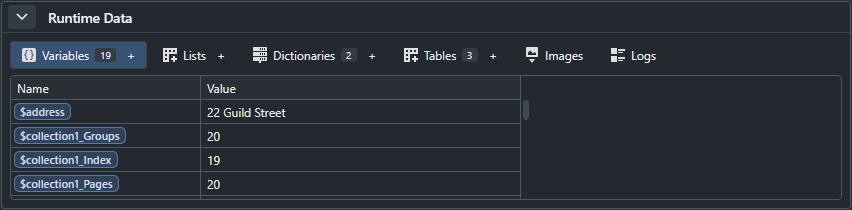
You can see every variable, list and table fill in while your bot runs, and fix things the moment they look wrong.
-
Botty AI Pro
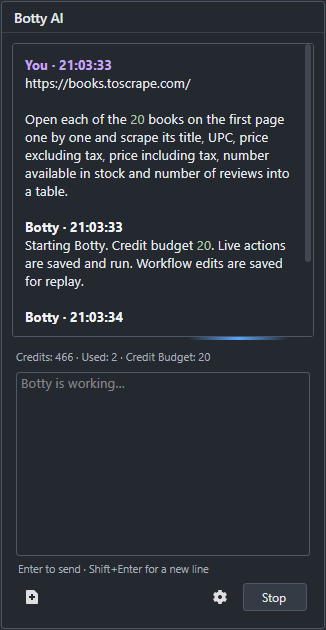
You can describe the task in plain words, and Botty AI builds the workflow, runs it and saves it so you can edit and reuse it.
- Describe the taskWrite what the bot should do, like "scrape every book on this page into a table".
- Botty works in the browserYou watch it click and type in Studio's browser, and you can stop it at any point.
- Keep the workflowEvery step is saved as an ordinary action you can edit and run again without AI.
-
Action Library
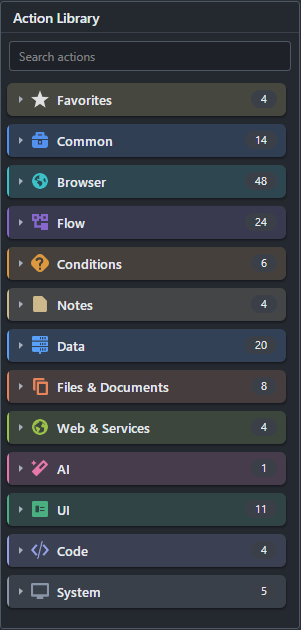
Botzilla has 261 actions grouped by what they do, so you can find the one you need and drag it straight into your bot.
-
Run C# Pro
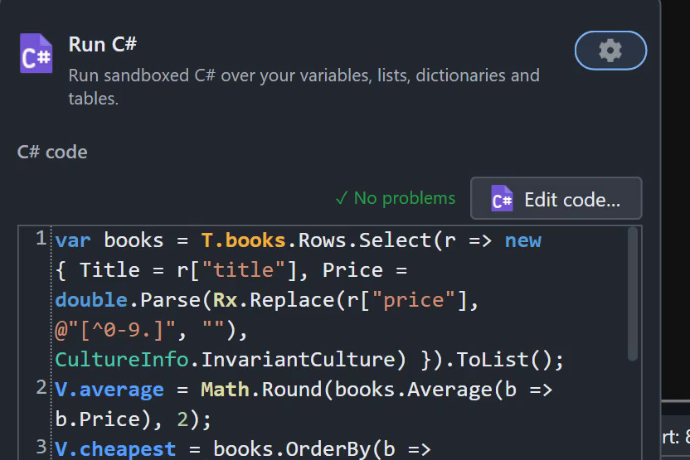
You can run your own C# over your bot's variables, lists and tables, like working out the average price of the books it scraped.
-
Run at scale Pro
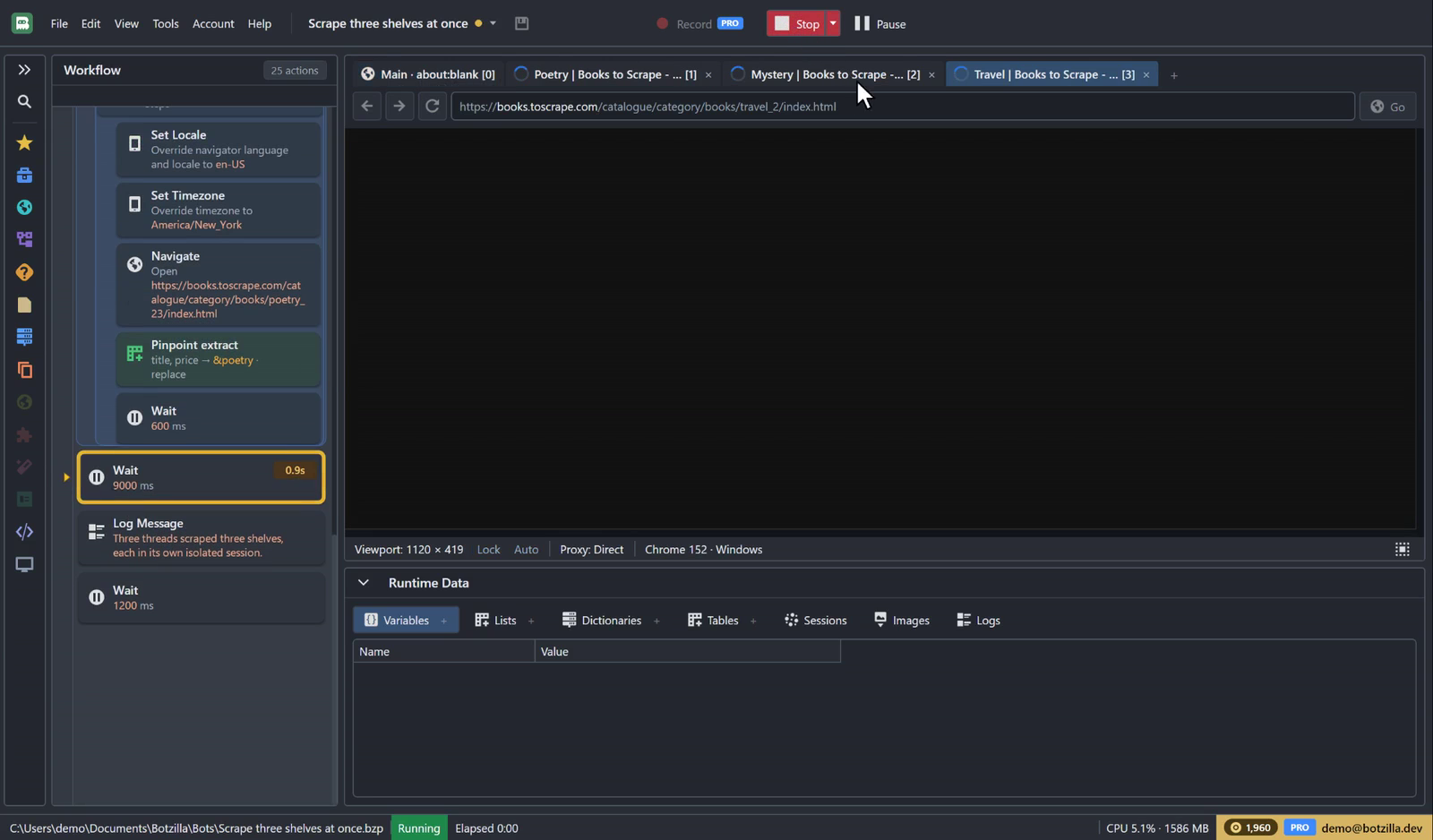
You can run parts of a bot in parallel threads, and each thread gets its own browser tab and isolated session.
Each one can also have its own proxy, device, locale, time zone and location, like the French, Japanese and US threads here.
Botty AI Pro
You can tell Botty what your bot should do, and Botty works in Studio's browser, builds the workflow action by action and saves it for you.
-
Real actions
Every step Botty takes is saved as an ordinary action, so you can read it, change it and run the bot again without AI.
-
Fix with Botty
When an action fails because a site changed, you can right-click it and choose Fix with Botty, and Botty repairs that step for you.
-
Credit budget
You can set a credit budget for each request, watch Botty work live in Studio's browser and stop it at any point.
Botty AI on Pro
Botty AI comes with Pro, and each request costs a few credits. The bots Botty builds run without AI, so running them again doesn't use any credits.
You can see Studio at work here.
Pick a tab to see what each part of Studio does.
Visual scripting
You can build bots from actions, loops, conditions and error handling, then step through them and watch every value change.
- Navigate
- Click Element
- If / Else
- For Each
- Try / Catch
You can use Botzilla Pro free during the invite-only beta.
Invite-only Beta
The Botzilla beta is free and invite only right now. With an invite, you can create an account and confirm your email to get every Pro feature, including Botty, with free credits. If you don't have an invite yet, you can email us to ask for one.
- Get an inviteYou can ask for one at [email protected]. Your invite comes with a sign-up link and a code.
- Create an accountYou can open your invite link, or enter your code and email on the sign-up page.
- Confirm your emailYour account joins the free beta, with every Pro feature and the credits that come with your invite.
- Download StudioYou can build Bots yourself or ask Botty to build them. When you need more credits, you can ask from the Billing page.
You can hand Botzilla your boring jobs.
Join the invite-only betaThe beta is invite only right now. Once you sign up with your invite and confirm your email, you can download Studio.