Rewritten from scratch with native technology
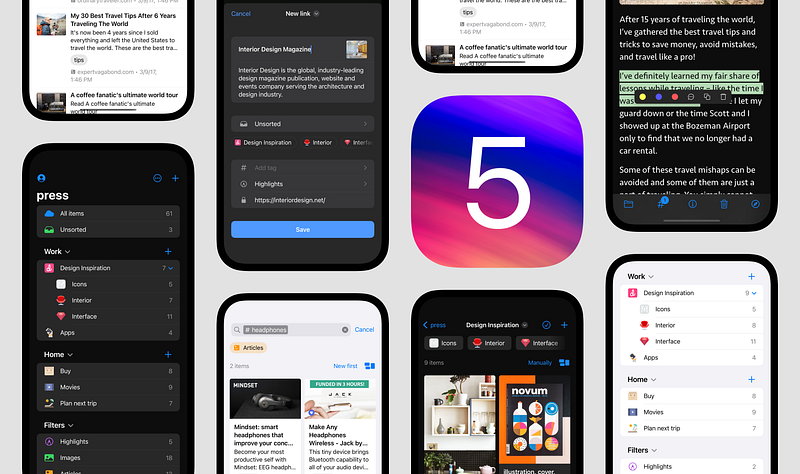
New native app
I’m thrilled to announce the release of our brand new iOS/iPadOS app, which has been completely rewritten from scratch using native technology.
With this new release, you can expect a seamless, native performance that is optimized for low battery usage, as well as tighter integration with iOS.
📱 Download from App Store
What’s new
Here’s what you can look forward to with the new Raindrop app:
Suggested Collections
The app can now predict the collection where you want to save a new bookmark, making the process faster and more intuitive

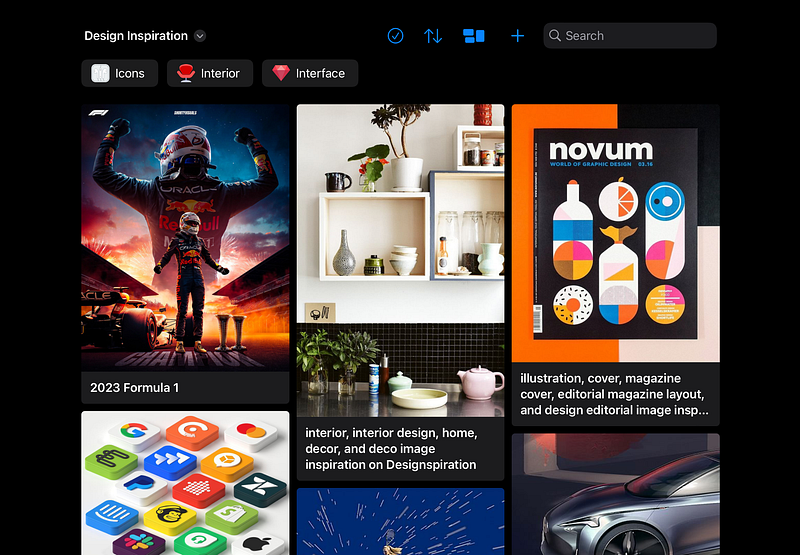
Masonry View
Enjoy a Pinterest-like view mode, first time on mobile
- Add highlight in Safari — Select text, tap the Share button in the Safari toolbar, and tap Raindrop to add a highlight. No need to configure any extensions, permissions, etc
- Suggested collection icons — The app now offers suggested collection icons for added convenience and personalization
- Inline tags editing
- Change bookmark type — You can now manually set the bookmark type (article, book, etc.) if Raindrop is unable to detect it automatically
- Nested collections are now displayed in the collection view, making it easier to organize and access your bookmarks
- iPad specific features — Drag’n’Drop, multiple windows, inline search, Apple Pencil support
- Quick actions in Preview screen — Move, tag, and delete bookmarks directly from the preview screen
- Alternative app icons
Improvements
- No more extension crashes — Heavy users who experienced crashes of the Share extension in the old version due to strict Apple limits in terms of RAM usage will be pleased to know that this issue has been resolved
- Add to Unsorted extension — A new extension that saves content to Unsorted in one tap has been added for added convenience
- Add bookmark from Preview screen — when you navigate further inside Preview screen you can add new bookmarks/highlights
- Dedicated Raindrop icon in Safari — when you use Safari browser for opening pages (instead of Preview) there you will find a dedicated Raindrop icon in toolbar
- If page preview fails, a new “Open Permanent Copy” button will appear to provide an alternative option
- 120fps on supported devices
- Small memory footprint, low battery usage
- 2 times smaller app size
What’s missing?
- Unfortunately, group editing and the ability to add collections to specific groups are not yet available in this release
- The ability to reorder bookmarks in grid/masonry view modes is not yet available
- Only English translation
Technical details
Our app was previously developed using React Native, which is a hybrid web technology that enables JavaScript developers to build mobile apps.
However, we encountered several limitations due to its hybrid nature, such as poor performance and the inability to create native features like Widgets and Shortcuts integration. In this brand new app, I have used Swift and SwiftUI to overcome these limitations and provide a smoother, more native experience.
Android?
Be patient :) Android is next