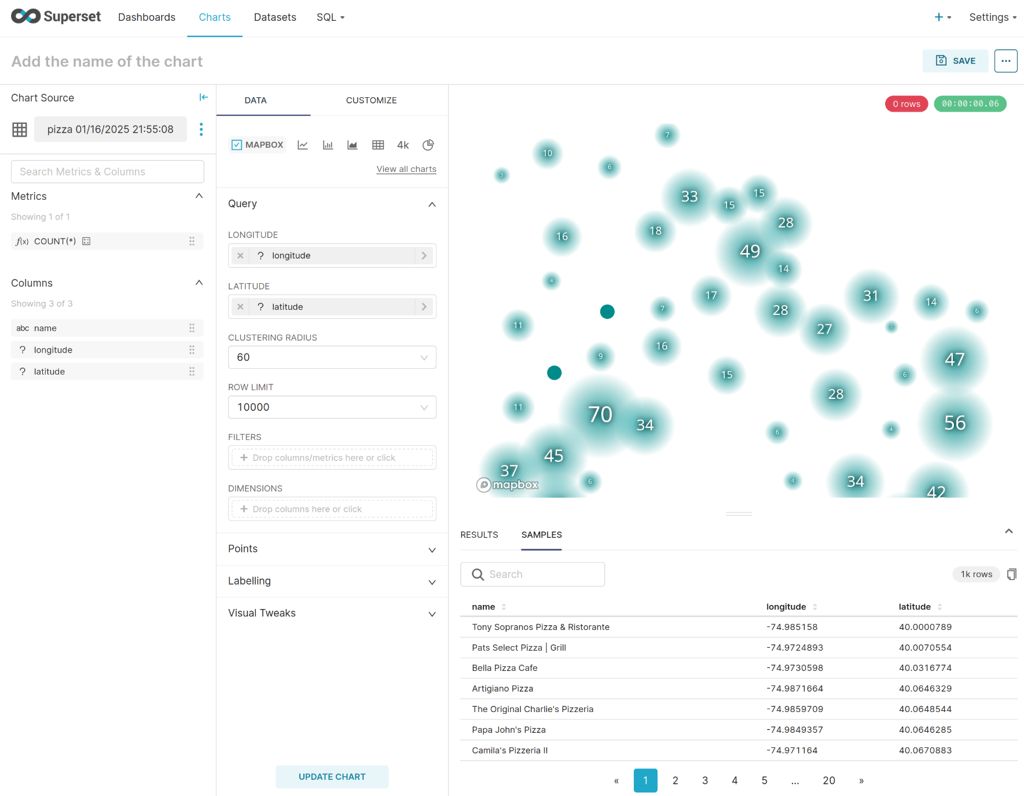
- duckdb superset geo
Apache Superset is a popular data visualization tool, often referred to as a Business Intelligence (BI) tool. It provides polyglot visual interfaces to various databases.
Integrating DuckDB with Superset can significantly enhance its capabilities, enabling it to read Parquet files and perform spatial queries among other features.
TL;DR: You can use DuckDB with Superset using a slightly modified image
Here is how I’m using it.
Add DuckDB drivers to the Docker image
First let’s build a docker image with DuckDB supports on top of the existing Superset image:
FROM apache/superset:4.1.1

USER root

RUN pip install duckdb==1.1.3
RUN pip install duckdb-engine==0.15.0

USER superset
Build:
docker build -t ghcr.io/akhenakh/duckdb-superset:latest .
Start a local instance
Start it locally:
docker run -p 8088:8088 \
  -e "SUPERSET_SECRET_KEY=XXXXX" \
  --mount type=bind,source=/$(pwd)/data,target=/app/superset_home \
  --name superset-duckdb \
  ghcr.io/akhenakh/duckdb-superset:latest
Create your admin user and init the local db (Supserset can use a SQLite to store its config):
docker exec -it superset-duckdb superset fab create-admin \
    --username admin \
    --firstname Superset \
    --lastname Admin \
    --email [email protected] \
    --password mypassword

docker exec -it superset-duckdb superset db upgrade

docker exec -it superset-duckdb superset init
Note that this quick solution is for a local development setup scenario, you probably want to deploy it with its own database and cache, like in Kubernetes
Configure Superset for DuckDB
- Go to http://localhost:8088 → Settings → Database Connections.
- Click on Create a new database connection.
- In the dropdown menu, select DuckDB.
- Then click on “Connect this database with SQLAlchemy URI string instead”.
- Set the SQLALCHEMY URI to
duckdb:///:memory:or use a real file path likeduckdb:///superset_home/mydb. - In the Advanced tab set Engine Parameters to
{"connect_args":{"config":{"threads":16}}}
Spatial Extension
To perform spatial queries, follow these steps:
- Open SQL Lab in Superset and run (just for one time):
INSTALL spatial; - Go to Settings → Database Connections.
- Select your DuckDB connection and click on Edit.
- In the Advanced tab set Engine Parameters to
{"connect_args":{"config":{"threads":16},"preload_extensions":["spatial"]}}.
Validate the installation by running a spatial query using geoparquet, it could take several minutes:
    SELECT
       names.primary as name,
       ST_X(geometry) as longitude,
       ST_Y(geometry) as latitude
		FROM read_parquet('s3://overturemaps-us-west-2/release/2024-12-18.0/theme=places/type=place/*', filename=true, hive_partitioning=1)
    WHERE categories.primary = 'pizza_restaurant'
    AND bbox.xmin BETWEEN -75 AND -73
    AND bbox.ymin BETWEEN 40 AND 41;