A bit of storytelling about my project of the moment: taking back control of my amp!
I own a Harman Kardon AVR 161. It’s getting old (2014) but it still works great 🎵 🎬 It has an Ethernet port and a network interface, but a pretty limited one (with a very basic, very old app).
So a few things were kind of annoying:
- you can’t select Bluetooth from the remote or the app, ONLY with the front-panel buttons, by cycling through the sources
- over the network, you can’t know the state of the amp (volume, mute, source, etc.): every command is sent blind, no ACK
- volume is +1/-1 only, you can’t just say “50%”
- and since I wanted to control it from Home Assistant, all of this made it not really viable… (there is an existing integration, but it’s limited by what the amp can do)
Maybe there are some undocumented endpoints?
That was the first idea. I let Claude loose on it: nada.
Then I thought: the Android app, you can decompile that and see what’s going on in there! It found the APK, analysed it, same conclusion (even though it helped us understand the communication protocol)…
Annoying!
But then I had another thought: what if we could just implement the missing features? The amp already has a way to flash updates from a USB stick (well, the last official update is from 2015).
And that’s where I got (very) lucky:
- the stock firmware is available on GitHub
- the firmware is not encrypted
- the firmware is not signed
So the firmware can be modified and flashed 🥳
Ghidra, hail Ghidra
Without missing a beat, Claude decompiled it with Ghidra (a reverse-engineering tool made by the NSA (yes, really), whose name sounds a bit like Hydra 😂) and managed to understand how the firmware works!
It even figured out that we were unlikely to brick the amp, because the updater (which lives in the firmware) handles that rather well: the part that does the flashing is never rewritten. At first it wanted me to open the amp and go through an internal connector. We proved it instead: flash a harmless change, check it, flash the stock firmware back. It worked.
After a few iterations (and a few butt-clenching moments), I had my first three features:
- a
get-statusendpoint that returns the state of the amp - direct Bluetooth selection over the network!
- an exact volume, set in one go, no more +1/-1
Already a solid base for Home Assistant!
And I didn’t stop there
Here is what the custom firmware does today:
- the amp reports its own changes: touch the volume knob or the remote, and it pushes the new state by itself, so Home Assistant sees it within a couple of seconds
- direct surround mode selection (that one was a cycle-through-everything too)
- mute on / mute off actually mean on and off. In the stock firmware, both just toggle 🤦
- the amp stays reachable when it’s off. Stock, it shuts its network down after an hour of sleep and only the remote can wake it up. Now I can always turn it on from Home Assistant
- three real power states: on, sleep, off
- a green menu instead of the blue one, so I can tell at a glance I’m not on the stock firmware 💚
And on the Home Assistant side, a proper integration: power, volume, source, sound mode, all of it live.
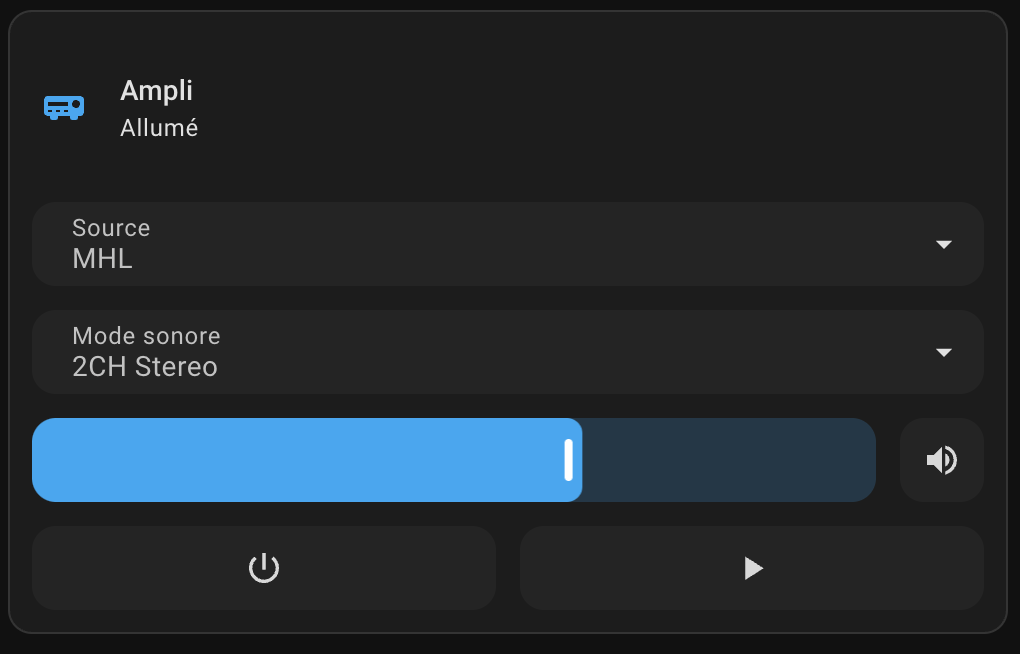
The part where it hurts
Because of course it wasn’t a straight line.
The feature that never ran. The first release shipped with a set-volume command that did absolutely nothing. Two strings overlapped in memory, so the amp was waiting for a command called set-volusource-selection. Nobody ever sent that one.
The flashing. So much flashing. There is no debugger on this thing: the only way to try a change is to build a firmware, copy it to a USB stick, walk to the amp, start the update and wait. Then find out it doesn’t work, and do it again. All in all, around thirty flashes in a week, about 10 of them in one single evening, and a single flash takes about 10 minutes 🫠
The port that kept closing. This was the big one. Every now and then, after turning the amp on, the control port would simply… close. Ping fine, port dead, unplug the amp to fix it. It took days. Claude ended up adding diagnostic commands to the firmware to read the amp’s memory over the network, plus a log that survives a reflash, so we could read what had happened after the crash.
The culprit: every time the amp turns on from fully off, the stock firmware assumes its network module has just booted, forgets that somebody is connected, and reconfigures everything, cutting off the very client that asked it to turn on. Stock, that’s fine, because the module really was off. With my “stay reachable” feature, it was sawing off the branch it was sitting on. The fix: don’t reconfigure a network that already works.
The fix that broke everything. The first version of that fix was a bit too enthusiastic and also skipped the configuration after a real power cut. Result: the amp vanished from the network entirely. One more flash 🙃
It was a super fun project, and a super satisfying one in the end: I now have an amp I can use from Home Assistant exactly the way I wanted! It makes me wonder whether other devices would be good candidates for custom firmware in the same vein…
A word of warning
This is 100% vibe-coded. The reverse engineering, the patches, the tools, the tests, the docs: all of it came out of Claude Code, with me steering, plugging USB sticks and reporting what the front panel said. Nobody reviewed the patched machine code by hand, and it was tested on exactly one amp: mine.
So if you own the same amp and want to try: it’s at your own risk, and you should keep the stock firmware at hand.
The links
- The custom firmware, the command-line tool and all the reverse-engineering notes: delphiki/avr161-custom-fw
- The Home Assistant integration (installable through HACS): delphiki/ha-harman-kardon-avr161
And I still have a few ideas left:
- fix the HDMI-CEC, which is a bit buggy
- a configurable source and volume at power-on
- …