RevenueCat has a neat business model: Take an enormously painful hassle (managing in-app subscriptions), abstract it into something bearable, and charge devs a cool 1% for the service. Classic painkiller.
This abstraction is where the value lies.
$10bn worth of value (so far!).
When tens of thousands of devs are relying on you to make money, the stakes can’t get much higher. Consequently, the RevenueCat iOS SDK is one of the most battle-hardened open-source projects out there.
Therefore, we can learn a lot about SDK design principles by analysing it:
Backwards compatibility as a top-level constraint
Façade-first design for public APIs
Sensible defaults and progressive disclosure of complexity
Careful layering of dependencies
Relentless logging, diagnostics, and profiling
Orchestration between services for complex flows
Offline-first correctness
“Invisible” performance characteristics
Friendly abstraction over janky third-party APIs
Keeping mindful of dev-ex (developer experience) every step of the way
We’re taking a deep-dive into the payments flow: how the SDK abstracts away the complexity of making purchases and setting up in-app subscriptions.
Sponsored Link
RevenueCat Paywalls: Build & iterate subscription flows faster
RevenueCat Paywalls just added a steady stream of new features: more templates, deeper customization, better previews, and new promo tools. Check the Paywalls changelog and keep improving your subscription flows as new capabilities ship.
(That’s right, I finally manifested my bit from 2023)
Consider the RevenueCat SDK at a basic level: how would you design such a thing? Don’t think about payments, subscriptions, entitlements, receipt validation, and paywalling yet.
It’s easier to start with a big box that abstracts away everything a user has to worry about.
Now consider: who are the big players involved?
There’s the client app, of course, who pays you money to use the SDK. Then, with a great big box, we can represent the SDK. The other major players are StoreKit, Apple’s own servers, and of course the RevenueCat backend itself, mostly all chatting to each other.
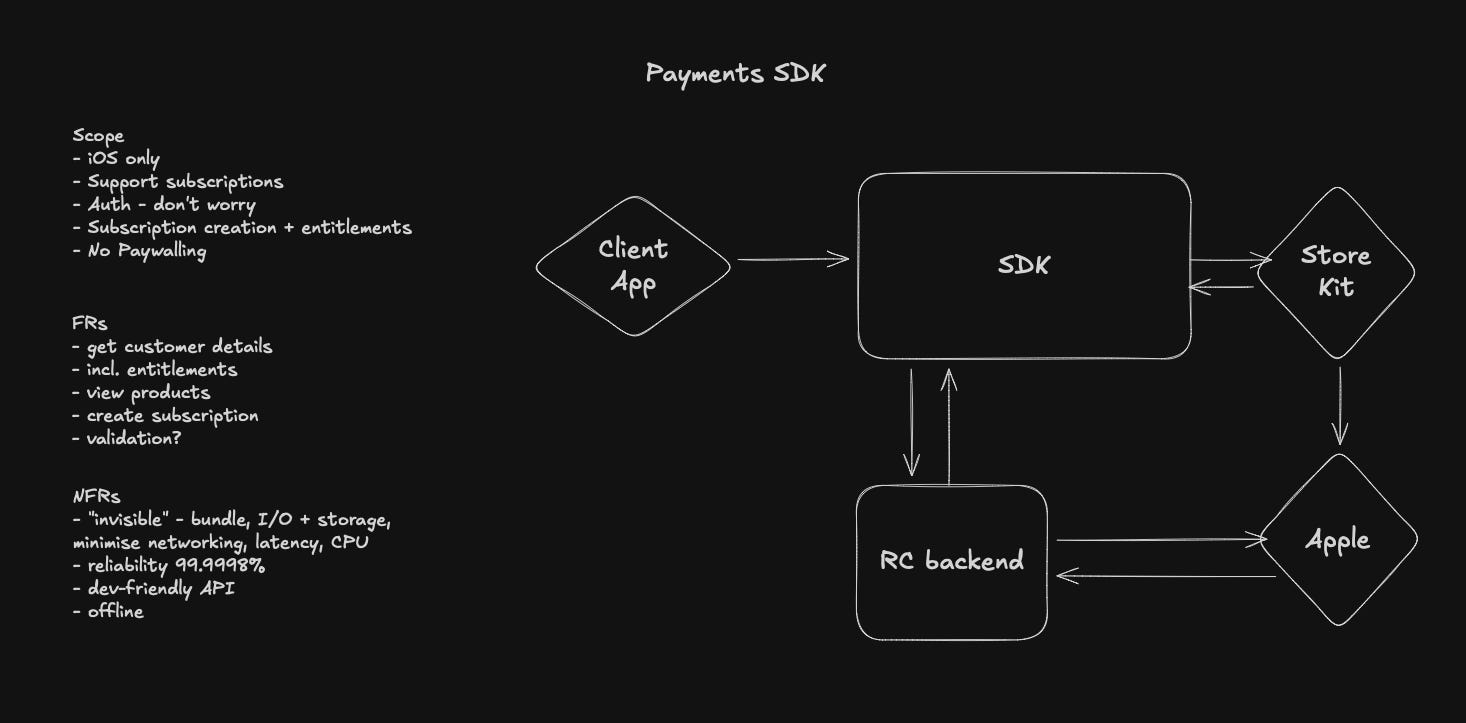
The SDK needs to abstract all the complexity away of creating a customer, displaying products on a paywall, talking to StoreKit during a purchase, updating and handling user entitlements, and posting transaction info to a server so everything links up cross-platform.
Inside the SDK, the architecture is loosely set up in layers, with very heavy usage of constructor injection to manage dependencies across all the classes. These dependencies are all initialised on SDK init, with lower level services injected into high level managers and orchestrators where needed.
For payments, the conceptual layers look a little like:
Façade layer containing Purchases, the public API surface
Orchestration layer where PurchasesOrchestrator coordinates everything
Managers layer containing business logic and services like OfferingsManager, CustomerInfoManager, and ProductsManager.
Infrastructure layer containing basic services like Backend, HTTPClient, and OperationDispatcher.
Let’s dive down into these layers in detail to see how the SDK handles payments.
There are a couple of useful keywords to clarify before we go too far into the guts of RevenueCat, because they come up a bunch:
Entitlements refers to the level of access and features the user has unlocked. For instance, whether they are on your free tier, your paid tier, or your founding members tier.
Products are the different individual things a user might buy; for example a free trial, a monthly membership, or a discounted annual or lifetime membership. They list separately on the App Store, Google Play, and Stripe (for web!).
Packages refers to equivalent products across platforms (basically this makes paywalling admin easier).
There are actually two ways to make purchases via the SDK:
The default mode is using the built-in paywalls, which automatically display your offerings. Set up on the dashboard, and the SDK handles everything automatically.
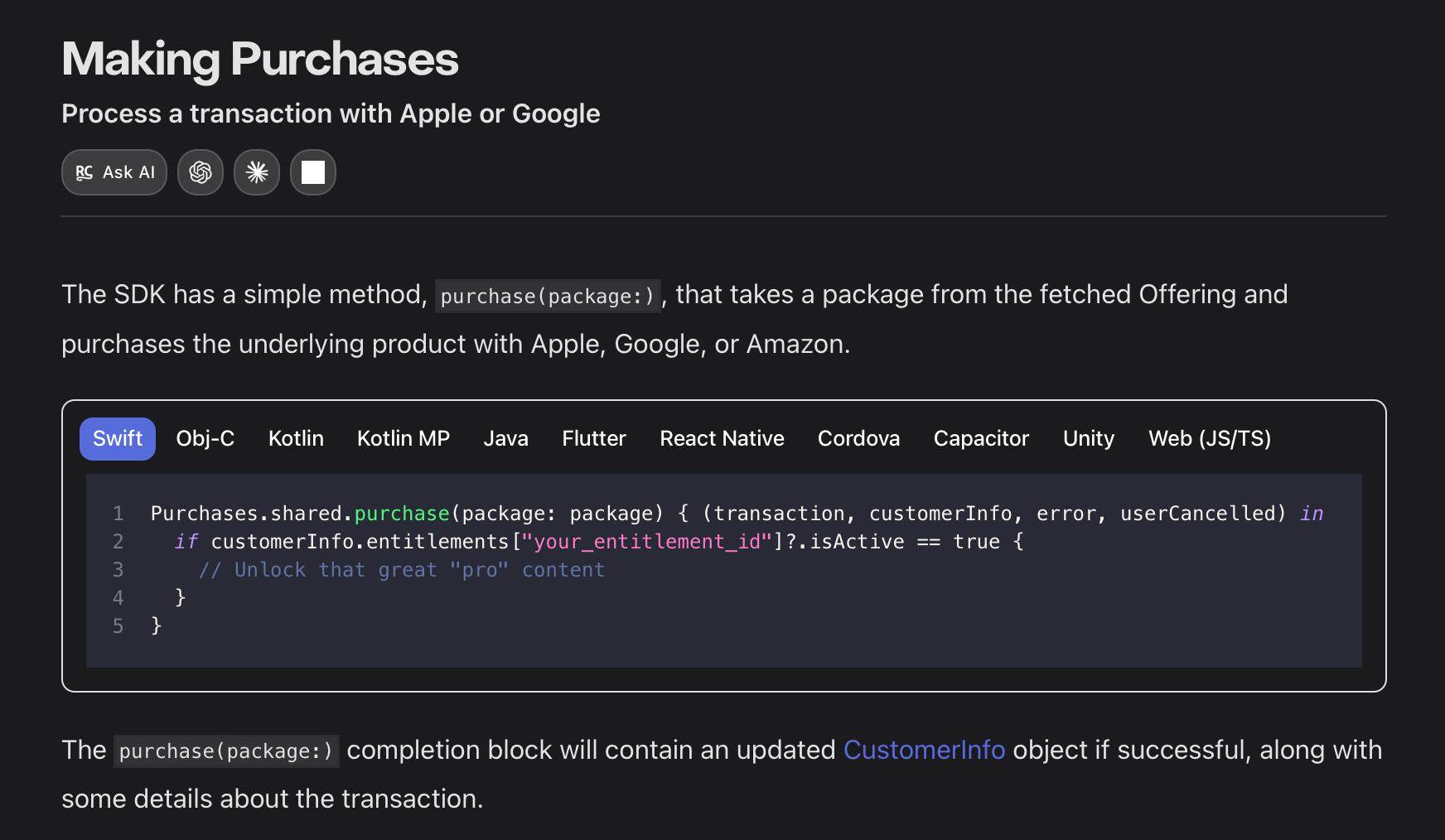
You can also manually tell the SDK to execute a purchase like this. I’m going to follow this one, because we can follow through the full public API:
Façade is a top-3 design pattern for me because I love the little accoutrements on the letter C there (apparently called a cedilla).
Purchases, the main object devs use to init and use the SDK, is this façade, a minimal developer-friendly API that distills the tasks of complex StoreKit integration, receipt validation, and entitlement management into a few simple function calls.
Woah, Nelly, that’s a lot of dependencies. And I redacted a lot. But we can spot also a few interesting SDK design techniques already:
If the SDK is not configured, it will fatalError() on access. This is a deliberate design choice: this makes it virtually impossible for the developer to mess up basic initialisation and misuse the SDK.
Note the @objc(RCPurchase) at the class declaration. This exposes the class to Objective-C, and provides a prefixed alternative name (because ObjC uses a global namespace). Objective-C compatibility is a must when you are working with thousands of iOS projects that might never migrate to Swift.
Purchases also serves as the root of the dependency graph, owning references to all the services, managers, and orchestrators used throughout the SDK. It applies manual constructor injection, which is preferable to introducing a third-party DI framework as a sub-dependency into every app shipped by your customers.
Initialising the SDK reveals another interesting tidbit around progressive disclosure in API design, which is vital for your dev-ex.
Most devs will start by configuring their payments SDK with the API key only.
@objc(configureWithAPIKey:)
@discardableResult static func configure(withAPIKey apiKey: String) -> Purchases {
    Self.configure(withAPIKey: apiKey, appUserID: nil)
}
As you grow towards more advanced use cases, you might end up using this alternative function that allows for configuration:
@objc(configureWithConfigurationBuilder:)
@discardableResult static func configure(with builder: Configuration.Builder) -> Purchases {
    return Self.configure(with: builder.build())
}
This Configuration object offers more granular control over SDK behaviour:
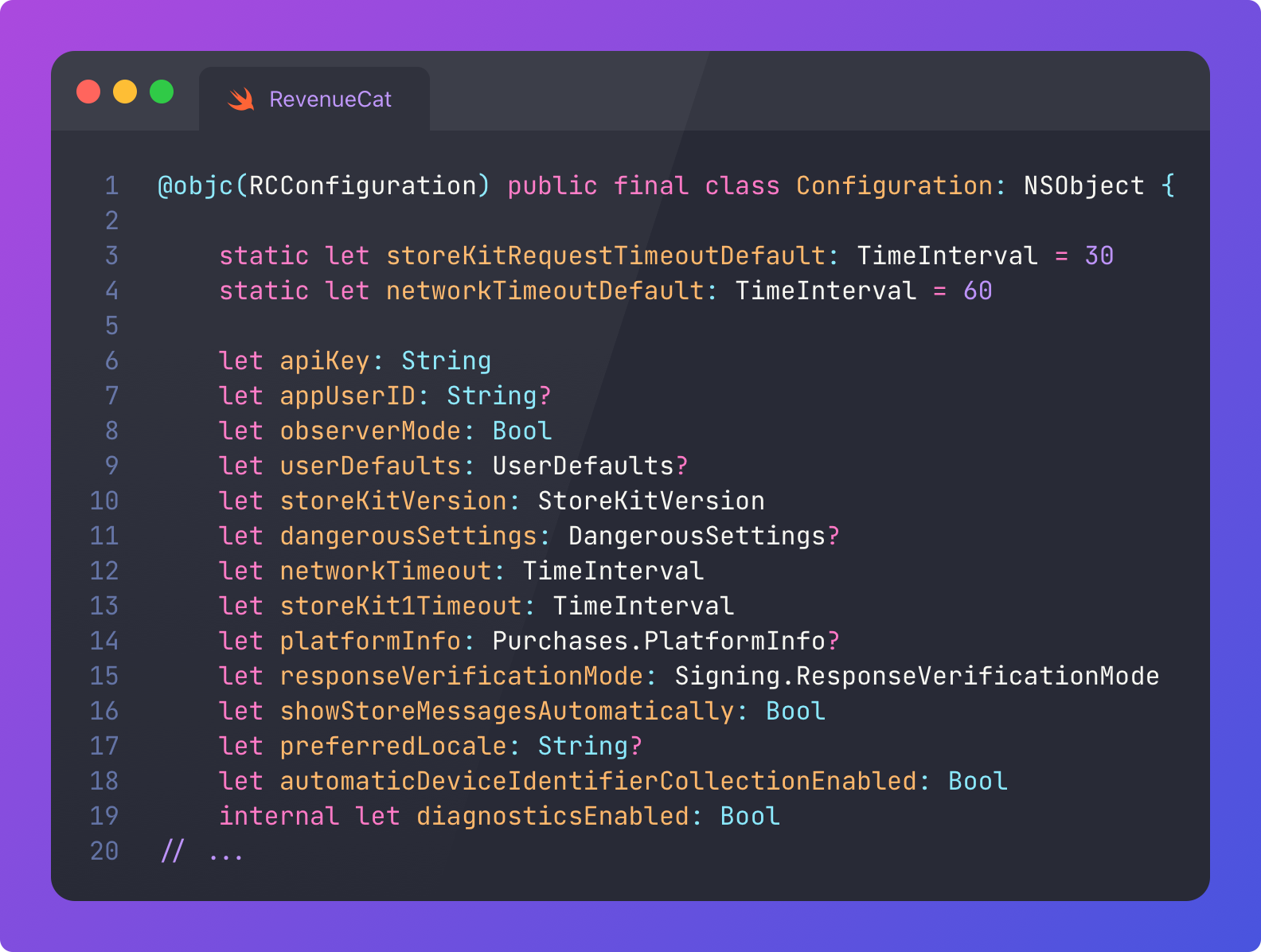
This means we can keep APIs simple while enabling customised behaviour for power users.
Consider a developer introducing this advanced configuration for the SDK to enforce response verification, hardcode StoreKit 2, and configure timeouts:
let config = Configuration.Builder(withAPIKey: apiKey)
    .with(observerMode: true)
    .with(storeKitVersion: .storeKit2)
    .with(responseVerificationMode: .enforced)
    .with(networkTimeout: 90)
    .with(storeKit1Timeout: 45)
    .with(preferredLocale: "fr_FR")
    .build()
Purchases.configure(with: config)
Without being able to apply this configuration at init, we would have to make the API surface far more complex, for example the basic purchase() API would require far more parameters:
try await Purchases.shared.purchase(
    product: product,
    observerMode: true,
    storeKitVersion: .storeKit2,
    responseVerificationMode: .enforced,
    networkTimeout: 90,
    storeKit1Timeout: 45,
    preferredLocale: "fr_FR"
)
Because this all lives in the configuration at init, the API can remain simple:
try await Purchases.shared.purchase(product: product)Configuration creep is also a problem, so you need to be thoughtful about how much should be configurable locally, vs how much can be set up on a dashboard somewhere. You need to carefully balance ease-of-use, flexibility, and actual customer needs.
The dependency graph is all wired up in the Purchases convenience initialiser: All the services, managers, and orchestrators get created here.
Because I’m not being paid by the letter, I redacted about 80% of the code.
The layered architecture I referred to isn’t enforced logically, but is kept safe by the compiler: it’s impossible accidentally create a cycle when using vanilla constructor injection, because your code just won’t compile.
So I suppose it’s less like a dependency graph, and more like a list of dependencies that are instantiated, one after the other, in the order they appear in this initialiser.
This is not trivial, however: you still need to carefully design each dependency to avoid cycles, ensuring each service has only what it needs.
It’s easy to get recursively sidetracked when analysing an interesting SDK like this. Where were we? We were searching out the purchase() function.
I found the protocol we were looking for. This is the true façade: the protocol with every developer-accessible function:
When creating an SDK used by tens of thousands of developers, backwards compatibility is perhaps the most important consideration of all. You aren’t Apple. You don’t really get to deprecate stuff, because devs probably don’t have a Stockholm-syndrome relationship with you.
It’s wonderful to offer shiny new async/await APIs, but you don’t get to force devs to migrate. You need to keep those “legacy” completion block forms working too.
This doesn’t mean you have to double your code: the async versions just wrap the original completion block versions using withUnsafeThrowingContinuation.
You also can’t just gate all your functionality behind the latest OS versions: as an SDK, your deployment target is constrained by the customers of your customers. A single gambling app supporting iOS 11 for their three surviving geriatric whales means you can’t just rip the floor out from under them.
RevenueCat targets iOS 13 for their main SPM repo, but still supports iOS 11 on Cocoapods.
For our purchase(package: completion:) function, the implementation is here, firing into the PurchasesOrchestrator class.
PurchasesOrchestrator is the next layer in our conceptual stack of pancakes. Or lasagna. I actually need to get lunch.
This is by far the most complicated functionality in the SDK, which is why it’s fun to write about. PurchasesOrchestrator coordinates all the services and dependencies required to make a purchase, including transacting with StoreKit, posting completed transactions data to the RevenueCat backend, and updating customer entitlements locally.
This 2000-line behemoth is the main engine driving $10bn of transactions.
Let’s follow along to the purchase() function.
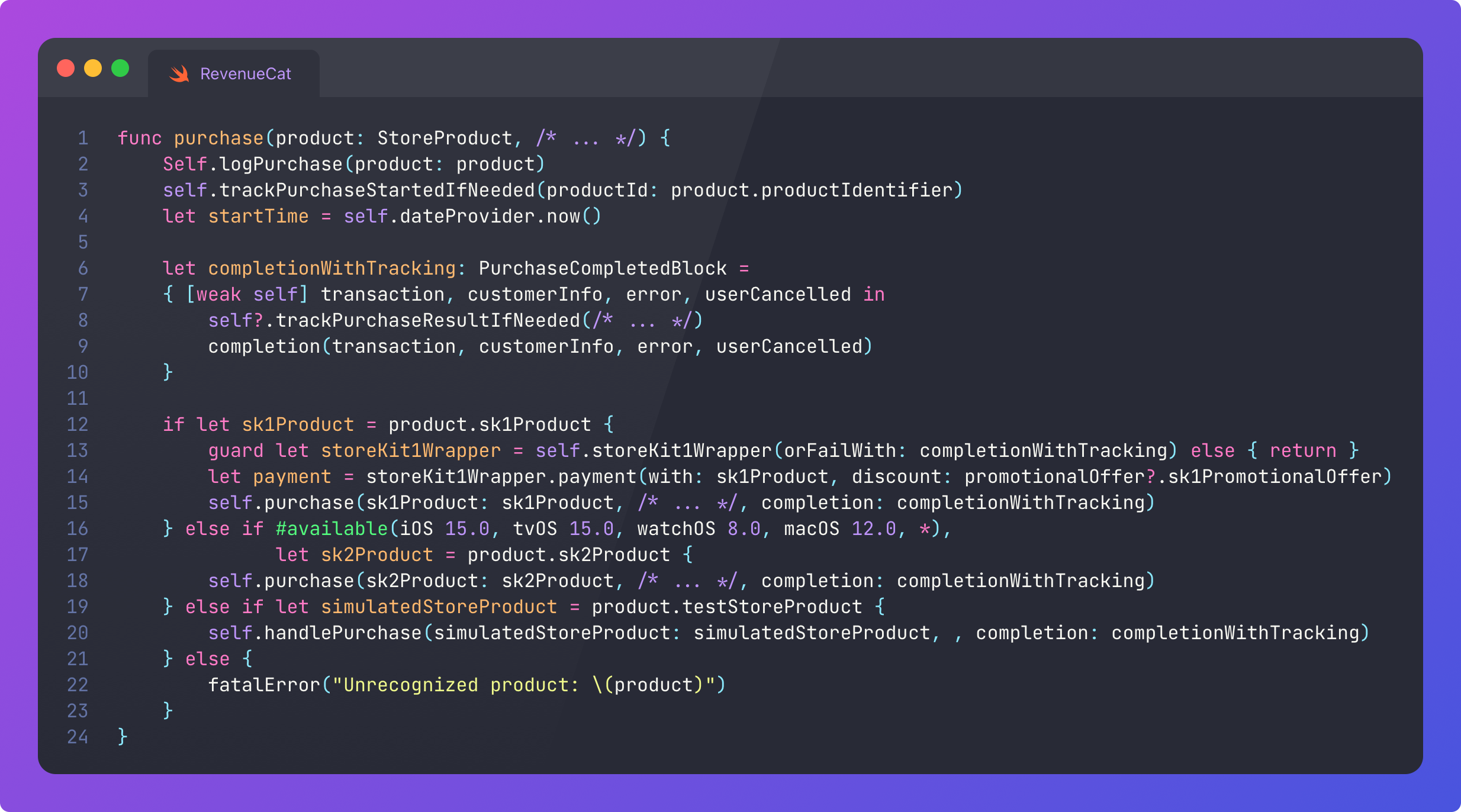
There’s a few more interesting SDK design lessons to learn here:
Log everything on the critical path to catch errors and hit that 99.99% SLA.
We should also profile times and performance for our metrics.
Handle both legacy SK1 and SK2 transactions, while abstracting this choice away from the developer.
Wrap #available conditionals around APIs younger than the minimum deployment target to ensure backwards compatibility.
Enable users to test the flow without spending money using simulatedStoreProduct.
Let’s follow the StoreKit 2 version.
After a brief time-skip as the SDK passes through more layers of logging, profiling, caching, and error handling, we land on the function that actually calls into Apple’s StoreKit API:
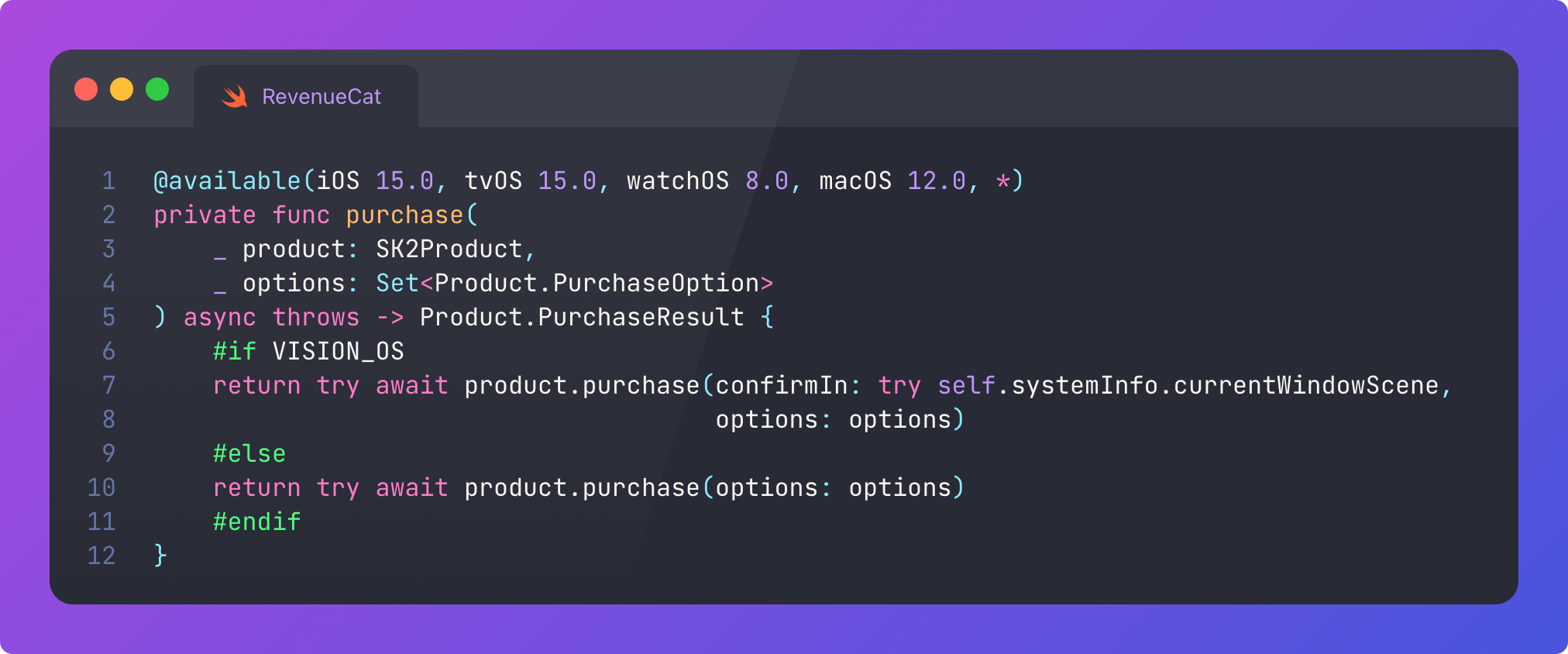
Notice that SDKs don’t get the luxury of ignoring new platforms like VisionOS: you need to ensure all your APIs work with all platforms by the time it’s out of Beta!
This presents the modal payment window for an in-app purchase or subscription.
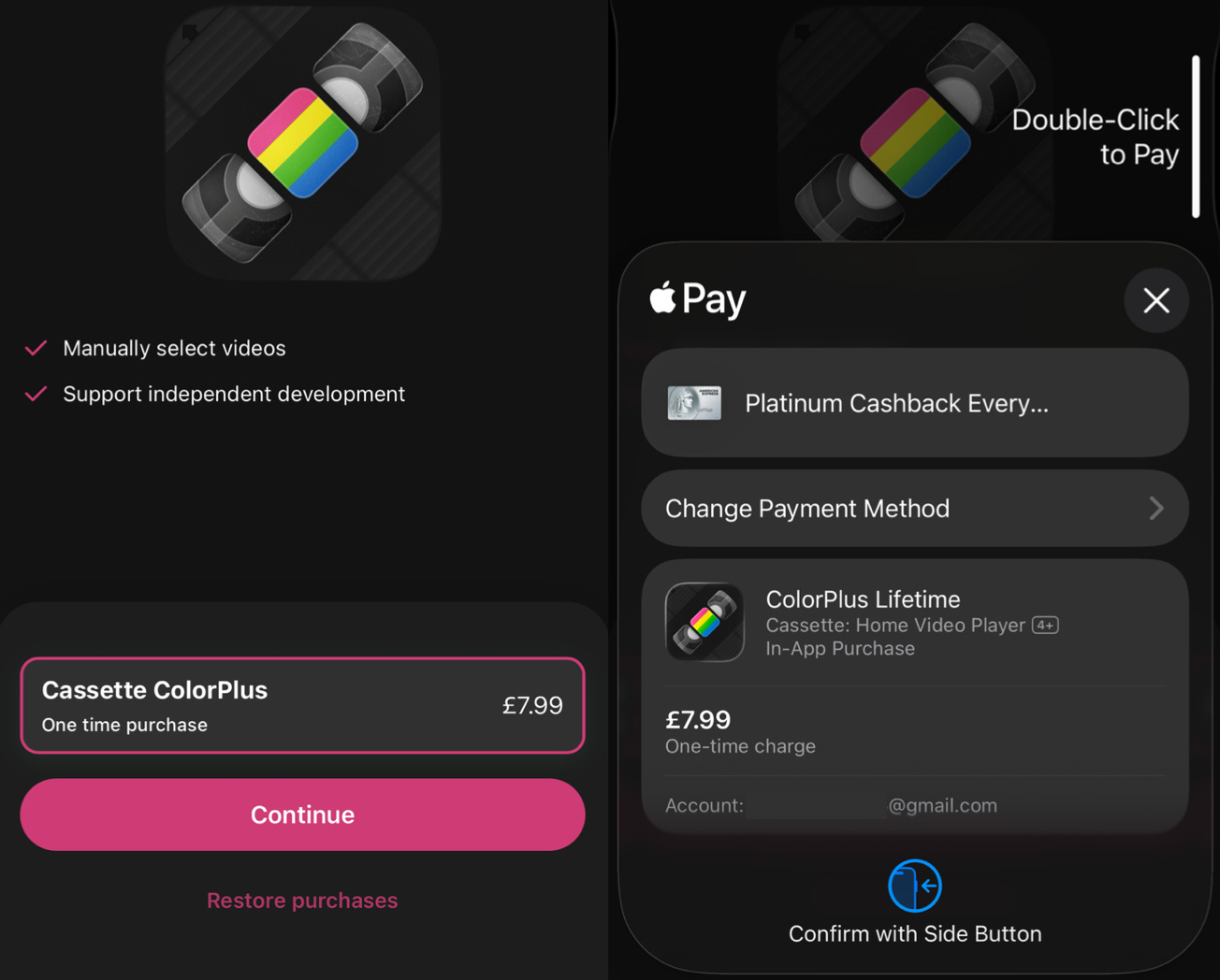
The purchase is complete! But the orchestration journey is not over.
Apple has now processed the transaction.
But what happens when the user upgrades to a new device? What about if they move over to Android, or your web app? How do we know they aren’t fraudulently accessing your content via a jailbroken device?
These problems of entitlements and receipt validation are two of the major reasons that payments is a headache.
To kick off the second half, after calling purchase(sk2Product…), the orchestrator manages the result of the StoreKit purchase action
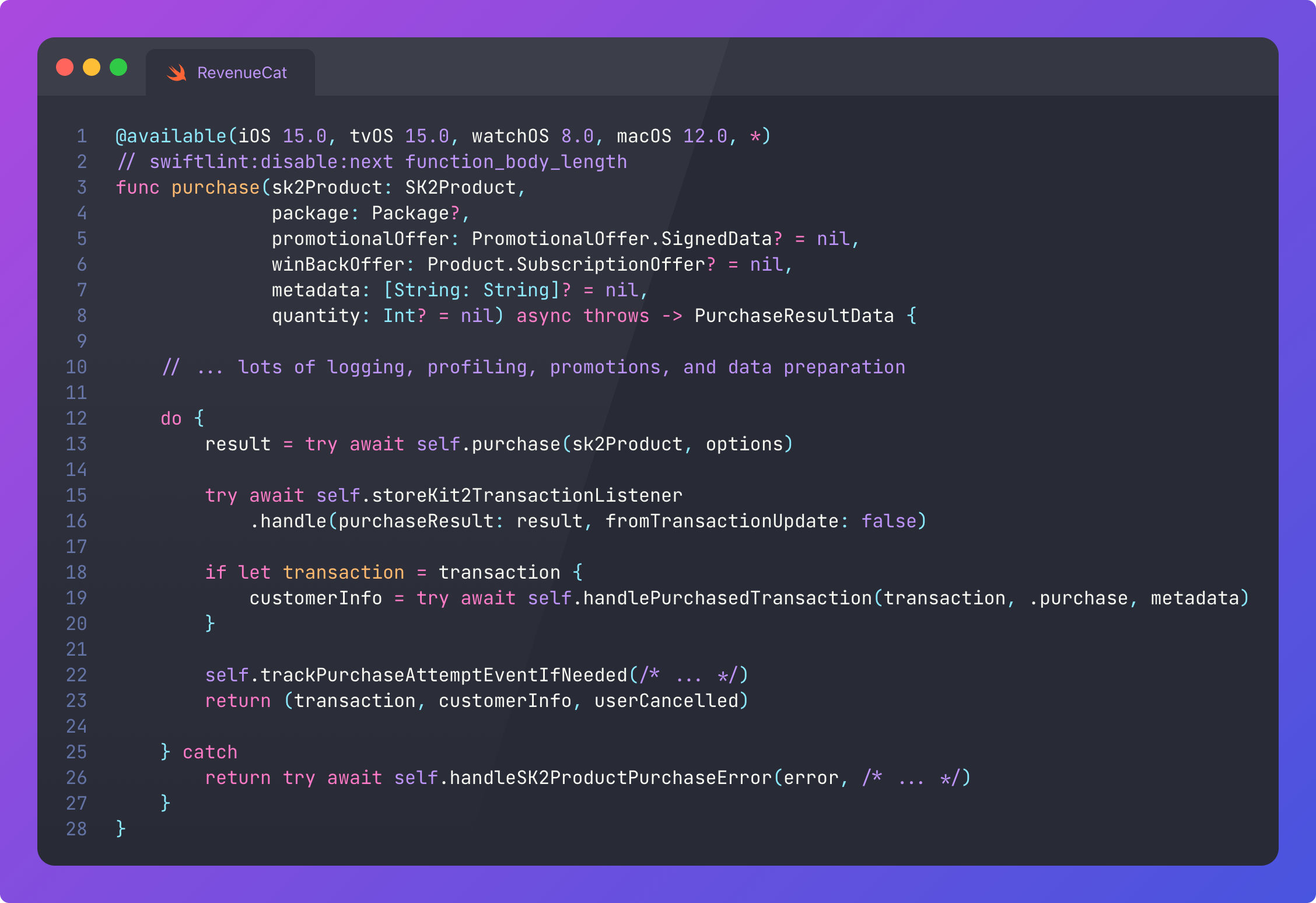
This does several critical things:
Verifies this transaction using the StoreKit transaction listener, another friendly wrapper around StoreKit APIs.
If the transaction returns, it hands off the data to other SDK services.
Tracks and logs a lot more stuff.
Finally, returns the contents of the completion block (or throws an error).
It’s used as a helper function here, but the StoreKit listener also runs in the background to catch transactions that happen outside this explicit purchase() call, such as family sharing, renewals, or restoring purchases.
As our time with the orchestrator comes to a close, handlePurchasedTransaction cleans up paywalls, tokens, and contexts, wraps up a PurchasedTransactionData object, and hands off to more services:
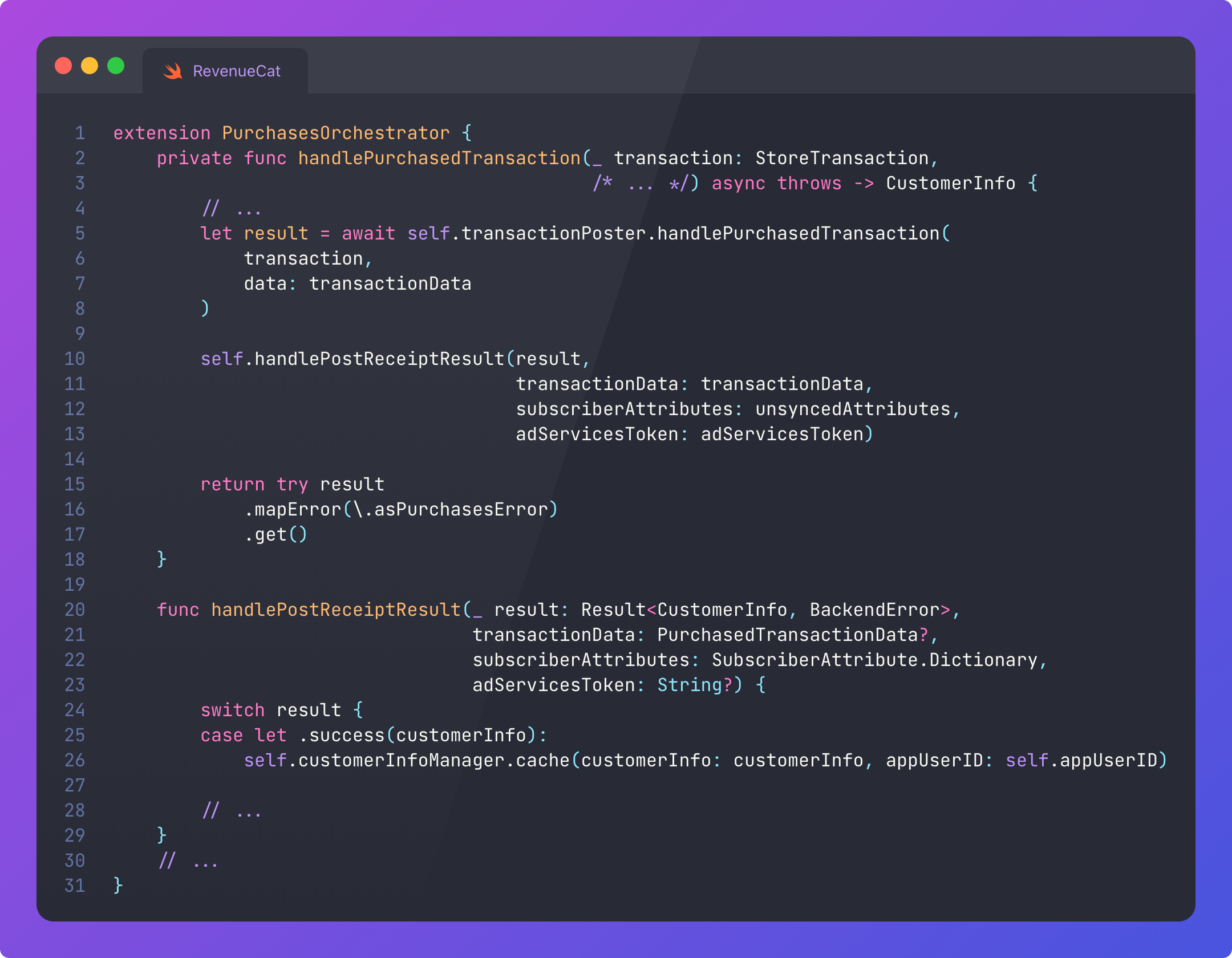
Let’s take a look at two of these critical services now.
There’s two important services used here to finalise a purchase: TransactionPoster and CustomerInfoManager.
TransactionPoster itself, as a relatively high-level specialised service, further builds on top of several lower-level dependencies.
After PurchasesOrchestrator finishes a transaction, it asks TransactionPoster to send StoreKit receipts to the RevenueCat backend, which then validates the receipt, verifies the customer’s subscription, and returns confirmation to the SDK.
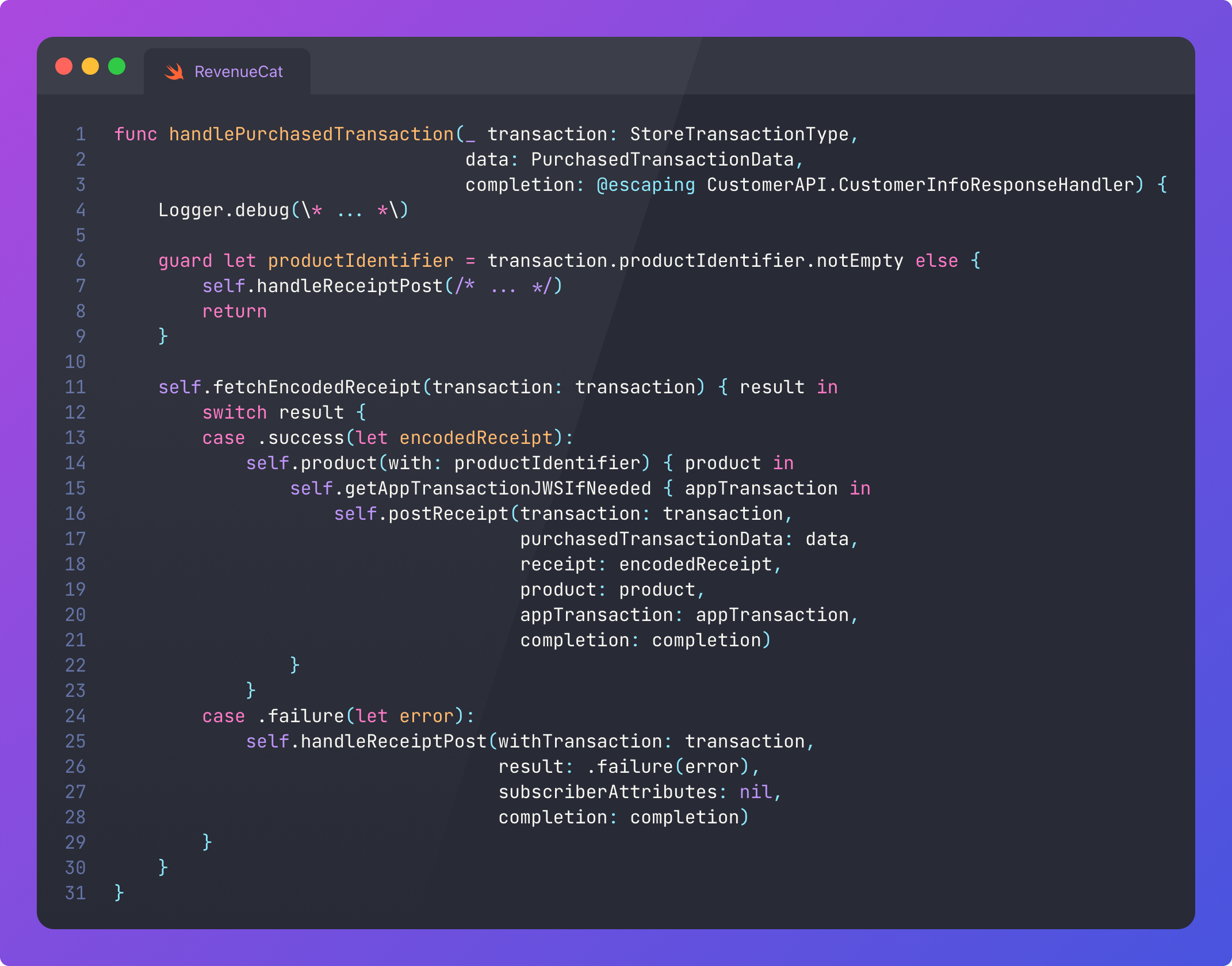
Pretty much every one of these functions calls into of the dependencies above:
product(with: productIdentifier) calls into productsManager to the available products.
postReceipt() tells the backend to actually send the receipt to RevenueCat servers.
handleReceiptPost() calls into operationDispatcher to jump to the main actor and performing the callback thread-safely.
CustomerInfoManager is where the entitlements of the user live. This is one of the most important services, because it dictates whether a user can access paywalled content in your app, or not. It’s really important to get this right.
Once the PurchasesOrchestrator has posted the receipt, it updates the cache on CustomerInfoManager to ensure entitlements are readily available, both for speed of retrieval and to ensure it still works offline.
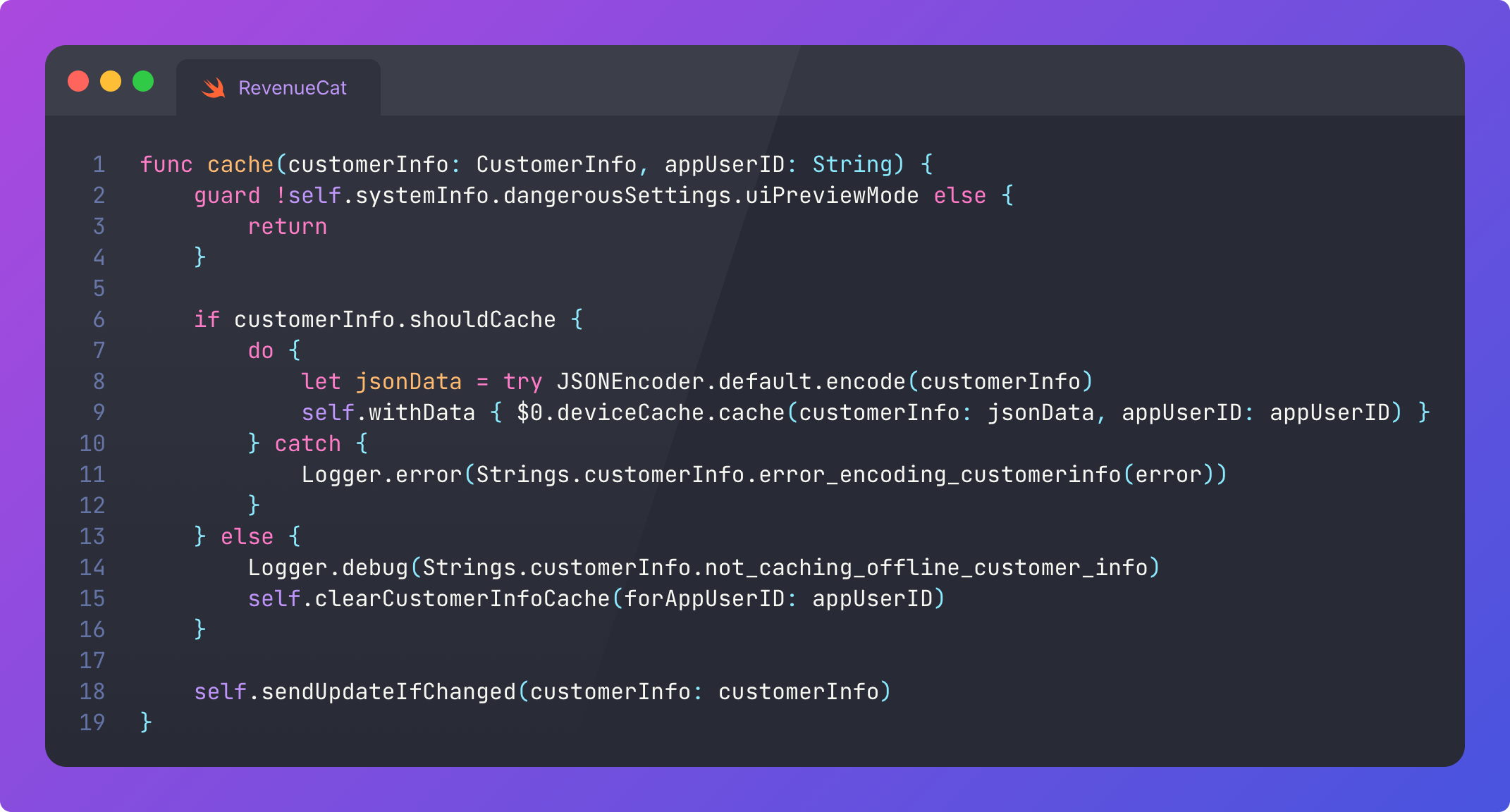
In the end, this more or less lands in UserDefaults. Nothing is ever magic.
It’s really, really, really important that an SDK works in all sorts of conditions, such as poor network, low power mode, and offline.
One of the CustomerInfoManager dependencies, OfflineEntitlementsManager, acts as the fallback; computing customer info from locally-persisted SK2 purchase history and cached information on products and entitlements.
This is an instance where you can influence API design to improve developer experience: giving devs control over how they want to fetch customer info data, with a choice between speed and correctness.
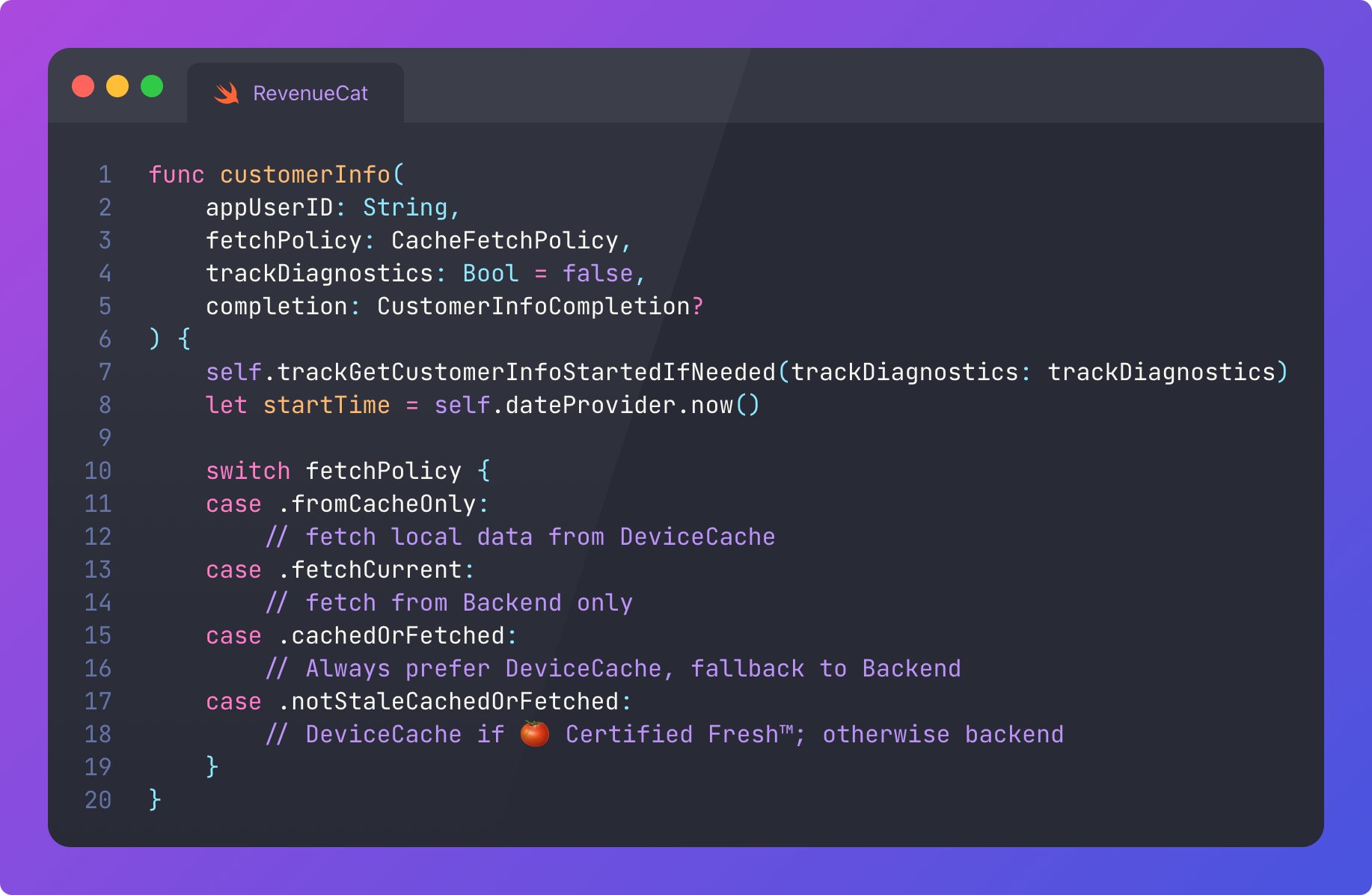
With a layered architecture SDK like this, it’s very easy to spend 50,000 words recursively going into every nook and cranny, but I think this is a really good time to take a break here.
Ok, fine, I’ll talk about Backend really quickly because it appears everywhere.
When you want to call something on the backend, you call something like: backend.offerings.getOfferings() or backend.identity.logIn(). This is because Backend serves as a neatly name-spaced API gateway. A composition surface for all of the network requests you might need.
This low-level infra isn’t immune to containing various dependencies: a collection of all the different APIs and endpoints the SDK can talk to, as well as a BackendConfiguration object containing services like HTTPClient, which wraps URLSession and handles ETag caching, response verification, request signing, retrying, and serialisation with operation queues.
Naturally, the level of logging and profiling required on the network layer is more important than ever.
The RevenueCat iOS SDK creates a reliable and easy-to-use way to handle a deeply complex field like payments, and has helped process $10bn in revenue (and counting!) for developers across the world. Following through the payment orchestration logic in this battle-tested project teaches us a great deal about SDK design.
Backwards compatibility is a first-class consideration.
You need a really strong handle on error handling, logging, and profiling.
The APIs need to be dead simple, with progressive disclosure of advanced use cases via confirmation.
Your dependency graph needs to be layered thoughtfully, with more complex services relying on low-level core infrastructure.
Your code has to work on a wide range of platforms and OS version.
You need to work in imperfect device conditions, including offline.
I didn’t cover this anywhere in the low-level code, but one more critical design consideration when building an SDK is that it should be invisible: there when you need it, but otherwise negligible in terms of its impact on performance characteristics like app launch time, CPU load, disk and network I/O, and app size.
Finally, because an SDK is often a piece of critical infrastructure, you also need to treat tests with the same care as production code.
Sponsored Link
RevenueCat Paywalls: Build & iterate subscription flows faster
RevenueCat Paywalls just added a steady stream of new features: more templates, deeper customization, better previews, and new promo tools. Check the Paywalls changelog and keep improving your subscription flows as new capabilities ship.
If you liked my post, subscribe free to join 100,000 senior Swift devs learning advanced concurrency, SwiftUI, and iOS performance for 10 minutes a week.