Back in the day, my inbox consistently contained over a thousand messages. Not because I’m popular or important, but because my method of checking email didn’t extend past the basic definition of “checking”: to look over; examine. I’d open my inbox, scan to make sure there weren’t any crucial messages, and continue looking at Instagrammed entrées.
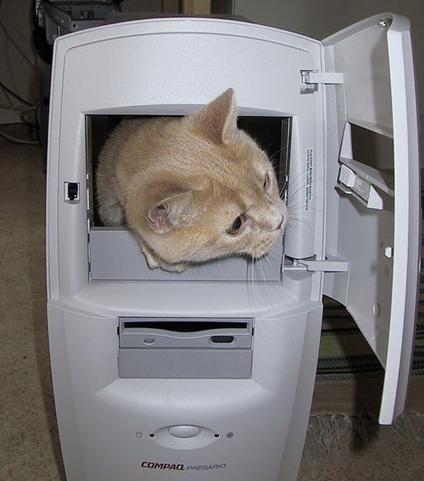 Then I watched Merlin Mann’s classic “Inbox Zero” Google Tech Talk where he states, “Checking brings with it a certain amount of responsibility. If you’re checking on your friend’s cat while they’re out of town, it’s incumbent upon you to tell them if anything goes wrong with the cat. You’re checking on Monday, the cat’s fine, you’re checking on Tuesday, the cat’s fine, you’re checking on Wednesday… it’s spontaneously combusted. You’re not just going to come back on Thursday and hope that it got better, you’ve checked on the cat and there’s a problem, and now you’re going to deal with it.”
As a huge cat lover, this analogy both disturbed me and inspired me to reevaluate my system of checking email. I realized that in the context of checking email, “checking” is actually defined as an action or influence that stops motion or expression, so scanning the contents of an inbox isn’t going to cut it. Rather, checking email is about utilizing a series of actions that help process incoming messages to eventually achieve INBOX ZERO. As Mann states, “Never check your email without processing. A lot of people get really good at checking email, but they don’t always get so good at doing anything about it.”
Since email is a two way communication, it’s important to apply this knowledge not only to how you manage your email (more on this later), but how recipients manage theirs. In order to improve their experience, use proper email etiquette to make the messages you send easily actionable. Marcus Lopez, a Facebook fan, pointed out that one way to do this is to write subject-only email, adding subject line tags–like [EOM]–to signify that all content is in the subject line so that the message itself doesn’t need to be opened. After all, which would you prefer to receive:
1) Subject: Can you make copies of the brochure before our meeting at 10AM? Thanks! [EOM]
2) Subject: Meeting request Body: Can you make copies of the brochure before our meeting at 10AM?
How to Write Subject-Only Email
-
Mind your manners: The problem with brevity is that it can be interpreted as rudeness. Including a simple “please” or “thanks” goes a long way to offset the chance that your subject line will be perceived negatively. For example, “Please pick up my latte at 9am-Thanks! [EOM]” is a lot more likely to keep you in good favor with your assistant than, “Pick up my latte at 9am [EOM]” Remember, you don’t want to accidentally insult the people who handle your food.
-
Alter your signature: Recipients will inevitably open your messages until they get used to subject line tags. To save yourself the hassle of typing your rationale each time, alter* your signature to clarify that no, you didn’t forget to include the body. For example, “This message was typed with thumbs and send with love–please excuse my brevity!” Or, you could include a link to this post 😉
-
Use subject line tags:
- N/T: No text
- EOM: End of message
- NRN: No reply necessary (everyone’s favorite thing to receive!)
-
Tag the beginning of the subject line: With email increasingly managed from our smartphones, it’s important to note that the inbox view of many mail applications cut off the latter part of the subject line. Placing a [N/T] subject line tag at the beginning ensures that it’s visible from the inbox interface so users don’t waste their valuable time opening the message.
Use this advice to keep your recipients’ inboxes from becoming full of “combusting cats,” and consider checking out Boomerang for Android to help process your own messages.
*to change your signature in Boomerang for Android, follow these steps: Drawer> Account Settings> Click an email address> Enter your name and mobile signature
Edit: We published a full article on email etiquette since posting this. Check it out!