
The first video editor you'll truly love.
Available now in public beta
A new NLE for the art of editing, with a better workflow and performance than you've ever felt before.
Fully native, built from scratch.
Blick is written from scratch in  .
.
The renderer, the UI framework, the works.
It is built for speed and answers the instant you call.
Scrub at the speed of thought.
Fly across hours of footage. Scrub, zoom and experience a timeline that is as fast as your hand.
Start editing the second it opens.
No import interjections or New Project dialog screens stand between you and editing. Blick opens right onto a blank project, so you can get straight to work. We'll autosave for now, and you can worry about making it a "project" later, when you want to.
Editing doesn't stop for a render.
Start the export before you've finished the outro, and keep working. Catch a mistake mid-render? Fix it and keep going without restarting. Pause the render, make changes and rewind to an earlier point. Rendering is no longer a big burdensome commitment.
Animate live, right in your timeline.
Keyframing is done right inside the timeline, no awkward secondary keyframing timeline. You can even record live animations by simply moving things around during playback.
No arbitrary locks on values.
Change the framerate, resolution, bitrate and sample rate whenever you want. Every edit you made stays exactly in place, and footage automatically fits, fills, or streches to the frame, by your choice.
Your whole timeline at a glance.
Every clip shows what's inside it, so you always know what is what, and where you are, without scrubbing to find out.
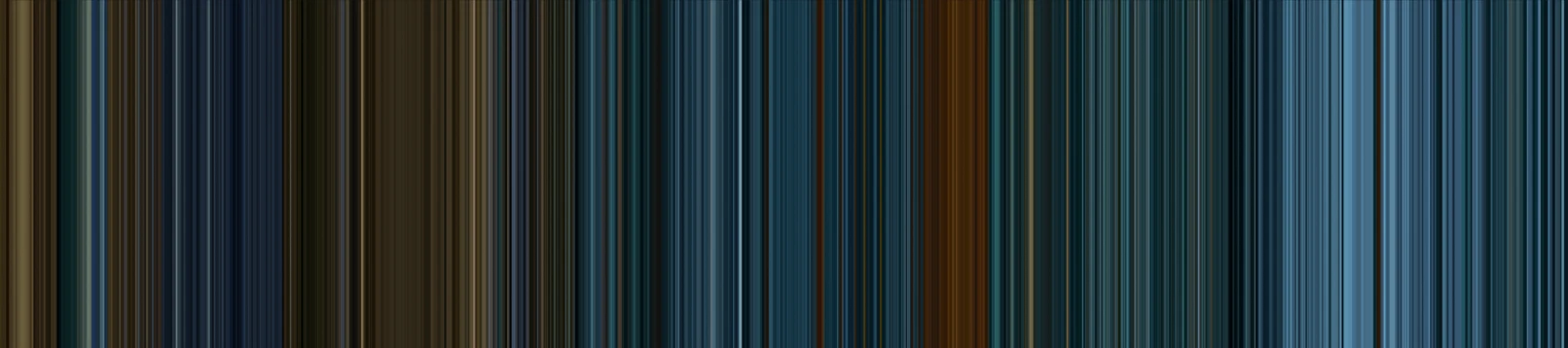
The ÜberBlick
A gradient strip of the most prominent colours across frames. See where you are in the timeline and in the clips, at a glance.
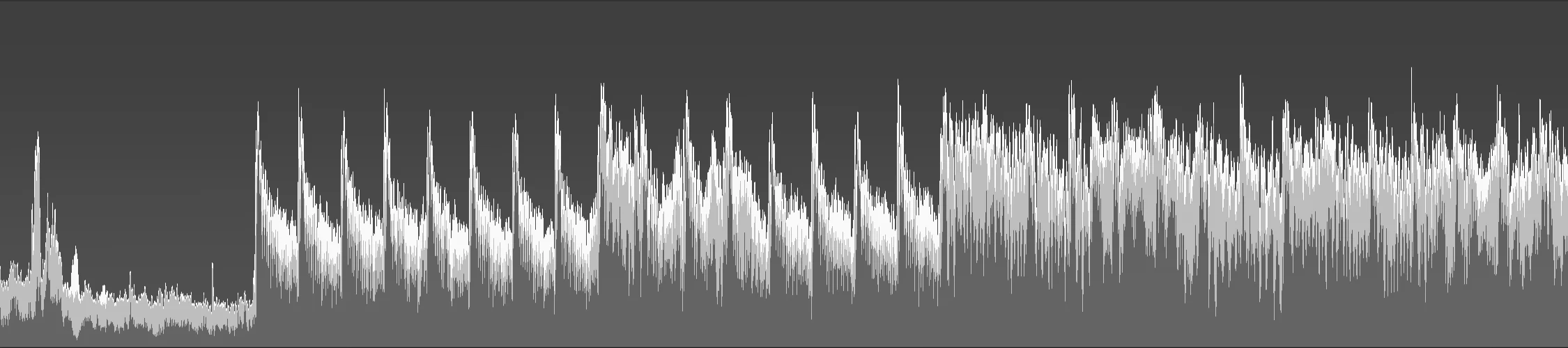
The MultiWave
A stack of waves visualizing the spectral activity inside your audio clips, so you can see what's happening, even when the waveform is a complete sausage.
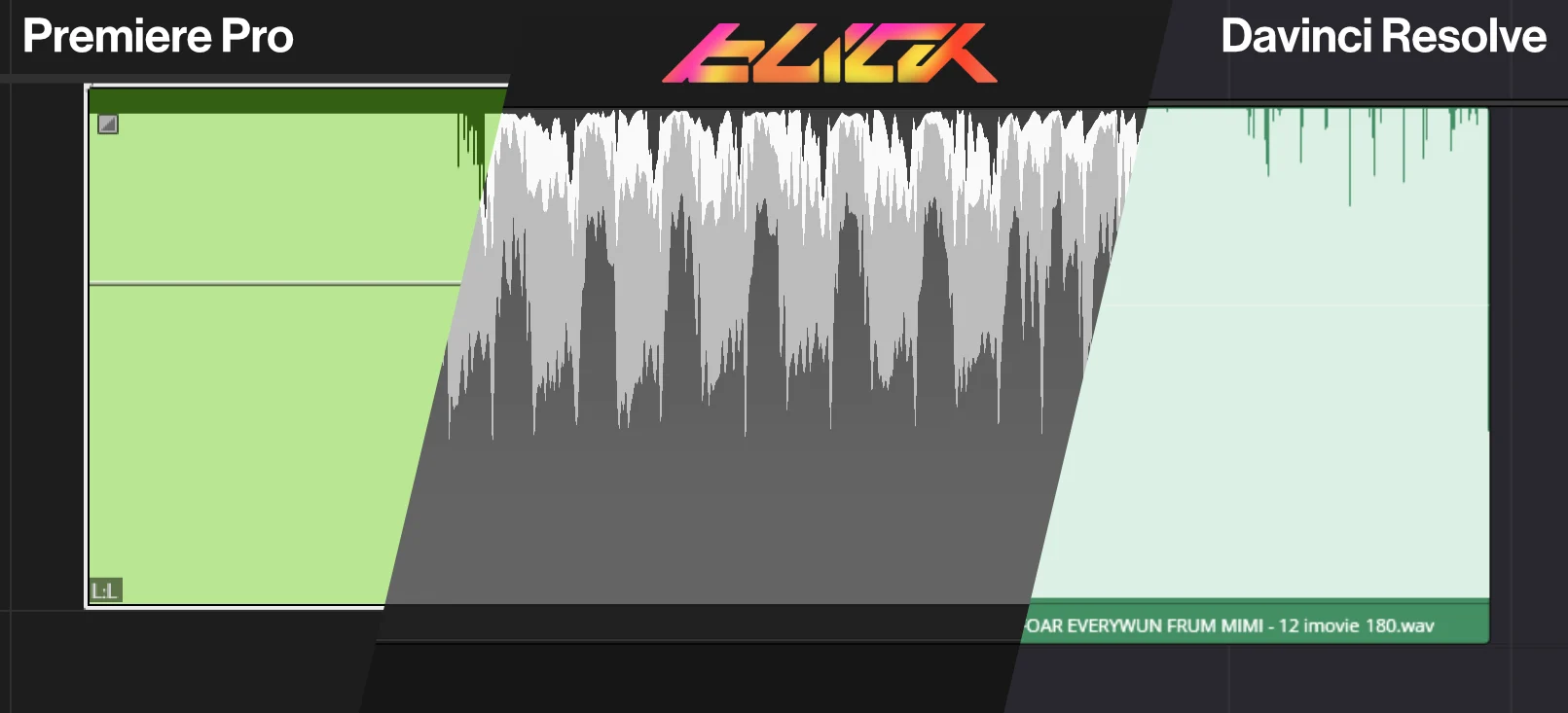
You'll feel blind without it.
Here's the same music in Premiere Pro, Blick and DaVinci Resolve. Finally, you can be the victor of the loudness war.
Everything, one keystroke away.
The command palette lets you search through every action in the program in one place, and run it. Quick and simple. Much faster than menu-diving, or looking up YouTube tutorials just to see where that button is.
Your tools live under your fingertips.
Hold a key to summon the tool just while you need it, then let go and it steps aside. No more clicking back and forth between the normal cursor and alternate tools.
An effect roster that covers the basics, and we're adding more.
Transform, Brightness and Contrast, Blur, Hue & Saturation, and beyond, with more to come! All with keyframable values.
Your workspace bends to you.
Split, drag and dock panels wherever you want them. Build the exact layout your workflow calls for.
Know exactly what is in every file.
By the power of ffmpeg, the inspector reads out every datapoint of every stream: codecs, resolution, channels, timing, all of it.
Your work stays yours.
Projects that open in an instant.
Everything saves to one portable file in a plain folder. Relative and absolute paths cooperate, so you can move a project across drives and clouds and it still finds its media.
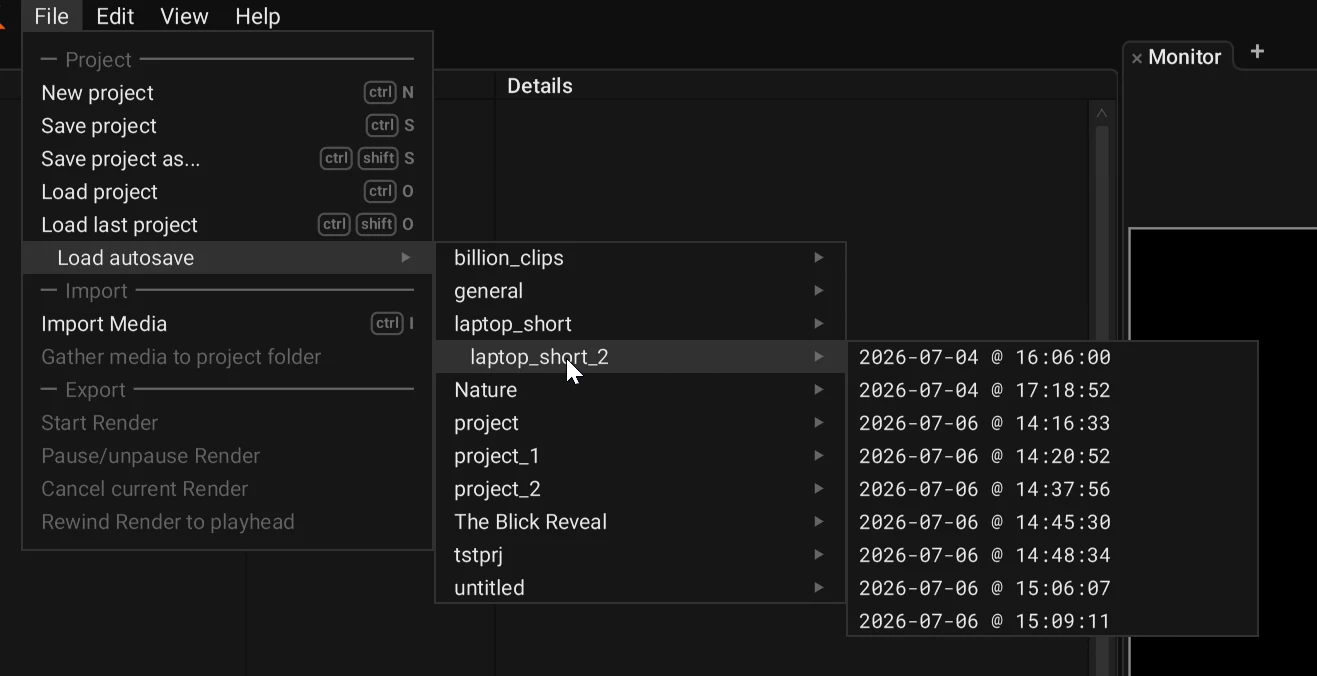
Never lose a session.
Blick autosaves your work on a steady, quiet rhythm. Shut the lid, pull the plug or bluescreen, and restart exactly where you left off.
13+
languages, ready to go.
German, Spanish, French, Italian, Japanese, Korean, Norwegian, Dutch, Portuguese, Russian, Swedish and Chinese, Ukranian, alongside English, with more on the way. Switch whenever you like in settings.
Roadmap
The features we're working on, and what's coming up.
Next up
Improved paneling Multi-window support Drag folders into media panel Drag media straight to timeline Fonts as imported media Media thumbnails Media bins Media search, sort & multi-select Clip-end thumbnails Dynamic Effects Pipeline More export formats (ProRes, etc) More audio effects (Basic filters, EQ, & dynamics) Handle orientation metadata Media preview in Monitor Edit point previews in Monitor HDR Monitor LUT (.cube) support
1.0
CLI for scripting Linux support Multichannel audio import Blending modes Time remapping Change playback speed Bidirectional playback Multiple timelines
1.0 release
Future
Headless mode CLAP plugins Audio-only export Undo tree Text-based editing Clip management panel Node-based effects
Good craft builds on good craft.
Editing takes skill, taste, discipline and judgment. The tools you use should be crafted under the same values. We started Dihedron Software to bring that same devotion to toolmaking, and Blick is the first tool we are putting in your hands.
Buy Blick once and keep it forever. A tool made for your craft.
Buy