Tired of the "Streaming Shuffle"? Bitflinger TV helps you find the content that you want to watch. The ultimate smart aggregator for the modern viewer.
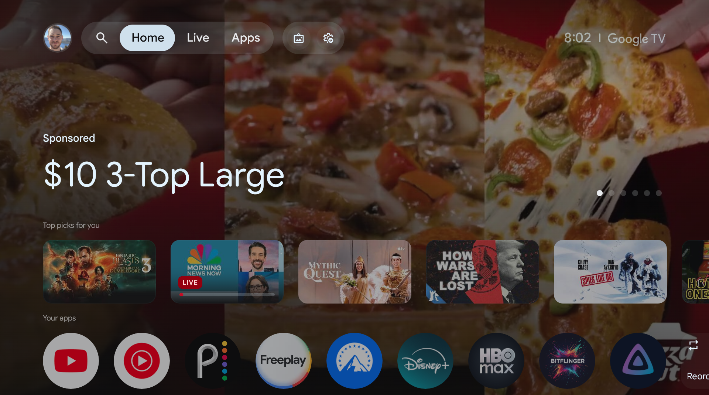
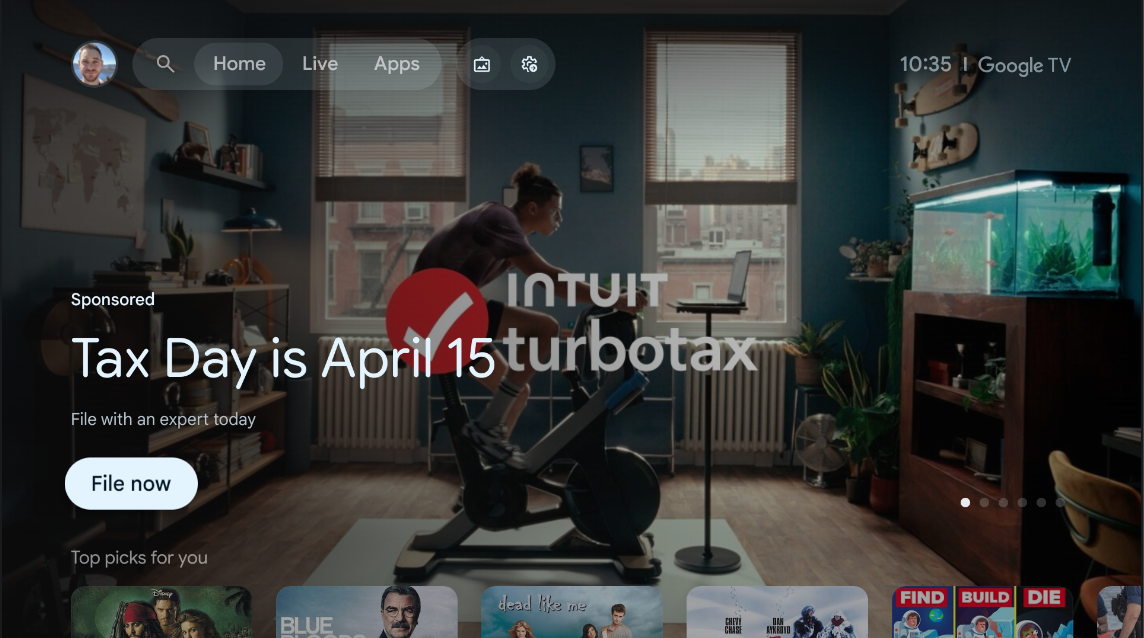
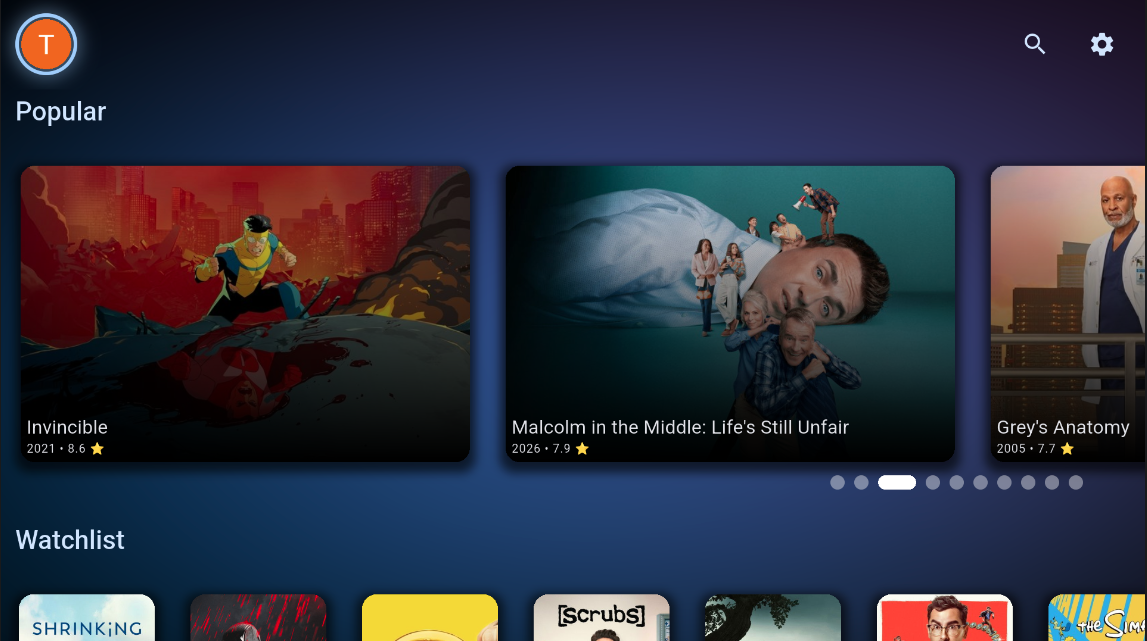
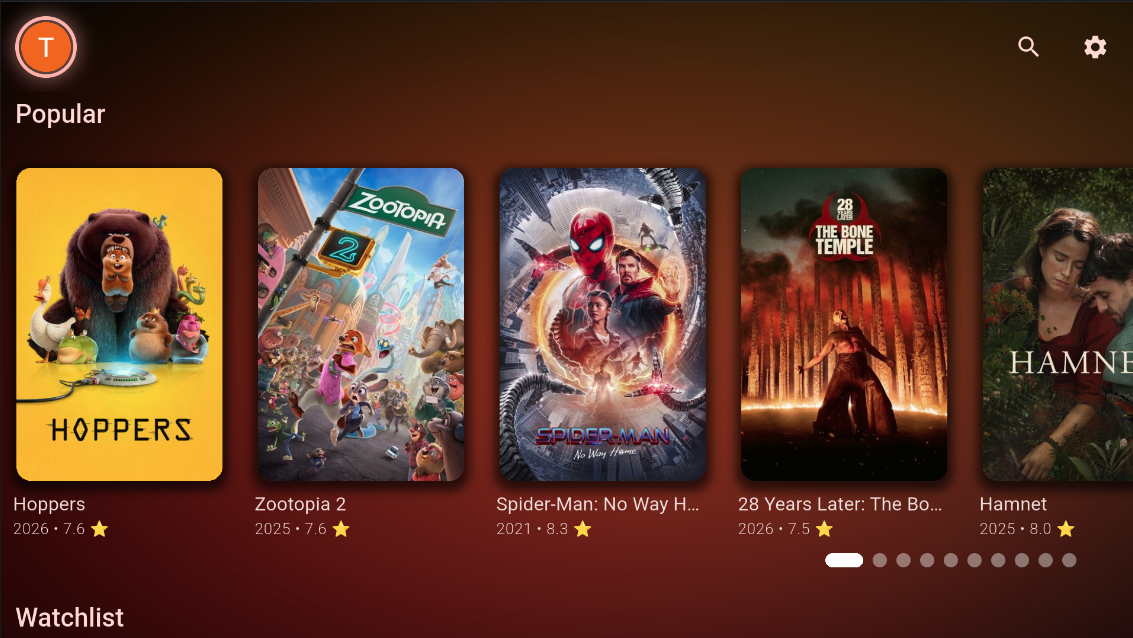
Escape the Ads!
Standard launchers are filled with advertisements and noise. Bitflinger TV gives you back your screen with a clean, ad-free interface focused entirely on your content.
Google TV Launcher (Ads)
Bitflinger TV (Ad-Free)
"Where Can I Watch This?" — Answered.
Stop opening five apps to track down one movie. Bitflinger TV shows every place a title is streaming — and what it costs — then drops you straight into it.
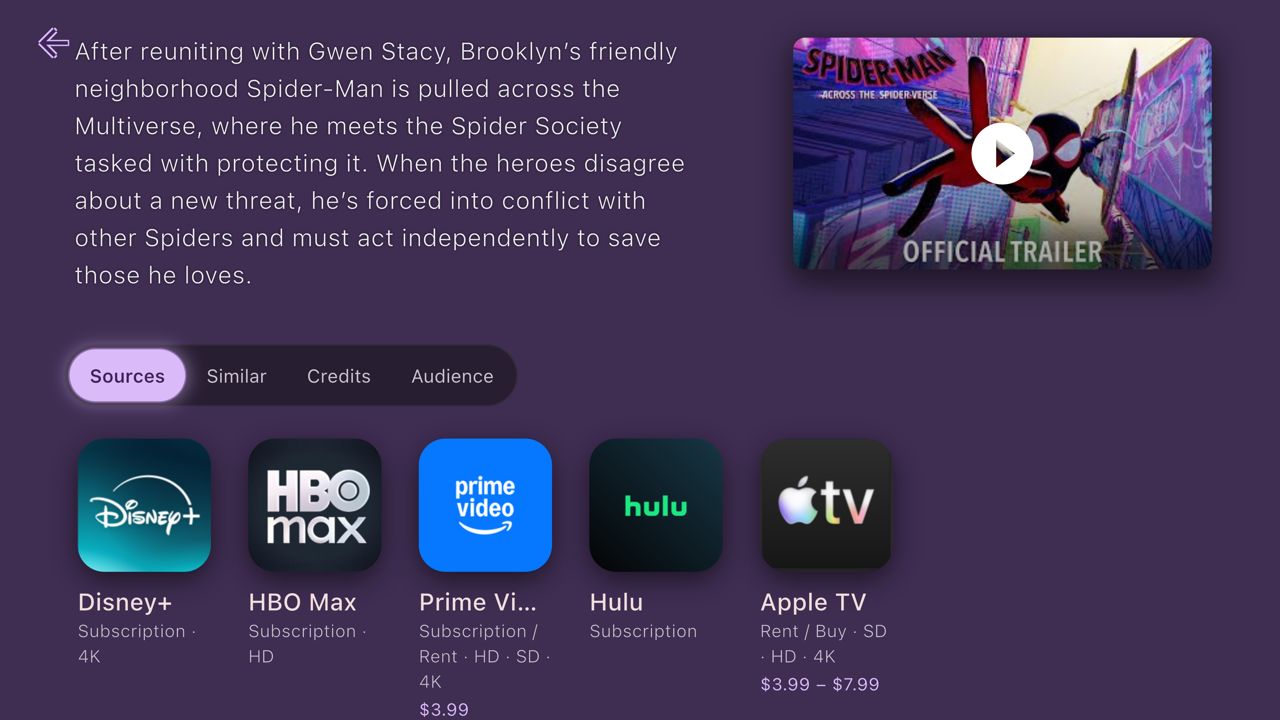
Every Source, One Glance
See exactly where each title streams across all your services, with every option flagged as free, subscription, or buy — plus pricing and episode counts.
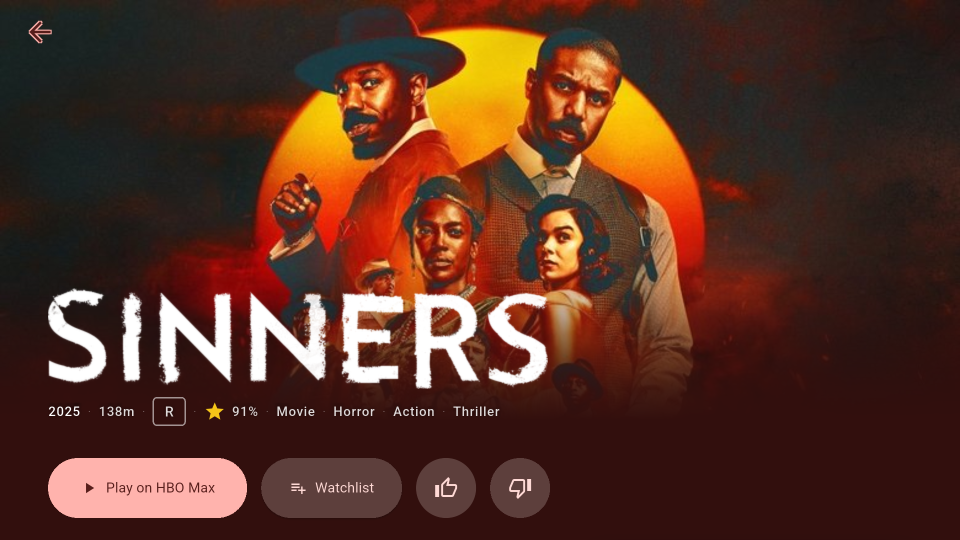
Launch in One Tap
Pick a source and Bitflinger TV opens the right app on the right title instantly. One home base for everything you watch — no more app-shuffling to start a show.
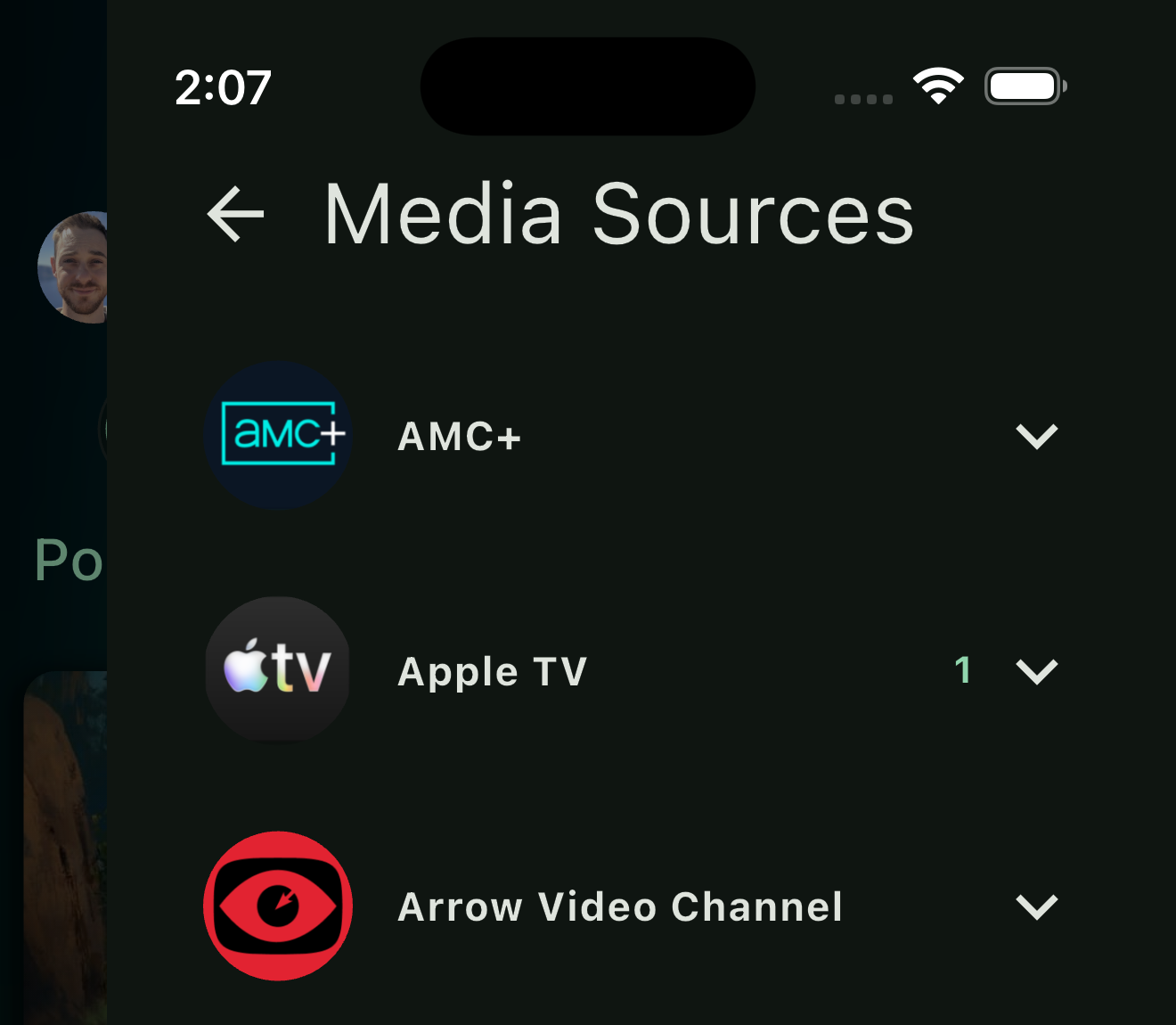
Everything in One Place
Connect your favorite streaming services and browse a unified catalog. No more app-switching. Sources are grouped by the service they're for, so every way to watch one service sits together — even a channel sold through another app.
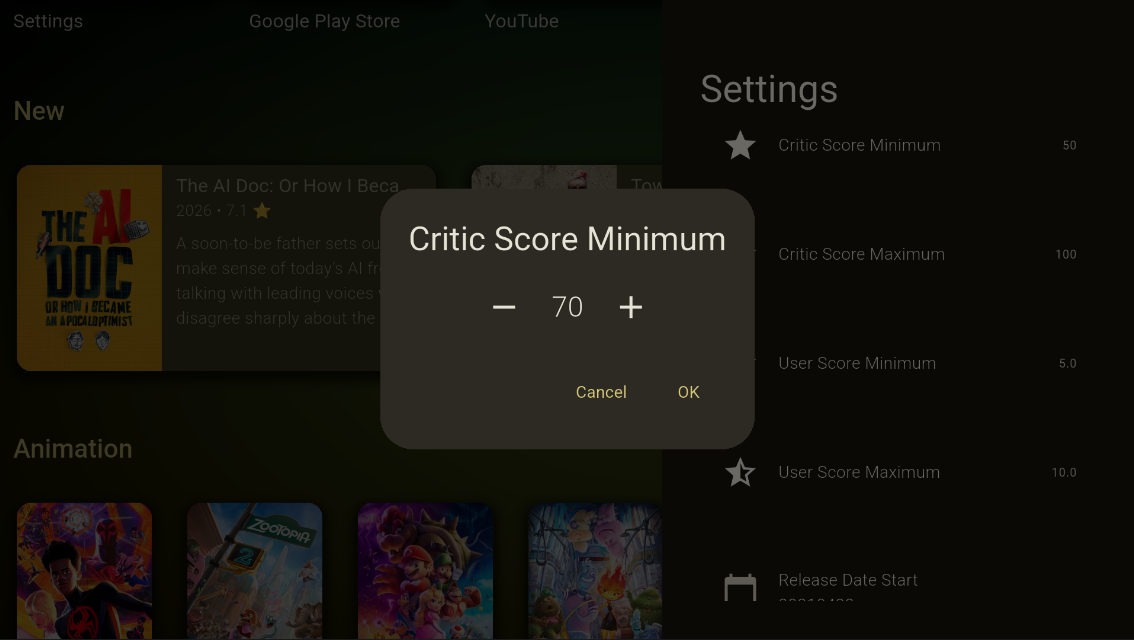
Granular Filtering
Filter by critic and user scores, release dates, content rating, or specifically by the apps you already pay for — then sort what's left by score.
Content ratings are audience groups you mix as you like: Kids, Family, Teen, Adult, and Unrated. Each group means only itself, so an unrated title is never quietly counted as one for kids.
Score, release-date, and content-rating filters come with a subscription. Compare tiers.
Your TV, Everywhere.
Available today on iOS, Android, tvOS, Android TV, and the Web. Bitflinger TV brings your entire streaming universe into one beautiful interface.
iOS Android Apple TV Android TV Web
Update your watchlist on your phone while watching a movie on the big screen. Your settings, filters, and watchlists sync across every device the moment you sign in.
One subscription, the whole household
Share With Your Whole Household
Bitflinger TV works with Apple Family Sharing and Google Family Group, so everyone under your roof gets the app at no extra cost. Set it up once and share it with the family.
Apple Family Sharing
Share your subscription with up to five family members through Apple Family Sharing.
Google Family Group
Add Bitflinger TV to your Google Family Group so the whole household is covered.
Unlimited Devices
With a subscription there's no limit to the number of devices you can install Bitflinger TV on in a single household. Free accounts cover up to three.
You won't find this anywhere else
The "Smart" Watchlist
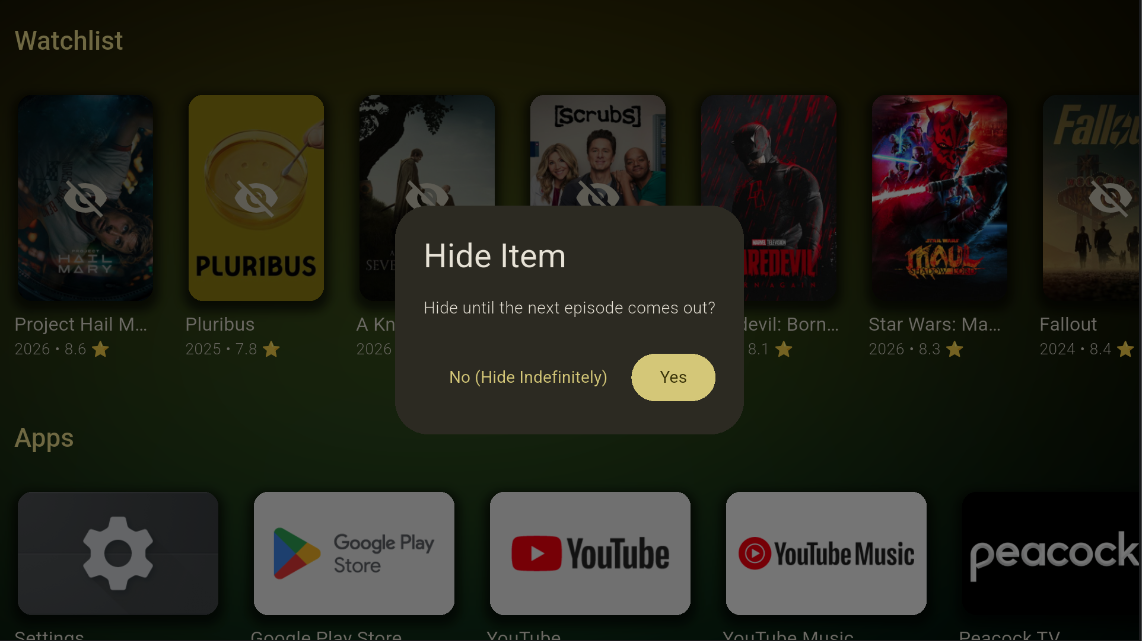
Titles only appear when they’re actually ready to watch. Our unique Hide Until Streamable logic hides a show until its next episode drops — so your list is always what you can watch tonight, not a pile of someday-maybes.
- ✅ Reorder, hide indefinitely, or hide until streamable
- ✅ Hide a show until the next episode is available to stream.
- ✅ Hide movies until they have at least one streamable source.
- ✅ Syncs across all your devices
New
You'll Hear About It
Add a title to your watchlist and forget about it. When it starts streaming somewhere you can actually watch it, Bitflinger TV tells you.
A Bell on Your Home Screen
Everything collects there, with a count of the ones you haven’t opened yet.
Read Once, Read Everywhere
Open a notification on your phone and it clears on your TV. Every device agrees on what you’ve already dealt with.
Only What You Asked For
Choose what you hear about, and whether it arrives by push or email, in Settings → Notifications — or in the first step of setup.
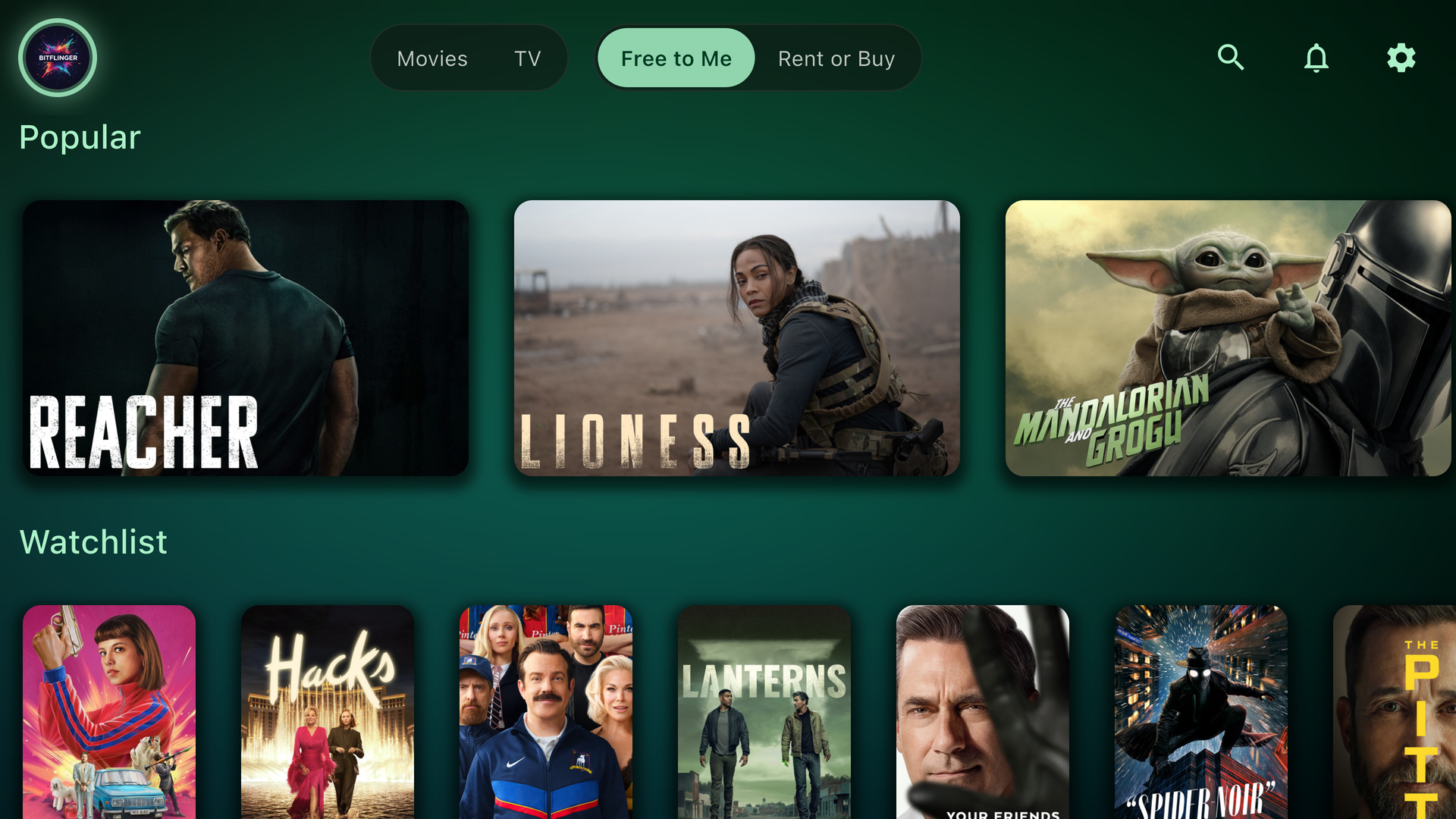
The bell sits in the top bar, right where you already are.
New
Every Name Is a Door
Select anyone in a cast list and you land on them: their portrait, what they’re known for, and their filmography — each title listed with the role they played.
Open one of those titles and you’re back on a title page, whose cast list leads somewhere else again. It’s how an evening actually gets picked: who was that?, then what else have they done?, then that one, tonight.
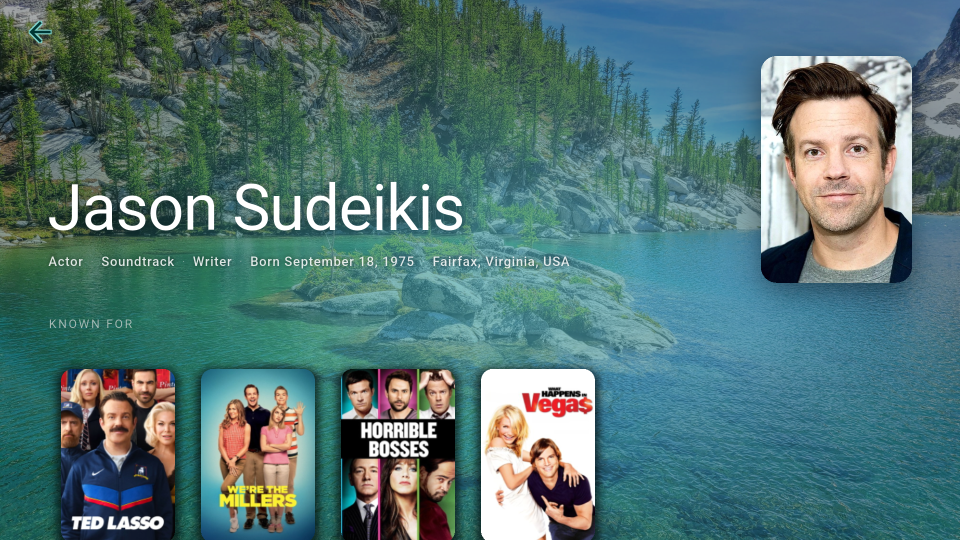
Who they are, and what they're known for.
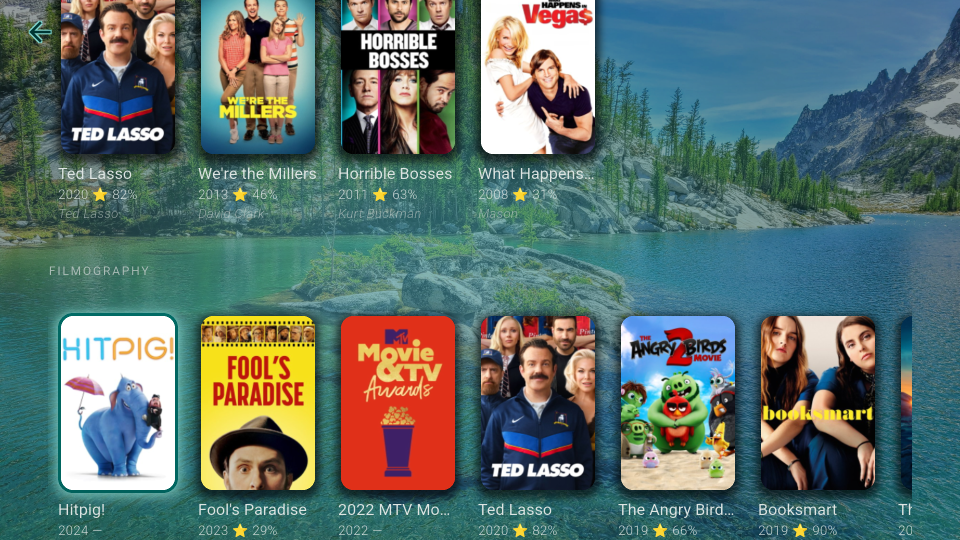
Every title with the role they played, and the whole filmography under it.
Deep Integration
The power-user tool for the Golden Age of Television.
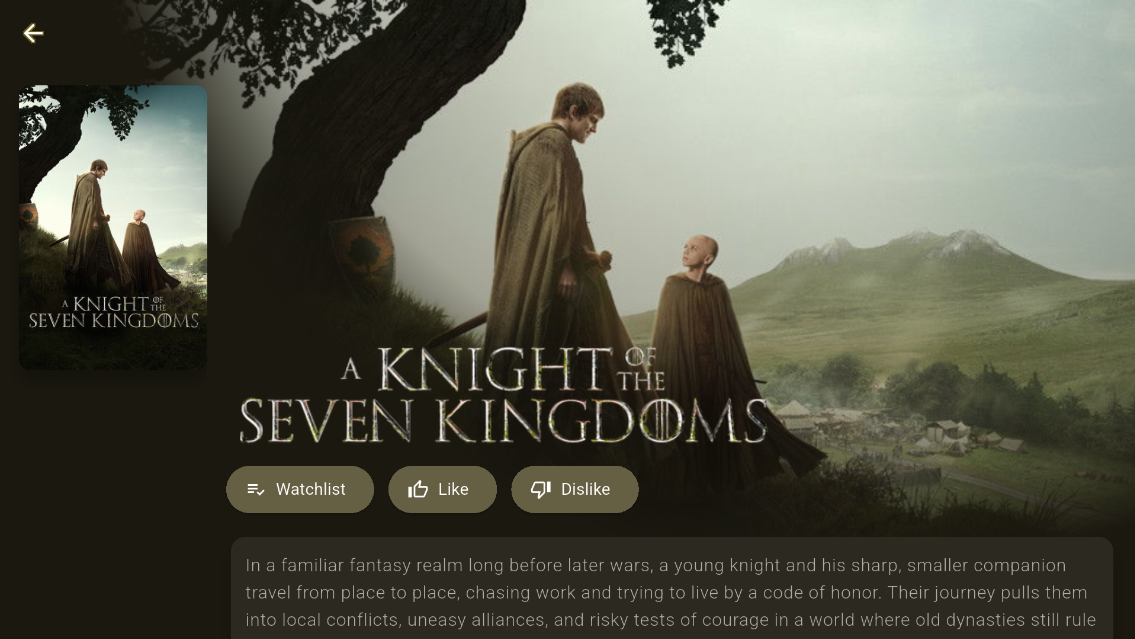
Detailed Info
Everything you need to know about a show in one screen.
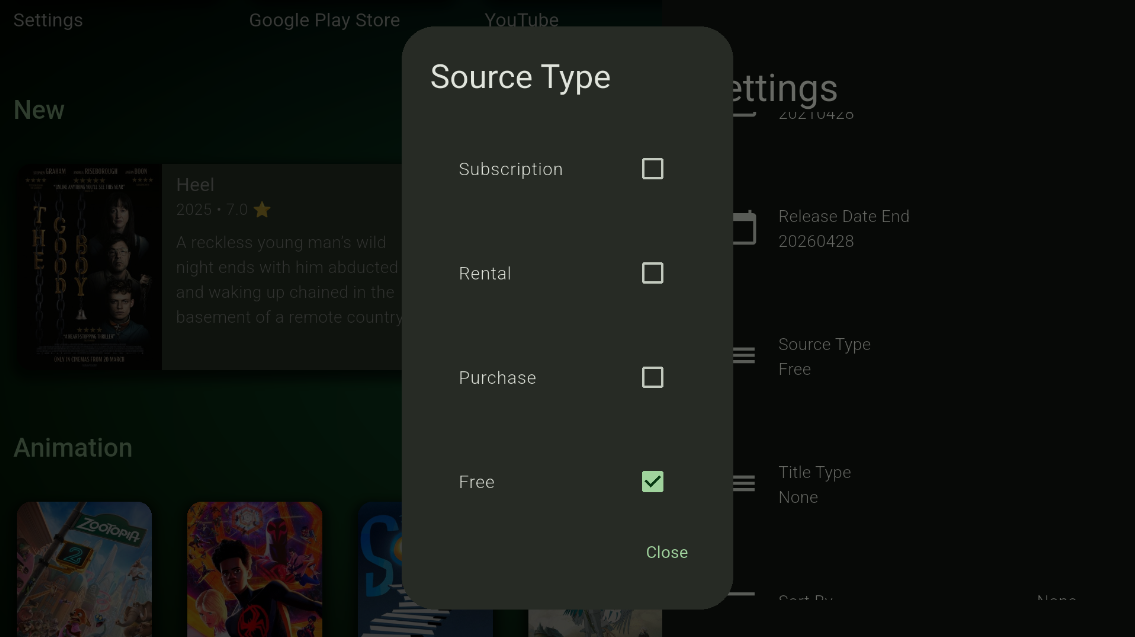
Filter by Type
Filter by free, subscription, or paid sources.
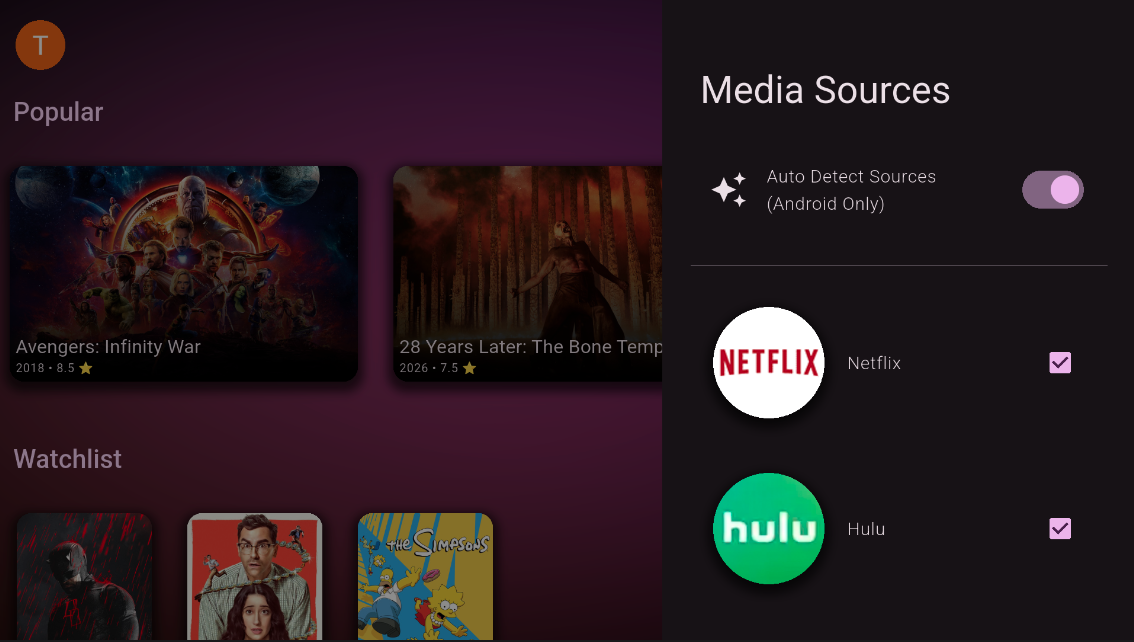
Choose Your Sources
Pick your services by hand, or let a subscription auto-detect the apps installed on your device.
Your Screen, Your Look
The home screen is the one you stare at every night. Put your own photo behind it, run an animation over that — or none — and shape the cards the way you want them.
- Use your own photo as the background. Choose it on your phone or the web and it shows up on your TV.
- Any animation over it, or none at all — with light or dark to go with it.
- Immersive rows. A row type where the title you’re on takes the whole screen, artwork and name, as you move along it.
- Card types and sizes, per row or as the default every new row starts from.
- Accent colors and card labels are free; backgrounds, card types, and sizes come with a subscription.
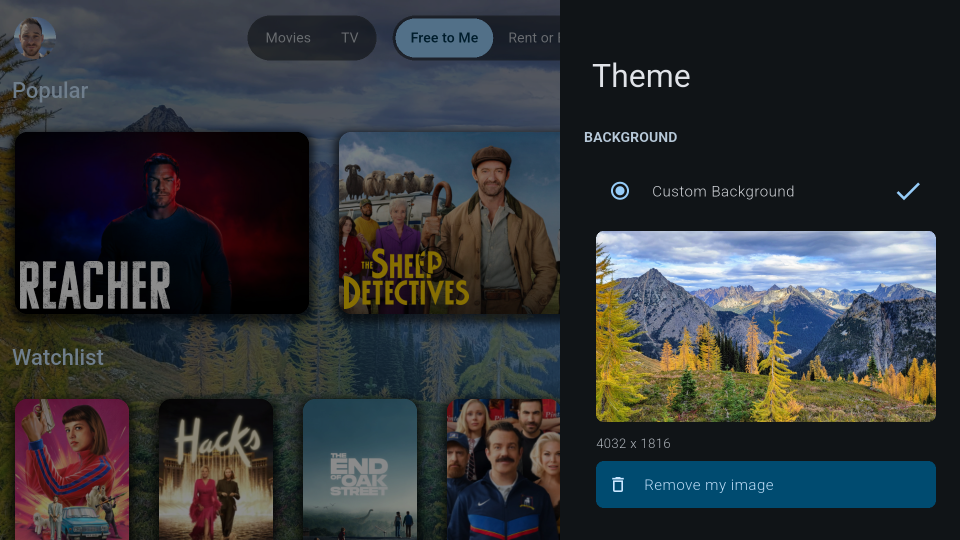
Your photo behind everything, swapped out whenever you like.
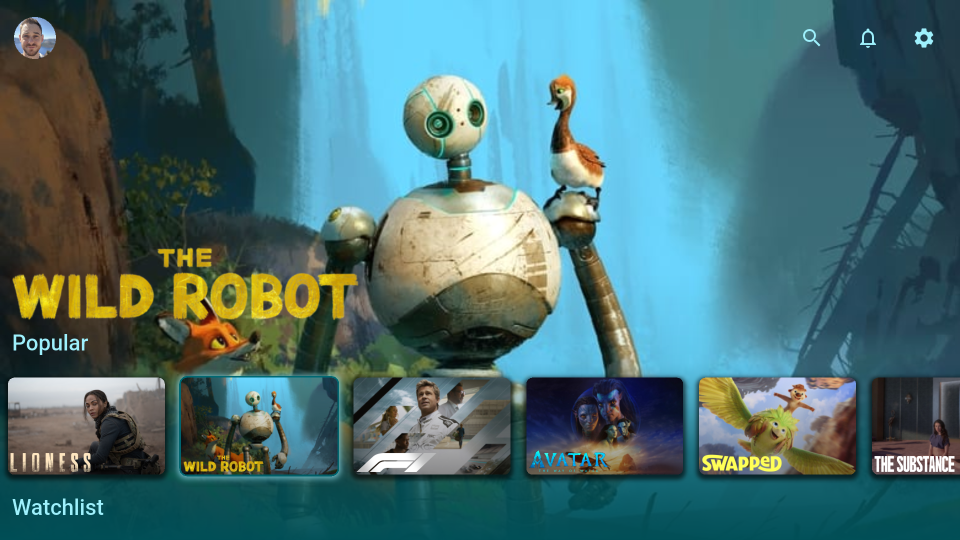
An immersive row: the title you're on takes the whole screen.
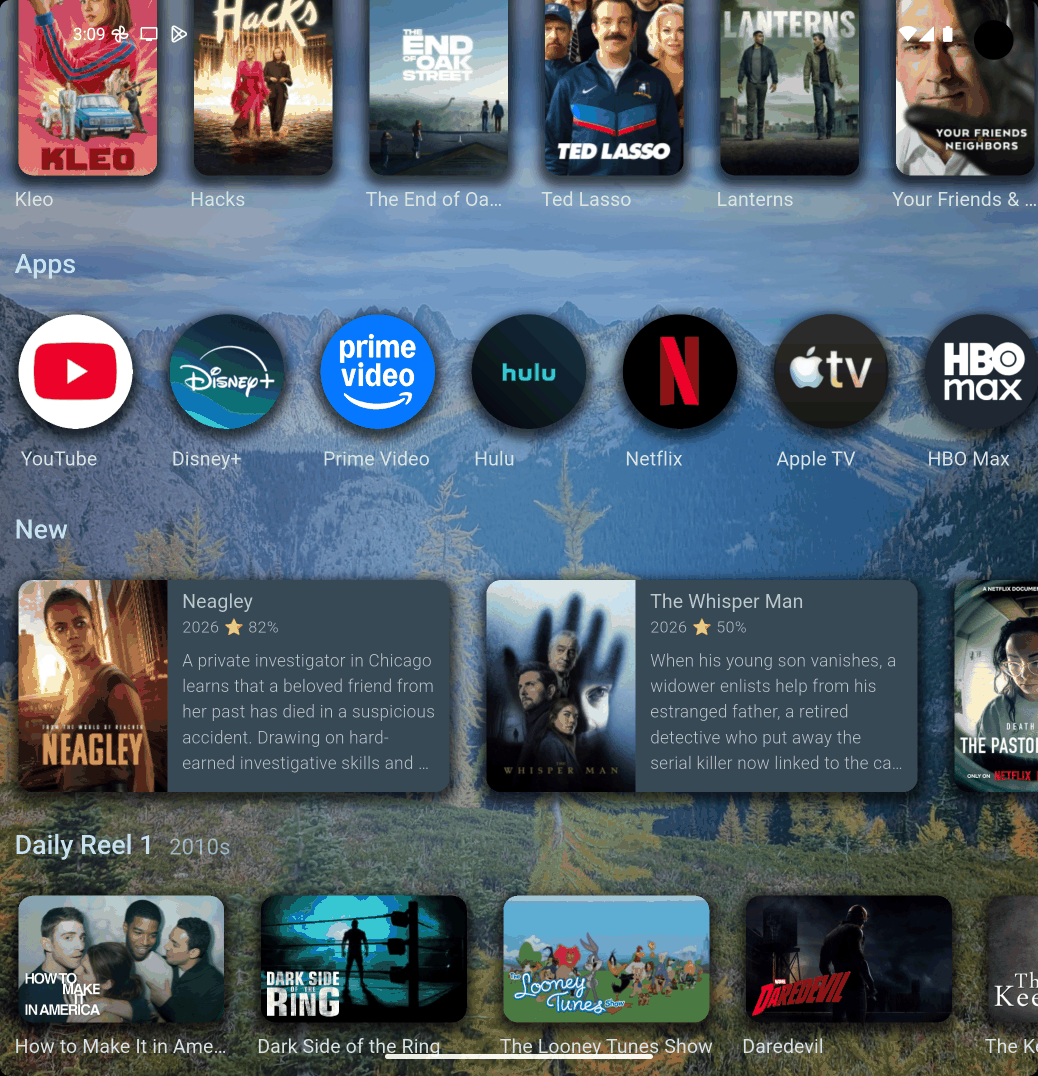
Posters, icons, or cards with a description — per row, on every device.
And So Much More
Every detail tuned for people who take their watchlist seriously.
Will You Like This?
An at-a-glance audience match on every title, so you commit with confidence.
Search Everything
Find any title across every service you have from a single search box.
Built-in Trailers
Preview a show right on its detail page before you spend an evening on it.
Right for the Room
Mix the audience groups you want — Kids, Family, Teen, Adult, Unrated — and everything else stays out.
Your Services, Your Order
Hide and re-order the streaming services you actually use.
Your Home, Your Rows
Show or hide content rows to build the home screen you want.
Always Ready
Background precaching loads your home screen faster — and a pull down refreshes it.
A True TV Home
Replaces your launcher and starts on boot (Android TV only) — your content first, ad-free.
Daily Reels
Rows of recommendations picked for you every night from what you watch. Comes with a subscription.
Rate It, Lose It
Hide the titles you’ve liked or disliked, and sort any row by user or critic score.
Your Devices, Listed
See everything signed in to your account and when it was last used — and sign out the TV you no longer own.
No Empty Rows
A row with nothing to show gets out of the way. Turn on Show Empty Rows if you’d rather see them.
Free to start — no card, no countdown
Free or Subscribed
Bitflinger TV is free to use for as long as you like — the real app, not a demo. A subscription lifts the limits and adds the power-user extras.
| Feature | Free $0 forever | Subscribed $2.99/mo or $23.99/yr |
|---|---|---|
| Genre selection | Yes | Yes |
| Watchlist, search, details | Yes | Yes |
| Plex & Jellyfin | Yes | Yes |
| Personalized streaming services | Yes | Yes |
| Cloud sync | Yes | Yes |
| Theme colors & card labels | Yes | Yes |
| Browsable titles | First 250 per row* | All titles |
| Devices in your household | Up to 3 | Unlimited |
| Daily Reels recommendations | —Not included | Yes |
| Filter by critic/user score | —Not included | Yes |
| Filter by release date | —Not included | Yes |
| Filter by content rating | —Not included | Yes |
| Background styles | —Not included | Yes |
| Card types and sizes | —Not included | Yes |
| Auto-detect installed services | —Not included | Yes |
| Apple Family Sharing | —Not included | Yes |
| Google Family Group | —Not included | Yes |
* What “first 250 per row” means. On the free tier, each row browses the first 250 unfiltered results for that row rather than the entire catalog behind it. That cap is how we keep the free tier viable to run — serving every row in full to every free account is what would force us to charge for the app outright. A subscription removes the cap: every row browses all of its titles.
Subscriptions are billed through the App Store or Google Play, and new subscribers get a free trial where the store offers one — you’ll see the exact terms and your eligibility before you confirm. Cancel anytime in your App Store or Google Play account settings. Your free account keeps working either way.
The Better Way to Stream
Start free and keep it free for as long as you like — no card, no countdown.
Subscribe whenever you want the full catalog, advanced filters, nightly recommendations, unlimited devices, and family sharing: $2.99/month or $23.99/year.
See what each tier includes
No hidden fees and no ads. We never sell subscriber data — how we handle data on each tier.