📰 News
- Binbows 98 SE Released! (SE = Slightly Enchanted)
- Y2K Compliance Guide (Do Not Feed After Midnight)
- Bring Your Own Boot Splash (LOGO.SYS Lives)
🔧 Resources
- Put It On A USB Stick (It Boots)
- Drivers (There Are None)
- Service Packs (Now With Extra Packing)
- Knowledge Base (May Contain Knowledge)
- BinNet (Tech? Net.)

Link us. It's 1998, that's how this works.
Binbows 98: an operating system, technically
Binbows is a bootable disc image for people who miss beige computers, grey dialog boxes and the specific sound a hard drive makes when it is thinking very hard about nothing. It boots straight off the firmware — no host operating system involved — shows you a splash screen, crashes on purpose, and leaves you at a command prompt that is real enough to read your actual disc.
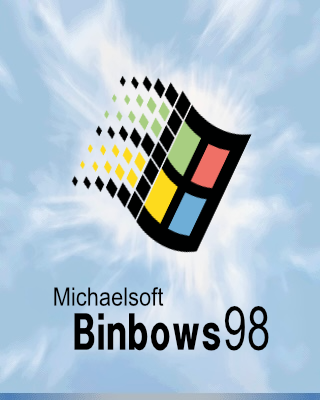
The boot screen. The bar moves. |
Experience the Power of Binbows 98! The most stable and fastest Binbows yet, largely because there is not much of it. Three and a bit megabytes on a disc, and it reaches a command prompt faster than your firmware reached the boot menu. What's actually in there:
|
Included at no extra charge
|
Read off
|
C:\>_ Not a screenshot of a prompt. An actual prompt, running on firmware.
|
What is real and what is not
Every operating system should be clear about which half of it is the joke. Here is the split, stated plainly, because the interesting part is how much of it isn't:
Full product details Go straight to downloads
Runs fine in a virtual machine, which is where most people meet it these days — it just needs UEFI firmware rather than the legacy BIOS its costume suggests. See running Binbows in a VM.
What people are saying
★★★★★ "It booted."
— D., who had set expectations accordingly
★★★★☆ "Installed this on my work laptop. I no longer have a work laptop, but I stand by the decision."
— anonymous, for reasons that are now clear
★★★☆☆ "I typed sudo out of habit and it put me in my place. Personally. By name."
— a satisfied-ish user
★★★★★ "My dad walked past, saw the boot screen, and said 'oh, that one was good.' Ten out of ten."
— the highest praise this project will ever receive
🚧 UNDER CONSTRUCTION 🚧
More features coming soon! Bookmark this page! (Or tape it to your monitor.)
|
🏆 Best OS (Allegedly) |
⭐ Editor's Coin Flip |
👍 Top Download (From One PC) |
Seen in print
Our advertising campaign ran in exactly one publication, once, and the publication has asked us not to name it again.* You can read the whole thing:

*It is on the ad. We are aware. Legal is aware.
◄ The Beige Box Webring ►
Previous |
Random |
Next
Site 1 of 1. The webring is us. We are the webring.