I want developers and AI agents to be able to write performant WebGPU code. To do that, they need to know what different operations, code patterns, and optional features actually cost on the devices people use.
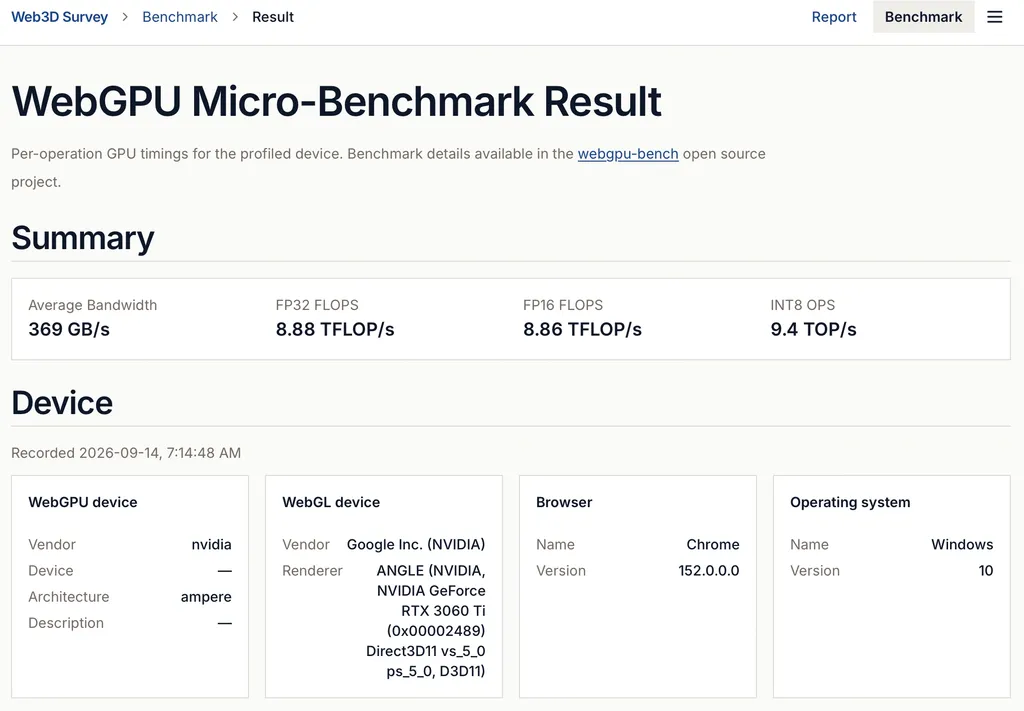
That is why I built webgpu-bench, the micro-benchmark suite now available on Web3D Survey. It runs small, focused GPU workloads to measure arithmetic, memory access, and alternative shader implementations. You can run it on the website or from the command line, and use the results to guide optimization.
What is a Micro-Benchmark?#
A micro-benchmark suite measures small, focused workloads to reveal the cost of specific operations and implementation choices. An application benchmark measures a larger workload, such as rendering a scene or running a model, where many of those costs interact. The micro-benchmarks help you decide what to optimize; the application benchmark tells you whether those changes improve the overall result.
Why I built it#
Web3D Survey already collects information about which graphics APIs and features real browsers support. Benchmarking adds another question: how well do those features perform? Knowing that a device supports half-precision arithmetic tells you that you can use it. Measuring it helps you decide whether doing so is worthwhile for your workload.
The motivation came partly from my work on Three-LLM, which runs language models through Three.js and WebGPU, and neural texture compression, which reconstructs material textures with a small neural decoder inside a shader. Both raised concrete optimization questions. Would half precision improve throughput? How much would a different memory layout help? When would reducing memory traffic justify extra arithmetic?
I wanted measurements I could use to make those decisions across phones, laptops, and desktop GPUs. I also wanted an AI coding agent working on the same problems to have access to that evidence. An agent can propose a shader rewrite, but it needs a way to test the performance assumptions behind it.
What the benchmarks measure#
The suite currently includes 71 benchmarks and takes roughly one minute to run in full, depending on the device and runtime. Tests that require unsupported features are skipped. It measures individual operations and compares compute strategies across four areas:
- Arithmetic throughput: FP32 and FP16 arithmetic in scalar, vector, and matrix forms, alongside integer arithmetic and packed 8-bit dot products.
- Memory access: linear reads and writes, gather and scatter patterns with different working-set sizes, and a dependent-read probe.
- Operation costs: division, trigonometric functions, logarithms, square roots, bitwise operations, and branch patterns.
- Compute strategies: workgroup sizes, particle data layouts, direct reads versus shared-memory tiling, reduction strategies, and ways of aggregating atomic updates.
The compute strategy benchmarks compare implementations of the same fixed task. Within each comparison, the variants produce the same logical result and count the same useful work. That makes the measurements relevant to a practical choice: which implementation is faster for this task on this device?
A result is evidence for that particular workload, GPU, and runtime. It can help you choose what to try in an application; you still need to measure the application to see whether the change helps there.
How the suite works#
The shared library, webgpu-bench-core, contains the shader workloads, benchmark catalog, timing harness, and scheduler. It prepares the kernels, skips tests that require unavailable features, calibrates the amount of work, and takes repeated measurements. Benchmarks complete one at a time in catalog order, with idle gaps and cooldown handling to reduce the effect of throttling. Timing prefers GPU timestamp queries where available, with wall-clock checks and a fallback. The headline result is the fastest observed sample, giving an estimate of attainable throughput under the test conditions.
Run it on Web3D Survey#
To try it in a browser, open the Web3D Survey GPU Benchmark page on a WebGPU-capable device and click Run benchmark. Results are saved to a shareable page, and you can browse recent runs from the same starting point. Running it across the devices you care about gives you concrete data to compare.
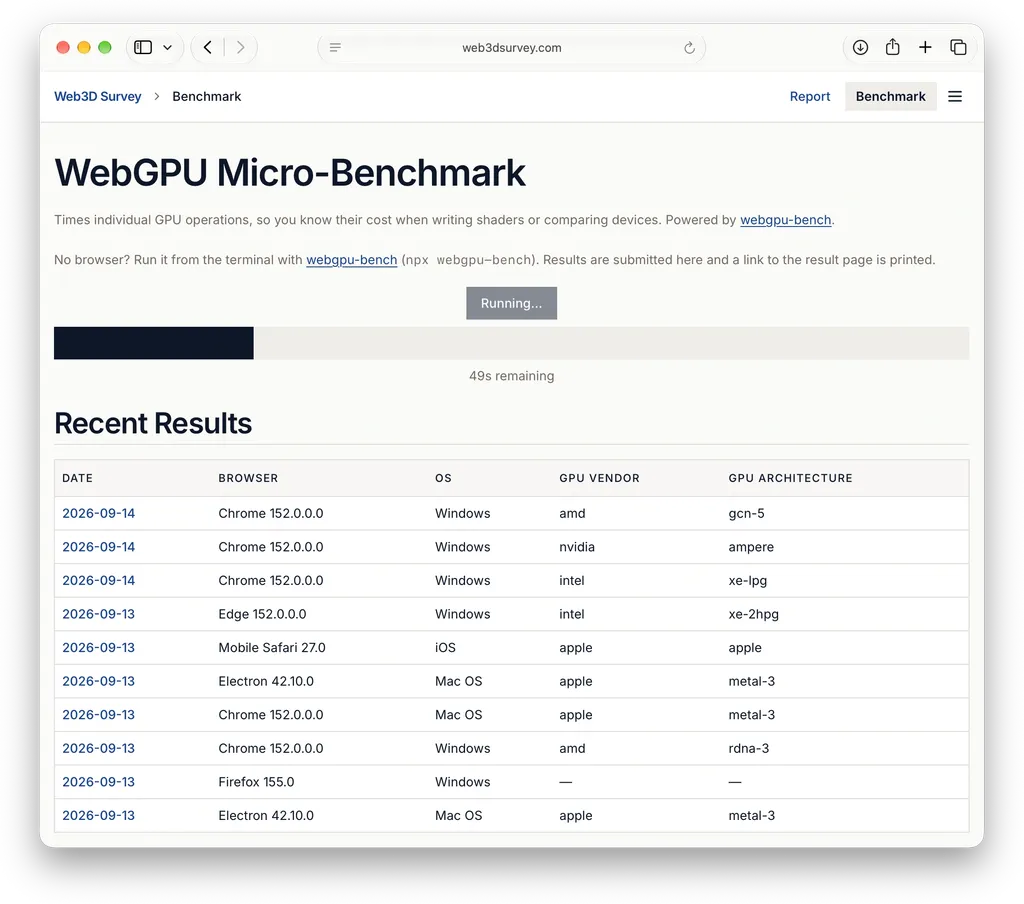
For a concrete example, here are the results from my MacBook Air M3, my main development workhorse.
Run it from the command line#
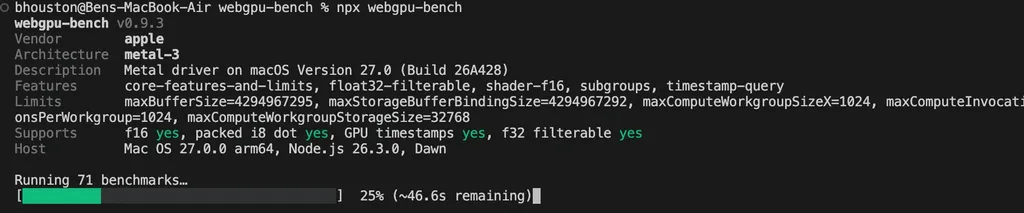
For a terminal workflow, the webgpu-bench CLI runs the same suite through Node.js and Dawn, a native WebGPU implementation:
npx webgpu-bench
It reports the GPU's identity, features, and limits, followed by the per-benchmark results. By default, it also submits the run to Web3D Survey and prints a link to the result page. You can filter the suite and save JSON locally without submitting a report:
npx webgpu-bench --filter 'f16-*' --json --no-report > f16-results.json
That makes the measurements accessible to scripts and AI agents as well as people. An agent can run a relevant subset, read the structured results, and use them to choose an implementation to test. The CLI uses a different runtime from the browser, so browser performance decisions should also be checked in the target browser.
Benchmark reference#
Here are the 71 benchmarks in the current suite. Labels match the benchmark catalog. FP32 and FP16 refer to 32-bit and 16-bit floating point; FMA means fused multiply-add. Strategy comparisons use the same fixed workload within each family.
| Benchmark label | What it measures |
|---|---|
| atomic direct | Building a histogram by updating shared global counters directly with atomic operations. |
| atomic sharded | The same histogram with updates spread across multiple global counter sets, then combined. |
| atomic workgroup | The same histogram with updates accumulated within each workgroup before merging globally. |
| branch coherent | Conditional arithmetic where threads agree within each workgroup but workgroups can differ. |
| branch divergent | Conditional arithmetic where neighboring threads choose different branches. |
| branch none | Arithmetic without conditional branches, providing a baseline for the branch comparisons. |
| branch uniform | Conditional arithmetic where all threads choose the same branch. |
| branch vec4 if | The same conditional choices expressed as separate branches for each vector component. |
| branch vec4 select | Conditional choices across four-component vectors using vector selection. |
| f32<->f16 convert | Round-trip conversion between 32-bit and packed 16-bit floating-point values. |
| fp16 div | Division throughput using 16-bit floating-point values. |
| fp16 ln | Natural-logarithm throughput using 16-bit floating-point values. |
| fp16 mat4 FMA | Repeated 4×4 matrix–vector arithmetic in 16-bit floating point. |
| fp16 matvec FMA | Repeated 4×8 matrix–vector arithmetic in 16-bit floating point, with data held in registers. |
| fp16 pow | Non-integer power throughput using 16-bit floating-point values. |
| fp16 rsqrt | Reciprocal-square-root throughput using 16-bit floating-point values. |
| fp16 scalar FMA | Multiply-add throughput on individual 16-bit floating-point values. |
| fp16 sin/cos | Combined sine and cosine throughput using 16-bit floating-point values. |
| fp16 sqrt | Square-root throughput using 16-bit floating-point values. |
| fp16 vec4 FMA | Multiply-add throughput on four-component 16-bit floating-point vectors. |
| fp32 clamp | Constraining floating-point values to a fixed range with the clamp operation. |
| fp32 div | Division throughput using 32-bit floating-point values. |
| fp32 fma() builtin | Multiply-add throughput using the explicit fused multiply-add operation. |
| fp32 ln | Natural-logarithm throughput using 32-bit floating-point values. |
| fp32 mat4 FMA | Repeated 4×4 matrix–vector arithmetic in 32-bit floating point. |
| fp32 matvec FMA | Repeated 4×8 matrix–vector arithmetic in 32-bit floating point, with data held in registers. |
| fp32 min/max | Constraining floating-point values to the same range with minimum and maximum operations. |
| fp32 pow | Non-integer power throughput using 32-bit floating-point values. |
| fp32 rsqrt | Reciprocal-square-root throughput using 32-bit floating-point values. |
| fp32 scalar FMA | Multiply-add throughput on individual 32-bit floating-point values. |
| fp32 select | Choosing between two floating-point values based on a condition. |
| fp32 sin/cos | Combined sine and cosine throughput using 32-bit floating-point values. |
| fp32 sqrt | Square-root throughput using 32-bit floating-point values. |
| fp32 vec4 FMA | Multiply-add throughput on four-component 32-bit floating-point vectors. |
| i32 div | Division throughput using signed 32-bit integers. |
| i32 mat4 multiply-add | 32-bit integer multiply-add throughput using a 4×4 matrix–vector calculation. |
| i32 matvec multiply-add | 32-bit integer multiply-add throughput using a 4×8 matrix–vector calculation with data held in registers. |
| i32 scalar multiply-add | 32-bit integer multiply-add throughput using individual values. |
| i32 vec4 multiply-add | 32-bit integer multiply-add throughput using four-component vectors. |
| i32<->f32 convert | Round-trip conversion between signed 32-bit integers and 32-bit floating-point values. |
| int8 dp4a | Throughput of packed dot products on signed 8-bit integers. |
| int8 dp4a matvec | Matrix–vector arithmetic using packed, signed 8-bit dot products. |
| layout aos | Particle updates with all fields for each particle stored together: array of structures. |
| layout aosoa | The same particle updates with fields grouped into blocks of 32 particles. |
| layout soa | The same particle updates with each field stored in a separate array: structure of arrays. |
| read dependent chain | Following a chain of memory reads where each read determines the next address; measures dependent-access cost including loop and dispatch overhead. |
| read gather 16kb | Read throughput for scattered accesses within a 16 KB working set. |
| read gather 4mb | Read throughput for scattered accesses within a 4 MB working set. |
| read gather 64mb | Read throughput for scattered accesses within a 64 MB working set. |
| read linear | Read throughput when neighboring threads access neighboring data in a large buffer. |
| reduction serial | Summing each segment of an array sequentially within one thread. |
| reduction subgroup | The same segment sums computed with subgroup operations and combined within each workgroup. |
| reduction workgroup | The same segment sums computed cooperatively with a shared-memory reduction tree. |
| texture interp (built-in) | Texture sampling with interpolation performed by the GPU’s built-in filtering hardware. |
| texture interp (manual) | The same texture scan with neighboring texels fetched and blended explicitly in the shader. |
| tile direct | A neighborhood calculation that reads all neighboring values directly from a storage buffer. |
| tile shared | The same neighborhood calculation with a tile loaded into shared workgroup memory for reuse. |
| tile shared padded | The same shared-memory calculation with padding between rows to test its effect on access efficiency. |
| u32 byte pack/unpack | Packing four bytes into a 32-bit integer and unpacking them again using bit operations. |
| u32 countOneBits | Counting the bits set to one in a 32-bit integer. |
| u32 firstLeadingBit | Finding the highest set bit in a 32-bit unsigned integer. |
| u32 reverseBits | Reversing the order of bits in a 32-bit integer. |
| u32 variable shift | Shifting 32-bit integer bits left and right by varying amounts. |
| uint8 dp4a | Throughput of packed dot products on unsigned 8-bit integers. |
| workgroup 128 | A fixed arithmetic workload using 128 threads per workgroup, for comparison with the other workgroup sizes. |
| workgroup 256 | A fixed arithmetic workload using 256 threads per workgroup, for comparison with the other workgroup sizes. |
| workgroup 64 | A fixed arithmetic workload using 64 threads per workgroup, for comparison with the other workgroup sizes. |
| write linear | Write throughput when neighboring threads store data at neighboring locations. |
| write scatter 16kb | Write throughput for scattered, non-overlapping destinations within a 16 KB working set. |
| write scatter 4mb | Write throughput for scattered, non-overlapping destinations within a 4 MB working set. |
| write scatter 64mb | Write throughput for scattered, non-overlapping destinations within a 64 MB working set. |
What comes next#
This is the first post in a series. In the next posts, I will dig into what the measurements have taught me about WebGPU performance and the choices they suggest when writing shaders. For now, try the benchmark on your own devices: those are the costs your code has to work with.