Part of the Beat Suite
Creative tools that work together.
Paste a SoundCloud link, pick audio-reactive visuals, and export for TikTok, Instagram Reels, and YouTube. Free, no editing skills needed.
SoundCloud
BeatCanvas
TikTokInstagramYouTube
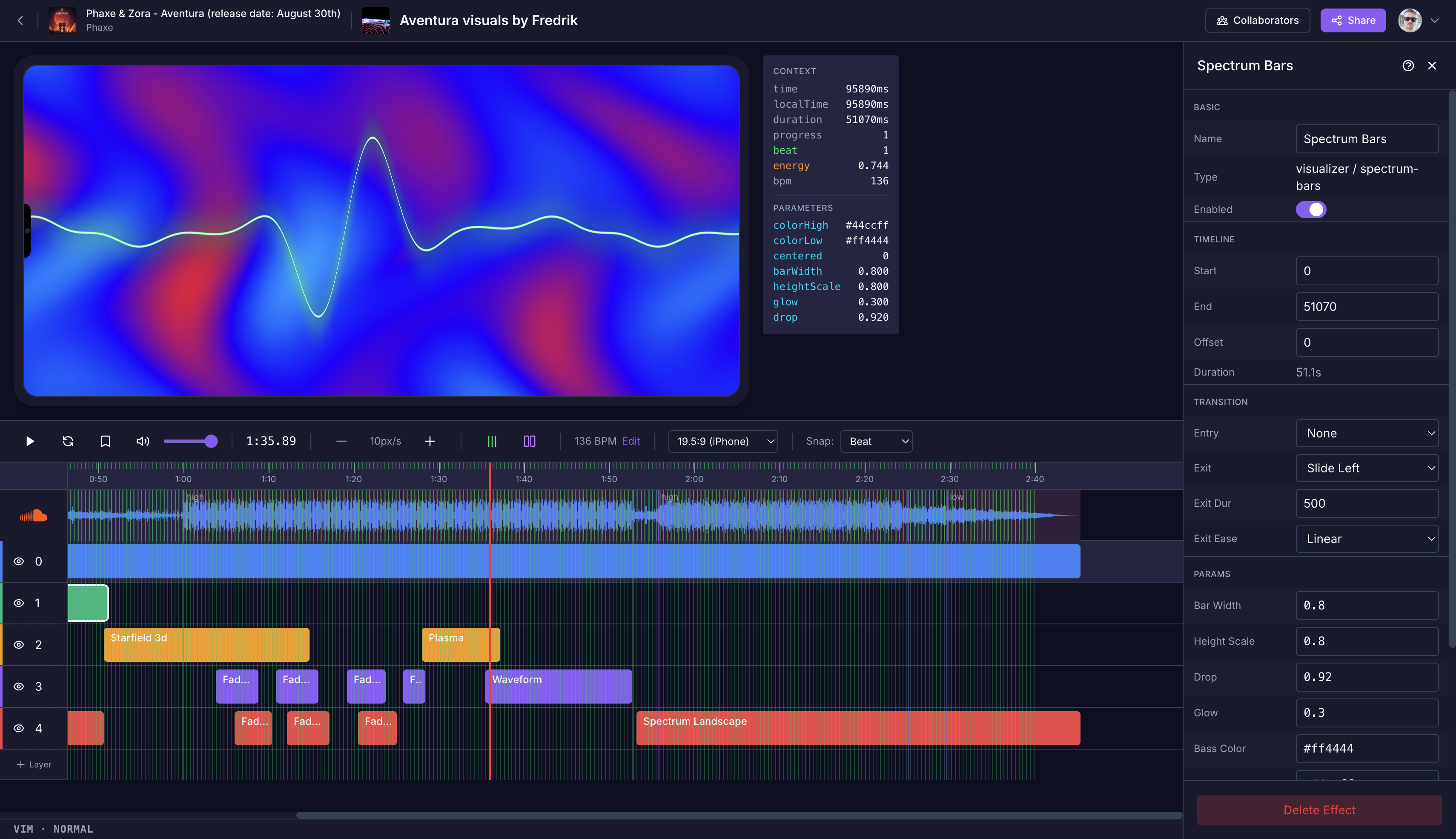
From Track to Video in Minutes
No video editing skills required. BeatCanvas does the heavy lifting so you can focus on your music.
Paste Your Track
Paste any SoundCloud URL. We automatically detect beats, energy, and frequencies from your track.
Choose Your Style
Pick from curated visual styles that react to your music — tunnels, particles, plasma, glitch, and more.
Share Everywhere
Export to TikTok, Instagram Reels, YouTube Shorts, or full YouTube — with one click.
Built for Community
BeatCanvas is more than a tool. It's a community of artists and fans creating together.
Let Fans Remix Your Visuals
Anyone can remix a public project, adding their own twist while keeping credit to the original.
Every Share Promotes Your Track
When fans share their remixes, your SoundCloud track goes with it — more eyes, more plays.
Build a Community Around Your Sound
See all the remixes of your project in one place. Discover new artists riffing on your music.
How It Works
1
Paste a SoundCloud Link
We detect beats, energy, and frequencies from your track
2
Pick Visuals
Choose from audio-reactive effects and styles
3
Record Your Video
Select your format — TikTok, Reels, YouTube — and record
4
Post It
Upload to YouTube or download for TikTok and Instagram
Make Your First Video
Paste a SoundCloud link, pick a style, and have a video ready to post. It's free.