
Tap Shift to switch input methods.
Free · Open source · macOS Ventura 13+
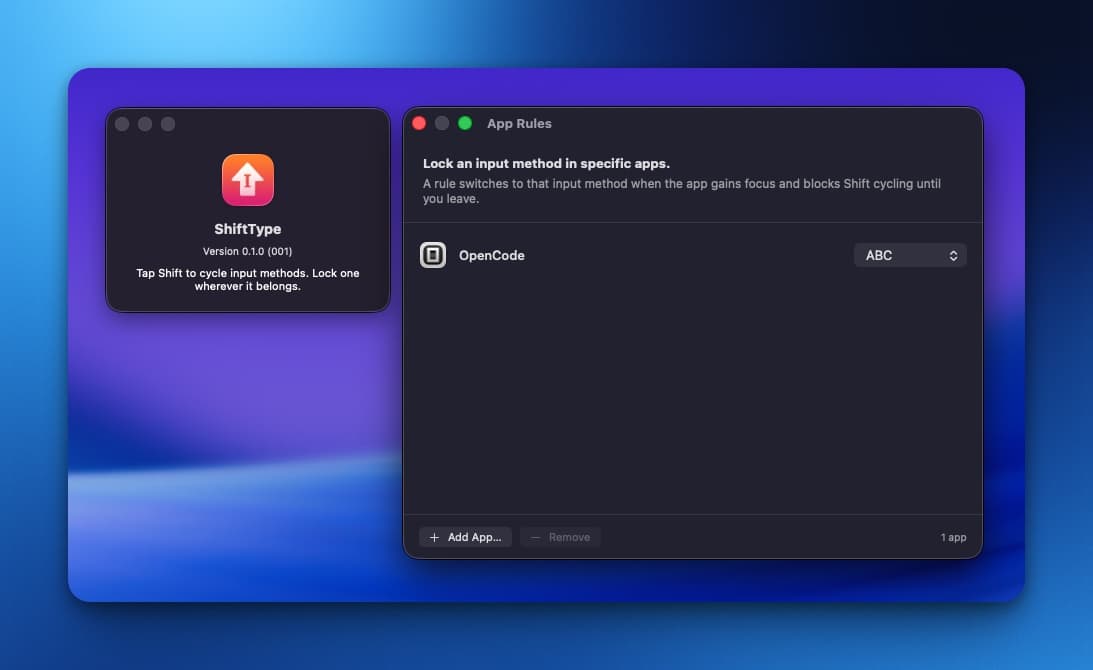
What it does
ShiftType is a lightweight menu bar app that cycles through every enabled input method when you tap Shift by itself. Holding Shift while typing or clicking still behaves exactly as before.
- Tap either Shift key by itself to cycle through all enabled input methods.
- Normal Shift shortcuts, capital letters, selections, clicks, and scrolling are unchanged.
- Lock one input method to any app with App Rules.
- No analytics, no network access, no keystroke recording.
App Rules
Add an app rule when one app should always use one input method. ShiftType applies that method the moment the app gains focus and leaves Shift-only switching alone until you switch away.
How it works
ShiftType watches modifier events just long enough to tell a standalone Shift tap apart from normal typing. A tap only counts if no other key, modifier, mouse button, or scroll happens while Shift is held — otherwise it is passed through untouched.
Sponsors
- EzTranslate — 翻譯拍照,快速又精準
- Epub Translator — Translate complete EPUB books online