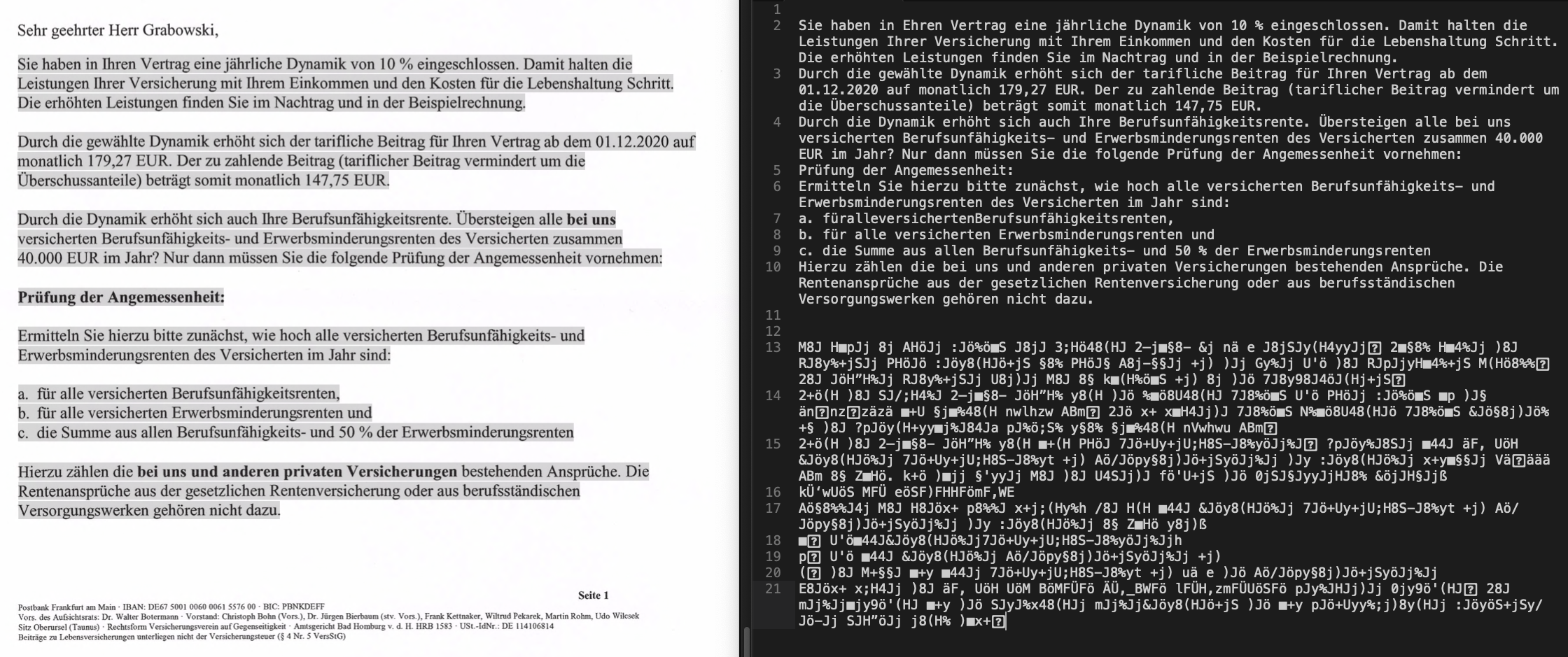
This image has three components: On the left is an OCR’ed PDF from my ScanSnap iX500. I have selected most of the text, and on the right side you can see two copy&paste results. In the upper half is the result directly after scanning, right after the bundled ABBYY FineReader that comes with the iX500 did its magic. In the lower half is the result after modifying (removed a blank page) and saving that same PDF in Preview.
Hard to believe, but that’s not the first time Apple messed this up. Sure, even Apple can’t account for all use cases when changing complex stuff like internal PDF handling. But:
- The iX500 is an insanely popular and common scanner
- I don’t know any OCR software that is more popular than ABBYY FineReader
- macOS used to be the absolute best in class OS for dealing with PDFs by a long shot
- IT HAPPENED BEFORE
I wish Apple was still charging for OS updates, so I could at least refund it.1 This is such a nasty bug – if you don’t already know to expect it, you will only find out months or possibly years later. I almost missed it this time, because even after modifying and saving the file it’s still not happening. You have to completely close the file and reopen it, only then will you realize that it has been destroyed.