GraphDash is a web-based dashboard built on graphs and their metadata.
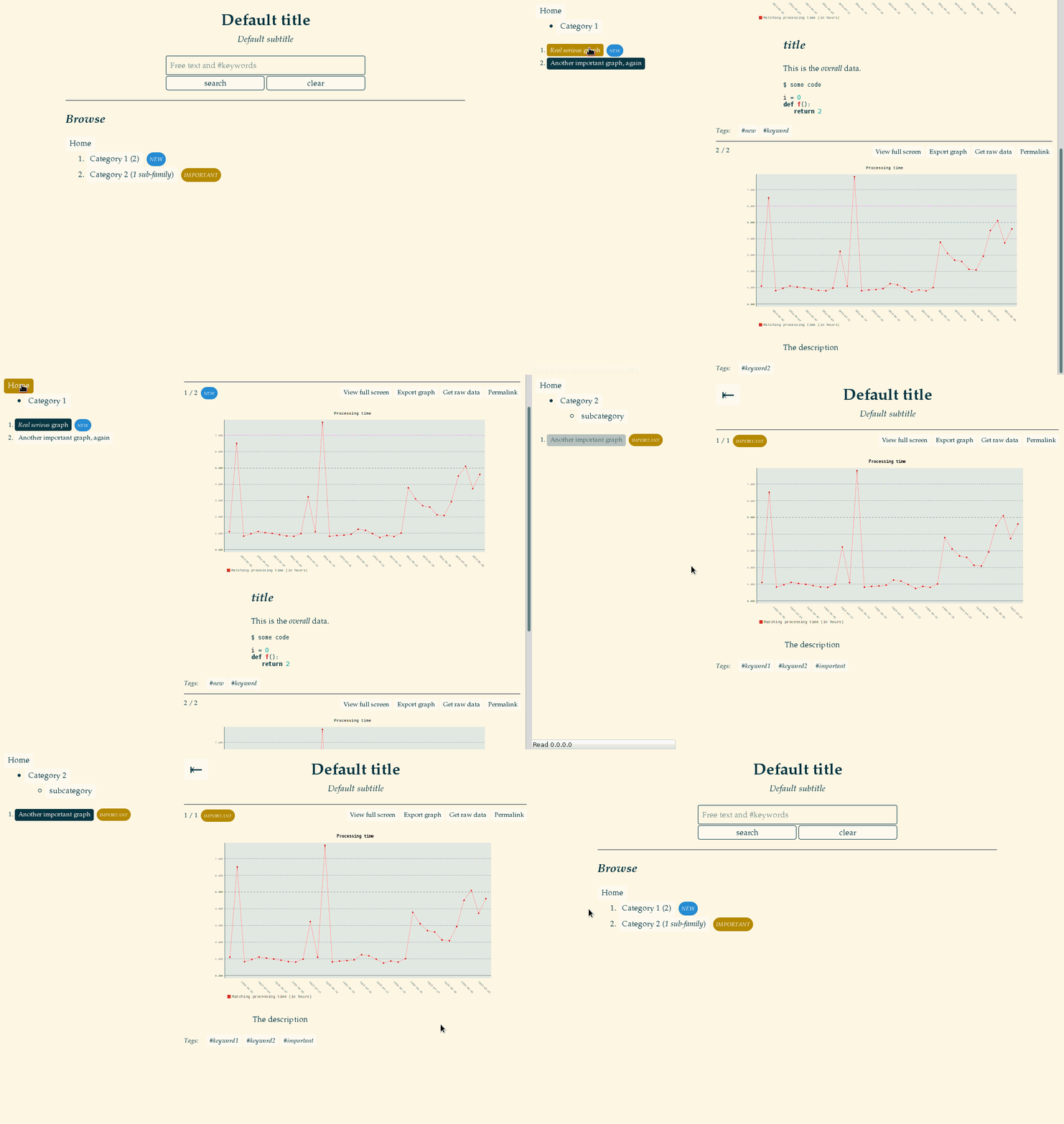
For example, if you have two graphs in a directory:
$ cd default_graph_dir
$ ls
graph.svg graph2.svg
Then you can create two metadata files using YAML format, where you can configure how the graphs will be displayed:
$ cat graph.yaml
name: graph.svg
family: 'Category 1'
title: '*Real serious* graph'
text: |
    The description

$ cat graph2.yaml
name: graph2.svg
family: 'Category 2'
title: 'Another important graph'
You may then start the graph dashboard. You will get a nice web interface displaying your graphs, and a search box with autocompletion. You can easily navigate and share your graphs.
$ GraphDash --root .
* Running on http://0.0.0.0:5555/ (Press CTRL+C to quit)
Installation
Clone and install (in user space):
git clone https://github.com/AmadeusITGroup/graphdash.git
cd graphdash
pip install --user .
Or use the Python package:
pip install --user graphdash
Launch the webapp
For user-space installation, make sure your $PATH includes ~/.local/bin.
$ GraphDash -r default_graph_dir
* Running on http://0.0.0.0:5555/ (Press CTRL+C to quit)
The dashboard can be configured with a YAML config file and the -c/--conf option:
$ cat docs/graphdash.yaml
root: ../default_graph_dir
title: "Example of title ;)"
subtitle: "Example of subtitle"

$ GraphDash -c docs/graphdash.yaml
* Running on http://0.0.0.0:5555/ (Press CTRL+C to quit)
You can generate a template of configuration file:
$ GraphDash -C template.yaml
Serve with Gunicorn
If not already installed on your machine, install Gunicorn:
pip install --user gunicorn # on Fedora you may need to install libffi-devel beforeSince you can import the webapp through graphdash:app, you can serve it with Gunicorn:
gunicorn -b 0.0.0.0:8888 --pid server.pid graphdash:app
The configuration file of the webapp can be set with the CONF environment variable.
With Gunicorn, you can pass environment variables to the workers with --env:
gunicorn -b 0.0.0.0:8888 --pid server.pid --env CONF=docs/graphdash.yaml graphdash:app
But you should not use these commands yourself, that is what GraphDashManage is for!
GraphDashManage
GraphDashManage is used to start, stop, restart the
instances of Gunicorn serving graphdash:app. It needs a
configuration file in the current directory:
$ cat settings.sh
ALL_MODES=(
   ['prod']="docs/graphdash.yaml"
   ['test']="docs/graphdash.yaml"
)
ALL_PORTS=(
   ['prod']=1234
   ['test']=5678
)
WORKERS=3
Then you can manage multiple instances of GraphDash using Gunicorn with:
$ GraphDashManage start prod
[INFO] Listening at: http://0.0.0.0:1234
[INFO] Booting worker with pid: 30403
[INFO] Booting worker with pid: 30404
[INFO] Booting worker with pid: 30405

$ GraphDashManage start test
[INFO] Listening at: http://0.0.0.0:5678
...
You can generate a template of settings:
$ GraphDashManage template > template.sh # to be moved to settings.sh