Introduction
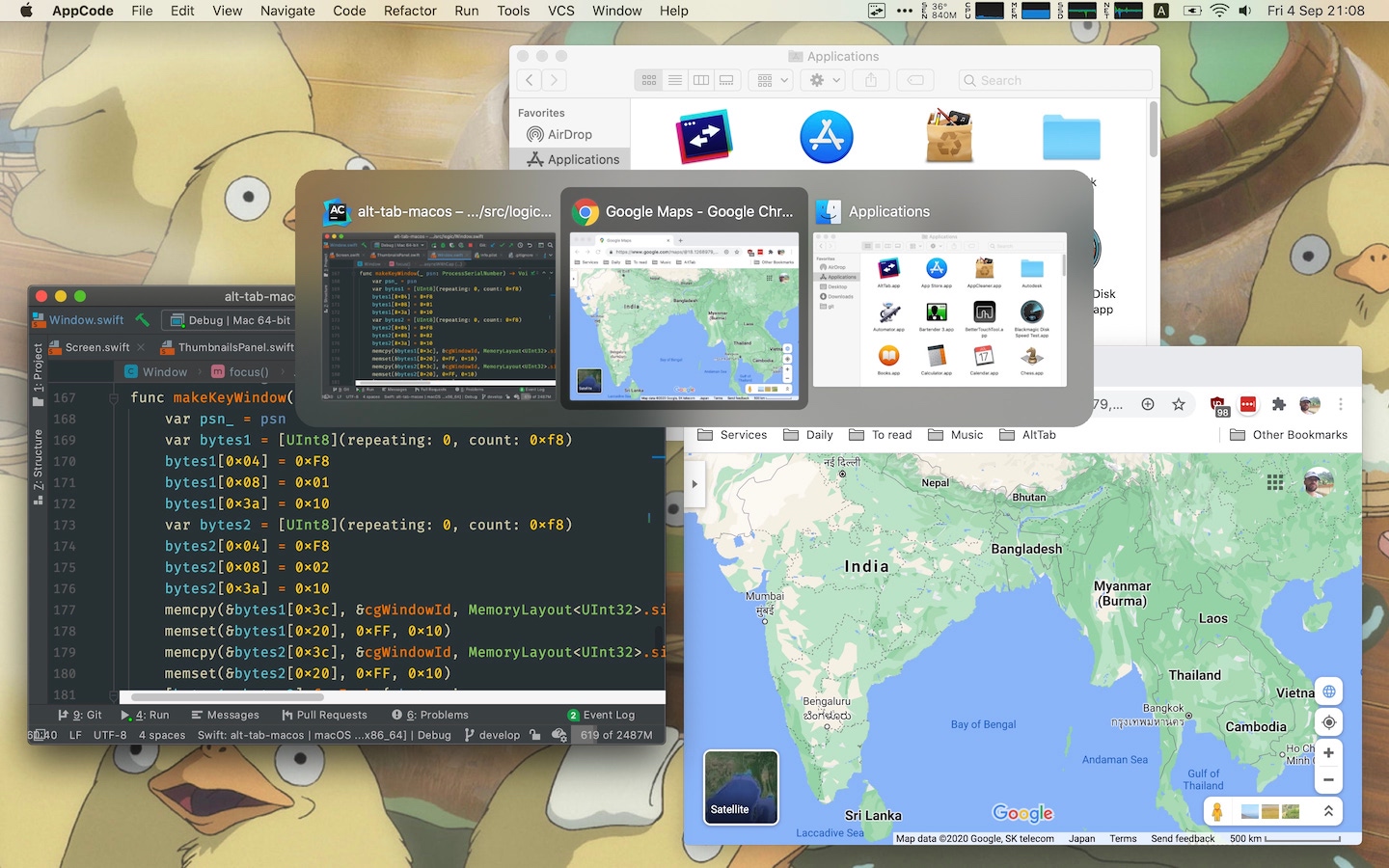
Alternative Styles
Installation
- Download the latest release
- Alternatively, you can use homebrew:
brew install --cask alt-tab
Features
- Switch focus to any window
- Minimize, close, fullscreen any window; Hide, quit any app
- Customize AltTab appearance (pick one of 3 styles, then customize further)
- Custom trigger shortcuts with almost any keys
- Blacklist apps you don’t want to list or trigger AltTab from
- Light and Dark Appearance
- Drag-and-drop things on top of window thumbnails
- Accessibility: VoiceOver, sticky keys, reduced transparency, etc
Compatibility
- macOS version: from 10.12 to latest
- Apple Silicon: yes, AltTab is universal
Localization
AltTab is available in many languages: Bahasa Indonesia, Basa Jawa, Català, Čeština, Dansk, Deutsch, Eesti keel, English, Español, Français, Gaeilge, Galego, Hrvatski, Íslenska, Italiano, Kurdî, Lietuvių, Lëtzebuergesch, Magyar, Nederlands, Norsk Bokmål, Norsk Nynorsk, Oʻzbekcha, Polski, Português, Português (Brasil), Română, Shqip, Slovenčina, Slovenščina, Suomi, Svenska, Tiếng Việt, Türkçe, Български, Русский, Српски, Українська, Ελληνικά, עִבְרִית, العربية, فارسی, हिन्दी, বাংলা, ગુજરાતી, தமிழ், ಕನ್ನಡ, മലയാളം, ภาษาไทย, 日本語, 简体中文, 繁體中文, 繁體中文 (香港), 한국어
Contribute your own language easily!
Privacy and respecting the user
- AltTab doesn’t upload or download any data without the user explicitly asking for it (e.g. asking to update the app, sending a crash report, etc)
- AltTab uses as few resources as possible: CPU, memory, disk, etc. The app footprint is small (e.g. small disk size, minimal CPU use in the background, etc)
Configuration
Change the shortcut keys, switch to a Windows theme and more, using the Preferences window:
CLI usage
You can run CLI commands directly on the executable inside the .app bundle (e.g. /Applications/AltTab.app/Contents/MacOS/AltTab)
AltTab --listwill return the list of windows (ID and title) in JSONAltTab --detailed-listwill return the list of windows (lots of info) in JSONAltTab --show=shortcut_indexwill show AltTab UI, as if the corresponding shortcut was pressedAltTab --focus=window_idwill focus the window with the specified ID (get it from –list)AltTab --focusUsingLastFocusOrder=focus_orderwill focus the window with the specified focus-order (get it from –detailed-list)
For this to work, you need AltTab.app to be running, to keep track of the state of windows, and execute the commands
Alternatives
Before building my own app, I looked around at similar apps. However, none was completely satisfactory so I rolled my own. Also, the almost-good-enough apps are not open-source.
| Alternative | Differences |
|---|---|
| HyperSwitch and HyperDock | $10. Closed-source. Thumbnails are too small. App icon is on top of the thumbnail |
| WindowSwitcher | $7. Closed-source. Thumbnails are small and blurry. App icon is on top of the thumbnail |
| Switch | Open Source. Thumbnails are small. Very little customization. Latest release is from 2016 |
| Witch and Contexts | $10-15. Closed-source. Focus on text. No thumbnails |
| MissionControl Plus | $10. Closed-source. No chronology and order to windows. Hard to navigate windows with keyboard |
| Built-in MissionControl | No keyboard support |
Built-in ⌘ command + ⇥ tab |
Only shows apps, not windows (note: can press down to see window of selected app) |
Built-in ⌘ command + ` |
Cycles through tabs and windows, but only of the same app. Only cycling, no direct access |
There are also related apps which don’t really overlap in functionality, but target similar needs: Swish, Hookshot, Magnet, Spectacle, Rectangle, yabai, LayAuto, OptimalLayout, BetterTouchTool, BetterSnapTool, Moom, uBar.
License
AltTab is under the GPL-3.0 license.