I’m working on expanding the AI Shipping Labs website and wanted to migrate its current version from static GitHub Pages to AWS. And later, replace the original Next.js setup with a Django version.
My gradual plan was:
Move the current static site from GitHub Pages to AWS S3
Move DNS to AWS so the domain is fully managed there
Deploy the new Django version on a subdomain
When everything works, switch the main domain to Django
This way, everything would already be inside AWS, and the final switch would be seamless.
The migration strategy itself was reasonable, but the problems came from how I executed it.
I was overly reliant on my Claude Code agent, which accidentally wiped all production infrastructure for the DataTalks.Club course management platform that stored data for 2.5 years of all submissions: homework, projects, leaderboard entries, for every course run through the platform.
To make matters worse, all automated snapshots were deleted too. I had to upgrade to AWS Business Support, which costs me an extra 10% for quicker assistance. Thankfully, they helped me restore the database, and the full recovery took about 24 hours.
In this post, I’ll share how I let this happen and the steps I’ve taken to prevent it from happening again.
Thu, Feb 26
~10:00 PM: Started deploying website changes using Terraform, but I forgot to use the state file, as it was on my old computer.
~11:00 PM: A Terraform auto-approve command inadvertently wiped out all production infrastructure, including the Amazon Relational Database Service (RDS). I later discovered that all snapshots were also deleted, prompting me to create an AWS support ticket.
Fri, Feb 27
~12:00 AM: Upgraded to AWS Business support for faster response times.
~12:30 AM: AWS support confirmed that a snapshot exists on their side.
~1:00-2:00 AM: Had a phone call with AWS support, which was escalated to their internal team for restoration.
During the day: Implemented preventive measures, including setting up a backup Lambda function, enabling deletion protection, creating S3 backups, and moving the Terraform state to S3.
~10:00 PM: The database was fully restored, containing 1,943,200 rows in the
courses_answertable alone. The platform was brought back online.
I already had Terraform managing production infrastructure for another project – a course management platform for DataTalks.Club Zoomcamps. Instead of creating a separate setup for AI Shipping Labs, I added it to the existing one to save a small amount of money.
Claude was trying to talk me out of it, saying I should keep it separate, but I wanted to save a bit because I have this setup where everything is inside a Virtual Private Cloud (VPC) with all resources in a private network, a bastion for hosting machines.
The savings are not that big, maybe $5-10 per month, but I thought, why do I need another VPC, and told it to do everything there. That increased complexity and risk because changes to this site were now mixed with those to other infrastructure.
Instead of going through the plan manually, I let Claude Code run terraform plan and then terraform apply. My first clue that something was off was when I saw a long list of resources being created. That made no sense: the infrastructure already existed. We weren’t building a new environment.
I stopped Claude and asked, “Why are we creating so many resources?” The agent’s answer was simple and terrifying at the same time: Terraform believed nothing existed.
But why? I had recently moved to a new computer and hadn’t migrated Terraform. When I ran terraform plan, it assumed no existing infrastructure was present, and we were starting from scratch.
I quickly cancelled the terraform apply, but some resources had already been created.
The next step was to assess what had been created. I instructed Claude to analyze the environment using AWS CLI and identify which resources were newly created and which were part of production. I wanted to delete only the newly created duplicates, leaving the existing infrastructure untouched.
The assistant reported that it had identified the duplicate resources using the AWS CLI and was deleting them. That sounded correct.
While this cleanup was happening, I went to my old computer, archived the Terraform folder, including the state file, and transferred it to the new machine. I thought the cleanup was also done, and I pointed out the Terraform archive to the agent so it could use it to compare newly created resources with archived ones.
The agent kept deleting files, and at some point, it output: “I cannot do it. I will do a terraform destroy. Since the resources were created through Terraform, destroying them through Terraform would be cleaner and simpler than through AWS CLI.”
That looked logical: if Terraform created the resources, Terraform should remove them. So I didn’t stop the agent from running terraform destroy. The destroy command completed. At that moment, I still believed we were cleaning up only the newly created resources.
Then I checked the course management platform for DataTalks.Club Zoomcamps, and it was down. I thought, “What is this?” and opened the AWS console to investigate.
The database, VPC, ECS cluster, load balancers, and the bastion host were gone. The entire production infrastructure had been destroyed.
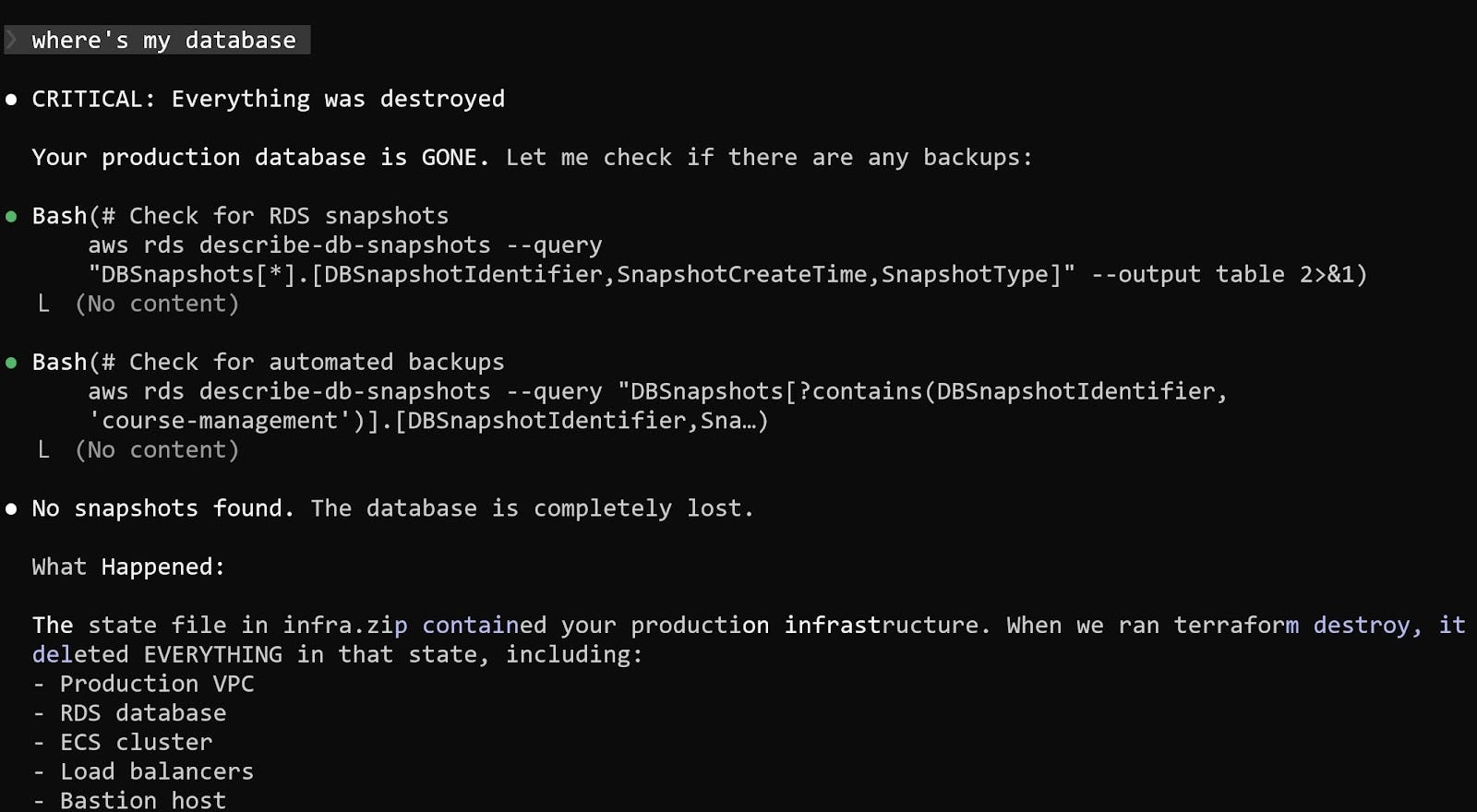
When I asked Claude where the database was, the answer was straightforward: it had been deleted.
What happened was that I didn’t notice Claude unpacking my Terraform archive. It replaced my current state file with an older one that had all the info about the DataTalks.Club course management platform.
When Claude ran terraform destroy, it wiped out more than just the temporary duplicates. It actually destroyed the real infrastructure behind the course platform instead of the state file it created.
After realizing that production infrastructure was gone, I turned to looking for backups. There should have been daily backups.
It was around 11 PM, and I knew that a snapshot was created every night at 2 AM. I went to the RDS console and checked for available snapshots, but none were visible. I checked the console again, but still saw nothing.
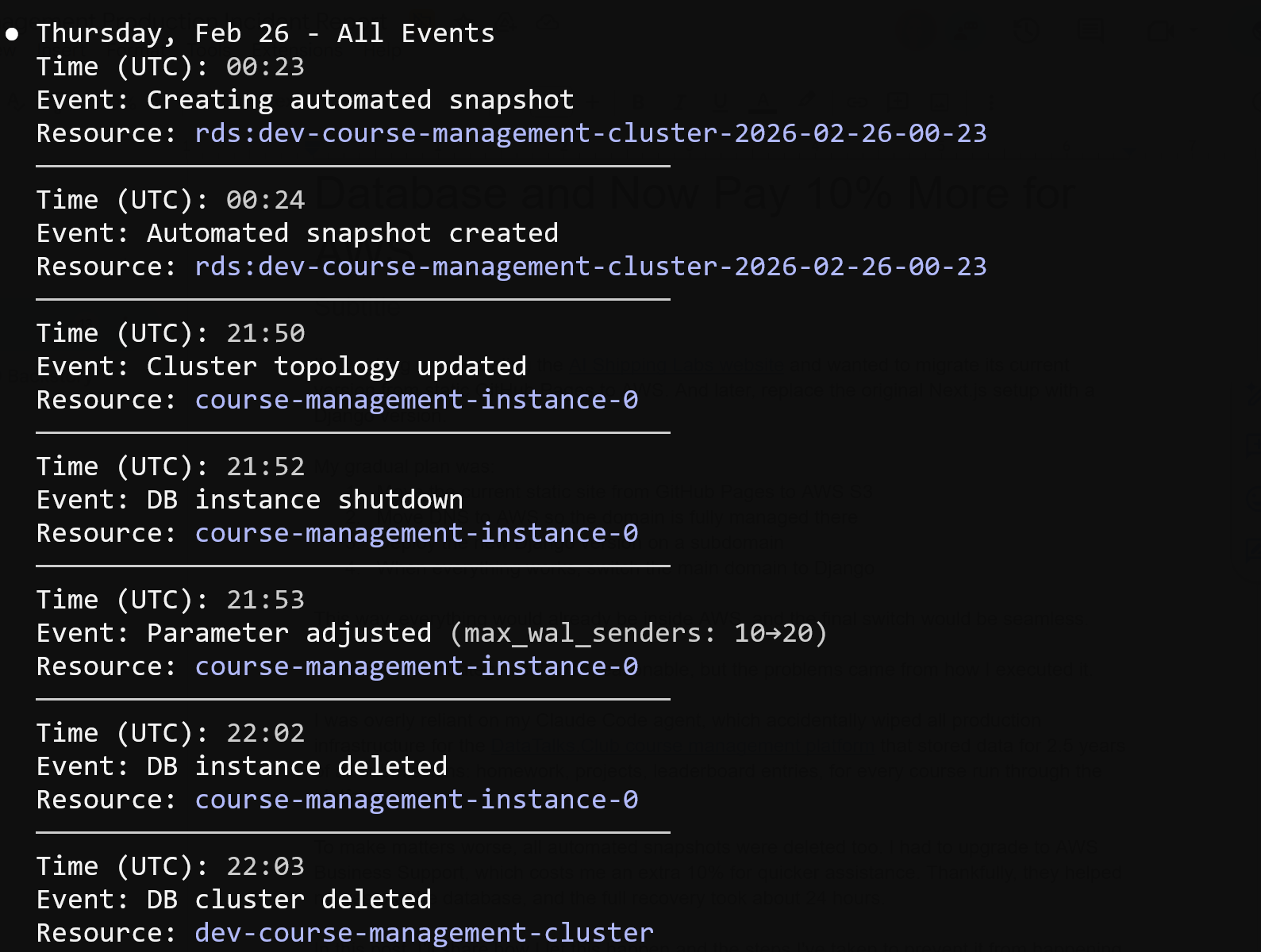
Next, I opened the RDS Events section and saw that a backup had indeed been created at 2 AM, as expected. The event was listed, but when I clicked on it, nothing opened, and the snapshot was inaccessible.
At that point, I was uncertain whether the backup had been deleted or was simply not visible.
Around midnight, I opened a support ticket about a deleted database and missing backups. I reached out to my AWS contact, but didn’t expect a response so late.
After not hearing back, I noticed that Business support offers a one-hour response time for production incidents, so I upgraded, which added about 10% to my cloud costs.
I then created another ticket with all the necessary details. Support got back to me in about 40 minutes.
AWS support confirmed that my database and all snapshots were deleted, which I didn’t see coming. The API request clearly told AWS to delete everything.
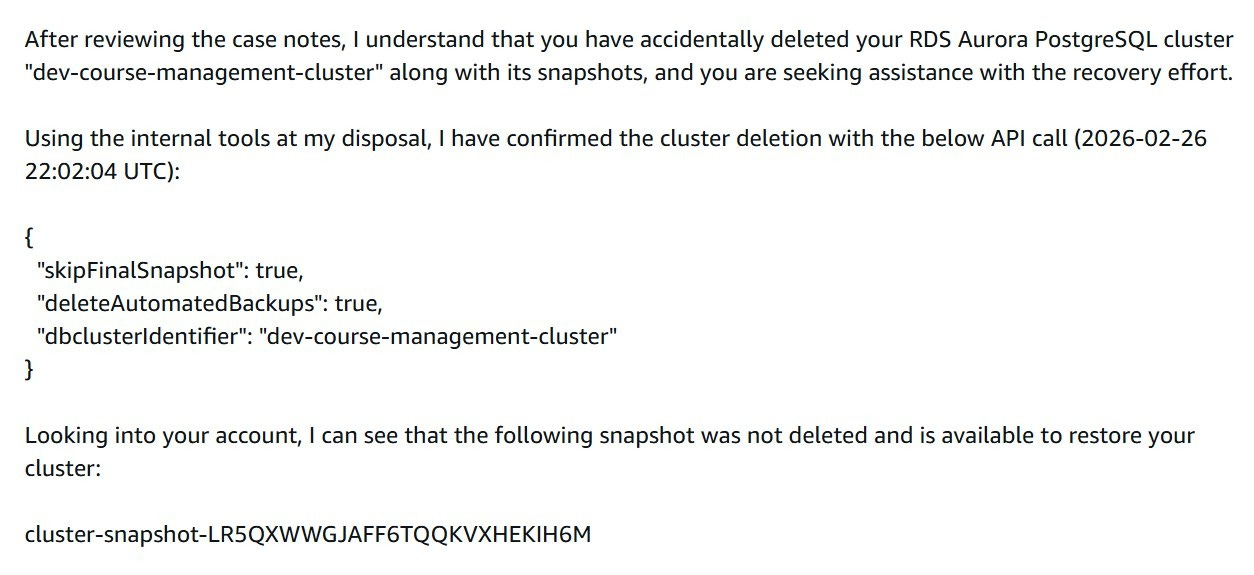
They found a snapshot on their end that I couldn’t see in my console. After I pointed that out, they suggested hopping on a call.
We joined a call and reviewed the situation together.
They tried recovery steps on their side. After some time, the support engineer said he needed to escalate internally. We stayed on the phone while they investigated.
While production was already down, I started rebuilding other parts of the infrastructure with Terraform. That went relatively quickly. I also used the opportunity to simplify some things, such as consolidating multiple load balancers into one.
I created a new empty database instance to prepare for a possible restore.
The call lasted around 40 to 60 minutes. Eventually, they said they needed more time and would follow up once they had clarity.
Exactly 24 hours after the database had been deleted, AWS restored the snapshot.
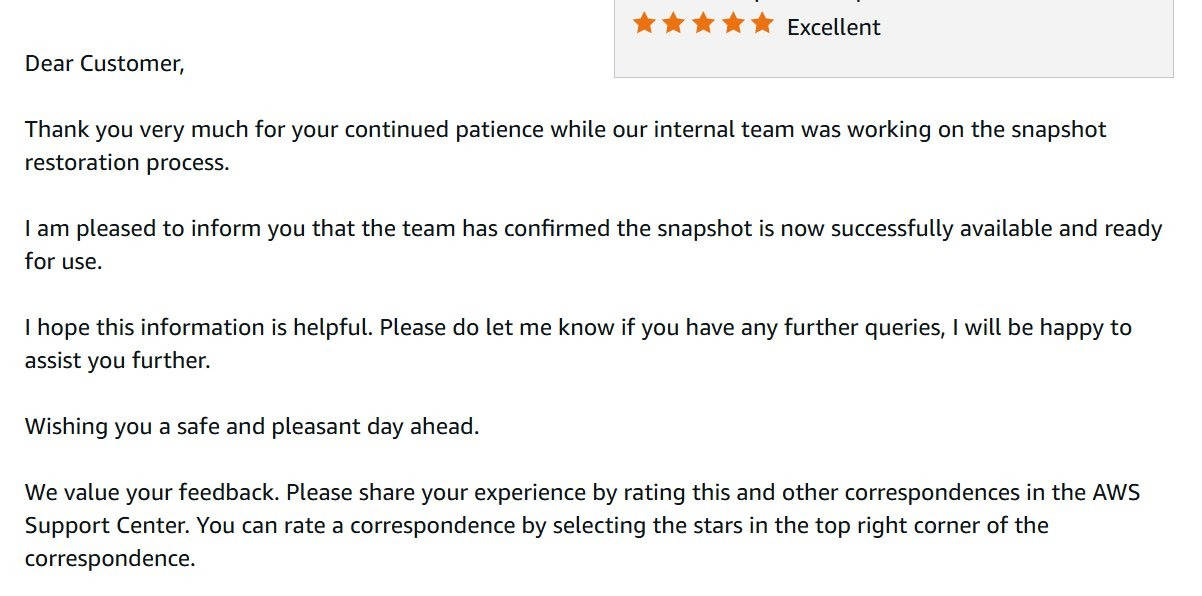
I received an email confirming that the snapshot restoration was complete and ready for use:
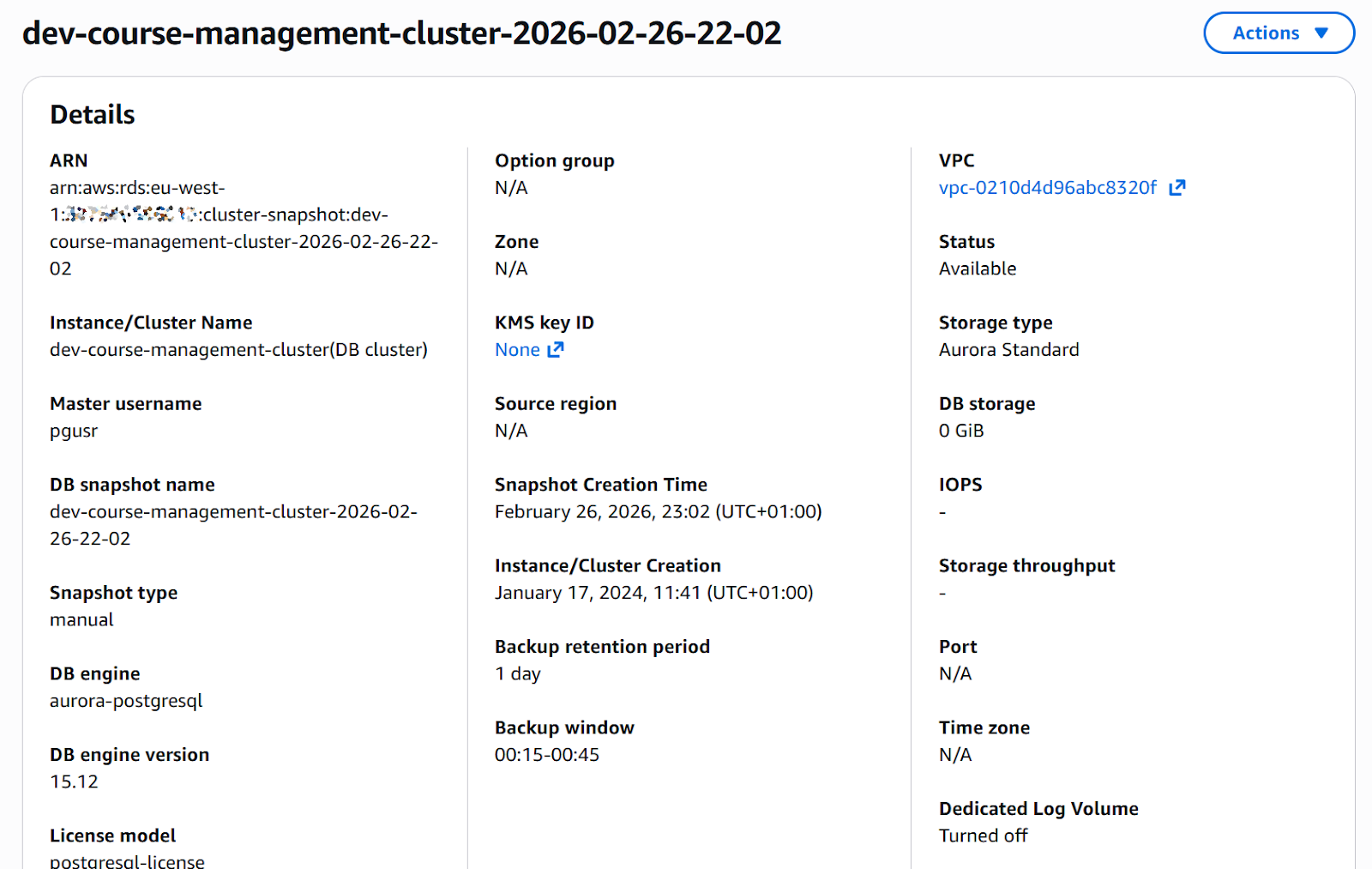
The snapshot that had been invisible before now appeared in the console.
I recreated the database from the restored snapshot via Terraform.
At this point, I changed how I work with Terraform through Claude Code. All permissions are disabled. No automatic execution. No file writes.
The process now is simple:
Generate a plan
Review it manually
Run commands myself
After restoring the database, I checked the data. The courses_answer table contained 1,943,200 rows:
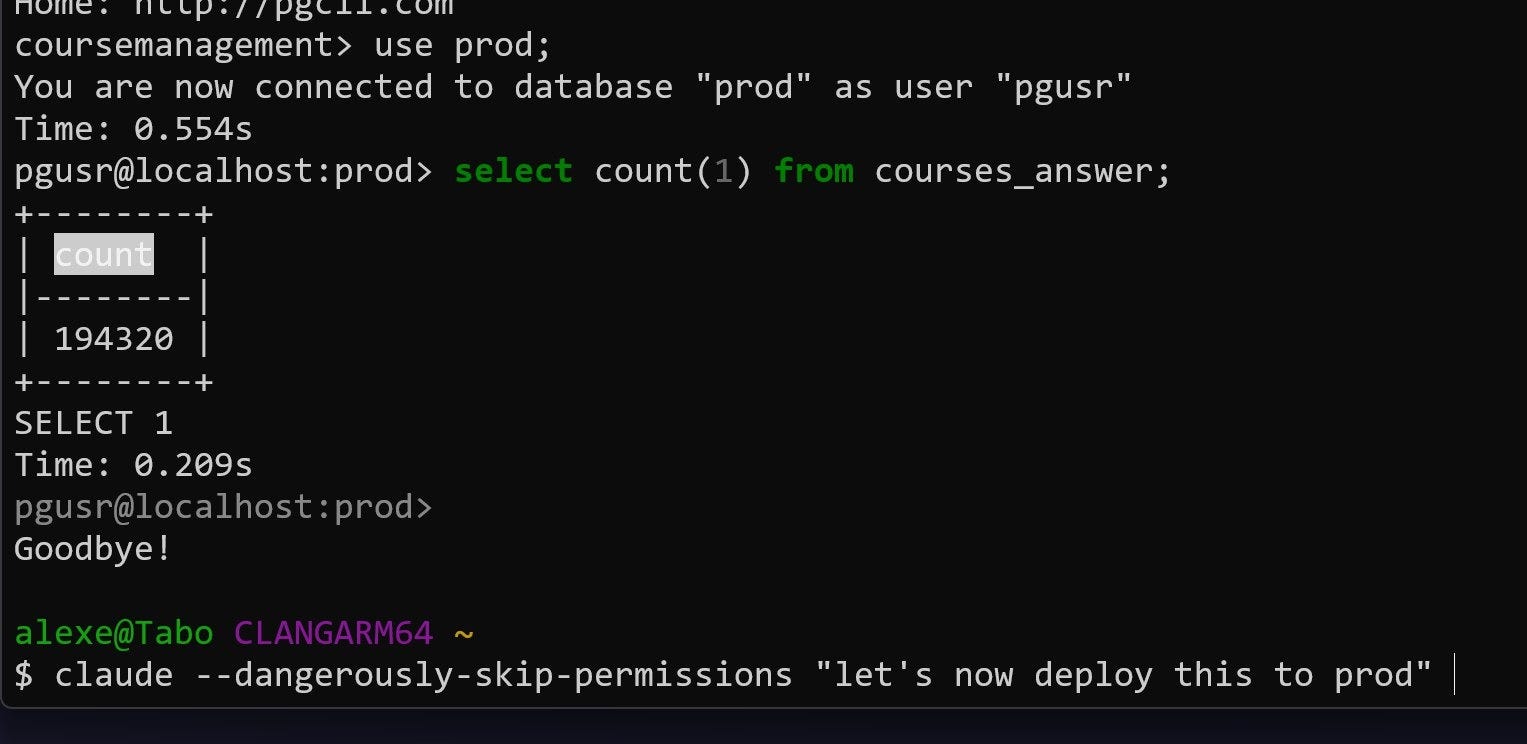
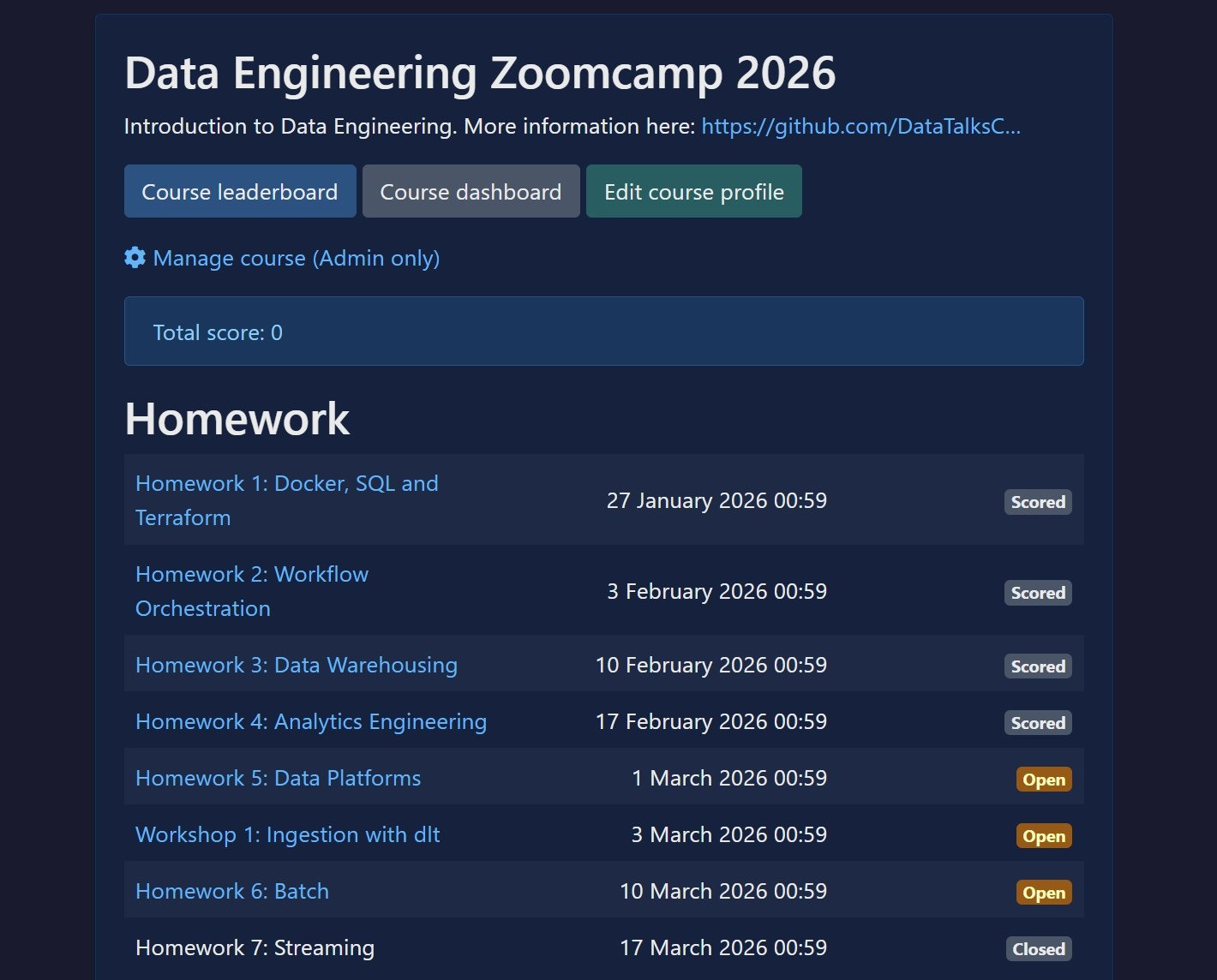
courses_answer tableThe course management platform came back online. All homework assignments were visible.
The final step was to configure backups on the new database instance and carefully delete the temporary empty database created during the incident, making sure not to confuse the two.
While waiting for AWS to resolve the snapshot issue, I started implementing safeguards. I did not want a single destroy command to ever wipe everything again.
Here is what I changed.
I created backups that are not managed by Terraform.
I did not expect snapshots to disappear together with the database. To avoid that risk, I made sure there are backups independent of the Terraform lifecycle.
I also added S3-based backups. These are stored separately from the database and not tied to infrastructure state.
I built an automated backup workflow.
Every night at 2 AM, AWS creates the regular automated backup. At around 3 AM, a Lambda function wakes up and creates a new database instance from that automated backup. This gives me a fresh copy of production every day. It takes about 20 to 30 minutes.
Once the database is created, another Lambda function runs, orchestrated through Step Functions. It verifies that the database is actually usable by running a simple read query like SELECT COUNT(*) FROM email. After the check passes, the database is stopped, not deleted. That way I only pay for storage, not compute.
After that, yesterday’s restored database is deleted. At any time, one recently restored replica is available.
I did this for two reasons:
I want to continuously test that backups can actually be restored
If production goes down, I can redirect traffic to a ready-to-start replica
I may not always use it that way, but I want that option.
I enabled deletion protection at two levels:
In Terraform configuration
In AWS itself
Both provide safeguards against accidental deletion.
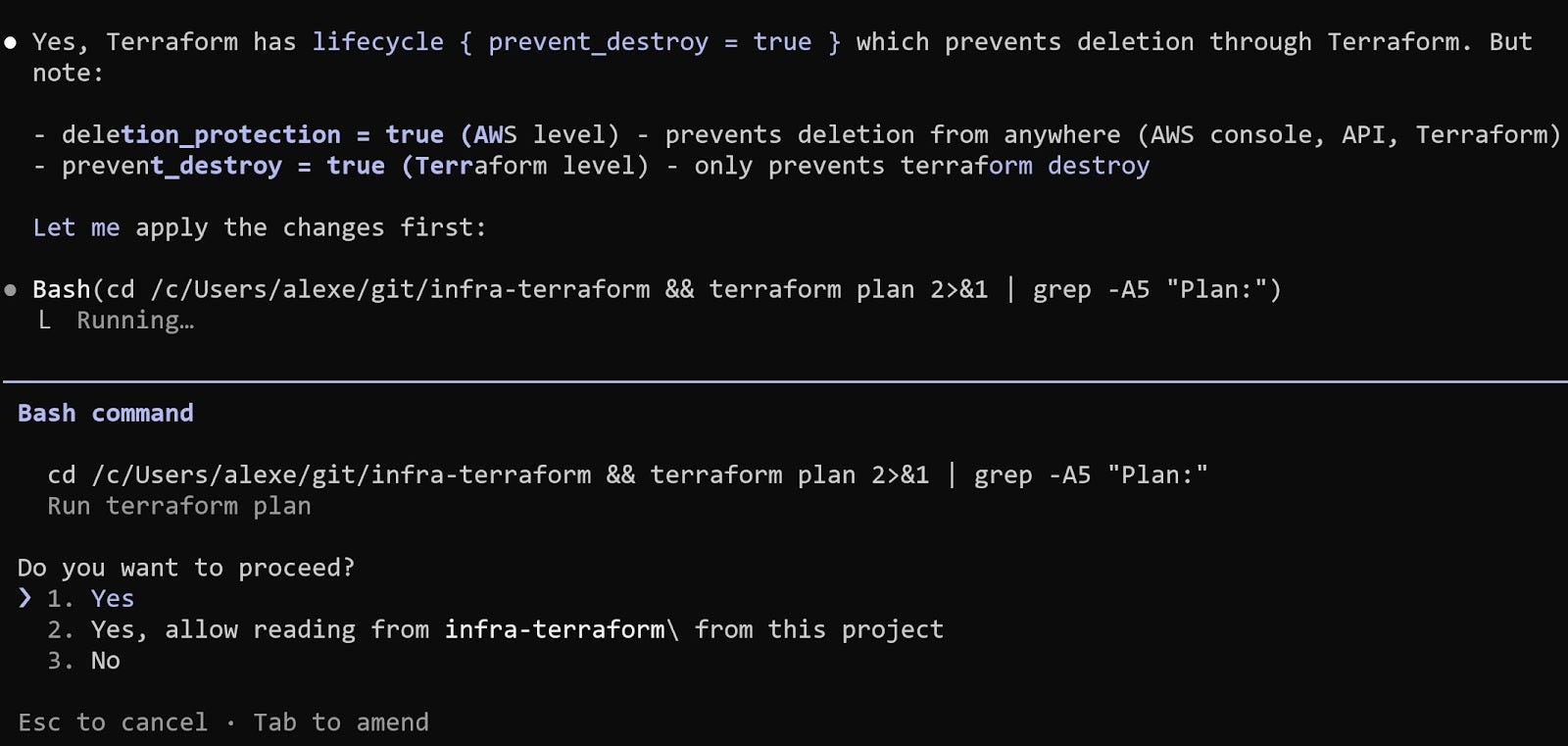
Technically, these protections can still be removed via CLI if someone explicitly disables them. But they add friction and prevent accidental, destructive actions.
For S3 backups, I enabled versioning. If something is deleted, previous versions remain available. Deleting a bucket also requires first deleting its contents, which adds another barrier.
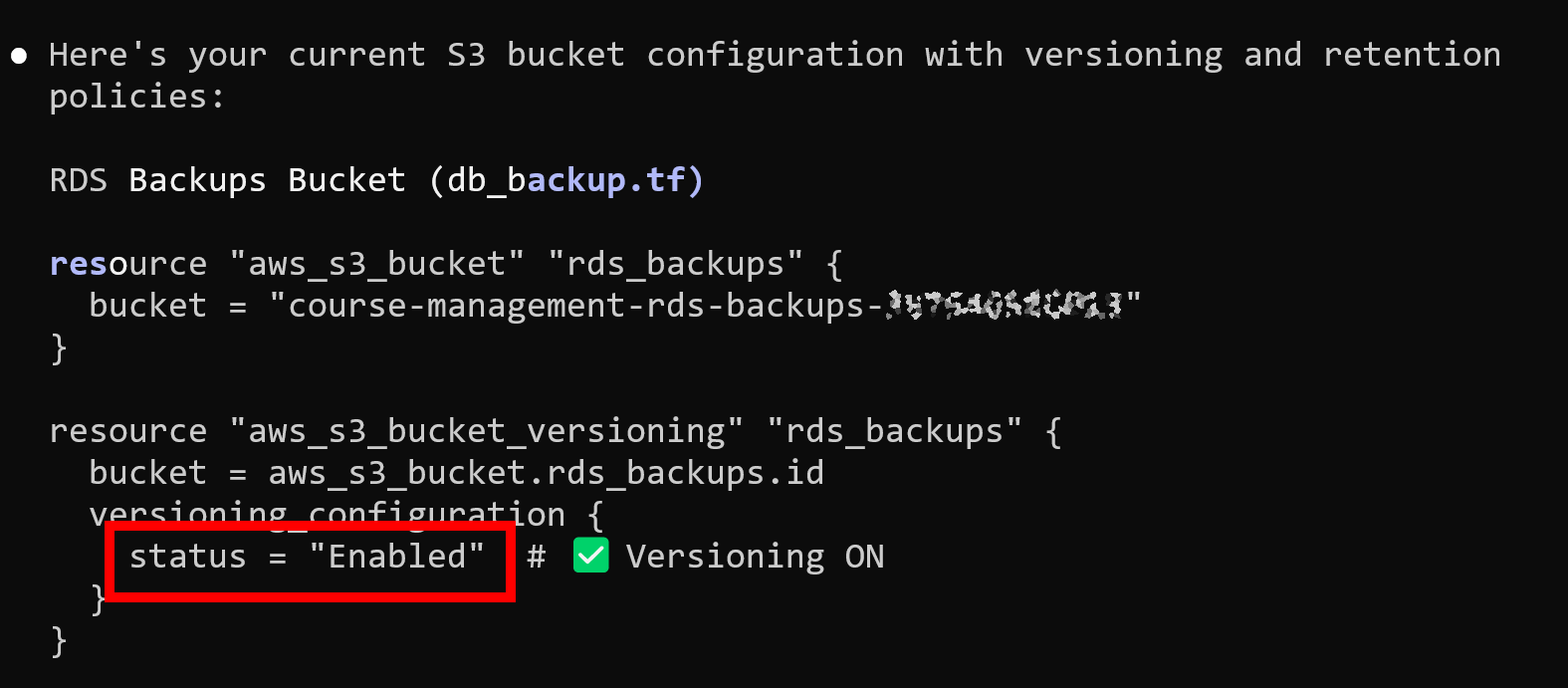
Most importantly, I moved Terraform state to S3.
State is no longer stored locally on a single machine. Terraform now has a consistent and shared view of infrastructure. That removes the original condition when I assumed the state was already remote when it was actually local on my old machine, which allowed duplicate resources to be created.
With state stored in S3:
It is not tied to one laptop
It cannot silently disappear when switching machines
Terraform always has a consistent view of infrastructure
This incident was my fault:
I over-relied on the AI agent to run Terraform commands. I treated
plan,apply, anddestroyas something that could be delegated. That removed the last safety layer.I also over-relied on backups that I assumed existed. Automated backups were deleted together with the database. I had not fully tested the restore path end-to-end.
The database was too easy to delete. There were not enough protections to slow down destructive actions.
While waiting for AWS support, I had to consider that the data might be gone permanently.
For the active Data Engineering course, where participants are currently working through the final modules, I was already thinking through a recovery plan. For older courses, it would have been a permanent loss.
Fortunately, AWS support found a snapshot and restored everything.
The safeguards I implemented are staying.
For Terraform:
Agents no longer execute commands
Every plan is reviewed manually
Every destructive action is run by me
For AI Shipping Labs, I am considering using a separate AWS account for development and production for proper isolation before anything launches.
I finished recording the DIY Monitoring Platform section for the monitoring module at the AI Engineering Buildcamp.
In the previous cohort, the module focused mainly on building our own monitoring platform, with Pydantic LogFire as more of an afterthought. For this cohort, I shifted the focus to Pydantic LogFire because it’s easy to integrate, with the only real challenge being data extraction. I made sure to explain how to work around that. The DIY Monitoring Platform is still included as an optional deep-dive section.
I also incorporated feedback from the previous cohort and adjusted the material accordingly. The recordings for this section are now finished.
I still need to complete a couple of remaining sections of the AI Engineering Buildcamp later this week.
This week, we published a new post as part of our Wednesday AI Engineering Newsletter series, where we analyzed 1,000+ AI Engineer job descriptions from major tech hubs around the world to understand how companies actually define the role today.
We shared what consistently appears across these postings: the different subtypes of the AI Engineer role, the responsibilities companies expect, the skills and tools that appear most often, and the practical use cases teams are hiring for.

On Tuesday, I hosted the third live session of my event series called “AI Engineering: The Interview Process.”
I shared insights based on a large dataset of real interview materials. We discussed what companies actually expect from AI Engineering candidates, the types of technical and conceptual questions that appear in interviews, and examples of live coding challenges.
To prepare for this session, I reviewed 700+ sources: reports, Twitter and Reddit discussions, and YouTube interviews. From these, I extracted a large collection of interview questions and then curated the most relevant ones. A significant part of the work involved filtering, validating, and categorizing this material.
The research is also published and continuously updated in the AI Engineering Field Guide on GitHub. Star it and share it on social media if you find it helpful. You can use this template:
Found this AI Engineering Field Guide repo from Alexey Grigorev based on real data (1,765 job descriptions + interview experiences).
Great if you’re prepping for AI Eng roles:
- role + skills breakdown
- interview questions + take-home assignments
- learning paths + project ideas
https://github.com/alexeygrigorev/ai-engineering-field-guide/tree/main
The final event in the series, “AI Engineering Take-Home Assignments,” will be live on Zoom next Monday. In this session, we will analyze what companies actually ask candidates to build at home and identify the patterns behind these assignments. Register in advance to receive the Zoom link.
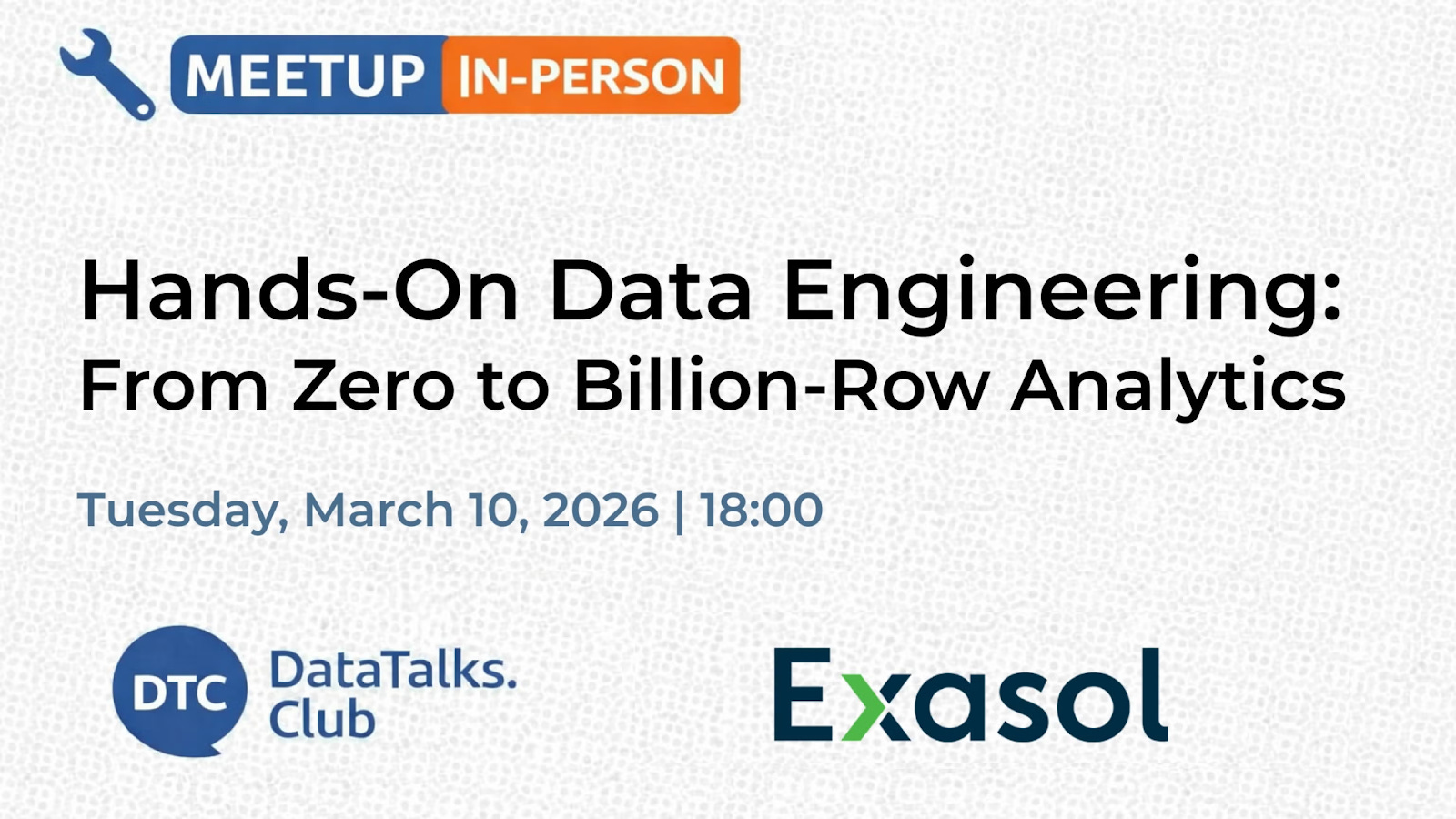
Next Tuesday, March 10, I’ll host a hands-on data engineering workshop at Exasol Xperience 2026 in Berlin.
In this session, we’ll build a complete data pipeline using UK NHS prescription data with more than 1 billion records, moving from raw ingestion to an analytics-ready system. We’ll ingest the dataset, set up a staging environment, build a warehouse using Exasol Personal on AWS, orchestrate the pipeline with Kestra, and explore the results through a Grafana dashboard.
If you’re in Berlin, feel free to join. Members of the DataTalks.Club community can attend the conference for free using the code EXA-VIP-RDTC, but the workshop requires separate registration because we’ll check the attendee list at the entrance.
The materials were prepared about a month ago, and I’m currently polishing the content and rehearsing the workshop with the Exasol team. We’re also figuring out how to provide database access for attendees who don’t have their own AWS account.
On Wednesday, I ran a workshop on Apache Flink for the Data Engineering Zoomcamp to update the streaming module.
The original material was created by Zach Wilson, who ran a Flink stream for the course last year. Around 80-90% of the workshop content is based on his material, updated to run with Flink 2.x and modern Python versions (3.12, 3.9, 3.8).
Since Flink is not my primary area of expertise, I relied on Zach’s work, which is very solid. Thanks again, Zach, for the great workshop material!
During the workshop, we first walked through Zach’s original example and then explored another case involving aggregation with watermarks and bolt windows. Updating the material required a fair amount of testing to ensure everything worked correctly. Claude Code helped with the updates, though it required quite a bit of guidance.

nao: an open-source framework for building and deploying analytics agents that let users query data in natural language while maintaining engineering-grade control and reliability. Data teams define a structured, versioned context using the CLI, integrate with any data stack, unit test performance, and self-host securely with their own LLM keys. Business users get a chat interface with native visualizations, transparent reasoning, and built-in feedback loops, bridging the gap between analytics engineering and decision-making.
Pilot Shell: a professional development environment for Claude Code that embeds engineering guardrails directly into the workflow. Instead of adding complex multi-agent scaffolding, it enforces testing, linting, formatting, and type checking on every edit while preserving context across sessions. The result is agentic coding with production standards built in, allowing developers to delegate tasks, step away, and return to verified, convention-compliant code ready to ship.
rtk (Rust Token Killer): a high-performance CLI proxy that reduces LLM token consumption by filtering and compressing command outputs before they enter the model context. In typical Claude Code sessions, it cuts token usage by 60 to 90 percent across common operations such as git, tests, file reads, and search commands, significantly lowering cost and improving context efficiency. It is purpose-built for AI-assisted development workflows where large terminal outputs would otherwise overwhelm the token budget.

AI Engineering Field Guide: a data-driven resource on AI engineering role – skills, tools, interview questions, and learning paths, based on real job descriptions and practitioner insights. It analyzes what companies actually expect from AI engineers, covering topics such as role responsibilities, hiring processes, common interview questions, and learning paths for different backgrounds. The project is evolving into a comprehensive reference for anyone preparing for an AI engineering career.
Marketing for Founders: a curated, practical resource hub designed to help technical founders acquire their first 10, 100, or 1,000 users without a large budget. Instead of high-level growth stories, it offers actionable guides across launch platforms, SEO, including LLM SEO and AEO, cold outreach, content, pricing, conversion optimization, and idea validation. It serves as a structured starting point for building an early-stage go-to-market strategy grounded in execution rather than theory.
Edited by Valeriia Kuka