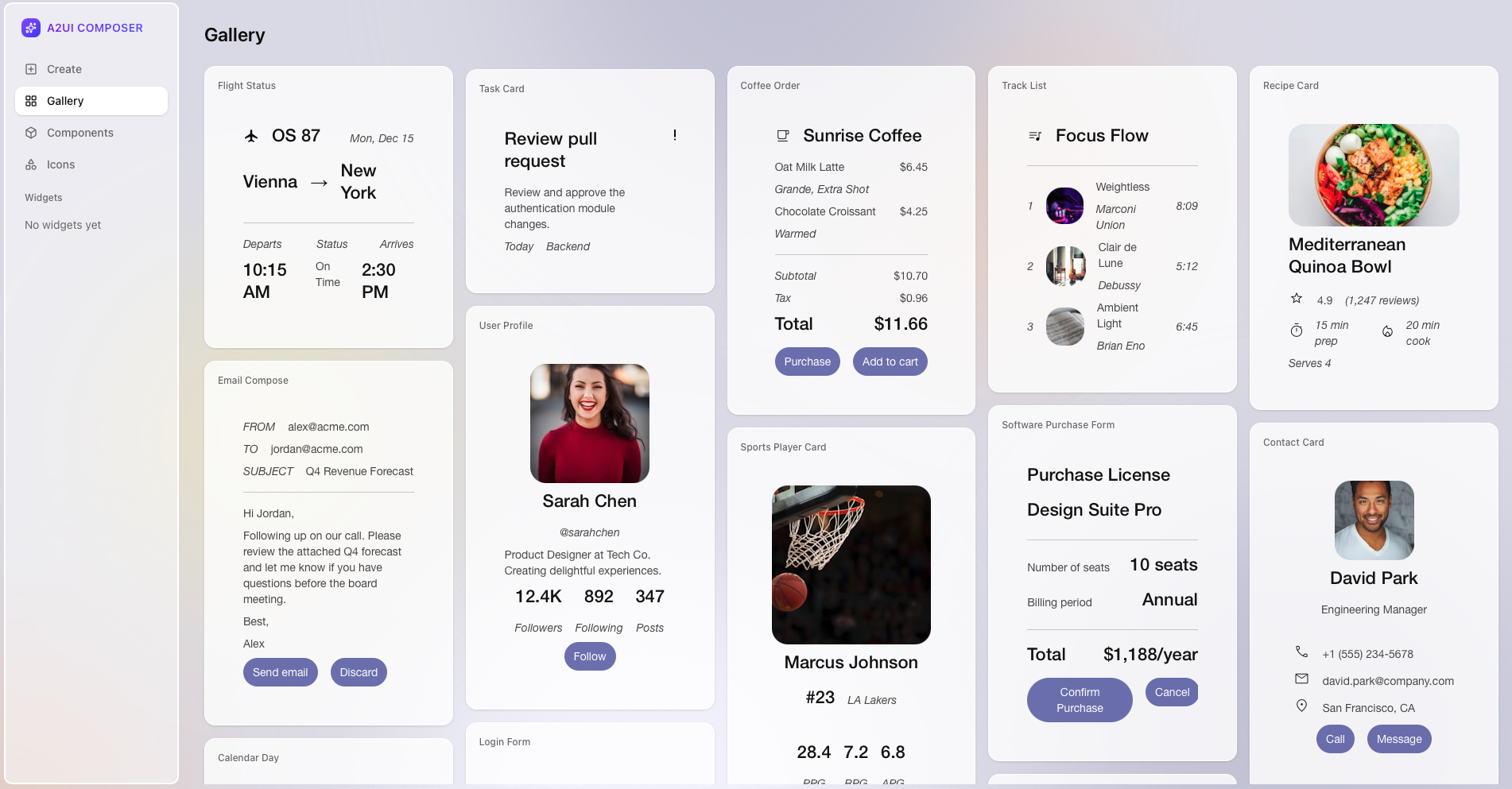
A2UI enables AI agents to generate rich, interactive user interfaces that render natively across web, mobile, and desktop—without executing arbitrary code.
️Status: Early Stage Public Preview
A2UI is currently in v0.8 (Public Preview). The specification and implementations are functional but are still evolving. We are opening the project to foster collaboration, gather feedback, and solicit contributions (e.g., on client renderers). Expect changes.
At a Glance
A2UI is currently v0.8, Apache 2.0 licensed, created by Google with contributions from CopilotKit and the open source community, and is in active development on GitHub.
The problem A2UI solves is: how can AI agents safely send rich UIs across trust boundaries?
Instead of text-only responses or risky code execution, A2UI lets agents send declarative component descriptions that clients render using their own native widgets. It's like having agents speak a universal UI language.
In this repo you will find A2UI specifications and implementations for renderers (eg: Angular, Flutter, etc.) on the client side, and transports (eg: A2A, etc.) which communicate A2UI messages between agents and clients.
-
Secure by Design
Declarative data format, not executable code. Agents can only use pre-approved components from your catalog—no UI injection attacks.
-
LLM-Friendly
Flat, streaming JSON structure designed for easy generation. LLMs can build UIs incrementally without perfect JSON in one shot.
-
Framework-Agnostic
One agent response works everywhere. Render the same UI on Angular, Flutter, React, or native mobile with your own styled components.
-
Progressive Rendering
Stream UI updates as they're generated. Users see the interface building in real-time instead of waiting for complete responses.
Get Started in 5 Minutes
-
Run the restaurant finder demo and see A2UI in action with Gemini-powered agents.
-
Understand surfaces, components, data binding, and the adjacency list model.
-
Integrate A2UI renderers into your app or build agents that generate UIs.
-
Dive into the complete technical specification and message types.
How It Works
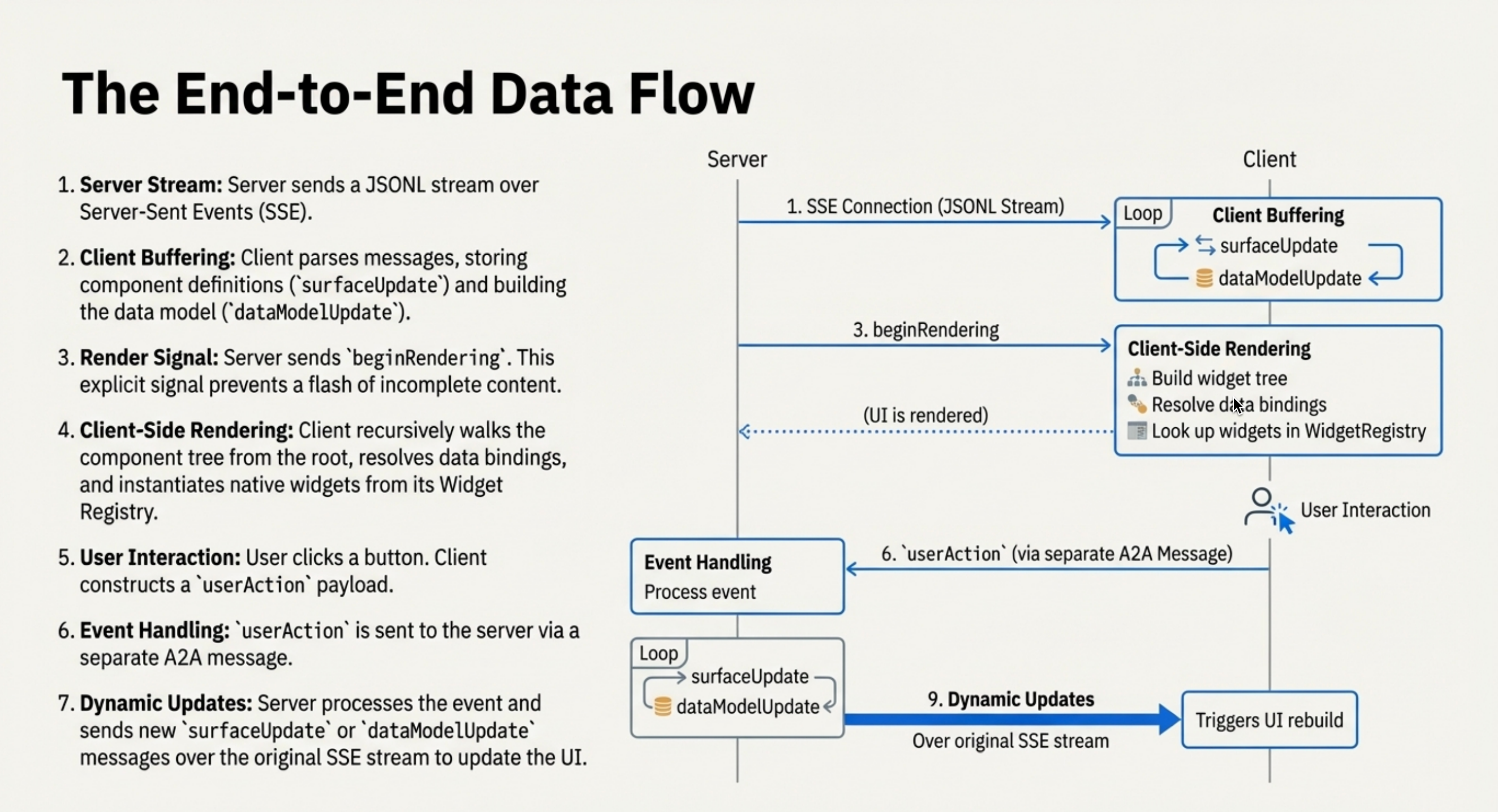
- User sends a message to an AI agent
- Agent generates A2UI messages describing the UI (structure + data)
- Messages stream to the client application
- Client renders using native components (Angular, Flutter, React, etc.)
- User interacts with the UI, sending actions back to the agent
- Agent responds with updated A2UI messages
A2UI in Action
Landscape Architect Demo
Watch an agent generate all of the interfaces for a landscape architect application. The user uploads a photo; the agent uses Gemini to understand it and generate a custom form for landscaping needs.
Custom Components: Interactive Charts & Maps
Watch an agent chose to respond with a chart component to answer a numerical summary question. Then the agent chooses a Google Map component to answer a location question. Both are custom components offered by the client.
A2UI Composer
CopilotKit has a public A2UI Widget Builder to try out as well.