Several of the cheat sites list a “Level Select” code for Syphon Filter 3, the third-person shooter from Sony’s Bend studio. Here’s a typical example from GameFAQs:
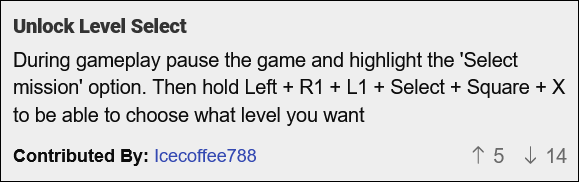
This, as you might guess from the upvote-to-downvote ratio, does not work. The bogus code seems to go back to at least 2002.
What’s going on? Let’s see…
GameHacking.org has an “Enable All Cheats” code listed for Syphon Filter 3:
Submitter: by Lajos Szalay
Code:801223F4 FFFF
Description: RAM Write - Writes0xFFFFto the RAM address0x801223F4.
Based on the value being written, 0xFFFF, this is probably a bit field. One bit per cheat, perhaps?
Setting a read breakpoint for the RAM address shown above yields a hit on the Pause screen when the Options menu is highlighted.
I loaded a snapshot of the game’s memory on this screen into Ghidra (the standard MIPS 32-bit little endian processor spec works for PlayStation) to see what else looks at the address that enables cheats.
Ghidra finds three writes. One of them is particularly interesting, because it’s in a loop – multiple bits in the field can be set by this code:
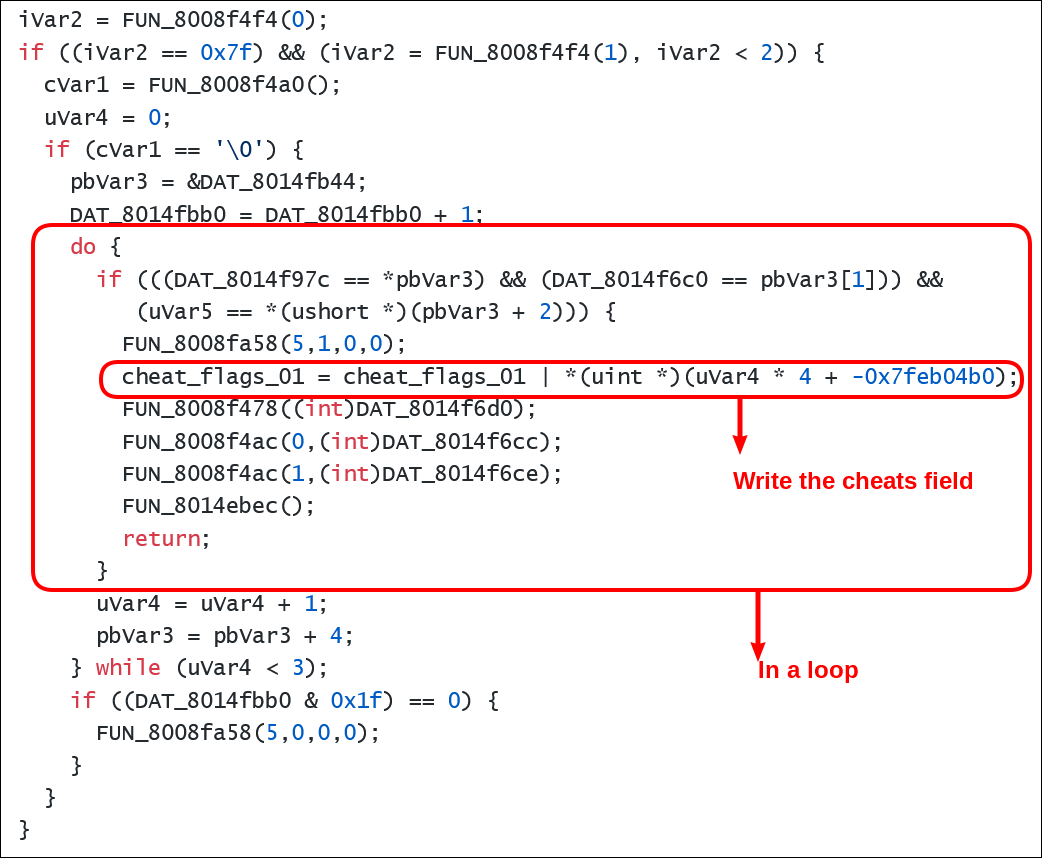
The loop is inside an if block that check for three conditions:
Whatever
FUN_8008f4f4(0)returns has to be0x7f.Whatever
FUN_8008f4f4(1)returns has to be less than0x02.Whatever
FUN_8008f4a0()returns has to be0x00.
These three function calls are all “getters” – they just return the contents of a memory address. I set write breakpoints for those addresses and fiddled around the Pause menu until I got hits:
The first call is checking the Sound FX volume setting. It ranges from
0x00(minimum) to0x7f(maximum). The checks above want us to leave it at its maximum value.The second call is checking the Music volume setting. It’s got the same range. The checks above want us to have it be less than
0x02.The third call checks to see whether Stereo sound is enabled. It returns
0x00when Mono is selected.
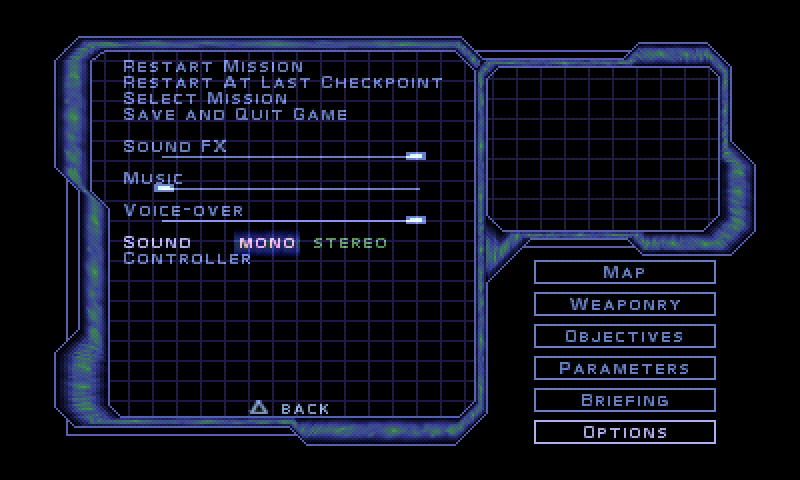
If you make the settings match these conditions, a sound effect starts playing every second – that’s the call at the bottom of the code snippet above:
FUN_8008fa58(5, 0, 0, 0) // Play sound effectWith the settings at the right values, the loop we’re interested in starts executing. But the write to the cheats field is protected by another three conditions. The same trick – setting breakpoints and watching for hits – reveals what the relevant variables correspond to:
DAT_8014f97cchanges when you switch pause menu screens.0x00is the top-level pause menu.DAT_8014f6c0changes when you move the menu cursor.0x00is the first item.uvar5(written elsewhere in the function) changes when you hold buttons on the controller. Each button sets a bit in a 2-byte field – for example,L1sets the least significant bit.
These values are checked against the table that starts at 8014fb44. It specifies three cheats. Given the code above, we can read it to reveal…
Make sure that the Music volume is set to the lowest value and that the Mono sound is configured. Then, follow the specification in the first row of the table:
Menu ID: 0x00. That is, go to the top-level pause menu.
Cursor: 0x02. This is the third item, since the first one is 0x00. That means highlight Objectives.
Held buttons:
0x20C0. This is the logical OR of the values for Right (0x2000), Square (0x0080), and X (0x0040).
If you follow those directions, you’ll be taken out of the pause menu and back into the game. When you return to the Pause > Options screen, you’ll see that the Cheats item has appeared. It will have the Super Agent cheat available, which makes all enemies fall with one shot:
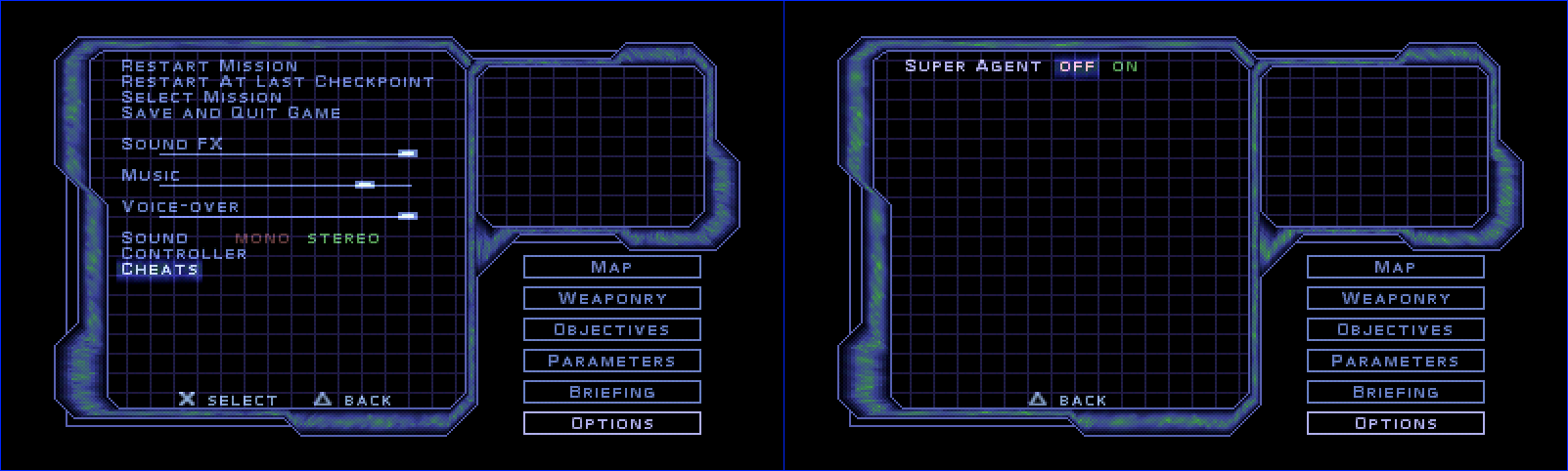
The volume and Mono sound changes that you made to enable cheat mode will have been reset, so you’ll have to restore them to enter the next two cheats. Once you’ve done that, the second cheat table entry is:
Menu ID: 0x03. This is the Pause > Options menu.
Cursor: 0x08. This is the Controller item.
Held buttons:
0x004a. This corresponds to R1+R2+X.
This enables the Select Level cheat:
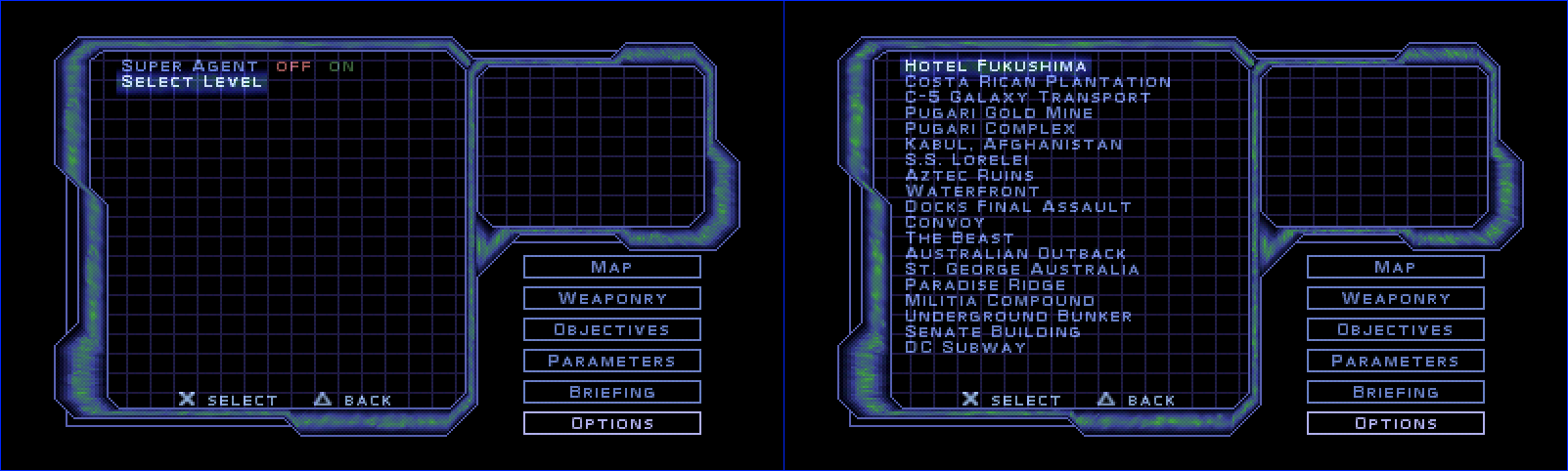
Don’t forget to set the sound options before entering the cheat from the last table row:
Menu ID: 0x05. This is the Pause > Options > Save and quit menu.
Cursor: 0x01. This is the Yes item.
Held buttons:
0x0024. This corresponds to L1+Circle.
This one enables the End level cheat:
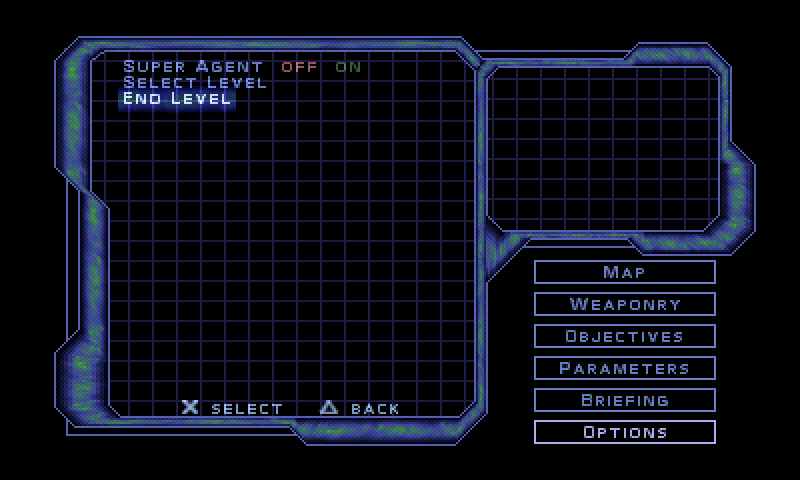
That’s everything!
GameFAQs et. al. weren’t even close on the Level Select cheat, it turns out.
The codes for Syphon Filter 2 on GameFAQs and other cheat sites aren’t very good either. But user kenseizenkai at the psnprofiles.com forums has the right procedure for the cheats in that game:
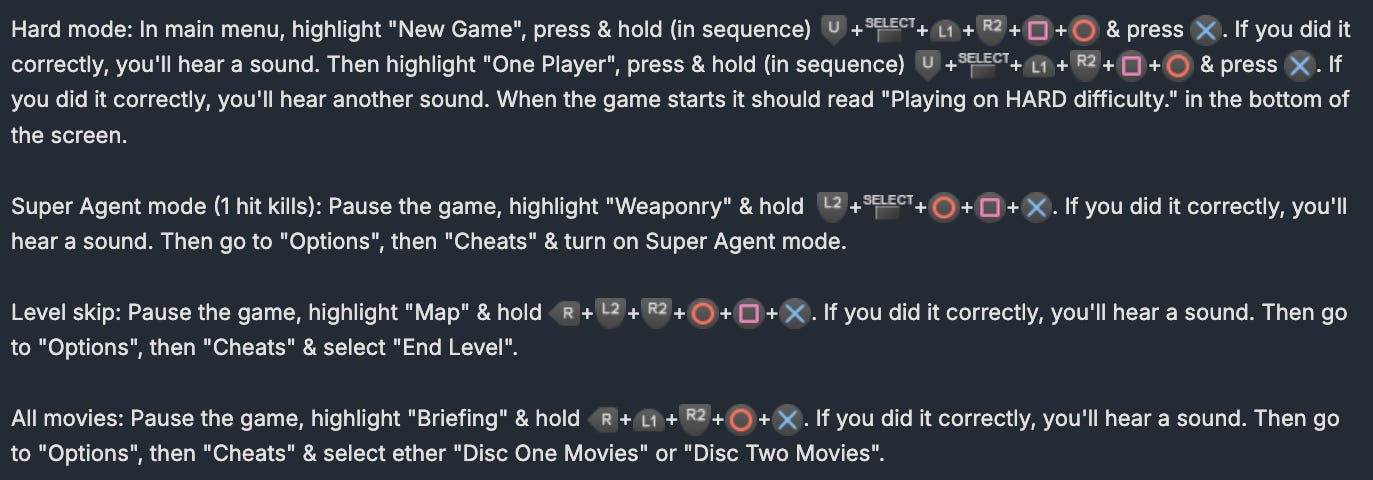
Thanks for reading Rings of Saturn! I’ll be back with more retro game reverse engineering articles soon. Leave your suggestions for games to analyze in the comments – there are surely lots more with bogus cheat codes listed online.