Accelerometer support is available in Mobile Safari and all new android devices. This enables the browser to sense movement, speed and direction with Javascript on mobile & tablet devices. If we push the movement data from the mobile device instantly through a nodejs server to a browser, then we can control a game on the browser. This is exactly what we have put together in this fun little html5 demo.
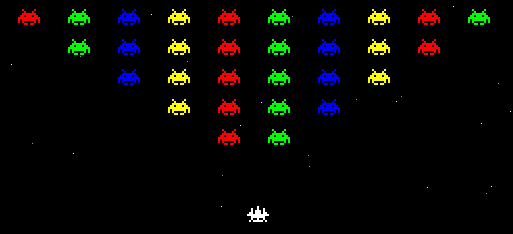
Try the game before you go through the components that make up this demo.
Android / iOS controller

The user scans the QR code or visits the unique link created for them from the demo landing page to start the controller. The controller code reads accelerometer values and then passes the movement to the nodejs server.
Key parts of the iOS device controller code
//Detect if the browser supports DeviceMotionEvent
if (window.DeviceMotionEvent != undefined) {
//ondevicemotion is fired when iOS device detects motion
  window.ondevicemotion = function(e) {
//ax is the movement on the x axis.
//This motion is used to move the ship in the game
  ax = event.accelerationIncludingGravity.x * 5;
  ay = event.accelerationIncludingGravity.y * 5;

//Status 0 is start, 1 is left, 2 is right, 3 is stay
if(status == 0){ //initial condition
  status = 3; //stay
  socket.emit('spaceChange', {'ax': 3});
  statusmsg = 'Waiting for movement';
}
if(ax > 14 && status != 2){ //move right on device
  status = 2;
  socket.emit('spaceChange', {'ax': 2});
  statusmsg = 'Moving ship right';
}
if(ax < -14 && status != 1){ //move left on device      status = 1;      socket.emit('spaceChange', {'ax': 1});			         statusmsg = 'Moving ship left';  }  if(ax > -14 && ax < 14 && status != 3){ //device held steady
  status = 3;
  socket.emit('spaceChange', {'ax': 3});
  statusmsg = 'Ship held steady';
}
The controller code detects movement from accelerometer and only pushes data to the nodejs server if there is a change in direction of the device. This reduces the data pushed from the phone to the server when compared to sending all the live accelerometer values to server. Finally, the value 14 in ax is set as a threshold to detect if the user is moving the device to the left or right.
Node.js server with SocketIO (Server side)
Node.js is a server-side JavaScript environment based on Google’s V8 Javascript engine. Programs are written in JavaScript, using event-driven, asynchronous I/O to minimize overhead and maximize scalability. Socket.IO sits on top of Node.js and makes it easy to deliver realtime data between almost every browser and the node server. Socket.IO code runs on the server and the client side. This makes Node.js and Socket.IO ideal candidates to be able push accelerometer values instantly from mobile safari to the desktop browser.
Each visitor to the game landing page is assigned an unique random id that links the browser and the iOS safari instance. User loads the URL provided on their iOS device and then safari detects accelerometer motion, which is then pushed by socket.io on client side to the node server. The randomly generated id is used as a room for the user so that push from user device is only sent to a particular browser.
Server side Socket.IO code
//Start on connection
io.sockets.on('connection', function (socket) {

 //Set room for user when connection is made
 socket.on('setChannel', function (data) {
 socket.join(data.channelName);
 });

 //When iOS device moves send data to browser
 //Multiple browsers can be listening to same device
 socket.on('spaceChange', function (data) {
 socket.broadcast.to(data.channelName)
                   .emit("spaceChanges",data);
 });

});
Browser game and client side Socket.IO
The browser game can be played with the keyboard arrows or with iOS device movement. The space invaders game itself behaves like a standard HTML5 game which uses HTML canvas. Thanks to Erop Balyshev for developing the well tested game in a couple of days. The html game code is commented and you should be able to understand the underlying code for the game quite easily. The socket communication and movement based on feedback from the iOS device was later plugged into the game code.
Code below shows how data from server is handled on the browser.
//iOS detection and corresponding action
var lastkey = 37;
var dataStart=0;
  socket.on('connect', function() {
   //if sockets gets disconnected then mention room again
   socket.emit('setChannel',
              {'channelName': '<!--?php echo $randRoom; ?-->'});
  });

  socket.on('spaceChanges', function (data) {
     if(dataStart == 0){
        //First movement data arrived
        document.getElementById('status').innerHTML
                  = 'Receiving data from your iOS device';
        dataStart = 1;
     }
    ax = data.ax;
    var	posob=new Object();
    if(ax == 2){
        //move right
        lastkey = 39;
    	posob.keyCode = lastkey;
        posob.type = 'keydown';
        document.getElementById('status').innerHTML
                   = 'iOS device tilted right';
    }
    if(ax == 1){
        //move left
        lastkey = 37;
    	posob.keyCode = lastkey;
        posob.type = 'keydown';
        document.getElementById('status').innerHTML
                   = 'iOS device tilted left';
    }
    if(ax == 3){
        //hold ship in place
    	posob.keyCode = lastkey;
	posob.type = 'keyup';
        document.getElementById('status').innerHTML
                   = 'iOS device held steady';
    }
    //Send action received above
    keypressaction(posob);
  });

//Fire automatically once first data starts
window.setInterval(function(){
  if(dataStart == 1){
    var posob=new Object();
    posob.keyCode = 32;
    posob.type = 'keydown';
    keypressaction(posob);
    posob.keyCode = 32;
    posob.type = 'keyup';
    keypressaction(posob);
  }
//Timer is correctly a shot ever 200ms.
//Decrease 200 to lower for even faster firing!
}, 200);
Conclusions
– We are very impressed with the instant movement detection and control over the game.
– You can also run multiple browsers on your desktop with the same id get parameter and have it all controlled with the same iOS controller.
– Current space invaders game uses only X axis movement on the iOS device. However, all three dimension values are available on iOS safari ondevicemotion method. It is technically possible to do much more with the iOS device. Probably the ship can fire when user shakes the device?
UPDATE: Watch a presentation of the HTML5 space game by Roshan Abraham
Enjoyed the demo? Looking forward to your feedback and ideas.