There are two major changes announced for Facebook pages. The most prominent is the change to the the layout and fan page design (forced update due on March 10th 2011). The second is that Facebook pages now support iframes. This means that developers are free to use popular, simple and standards-based web programming model (HTML, JavaScript, and CSS) compared to highly restricted FBJS and FBML. There are lots of reasons to be excited about this. Here are a few of our best:
1) Google maps on pages
You can now have fully functional Javascript based maps within Facebook pages. This makes it easier to display business location, location of stores, hotels, etc. To make things even more flexible, mapping services will now have access to your location if you use newer browsers.
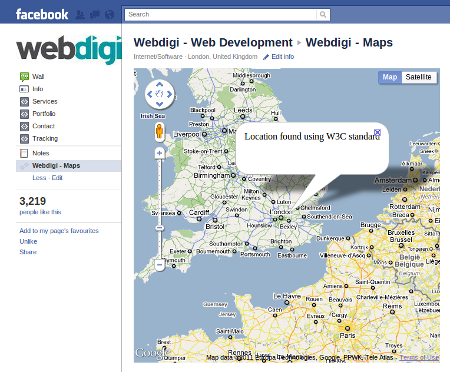
To see this functionality in action, go to the maps page. You need to be logged in to Facebook to view the page. Please note that your location is not stored by us and used just to display a map for the demo purposes.
2) Add youtube videos and other music players
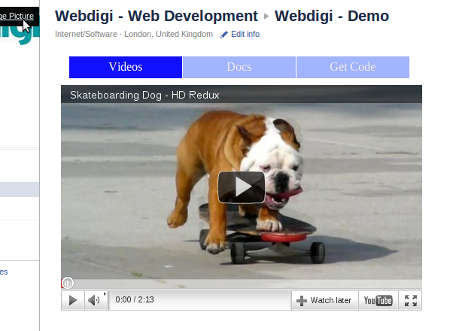
The iframe technique also make it much easier to embed youtube videos and other flash/HTML5 multimedia. This gives users access to related videos and more added functionality. This also includes the ability to view the video in full screen. Click on the image above to go to the video demo page.
3) Embed slides and PDFs
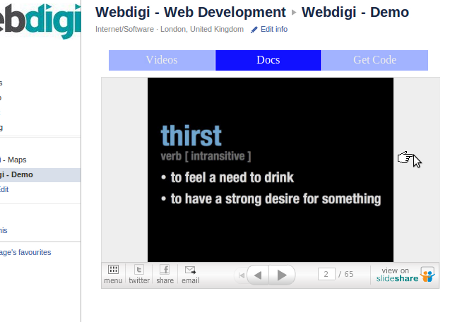
Embed external docs to your fan page
Like how a video is embedded, you can now embed slides, PDF, other documents using Slideshare or related apps. Here is a direct link to the docs demo page.
4) Create amazing landing pages
Use any Javascript library of your choice: jQuery, ExtJS, mootools, etc. You can even use flash or HTML5 to create great landing pages. In short, the only limitation on design, layout and functionality is now your imagination and the restricted width of around 520px.
5) Create your own top navigation menu
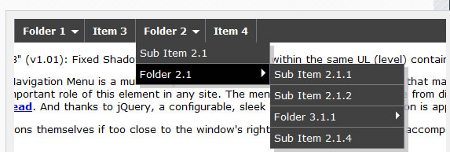
Create your own top level menu
The previous Facebook page design had top level navigation tabs which have now moved to the left side of the page. This does free up some space and lets the developer create their own top level navigation tab. Including multi level level navigation.
6) Add a like button within the page
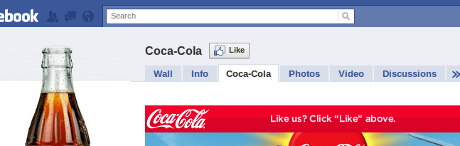
No longer need a click above to Like
There are thousands of Facebook pages including top brands like Coca cola which have the text like “Click on like button above”. This will no longer be required. You can now have the like button within the page. An example is what we have on our page here.
7) Special content for Facebook page fans
You can have a special page displayed for Facebook fans. This is possible because Facebook sends a signed request to your server each time your page loads. This request from Facebook has details like user language preferences, age restrictions and also information showing if an user is a page fan, page admin, etc. All the source code for all the above pages is available on this page.
Notes:
– Our page has been updated to the new version. This is a requisite for working on the new iframe enabled facebook pages.
– All the code is free to use as usual and is intended to demo the features of iframes on Facebook tabs.
– You seem to need to be logged in to Facebook to be able to view the demo pages in action!
– For those beginners who are not sure how to create the iframe tabs, please visit the Facebook guide on creating pages
What features or possibilities excite you the most?