I've been studying the guidance computer from a Titan II nuclear missile. This compact computer was used in the 1970s to guide a Titan II nuclear missile towards its target or send a Titan IIIC rocket into the proper orbit. The computer worked in conjunction with an Inertial Measurement Unit (IMU), a system of gyroscopes and accelerometers that tracked the rocket's position and velocity.1
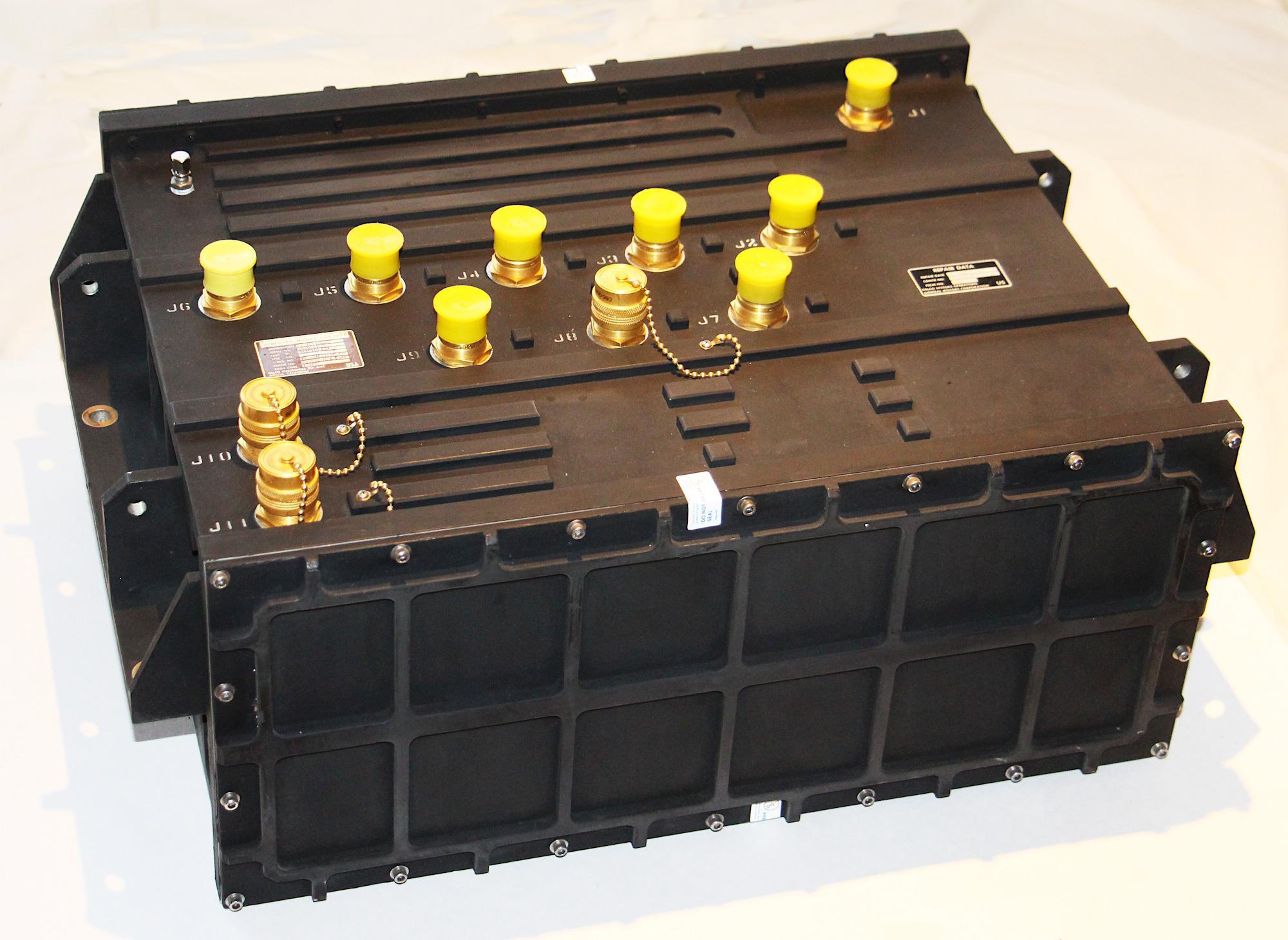
The guidance computer, from Steve Jurvetson's collection. Multiple connectors on top link the computer to the IMU and the rest of the rocket. The cover panels are protected by anti-tamper stickers so I probably voided the warranty by opening it. (Click any photo for a larger image.)
This computer, called the Magic 352, is a 20"×16"×9" black box2 weighing 80 pounds, surprisingly heavy for something used in a rocket.4 Its sturdy aluminum case alone weighs 20 pounds. Internally, the computer is divided into thirds. The front section holds the processor and the core memory storage. There is no microprocessor in this computer; the processor is built from hundreds of simple integrated circuits. The back section of the computer holds the interface boards, mostly analog circuitry to connect to the rest of the rocket.5 Unexpectedly, the middle section is mostly empty space.6 The computer was made by Delco, a division of General Motors3 that built a whole line of "Magic" aerospace computers.
The digital side
The computer's front cover is held on by 18 screws. Removing them reveals the computer's processor boards and core memory. On the left are seven circuit boards with TTL digital logic. In the middle are two core memory modules, each holding 8192 words of 24 bits. Two memory electronics boards are next to the memory. At the right is the computer's switching power supply.
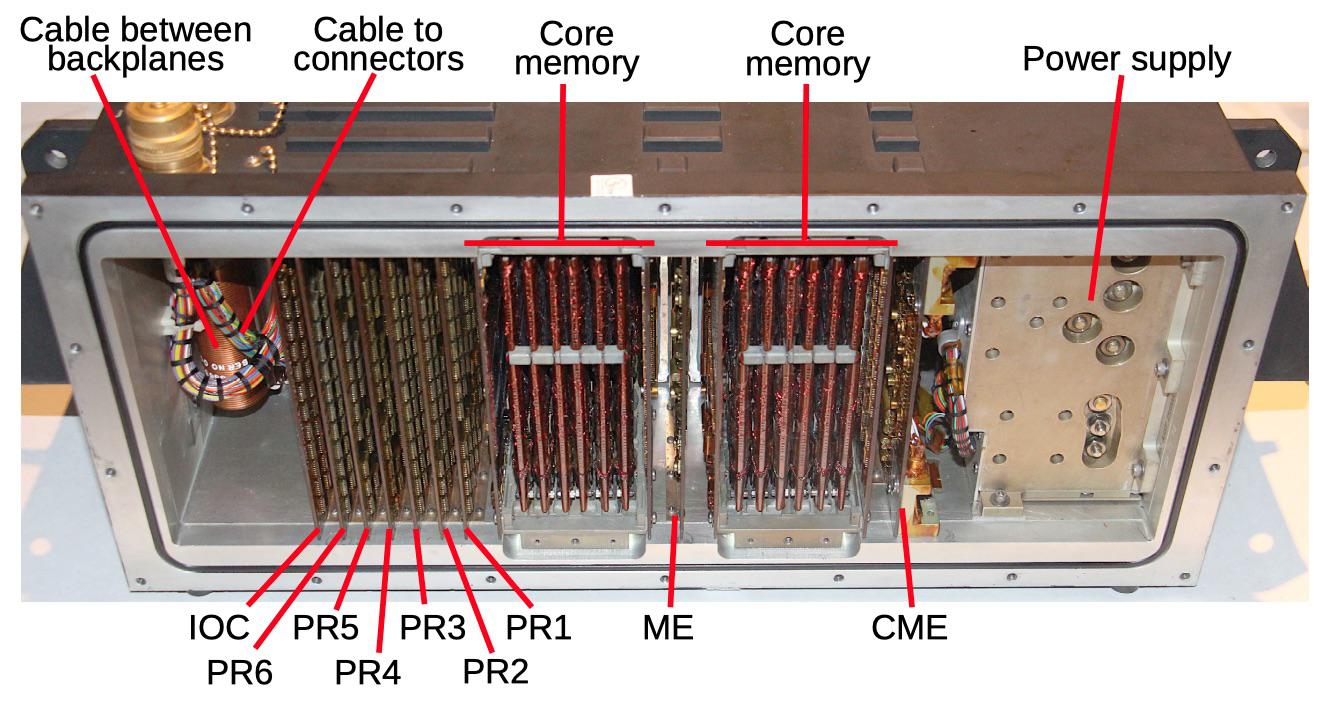
The front side of the computer, showing the circuit boards, core memory modules, and the power supply. The boards are identified with the code that is printed on each board.
The circuit boards have alphanumeric codes on them; PR1 through PR6 are probably processor boards 1 through 6. It's unclear what "IOC" stands for; the IOC board looks like the other digital logic boards, but also has a circuit that's probably the computer's clock. The "ME" and "CME" boards appear to have high-current driver circuitry for the core memory modules, so "ME" could be "memory electronics".
Information on the Magic 352 computer is hard to obtain7 but it uses 24-bit words (plus a parity bit), and it uses 2's complement fixed point. It has 57 instructions (probably two per word) and can do an add/subtract in 6 microseconds. The processor has six index registers.
The photo below shows one of the digital logic boards; the other digital boards are similar. Each board has integrated circuits on both sides, so the back looks about the same. (My photo album of all the boards is here.) Each side of the board has space for 5 rows of 13 chips, for up to 130 chips per board. The printed circuit board appears to have six layers; two wiring layers and a ground plane for the chips on each side. Connections between the two sides are done through the 99 connections at the top of the board rather than vias. The boards are covered with conformal coating to protect the circuitry; decades later, the coating still smells strongly of turpentine. The edges of the boards are metalized and slide tightly into card guides, providing a path for heat to escape since there is no fan. The digital boards have a 198-pin connector at the bottom that plugs into the backplane, while the interface boards (discussed later) have a smaller 128-pin connector.
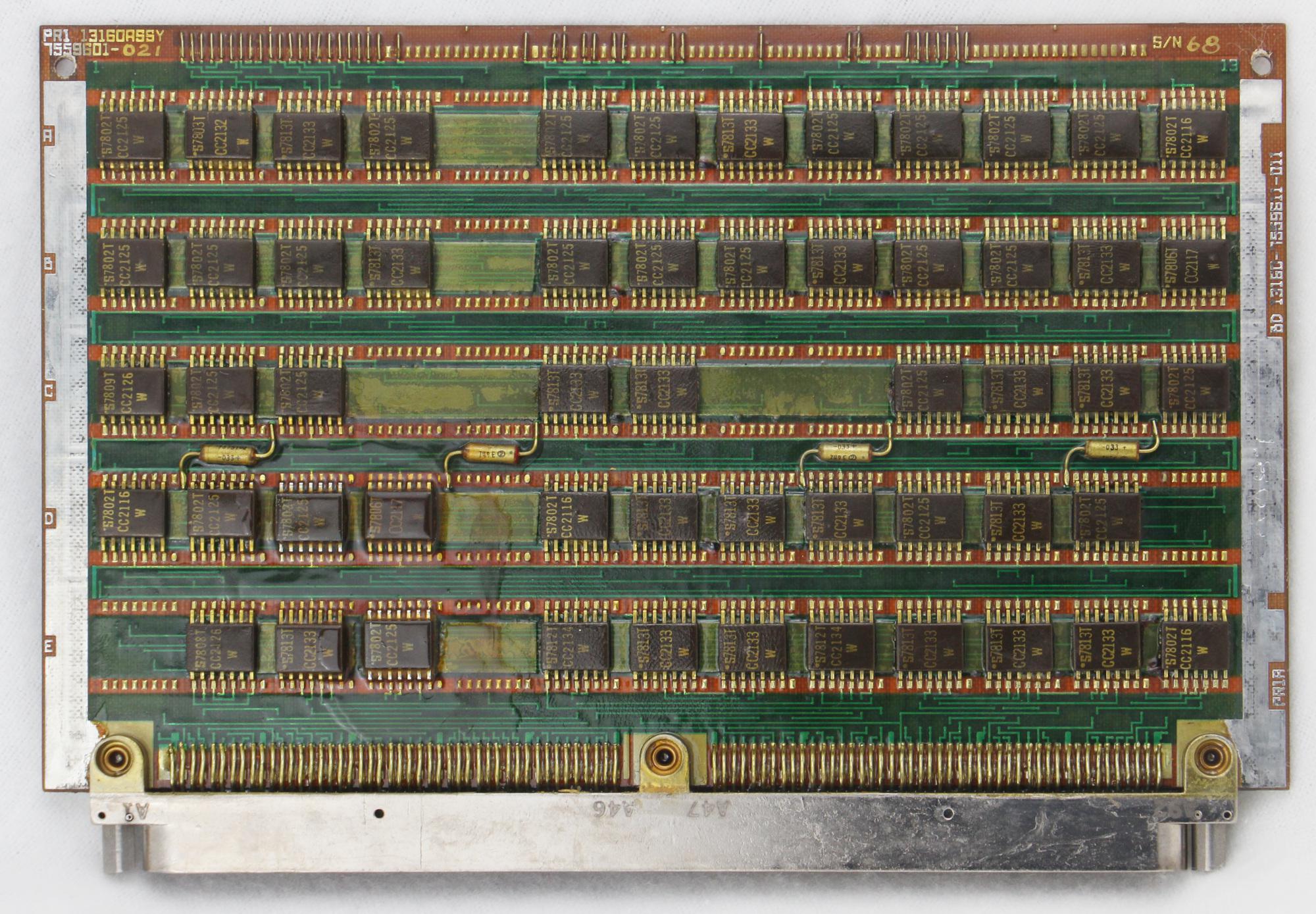
Processor board PR1.
The boards are filled with TTL chips, probably MSI (medium-scale integration) chips such as counters, adders, or shift registers. Note that this computer does not contain a microprocessor chip, but has a processor built from simple building blocks. (In the 1970s, minicomputers were commonly built from boards of TTL chips.) From the part numbers on the chips, they appear to be manufactured by Signetics, in a CC2100 series. Unfortunately, even after extensive searching I couldn't find any documentation on these part numbers. (Please let me know if you have information on them.)
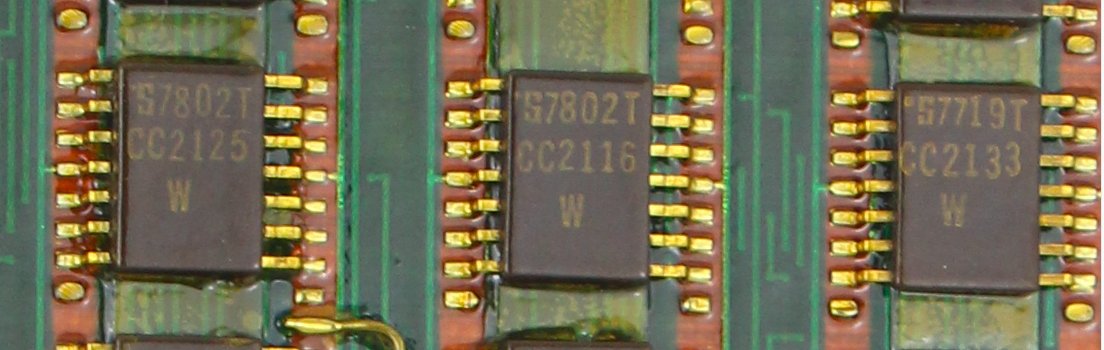
Some of the chips used by the computer. The PCB traces are visible in between the chips. The 7802 date code indicates they were manufactured the second week of 1978.
One interesting feature of the boards is they are keyed to ensure that a board can't be plugged into the wrong slot. The keying is implemented by splitting a hex nut in half. The circuit board and the backplane connector have matching halves, so the board can only be inserted into the right slot. There are six ways to split a hex nut corner-to-corner, and two hex nuts (one on the top and one on the bottom), making 36 possible keying combinations. The photo below shows part of the backplane with the boards removed so the connectors and half hex nuts are visible. Note that each connector has hex nuts at a different angle for the keying.
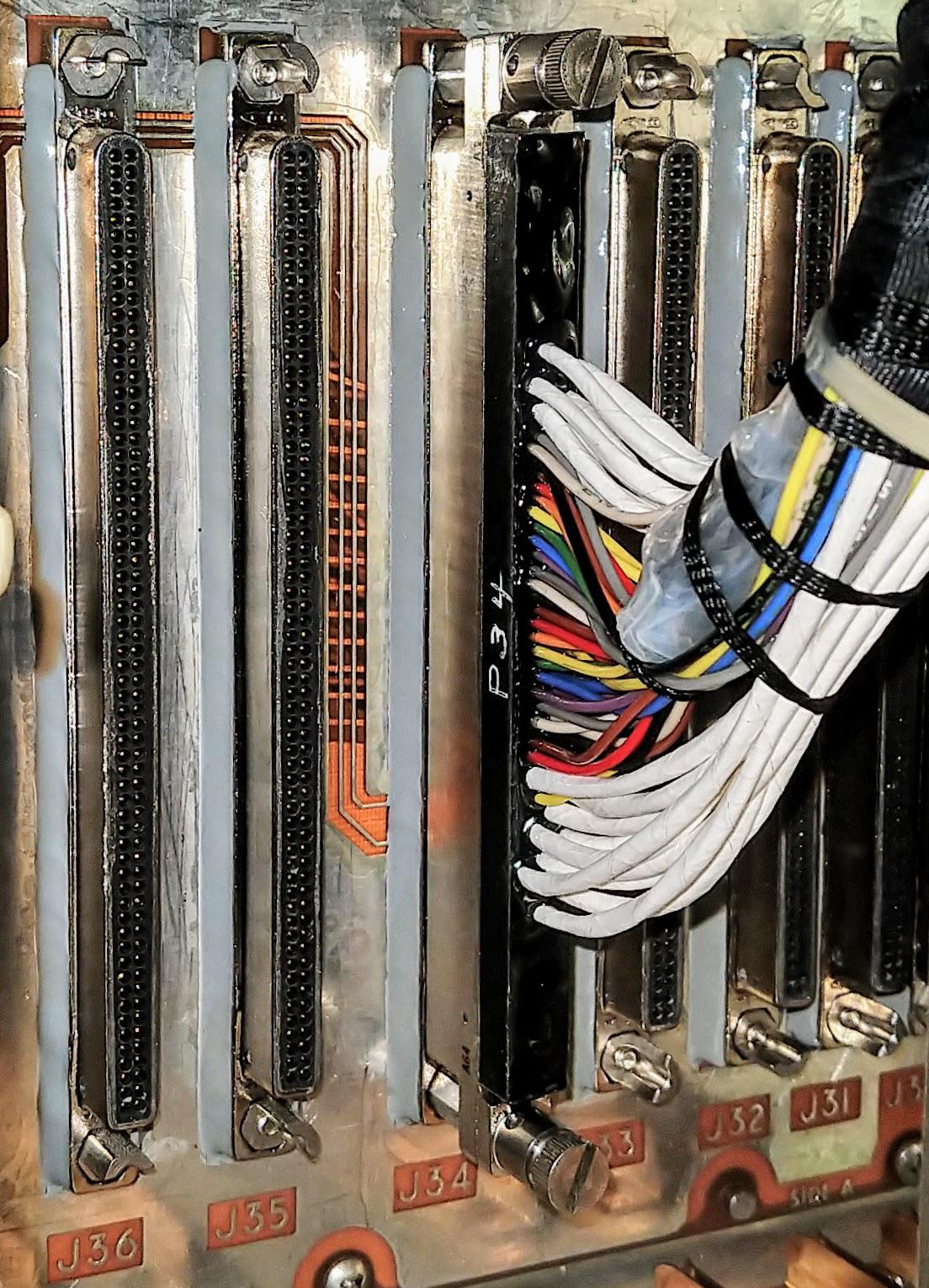
The half hex nuts fixed to the top and bottom of each connector are used to ensure each board is plugged into the right slot. Also note the cable of white and colored wires connecting the backplane to the external connectors on top of the computer. These slots are on the interface side of the computer.
Core memory8
This computer uses magnetic core memory for storage (in contrast to the earlier Titan ASC-15 computer, which used a rotating magnetic drum). Core memory was the dominant form of computer storage from the 1950s until it was replaced by semiconductor memory chips in the 1970s. Core memory was built from thousands of tiny ferrite rings called cores, with one bit stored in each core. A core was magnetized either clockwise or counterclockwise to store a value. Cores were arranged in a grid called a core plane; energizing a specific row wire and column wire selected the particular core where the two wires crossed.
The photo below shows a closeup of the tiny magnetic cores in the Titan computer. There are four wires through each core: the vertical and horizontal red wires form the grid to select a core. Two colorful horizontal wires pass through each core in the plane: the sense line (used for reading) and the inhibit line (used for writing). You can see these wires looping from row to row at the right.
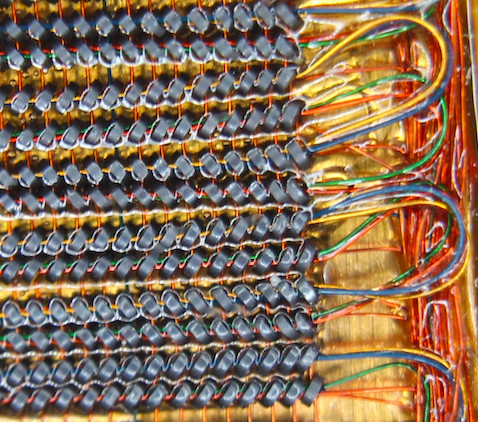
Closeup of the cores in a core plane. The cores appear glossy because they are covered in conformal coating.
In a core memory, multiple planes are stacked together, one plane for each bit in a word. In most computers, the core planes were welded or soldered together into a block, but the Titan computer's core memory was built with an unusual patented technique: the cores and the circuitry were mounted on a long flexible printed circuit board that was folded accordion-style. This construction technique allows a core memory module to be opened like a book to access the cores and circuitry.
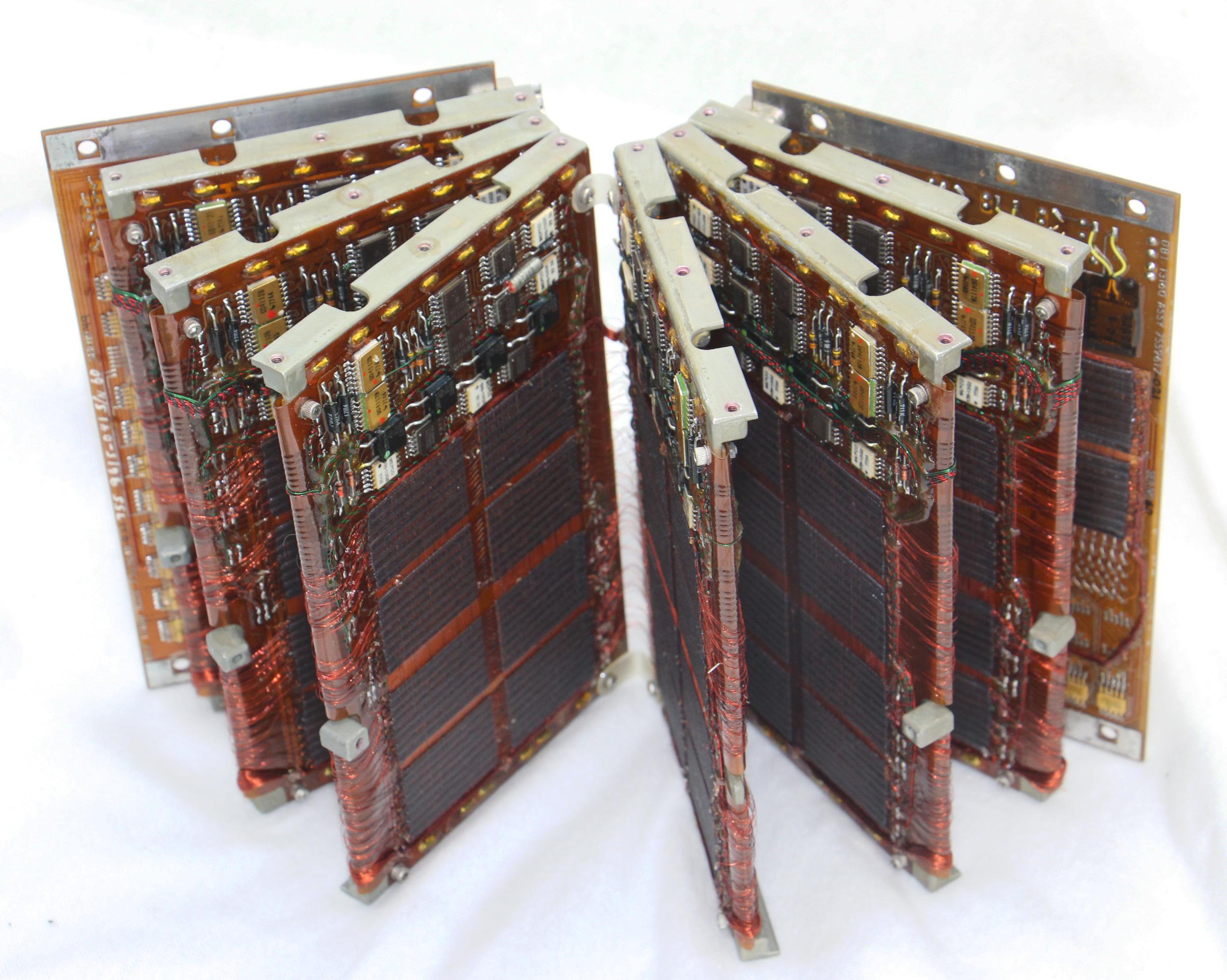
The core module unfolds like a book. The circuitry and core planes are on a flexible printed circuit board that is folded accordion-style and wrapped around metal carriers.
If you view the core memory module as a book, each "page" is constructed from a metal plate with the flexible printed circuit board wrapped over both sides. There are 6 of these "pages", so there are 12 core memory planes similar to the one below. Careful counting shows there are 128 horizontal wires and 128 vertical wires through the core plane, so there are 16,384 cores below. The 128 vertical wires are visible at the top and bottom, running loosely from plane to plane. Note that these are the delicate wires through the cores, passing continuously and unprotected through the entire set of core planes. The 128 horizontal core wires are gathered into bundles to run from plane to plane; the left bundle proceeds downward, and the right bundle proceeds upward.
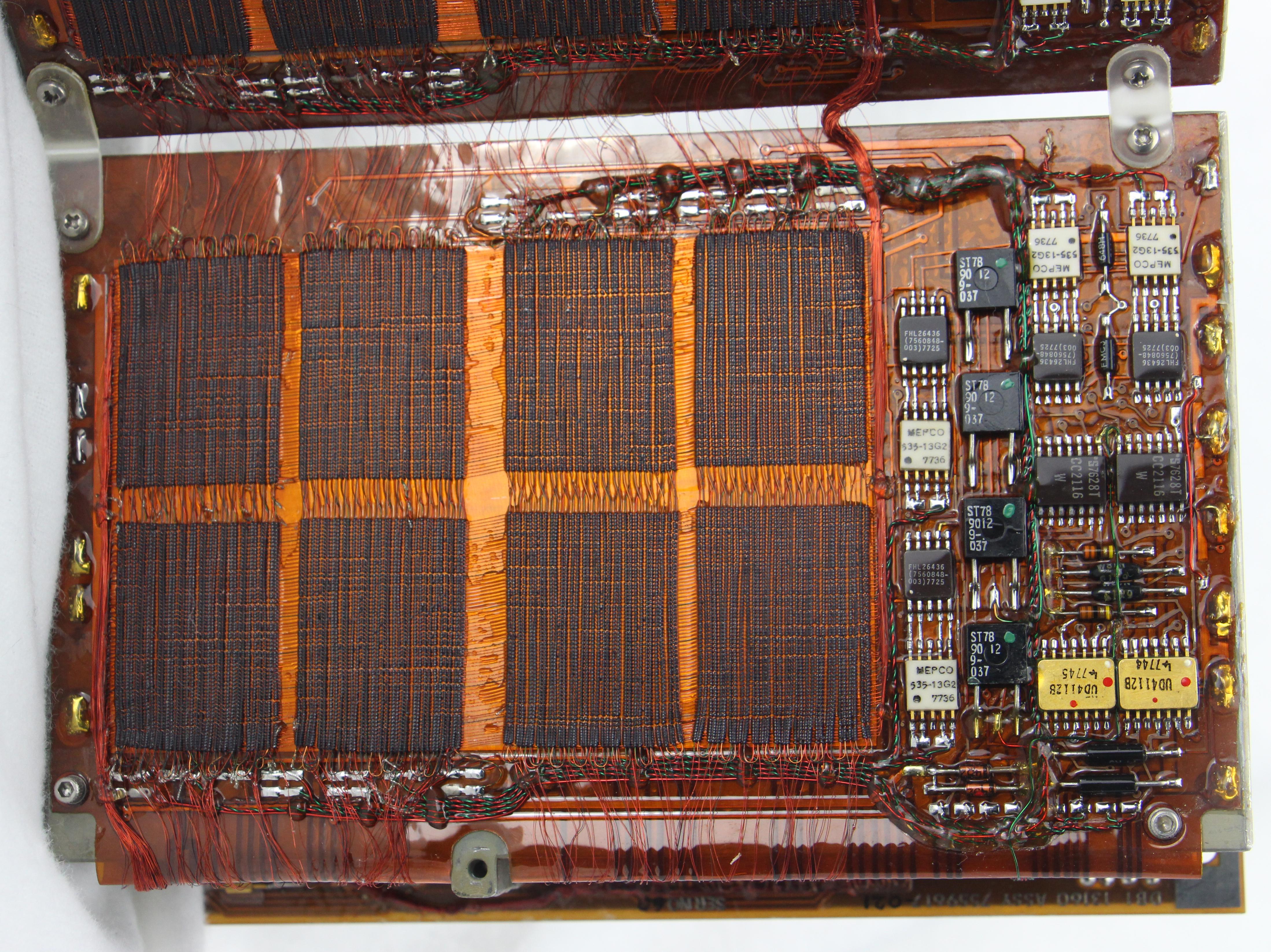
One plane in the core memory has 16,384 cores. It consists of eight smaller regions ("mats"); each mat has 32×64 cores.
To the right of the cores (above) is the circuitry to handle that plane. This circuitry includes sense amplifiers to read the signals from the core plane, and inhibit drivers for writing data to the plane. These integrated circuits are mounted on the same flexible PCB as the core planes.
The flexible printed circuit board is attached to standard rigid printed circuit boards at both ends; these boards form the outside of the module. The end boards also have connectors that plug into the backplane, providing the connection between the core modules and the computer. The photo below shows one of the end boards. Note that this board has just half the cores of a normal board.9 The reason is that this board holds the parity bit, while the other 12 planes each hold two bits. Thus, the complete module holds words of 24 bits plus one parity bit, with 8192 words in the module. The computer has two core modules, so it holds a total of 16K words.10
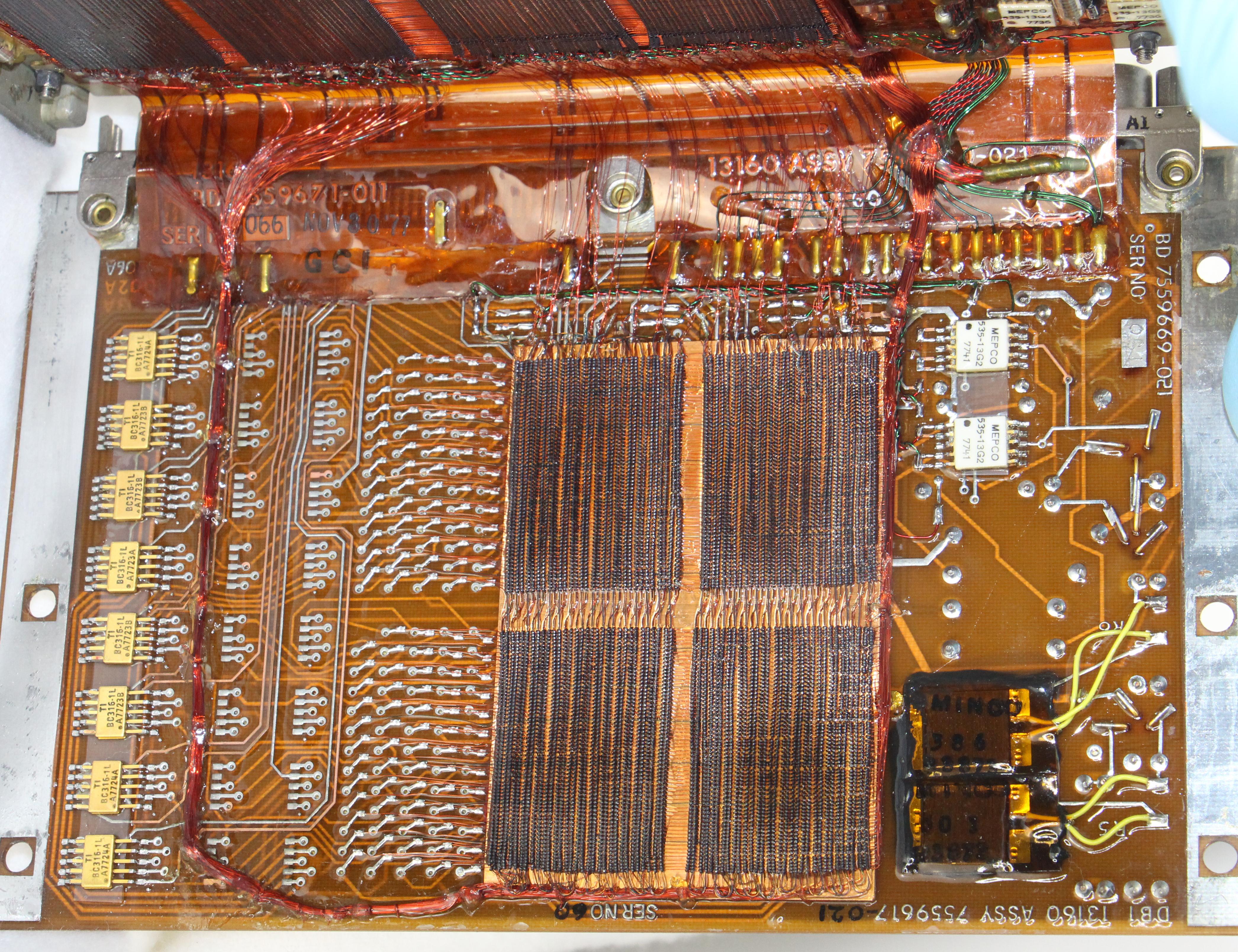
This board at the end of the core module has half of the regular core plane. Note the numerous connections to the left of the core; the 128 horizontal wires are connected to the circuit board here. The packages at the far left each hold 8 diodes.
The interface circuitry
Turning the computer around reveals the circuit boards behind the back panel. These interface boards are wired to the connectors on top of the computer. Through these interfaces, the computer receives velocity and attitude pulses from the inertial measurement unit (IMU). The computer sends analog control signals to various actuators, as well as discrete (binary) signals to other parts of the rocket for thrusters, staging, and other functions. On the left is the power supply. The power supply receives power from the rocket through the connector on top of the computer and the cable to the power supply.

Cards in the back of the computer provide interfaces between the computer and external components. Each card has a three-letter code on it, but the meanings are unknown. The cables between the backplane and the connectors on top of the computer are behind the indicated supports.
In contrast to the digital boards, which all appear similar, the interface boards have a wide variety of circuits. The CTL, MUI, and ADL boards are covered in TTL chips, similar to the boards in the digital section. The rest of the interface boards, however, are crammed with analog components such as transistors, capacitors, resistors, diodes, and hybrid modules, along with a few TTL chips. The interface boards have the analog components on the front only (probably because there isn't enough clearance on the back) and usually a few TTL integrated circuits on the back. I traced out some of the circuitry on the "AGO" board below and found 18 current-controlled outputs connected to TTL interface chips in the middle of the board. This board probably provides binary "discrete" outputs.
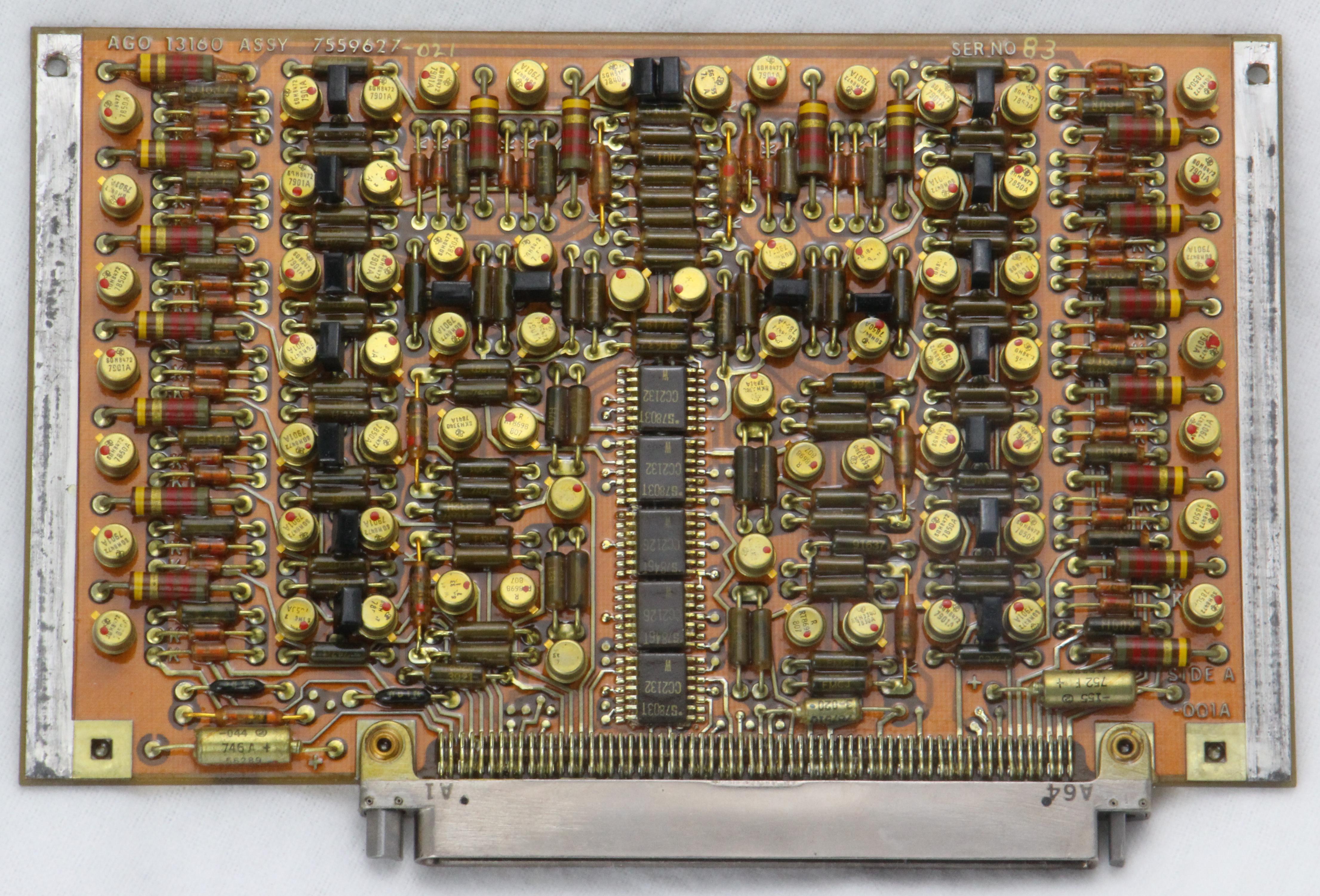
The AGO interface board; the "AGO" label is at the top left. Note the different keying on the half-nuts on either side of the connector.
The VMX board below has four mysterious 6-pin black hybrid modules along with numerous large capacitors. It's unclear what function this board has, or why it needs so many capacitors.
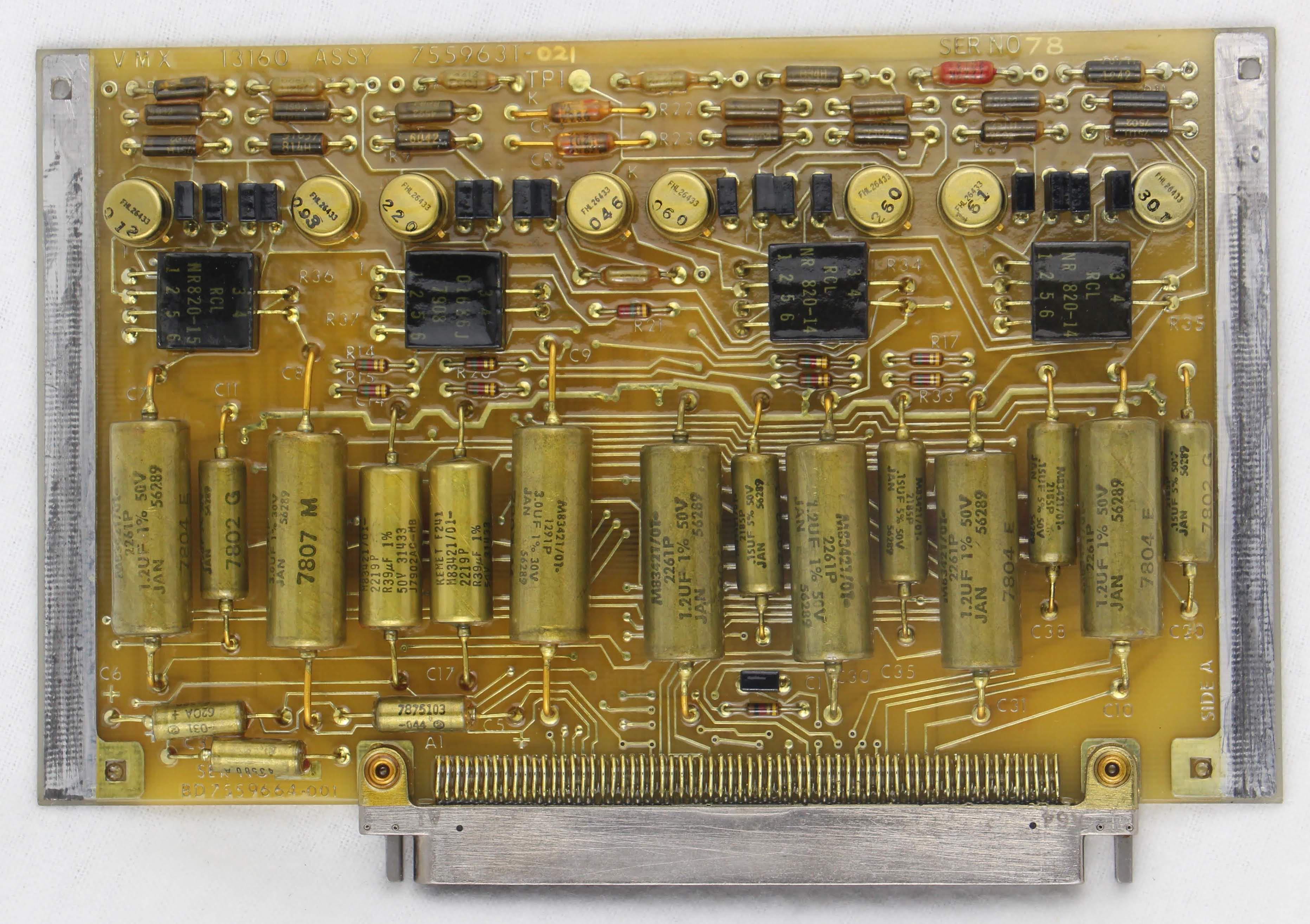
The VMX interface board. Like the other boards, it is covered with a thick conformal coating. The connector at the bottom is much narrower than the connectors on the digital boards.
The CON board uses hybrid modules including a large red "Angstrohm" module that has hand-lettered labeling on it.
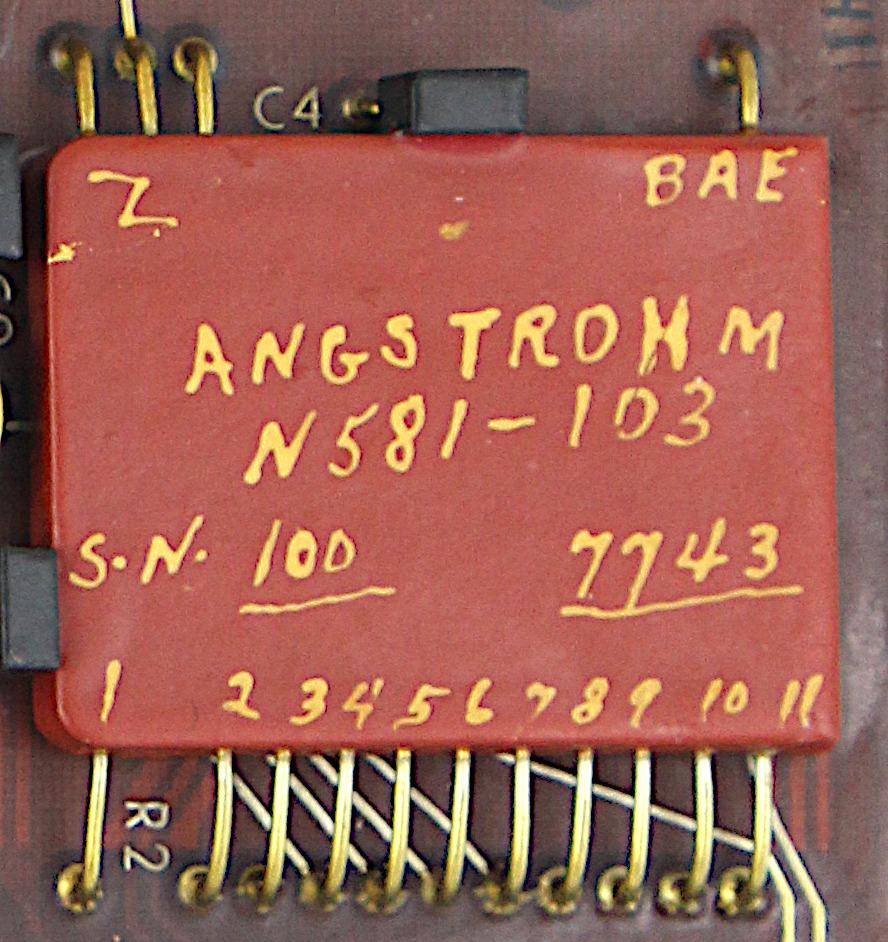
The "Angstrohm" module has 11 numbered pins, 3 "Z" pins, and a "BAE" pin.
Power supply
The computer uses a switching power supply to efficiently convert the missile's power (probably 28 volts) to the voltages required by the computer. The power supply is surprisingly heavy, about 15 pounds. Much of the weight is probably metal needed to dissipate heat since there is no fan.

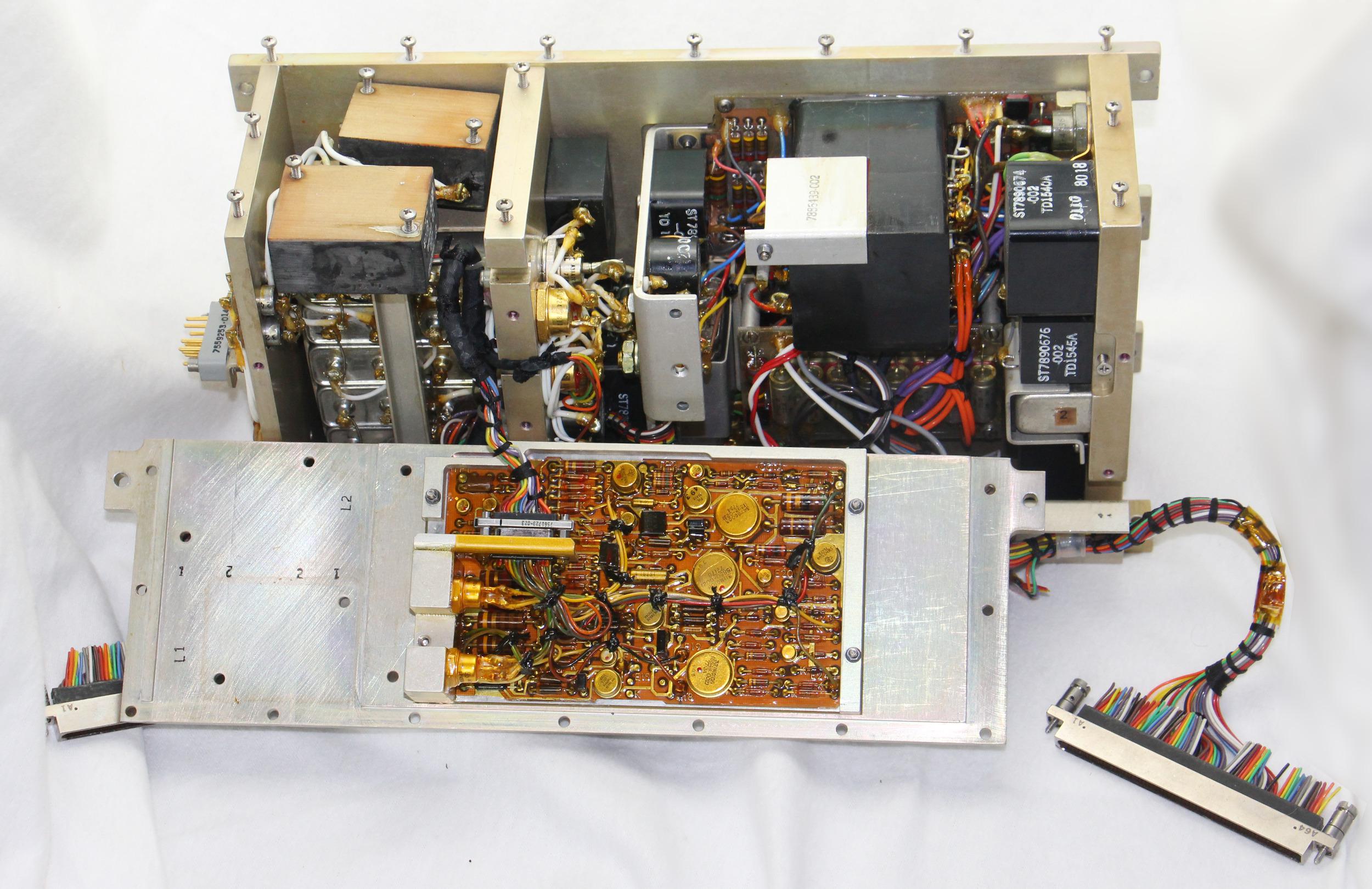
The switching power supply used by the computer. The two cable connectors provide power to the digital and interface sides of the computer. The power supply receives electricity through the connector on the front.
Inside, the power supply is packed with inductors and transformers, power transistors, and circuit boards. A stack of filter capacitors in large metal cans is visible at the left in the photo below. The inductors and transformers don't look like the inductors in commercial power supplies, but are black blocks.
The switching power supply used by the computer.
Several circuit boards control the power supply. They use metal-can integrated circuits, unlike the integrated circuits in commercial power supplies. The part numbers on these integrated circuits didn't turn up anything useful so they may be custom military parts. The boards are covered with a conformal coating to protect them against humidity and other threats. The conformal coating gives a shiny golden color to the integrated circuits.
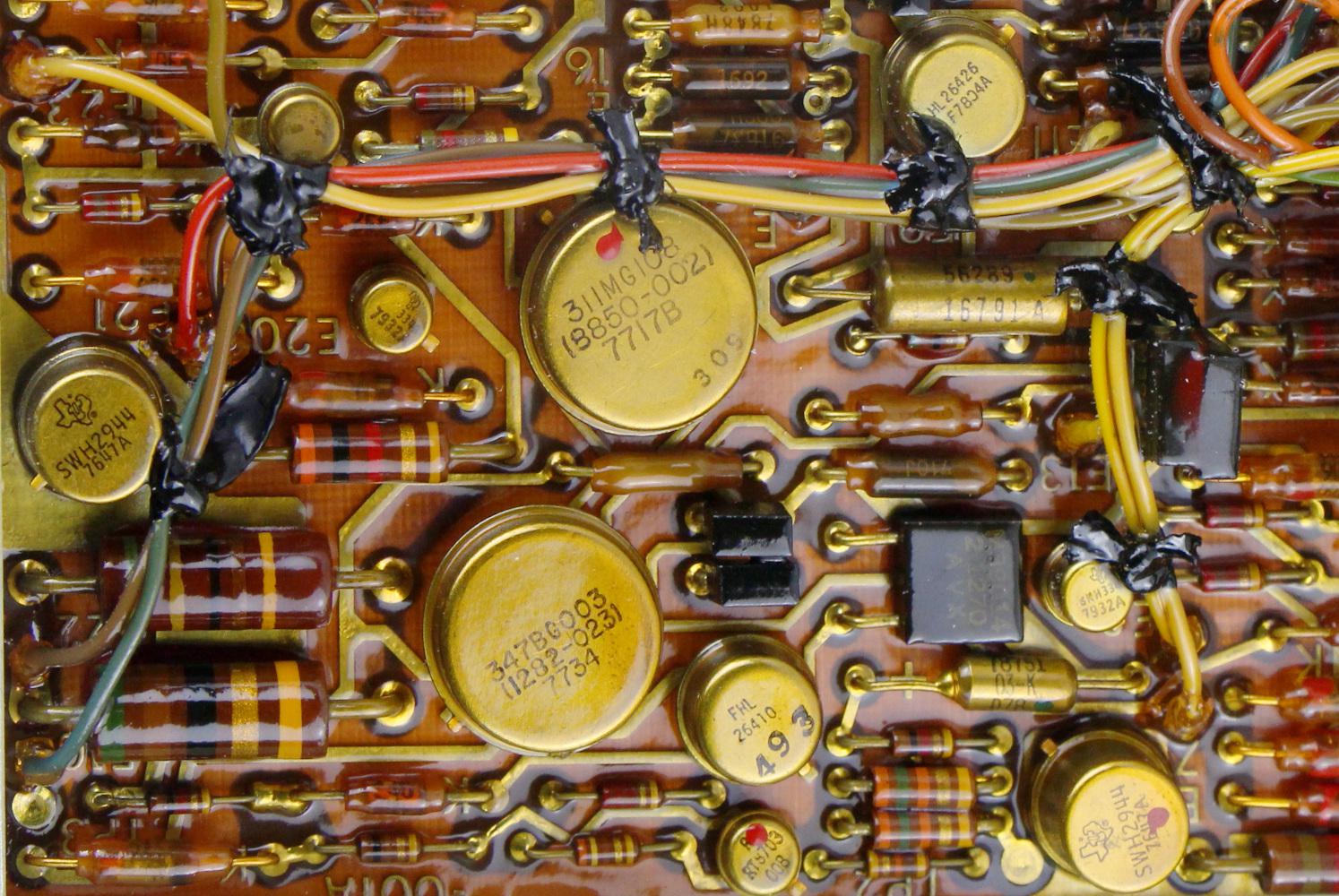
Closeup of a board in the power supply.
The power supply probably generates 5 volts for the TTL chips, along with a higher voltage to drive the core memory, and multiple voltages for the interface circuits.
History and background
In this section, I summarize the complex history of the Titan missile and rocket, and its various guidance computers. The Titan missile, deployed from 1959 to 1987 was the largest ICBM deployed by the United States and delivered a 9 megaton nuclear bomb. To get a sense of how large the Titan was, the currently-deployed Minuteman missile weighs a third as much and its warhead has 1/25 the yield.
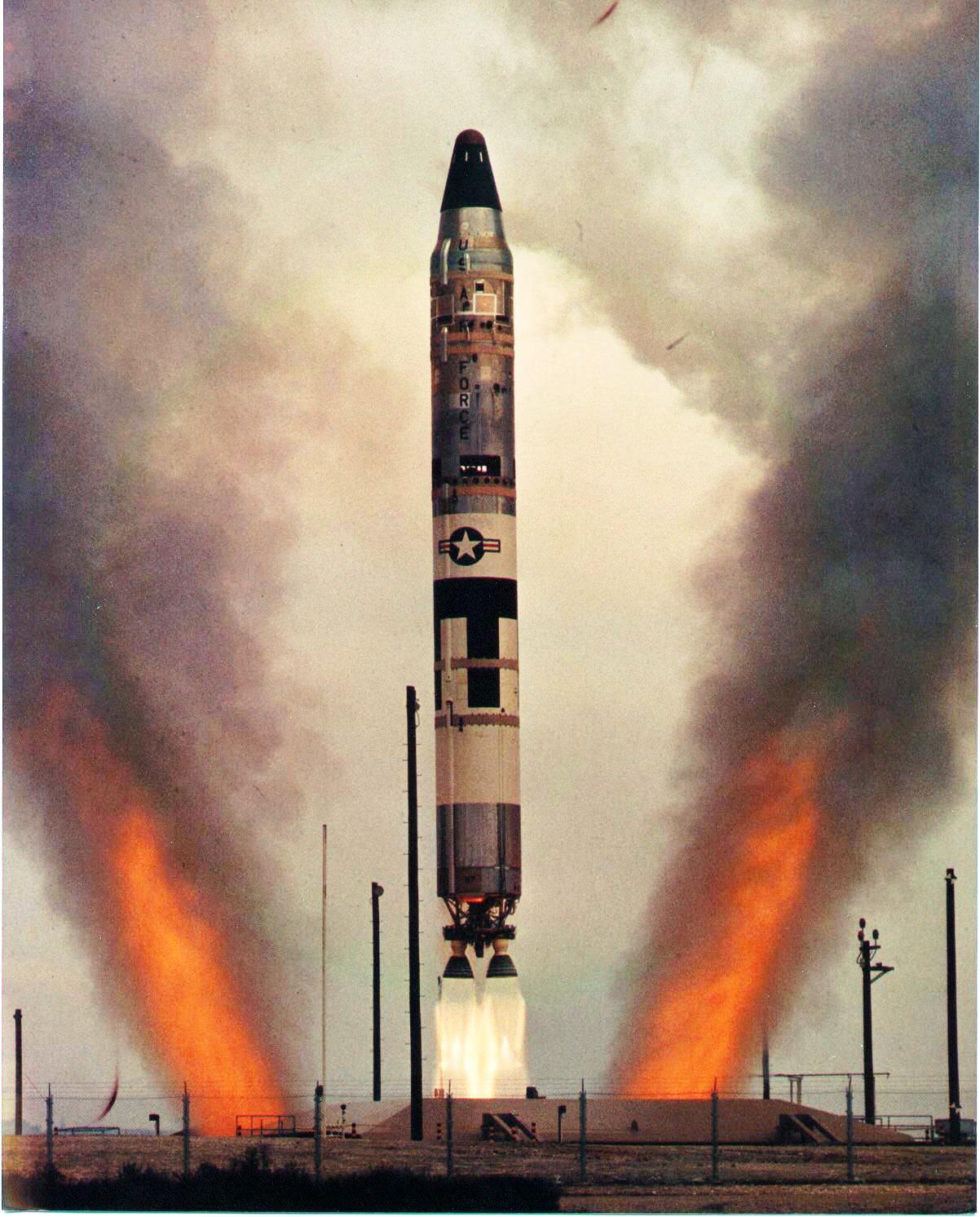
For much of its life, the Titan II's guidance computer was the IBM ASC-15 (Advance System Controller), dating to 1962. This was a 27-bit serial, transistor-based computer using discrete components in welded encapsulated modules. For storage, it used a rotating magnetic drum that held 3,840 words. This computer was used on the Titan II and Titan III, as well as the early Saturn I flights.11
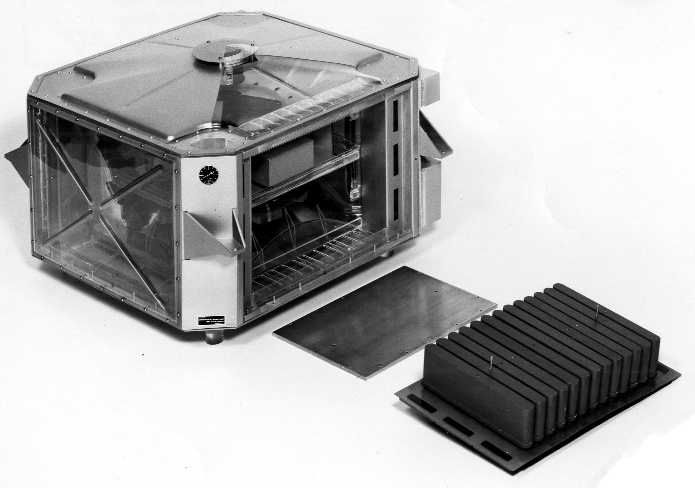
Around 1964, the Titan II missile was modified for use as a satellite launcher called the Titan III. The most visible change was the addition of two solid rocket boosters for many Titan III launches. The first Titan III flights continued to use the ASC-15 guidance computer, but the project switched to the Univac 1824M Digital Flight Control System. This computer was more powerful and able to handle flight control as well as guidance and navigation. It first flew on Titan IIIC on Feb 9, 1969. However, the Univac 1824 project ended in 1969 due to cost and schedule over-runs.
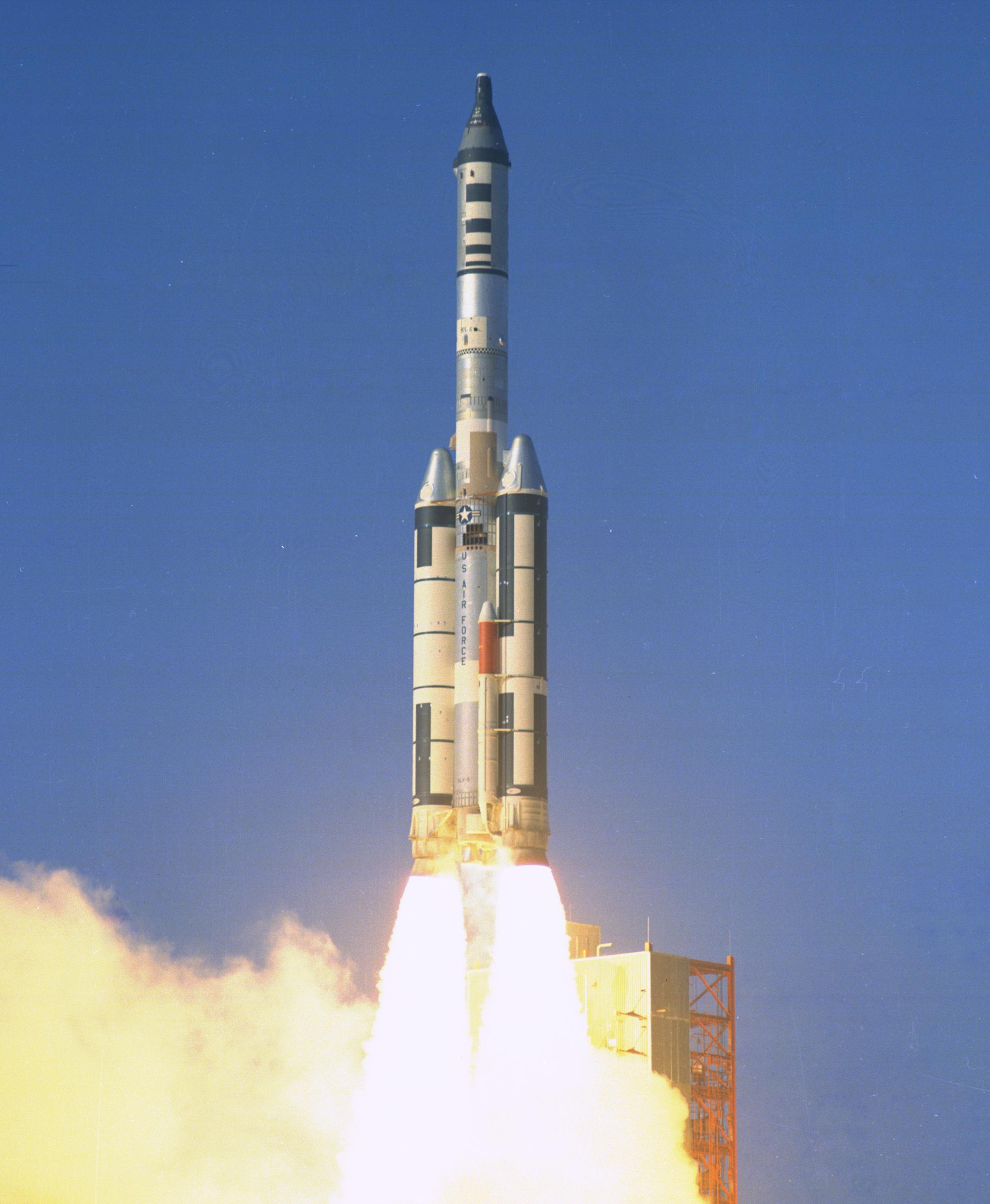
Titan IIIC launch with an unmanned Gemini capsule, as part of the MOL project (1966). Photo from NASA.

Meanwhile, the AC Spark Plug division of General Motors developed the Magic family of computers for airborne guidance starting in 1962; I wrote a detailed article on the Magic computers. Delco used some of these computers in an inertial measurement unit (IMU) guidance system called the Delco Carousel.12 The Carousel IV was a popular navigation system, used on commercial planes including the 747, 707, and DC-8. The Carousel IV used the Magic 311 computer (1967) and then the Magic 351 computer (1970).
The Carousel IV navigation system (with the Magic 351 computer) was turned into a military navigation system called the Carousel V, using the Magic 352 missile guidance computer (MGC). (This is the computer I examined in this blog post.) For space use, this system became the Universal Space Guidance System (USGS). The Titan IIIC rocket switched from the Univac computer to the USGS, first flying with it on December 13, 1973 (details). After its use on the Titan III, the USGS system was retrofitted onto the Titan II missile, replacing the obsolete ASC-15 (details) in a project called RIVET HAWK (1975-1976).
To summarize, the Titan program used several different computers as techology advanced, ending up with the computer I examined in the 1970s.
Conclusion
Aerospace computers are mostly ignored in computer histories, even though they used a lot of innovative technologies. This Titan missile, for instance, computer used flexible PCBs in its core memories. It also had surface-mounted integrated circuits, years before they were common in commercial electronics. Building computers out of TTL chips became a technological dead end, however, as the capabilities of CMOS integrated circuits increased exponentially, following Moore's law.
You can see photos of the full set of boards here; the interface boards are worth examining due to their varied circuitry. I announce my latest blog posts on Twitter, so follow me @kenshirriff for future articles. I also have an RSS feed. Thanks to Steve Jurvetson. for supplying the computer.