Apple's Safari browser includes a feature that allows users to subscribe to "push" notifications from any website. Pushes show up as notification badges on the top right of your screen and can be used to be instantly notified when there are new MacRumors stories.
If you have any questions or problems, email support@macrumors.com.
To Subscribe or Unsubscribe
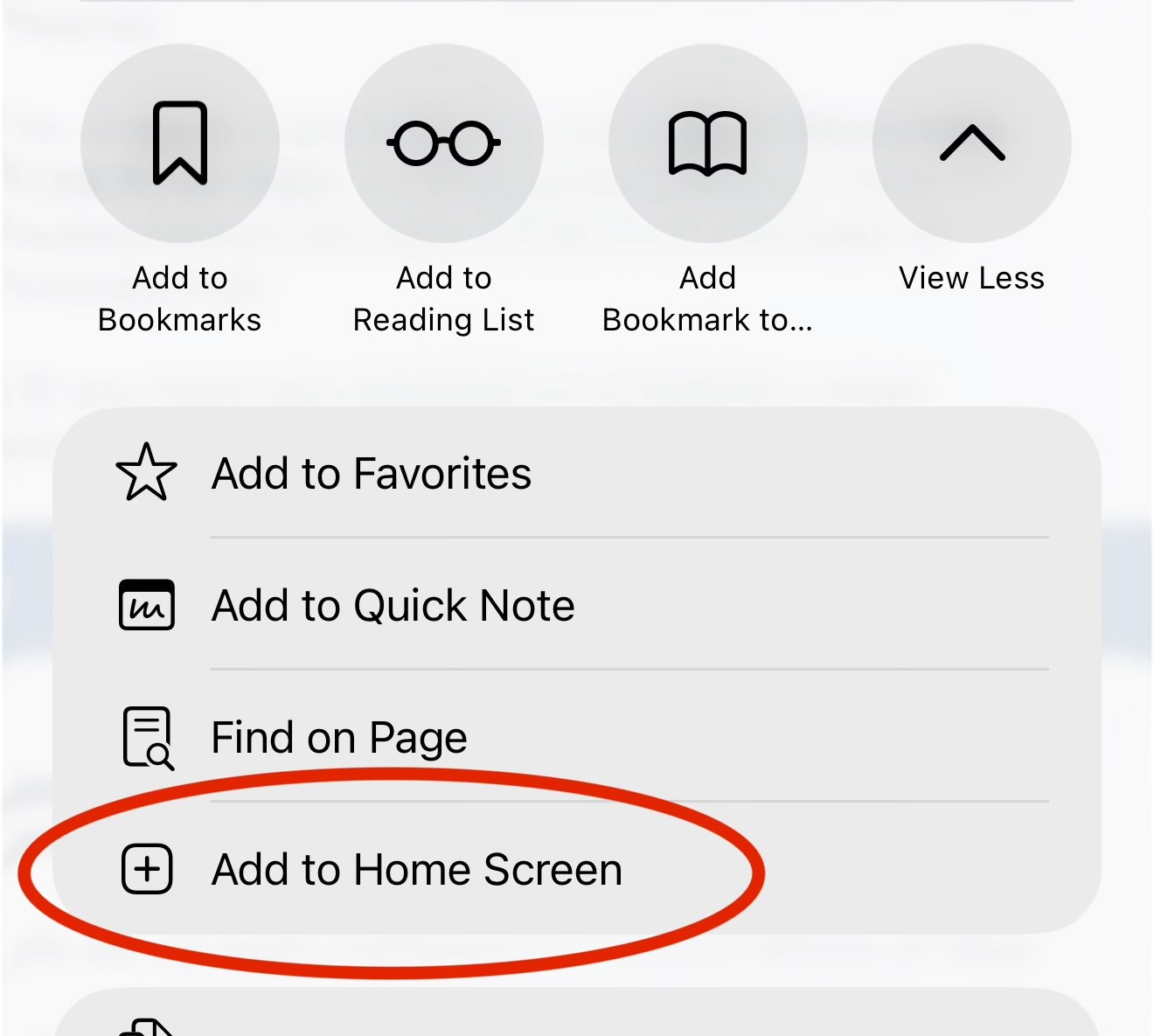
Web push notifications on iOS require adding MacRumors to your Home Screen.
To set up push notifications on your iPhone or iPad:
1. Tap the Share button in Safari (the square with an arrow pointing up).
2. Scroll down and tap "Add to Home Screen".
3. Open MacRumors from your Home Screen.
4. You will be prompted to allow notifications.
Requires iOS 16.4 or later and Safari.
To turn MacRumors push notifications on or off on iOS:
1. Open the Settings app on your iPhone or iPad.
2. Tap Notifications.
3. Scroll down and tap MacRumors.
4. Toggle Allow Notifications on or off.