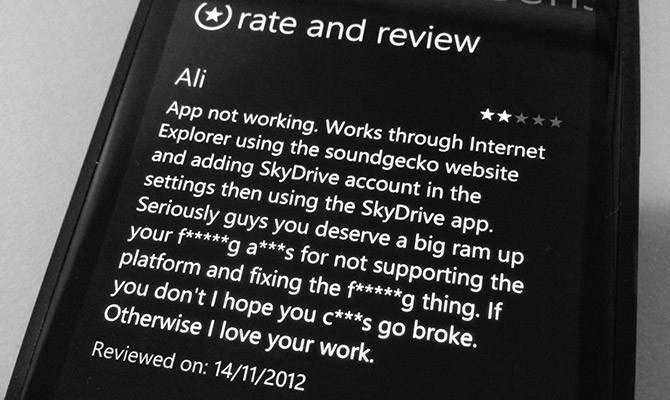
With app reviews like the one above, it was pretty obvious my startup’s Windows Phone application wasn’t working. But why it wasn’t working has baffled us, Nokia’s technical experts and Microsoft’s Windows Phone developer evangelists up until just a few days ago when we finally got to the bottom of it: a Windows Phone Store bug.
The SoundGecko Windows Phone app launched with a little bit of fanfare in mid-September as a result of user requests and, well, my own demand.
It wasn’t always apparent that the app had a huge breaking issue because the apps deployed to our testing phones through Visual Studio worked perfectly. And the fact that it passed through the otherwise-extremely-strict Windows Phone Store certification process (several times), there was no reason to doubt their seal of approval.
When we started getting in emails by the horde about why it wasn’t working, I started investigating. The application on Windows Phone 7 would launch and navigate, but when you tried to play the audio, it would not. It wasn’t until much later we found out it crashed at launch for Windows Phone 8.
After several dozen emails to Nokia, Microsoft Australia and Microsoft US, they could all reproduce the issue but no one had any idea why. No one really seemed to care either – why fix one app when you can get 100 new apps by running a competition?
It was only after I ran into a few friends on the Windows Phone team at BUILD 2012 last month that someone actually committed to helping us fixing the issue, instead of sweeping it under the carpet. Only this week they identified a potential issue – “a bug in the store pipeline“. Yikes.
The actual problem as it turns out is that “background audio” is not properly detected by the Windows Phone Store’s “capabilities detector”. As a security measure, this process exists to overwrite the declared app capabilities by the developer (in the manifest) by analysing the source code of the app submitted to the Store. The problem is it hasn’t worked correctly since 2011 it seems.
The capability “ID_CAP_MEDIALIB” is necessary for our app to function, but the capabilities detector never figures that out. The workaround is to add a single line of arbitrary code, code that has no use to our app, that the detector will identify and add the required capability. For shits and giggles, it is:
Five days later, today, with an app store review of 1 star in several markets, the update with the workaround was finally approved by certification (what the hell were they testing before). The working app is now in the Store.
For the several thousands users who have so far downloaded the Windows Phone app, I’m sorry for any inconveniences caused. I hope you’ll get the update, try the app again and update your reviews.