Extras
Get the most out of Fancy Hands with these extras. It’s not required but is suggested to make the most of your subscription.
Google Calendar
Trello
Delegate to us directly from Trello
You've got a list of everything that needs to get done inside of Trello. Sync your Trello account with Fancy Hands and let us do some of those things.
THE WAY IT WORKS IS SIMPLE:
- Add us to your project. - (fancy_hands) - [email protected] How?
- Pick tasks that you don't want to do.
- Assign those tasks to Fancy Hands.
- Relax as your assistants complete your tasks.
Sign In with Google Sign In with Facebook
How do I invite Fancy Hands?
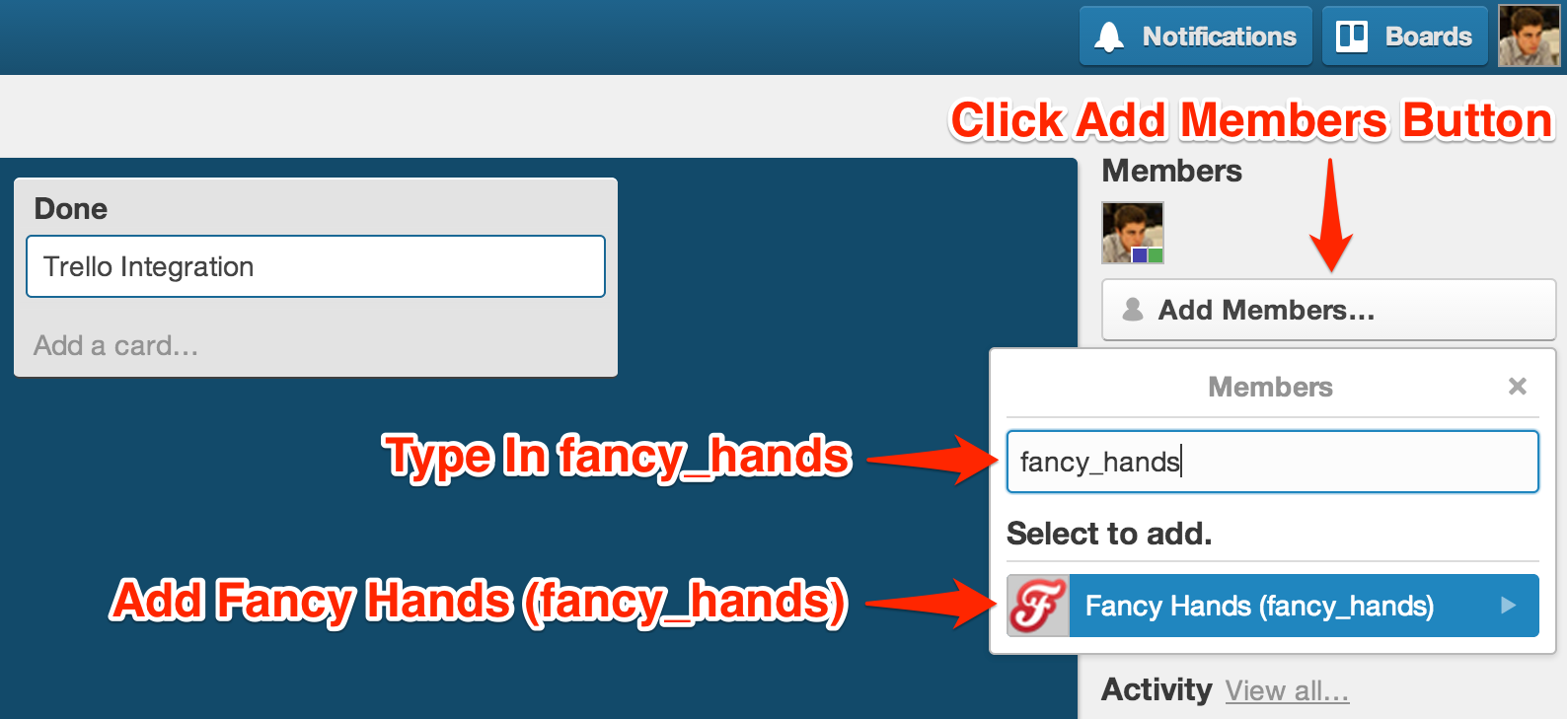
From the board sidebar, click the "Add Members" button and then add fancy_hands
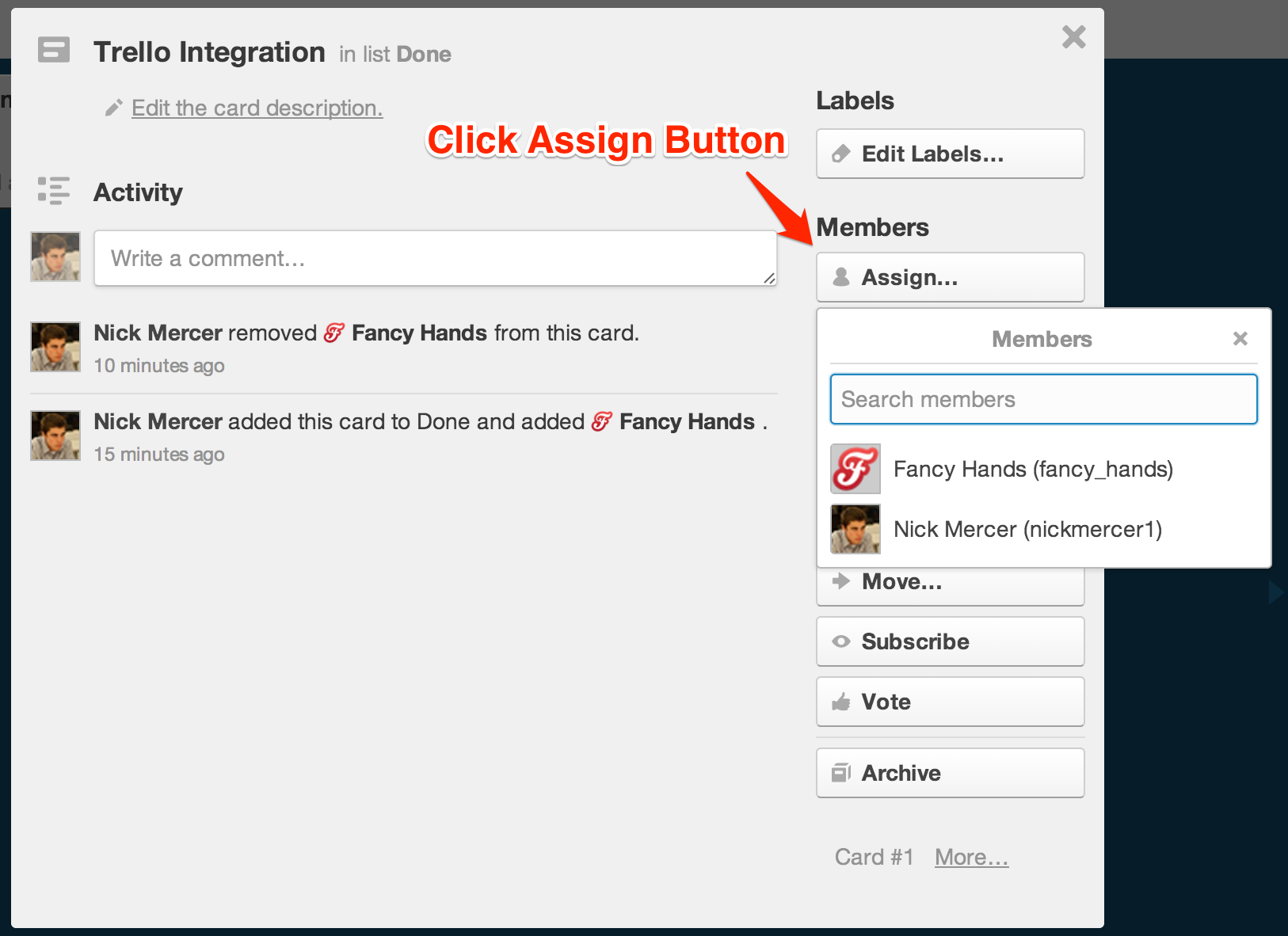
Pick a card to assign to Fancy Hands and click the Assign button.
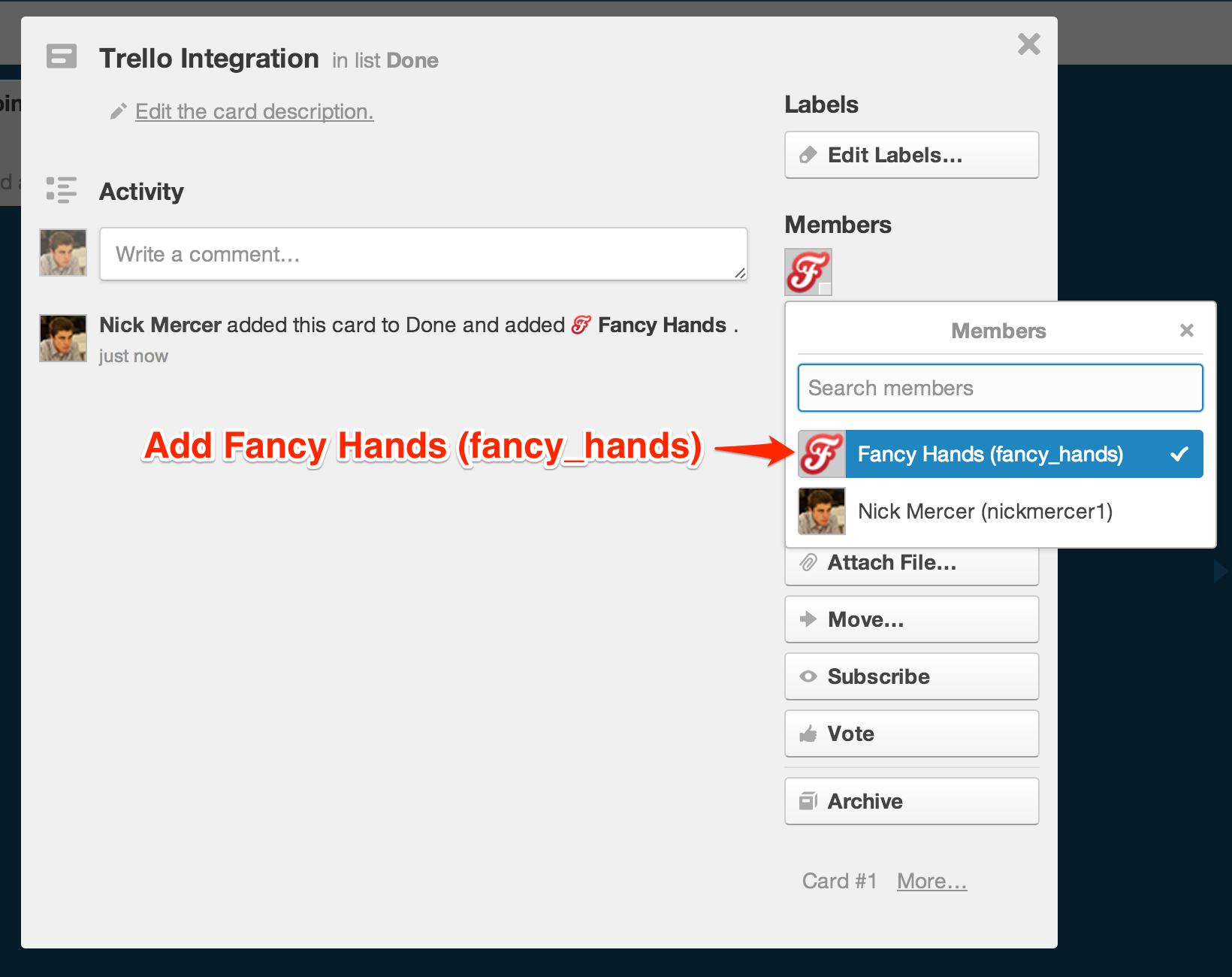
Add Fancy Hands (fancy_hands) to the card.
Looking Ahead
Personal Touch
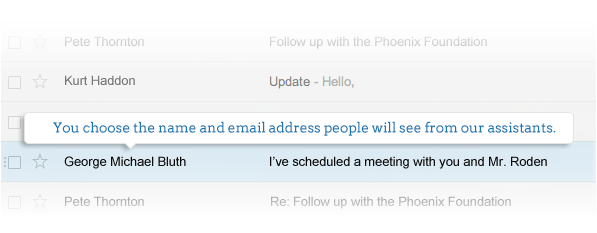
As a member of Fancy Hands, you're always supported by a team of assistants, but with our Personal Touch feature, you can give the whole team one name. You can set up a custom email address so it appears you're always working with one assistant. This allows you to say in an email, for example, "I've cc'ed my assistant, George, who will schedule this meeting for us." This is less confusing for everyone instead of you saying, "I've cc'ed my awesome team of assistants at Fancy Hands."
Once you set the Personal Touch feature up, all of our assistants will use that specific email address and name whenever reaching out to third parties on your behalf.
Looking Ahead is an email that we'll send you that helps you plan the days and week ahead. It's got your calendar, stats, tips, and suggestions for things that we can take off your plate. If you don't want it at all, simply click the unsubscribe link when it arrives.