Flagship Tablet Display Technology Shoot-Out
Amazon Kindle Fire HDX 8.9�� �� Apple iPad Air� �� Google Nexus 10
Dr. Raymond M. Soneira
President, DisplayMate Technologies Corporation
Copyright � 1990-2013 by DisplayMate Technologies Corporation. All Rights Reserved.
This article, or any part thereof, may not be copied, reproduced, mirrored, distributed or incorporated
into any other work without the prior written permission of DisplayMate Technologies Corporation
|
|
|
|
|
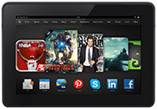
Amazon Kindle Fire HDX 8.9 |
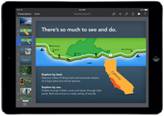
Apple iPad Air |
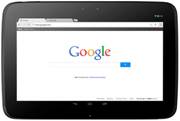
Nexus 10 (2012) |
Introduction
A new generation of full-size Flagship Tablets has just started with the near simultaneous launch of the Apple iPad Air and Amazon Kindle Fire HDX 8.9. They both have top-of-the-line and state-of-the-art displays that have been significantly improved (in different ways) from the 2012 models. The Google Nexus 10 is another innovative Flagship Tablet that launched at the beginning of November 2012, so it�s now a bit overdue for an annual makeover, which is rumored to be happening sometime during November 2013. We�ve included it here even though it�s at the end of its product cycle because it has been a leader in this class, and will illustrate the changes in Tablet displays that have taken place in just the last year. When the new 2013 Nexus 10 launches we will update this Flagship Shoot-Out.
These are all full size Tablets that have 9 to10 inch displays, each with 3 to 4 Mega Pixels, and around 300 Pixels Per Inch PPI. At normal viewing distances a person with 20/20 Vision can�t resolve the individual pixels, so the displays will appear to be perfectly sharp. 2012 was the year of high PPI Tablets, with Apple bringing its �Retina Display� to the iPad, and Google later introducing its even higher 4 Mega Pixel Nexus 10.
With sharpness taken care of (for now), there are many other equally important and even more challenging issues for Tablets displays:
1. Picture quality as good or better than your HDTV.
2. Excellent true color accuracy and accurate image contrast for high fidelity images of all viewed content.
3. Improved screen performance in high ambient light since Tablets aren�t used in the dark.
We�ll cover these issues and much more, with in-depth comprehensive display tests, measurements and analysis that you will find nowhere else.
Amazon provided DisplayMate Technologies with a pre-release production unit of the Kindle Fire HDX 8.9 to test and analyze for this Display Technology Shoot-Out article.
To examine the display performance of the Amazon Kindle Fire HDX 8.9, the Apple iPad Air, and Google Nexus 10 we ran our in-depth series of Mobile Display Technology Shoot-Out Lab tests. We take display quality very seriously and provide in-depth objective analysis side-by-side comparisons based on detailed laboratory measurements and extensive viewing tests with both test patterns and test images. To see how far mobile displays have progressed in just three years see our 2010 Smartphone Display Shoot-Out and 2011 Tablet Display Shoot-Out, and for a real history lesson see our original 2006 Smartphone Display Shoot-Out.
Results Highlights
In this Results section we provide Highlights of the comprehensive Lab measurements and extensive side-by-side visual comparisons using test photos, test images and test patterns that are presented below. The Comparison Table section summarizes the Lab measurements in the following categories:� Screen Reflections,� Brightness and Contrast,� Colors and Intensities,� Viewing Angles,� Display White Spectrum,� Display Power Consumption, Running Time on Battery. You can also skip the Highlights and go directly to the Conclusions.
Overview of the Kindle Fire HDX 8.9
The Kindle Fire HDX 8.9 is Amazon�s 3rd generation LCD Tablet, and their displays have been improving by leaps and bounds since we first tested them back in 2011. The new Kindle Fire HDX 8.9 has now jumped into the impressive category as the best performing Tablet display we have ever tested. It has very high brightness, very low Reflectance, excellent high ambient light performance, and excellent factory calibration with the best Absolute Color Accuracy and accurate Image Contrast. More on these topics below. The most important and impressive under the hood improvement is the use of the highest performance LCDs with Low Temperature Poly Silicon LTPS, the same technology used in the iPhone 4 and 5, but on the Kindle with more than 5 times the screen area � the largest LTPS on a mobile display. The backlight has White LEDs, and its LTPS display has 30 percent higher power efficiency than the IGZO display in the iPad Air. More on these issues below.
Overview of the iPad Air
The iPad Air has mostly incremental but still significant improvements over the excellent 3rd and 4th generation iPad displays. Compared to the 4th generation, the screen Reflectance decreased by 23 percent, the Peak Brightness increased by 7 percent, and the Contrast Rating for High Ambient Light increased by 32 percent � all good. Absolute Color Accuracy and Image Contrast fidelity are both very good (but somewhat below the Kindle Fire) and are discussed in detail below. The emphasis for the iPad Air is in reduced size, thickness, and weight. The most important under the hood display improvement is the switch from a-Si amorphous Silicon LCDs up to a much higher performance IGZO LCD backplane, which was discussed in our iPad 3 Display Shoot-Out article last year. The switch to IGZO produces an impressive 57 percent improvement in display power efficiency from previous Retina Display iPads � so the iPad Air doesn�t get uncomfortably warm like the earlier iPads. More on these issues below.
Overview of the Google Nexus 10
Although now close to the end of its product cycle, the Google Nexus 10 is a very innovative Tablet introduced in November 2012. It was the first mainstream Tablet to deliver an impressive 2560x1600 display resolution, the highest at the time. But its Color Gamut is on the small side, comparable to the older iPad 2, iPad mini, Microsoft Surface RT, and many other Tablets up to that time. As a result it has never been a good choice when color accuracy is important. And like the Nexus 7 (2012 and 2013) it has a non-standard Intensity Scale that reduces precious Image Contrast and introduces additional color errors in the display. Hopefully, Google has been reading these Shoot-Outs and the 2013 Nexus 10 will correct them. More on these issues below. When the new 2013 Nexus 10 launches we will update this article.
Display Sharpness
As expected, all of these Flagship displays were incredibly and impressively razor sharp, especially noticeable with text and graphics. The iPad Air actually has the lowest pixel resolution and PPI of these Flagship Tablets, but that is perfectly fine for all normal applications and normal viewing because Apple�s Retina Displays have PPIs high enough so that the pixels are not resolved with 20/20 Vision at normal viewing distances. Note that standard FHD 1920x1080 content will not appear sharper when upscaled to higher screen resolutions, and will instead actually degrade slightly due to the digital rescaling.
Display Brightness
All of these Flagship Tablets have fairly bright displays, with the Kindle Fire HDX 8.9 the brightest full size Tablet that we have measured so far in this Shoot-Out series, with an impressive Peak Brightness of 527 cd/m2 (sometimes called nits). Part of this is due to its high performance and high efficiency LTPS LCD display discussed above. The iPad Air has a very Good 449 cd/m2 and the Nexus 10 has a somewhat lower but still very good 398 cd/m2. Note that it is important to appropriately adjust the display brightness in order to preserve battery power and running time, and also to reduce eye strain from too bright a display. See the Brightness and Contrast section for details.
Accurate Factory Display Calibration
The raw LCD panel hardware first needs to be adjusted and calibrated at the factory with specialized firmware and software data that are downloaded into the device in order for the display to produce a usable image � let alone an accurate and beautiful one. This is actually a science but most manufacturers seem to treat it as if it were a modern art form, so few Tablets, Smartphones, and even HDTVs produce accurate high quality images. On the other hand, the Kindle Fire HDX 8.9 and iPad Air achieve their excellent picture quality and absolute accuracy through individual detailed factory calibrations of each and every display for both color and intensity scale, which we examine next�
Intensity Scale and Accurate Image Contrast
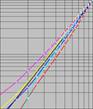
The Intensity Scale (sometimes called the Gray Scale) not only controls the contrast within all displayed images but it also controls how the Red, Green and Blue primary colors mix to produce all of the on-screen colors. So if the Intensity Scale doesn't follow the Standard that is used to produce virtually all consumer content then the colors and intensities will be wrong everywhere in all images. Unfortunately, many manufacturers are quite sloppy with the Intensity Scales on their displays. Fortunately, both Amazon and Apple have done an excellent job with the Intensity Scales on the Kindle Fire HDX 8.9 and iPad Air. Unfortunately, the Google Nexus 10 has a non-standard Intensity Scale that reduces precious Image Contrast and introduces additional color errors. See Figure 3 and the Colors and Intensities section for details.
Color Gamut
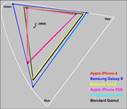
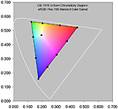
The Color Gamut is the range of colors that a display can produce. In order to show accurate on-screen colors the display must match the Standard sRGB/Rec.709 Color Gamut that is used to produce virtually all consumer content. Note that consumer content does not include colors outside of the Standard Gamut, so a display with a wider Color Gamut cannot show colors that aren't in the original and will only produce inaccurate exaggerated on-screen colors � so in this instance, bigger is not better. The measured Color Gamuts for the Flagship Tablets are shown in Figure 1. The Kindle Fire HDX 8.9 and iPad Air have Color Gamuts close to the sRGB/Rec.709 Standard, in the range of 105 to 108 percent. However, the 2012 Nexus 10 has a much smaller 58 percent Color Gamut, which is comparable to the older iPad 2, iPad mini, and Microsoft Surface RT. Compare the Color Gamuts in Figure 1 and in the Colors and Intensities section.
Absolute Color Accuracy
Getting very accurate screen image colors is very important and also very difficult because the display and calibration all need to be done really well at the factory. We have performed a set of detailed Lab spectroradiometer measurements of the Tablet displays to see how accurately they reproduce a set of 21 Reference Colors within the sRGB/Rec.709 Color Gamut. The Reference Colors and the colors actually reproduced by the Kindle Fire HDX 8.9 and iPad Air are shown in Figure 2. The Nexus 10 is not shown in the Figure because its small Color Gamut would result in very large errors within the plot.
The Color Accuracy Errors are examined in terms of JNCD (Just Noticeable Color Difference). The Kindle Fire has the best overall accuracy with an Average Error of 2.7 JNCD, which is Very Good. The iPad Air came in a close second at 3.2 JNCD, and the Nexus 10 came in a distant third with 8.2 JNCD. The Peak Color Accuracy Errors are much higher, particularly for the Nexus 10, at 29.4 JNCD. See Figure 2 for a discussion of JNCD with plots of the Reference Colors and the actually reproduced colors, and the Colors and Intensities section for the numerical results.
Screen Reflectance and Performance in High Ambient Lighting
The screens on almost all Tablets and Smartphones are mirrors good enough to use for personal grooming. Even in moderate ambient lighting the sharpness and colors can noticeably degrade from light reflected by the screen, especially objects like your face and any bright lighting behind you. Screen Reflectance has been steadily decreasing. The Kindle Fire HDX 8.9 has a Reflectance of 5.0 percent, the lowest we have yet measured for a full size Tablet. Like all previous iPads, the iPad Air still has an Air Gap between the display and the cover glass, which increases the Reflectance as a result of the additional optical interfaces due to the Air Gap. The iPad Air has a Reflectance of 6.5 percent, which is a significant improvement over previous iPads, but is still 30 percent higher than the Kindle Fire. The Nexus 10 has the highest Reflectance of 7.7 percent, which is 54 percent higher than the Kindle Fire. This article has screen shots that show how screen images degrade from reflections in bright ambient light. See the Screen Reflections section for details.
Viewing Angle Performance
While Tablets are primarily single viewer devices, the variation in display performance with viewing angle is still very important because single viewers frequently hold the display at a variety of viewing angles, plus they are large enough for sharing the screen with others. All of these Tablets have displays with high performance IPS, PLS or FFS LCD technology, so they were expected to show very little color shift with viewing angle, and our lab measurements confirmed their excellent Viewing Angle performance, with no visually noticeable color shifts. However, all LCDs, do have a strong decrease in brightness (Luminance) with Viewing Angle, and the Flagship displays all showed, as expected, more than a 50 percent decrease in brightness at a modest 30 degree viewing angle. See the Viewing Angles section for details.
Viewing Tests
What makes the Kindle Fire HDX 8.9 and iPad Air really shine are their very accurate colors, image contrast, and picture quality. They are most likely better and more accurate than any display you own (unless it�s a calibrated professional display). In fact, with some minor calibration tweaks they both would qualify as studio reference monitors. For proof, see the measurements in the Brightness and Contrast and Colors and Intensities sections, plus the plotted data in Figure 1, Figure 2, and Figure 3.
Display Power Efficiency
We measured the Power Consumption of all three displays. The Relative Power Efficiency (for the same Luminance and screen area) is highest for the Kindle Fire HDX 8.9, which has the highest performance and most efficient LTPS Low Temperature Poly Silicon LCD. Second is the iPad Air, which has a new higher efficiency metal oxide IGZO LCD that is a 57 percent improvement over the previous iPads, which used a-Si amorphous Silicon, but it still needs 30 percent more display power than the LTPS Kindle Fire. Coming in last in Relative Power Efficiency is the Nexus 10 with an a-Si amorphous Silicon backplane that is used in most current LCD displays, which requires 73 percent more display power than the LTPS Kindle Fire. See this discussion in our iPad 3 Display Shoot-Out for more information on LTPS, IGZO and a-Si power efficiency. See the Display Power Consumption section for details.
Conclusions:�� Some Very Impressive Tablet Displays�
All three of these Flagship Tablets have the most impressive mobile displays currently available. First, they are all very high resolution, with up to twice the number pixels as your 50 inch HDTV, but on a 9 to 10 inch screen, which is truly impressive. The 2012 Google Nexus 10, which is at the end of its annual product cycle, has a small Color Gamut that is comparable to the older iPad 2, iPad mini, and Microsoft Surface RT, so it has never actually been a good choice when color accuracy is important. Presumably the soon to be introduced 2013 Nexus 10 will take care of that (and we�ll update this article).
The Amazon Kindle Fire HDX 8.9 and Apple iPad Air are both even more impressive on another performance level because in addition they deliver top notch picture quality, absolute color accuracy, and accurate image contrast that is not only much better than any other Tablet, they are also much better than most HDTVs, laptops, and monitors. In fact, with some minor calibration tweaks they both would qualify as studio reference monitors. For proof, see the measurements in the Brightness and Contrast and Colors and Intensities sections, plus the plotted data in Figure 1, Figure 2, and Figure 3.
Most impressive of all is the Kindle Fire HDX 8.9, which has leapfrogged into the best performing Tablet display that we have ever tested, significantly out-performing the iPad Air in Brightness, Screen Reflectance, and high ambient light contrast, plus a first place finish in the very challenging category of Absolute Color Accuracy.
None of these impressive display performance accomplishments happened accidentally� The Kindle Fire HDX 8.9 and iPad Air both have impressive display hardware and impressive factory calibration. The Kindle Fire HDX 8.9 has high performance Low Temperature Poly Silicon LTPS LCDs and the iPad Air high performance IGZO Metal Oxide LCDs, significantly better than the a-Si amorphous Silicon LCDs being used in most current displays. Both achieve their excellent picture quality and absolute accuracy through individual detailed factory calibrations of each and every display for both color and intensity scale � truly impressive.
This level of display competition and excellence is great to see! Consumers will come to appreciate and then demand this new high level of display performance excellence, which will hopefully spur other manufacturers into improving their display performance in order to remain competitive.
What�s Next�
There is still tremendous room for improvement and innovation in display technology, which I have covered in recent articles on super high density 440+ PPI displays, curved and flexible displays, OLED mobile displays and OLED TV displays.
The most important developments for the upcoming generations of mobile displays will come from improvements in their image and picture quality in ambient light, which washes out screen images, resulting in reduced readability, image contrast, and color saturation and accuracy. The key will be in dynamically changing the display�s color management and intensity scales in order to automatically compensate for reflected glare and image wash out from ambient light. See this article on display performance in ambient light. The displays and technologies that succeed in implementing this new strategy will take the lead in the next generations of mobile displays�
DisplayMate Display Optimization Technology
All Smartphone and Tablets displays can be significantly improved using DisplayMate�s advanced scientific analysis and mathematical display modeling and optimization of the display hardware, factory calibration, and driver parameters. We help manufacturers with expert display procurement, prototype development, and production quality control so they don�t make mistakes similar to those that are exposed in our Display Technology Shoot-Out series. We can also improve the performance of any specified set of display parameters. This article is a lite version of our intensive scientific analysis � before the benefits of our DisplayMate Display Optimization Technology, which can correct or improve all of these issues. If you are a display or product manufacturer and want to significantly improve display performance for a competitive advantage then Contact DisplayMate Technologies.
|
|
|
|
|
Amazon Kindle Fire HDX 8.9 |
Apple iPad Air |
Nexus 10 (2012) |
Display Shoot-Out Comparison Table
Below we compare the displays on the Amazon Kindle Fire HDX 8.9, the Apple iPad Air, and Google Nexus 10 based on objective Lab measurement data and criteria. For additional background and information see our iPad 3rd Generation Display Shoot-Out and SID Tablet Display Technology Shoot-Out.
|
Categories |
Amazon Kindle Fire HDX 8.9 |
Apple iPad Air |
Nexus 10 |
Comments |
||||||||
|
Display Technology |
8.9 inch IPS LCD LTPS Backplane |
9.7 inch IPS / FFS LCD IGZO Backplane |
10.1 inch PLS LCD a-Si Backplane |
Liquid Crystal Display In Plane Switching� /� Fringe Field Switching Plane to Line Switching Low Temperature Poly Silicon Indium Gallium Zinc Oxide amorphous Silicon |
||||||||
|
Screen Shape |
16:10 = 1.60 Aspect Ratio |
4:3 = 1.33 Aspect Ratio |
16:10 = 1.60 Aspect Ratio |
The iPad screen has the same shape as 8.5x11 paper. The Kindle and Nexus have a shape about half way between 8.5x11 paper and Widescreen TV. |
||||||||
|
Screen Area |
35.6 Square Inches |
45.2 Square Inches |
�45.4 Square Inches |
A better measure of size than the diagonal length. |
||||||||
|
Relative Screen Area |
78 percent |
100 percent |
100 percent |
Screen Area relative to the Google Nexus 10. |
||||||||
|
Display Pixel Resolution |
2560 x 1600 pixels |
2048 x 1536 pixels |
2560 x 1600 pixels |
Screen Pixel Resolution. |
||||||||
|
Total Number of Pixels |
4.1 Mega Pixels |
�3.1 Mega Pixels |
4.1 Mega Pixels |
Total Number of Pixels. |
||||||||
|
Pixels Per Inch |
339 PPI Excellent |
264 PPI Excellent |
300 PPI Excellent |
Sharpness depends on the viewing distance and PPI. |
||||||||
|
20/20 Vision Distance where Pixels are Not Resolved |
10.1 inches or more |
13.0 inches or more |
�11.5 inches or more |
For 20/20 Vision the minimum Viewing Distance where the screen appears perfectly sharp to the eye. At 14 inches from the screen 20/20 Vision is 246 PPI. |
||||||||
|
Appears Perfectly Sharp at Typical Viewing Distances |
Yes |
Yes |
Yes |
Typical Viewing Distances are 14 inches or more. |
||||||||
|
Photo Viewer Color Depth |
Full 24-bit color No Dithering Visible 256 Intensity Levels |
Full 24-bit color No Dithering Visible 256 Intensity Levels |
Full 24-bit color No Dithering Visible 256 Intensity Levels |
Many Android Smartphones and Tablets still have some form of 16-bit color depth in the Gallery Photo Viewer. The Nexus 10 and Kindle Fire do not have this issue. |
||||||||
|
Overall Assessments This section summarizes the results of all of the extensive Lab measurements and viewing tests performed on the displays. |
||||||||||||
|
Kindle Fire HDX 8.9 |
iPad Air |
Nexus 10 |
Comments |
|||||||||
|
Viewing Tests in Subdued Ambient Lighting |
Very Good Images Photos and Videos have accurate color and accurate contrast |
Very Good Images Photos and Videos have accurate color and accurate contrast |
Good Images Photos and Videos have reduced color and reduced contrast |
The Viewing Tests examined the accuracy of photographic images by comparing the displays to a calibrated studio monitor and HDTV. |
||||||||
|
Variation with Viewing Angle |
Small Color Shifts with Viewing Angle Large Brightness Shift with Viewing Angle |
Small Color Shifts with Viewing Angle Large Brightness Shift with Viewing Angle |
Small Color Shifts with Viewing Angle Large Brightness Shift with Viewing Angle |
All three displays have a small Color Shifts and a Large Brightness decrease with Viewing Angle, which is typical for high performance LCDs. |
||||||||
|
Overall Lab Assessment Lab Tests and Measurements |
Excellent Display |
Very Good Display |
Good Display |
The Kindle Fire and iPad Air both tested very well in the Lab, with the Kindle performing slightly better than the iPad. |
||||||||
|
Absolute Color Accuracy |
Very Good |
Very Good |
Good |
See Figure 2 and Colors and Intensities for details. |
||||||||
|
Image Contrast Accuracy |
Excellent |
Excellent |
Good |
See Figure 3 and Brightness and Contrast for details. |
||||||||
|
Overall Display Calibration Lab Tests and Viewing Tests |
Very Good Calibration |
Very Good Calibration |
Good Calibration |
The Kindle Fire and iPad Air are very well calibrated, which was easy to see in both the Lab Tests and the Viewing Tests. |
||||||||
|
Overall Display Assessment |
Excellent� A |
Very Good� A � |
Good� B |
The Kindle Fire and iPad Air are both top notch displays, with the Kindle performing slightly better than the iPad. |
||||||||
|
Screen Reflections All of these screens are large mirrors good enough to use for personal grooming � but it�s actually a very bad feature� We measured the light reflected from all directions and also direct mirror (specular) reflections, which are much more distracting and cause more eye strain. Many Tablets still have greater than 10 percent reflections that make the screen much harder to read even in moderate ambient light levels, requiring ever higher brightness settings that waste precious battery power. Hopefully manufacturers will continue to reduce the mirror reflections with anti-reflection coatings and matte or haze surface finishes. |
||||||||||||
|
Kindle Fire HDX 8.9 |
iPad Air |
Nexus 10 |
Comments |
|||||||||
|
Average Screen Reflection Light From All Directions |
Reflects 5.0 percent Excellent |
Reflects 6.5 percent Very Good |
Reflects 7.7 percent Good |
Measured using an Integrating Hemisphere. The best value we have measured is 4.4 percent and the current worst is 14.8 percent. |
||||||||
|
Relative Brightness of the Reflected Ambient Light |
100 percent |
130 percent |
154 percent |
Relative Brightness of the Reflected Ambient Light expressed as a percentage of the lowest amount. |
||||||||
|
Mirror Reflections Percentage of Light Reflected |
�6.8 percent Very Good |
�8.5 percent Good |
�10.9 percent Poor |
These are the most annoying types of reflections. Measured using a narrow collimated pencil beam of light reflected off the screen. |
||||||||
|
Brightness and Contrast The Contrast Ratio is the specification that gets the most attention, but it only applies for low ambient light, which is seldom the case for mobile displays. Much more important is the Contrast Rating, which indicates how easy it is to read the screen under high ambient lighting and depends on both the Maximum Brightness and the Screen Reflectance. |
||||||||||||
|
Kindle Fire HDX 8.9 |
iPad Air |
Nexus 10 |
Comments |
|||||||||
|
Measured Maximum Brightness Peak Luminance for White |
Brightness 527 cd/m2 Excellent |
Brightness 449 cd/m2 Very Good |
Brightness 398 cd/m2 Very Good |
This is the Brightness for a screen that is entirely all white with 100% Average Picture Level. |
||||||||
|
Relative Maximum Brightness |
100 percent |
85 percent |
76 percent |
Relative Maximum Brightness expressed as a percentage of the Brightest display. |
||||||||
|
Dynamic Black Level at Maximum Brightness For Full Screen Black Only |
0.36 cd/m2 Very Good for Mobile |
0.39 cd/m2 Very Good for Mobile |
0.49 cd/m2 Very Good for Mobile |
Dynamic Brightness can reduce or even turn off the Backlight during Full Screen Black. |
||||||||
|
True Black Level at Maximum Brightness For Typical Screen Content |
0.46 cd/m2 Very Good for Mobile |
0.39 cd/m2 Very Good for Mobile |
0.49 cd/m2 Very Good for Mobile |
This is the True Black Level for most images rather than the Dynamic Black on full screen. |
||||||||
|
True Contrast Ratio Relevant for Low Ambient Light |
1,146 Very Good for Mobile |
1,151 Very Good for Mobile |
812 Very Good for Mobile |
Only relevant for Low Ambient Light levels, which is seldom the case for mobile devices. |
||||||||
|
Contrast Rating for High Ambient Light |
105 Excellent |
69 Very Good |
52 Good |
Depends on the Screen Reflectance and Brightness. Defined as Maximum Brightness / Average Reflectance. See this SID article for a detailed explanation. |
||||||||
|
Relative Contrast Rating for High Ambient Light |
100 percent Best |
66 percent Much Lower |
50 percent Much Lower |
Relative Contrast Rating for High Ambient Light expressed as a percentage of the highest value. |
||||||||
|
Screen Viewability in High Ambient Light |
Excellent� A |
Very Good� A � |
Good� B |
Indicates how easy it is to view the screen under high ambient lighting. Depends on both the Screen Reflectance and Brightness. |
||||||||
|
Colors and Intensities ����
The Color Gamut, Intensity Scale, and White Point determine the quality and accuracy of all displayed images and all the image colors. Bigger is definitely Not Better because the display needs to match all the standards that were used when the content was produced. For LCDs a wider Color Gamut reduces the power efficiency and the Intensity Scale affects both image brightness and color mixture accuracy. See the above Figures for detailed explanations. |
||||||||||||
|
Kindle Fire HDX 8.9 |
iPad Air |
Nexus 10 |
Comments |
|||||||||
|
White Color Temperature Degrees Kelvin |
7,145 K Slightly Too Blue |
7,041 K Slightly Too Blue |
7,472 K Somewhat to Blue |
D6500 is the standard color of White for most Content and needed for accurate color reproduction. See Figure 1 for the plotted White Points. |
||||||||
|
Color Gamut Percent of Standard Gamut Measured in the dark at 0 lux |
105 percent Fairly Close to Standard |
�108 percent Fairly Close to Standard |
�58 percent Gamut Too Small |
sRGB / Rec.709 is the color standard for most content and needed for accurate color reproduction. Note that Too Large a Color Gamut can be visually worse than Too Small. |
||||||||
|
Absolute Color Accuracy Average Color Error for 21 Reference Colors |
Average Error� 2.7 JNCD Very Good |
Average Error� 3.2 JNCD Very Good |
�Average Error� 8.2 JNCD Good |
JNCD is a Just Noticeable Color Difference. See Figure 2 for the definition of JNCD. |
||||||||
|
Absolute Color Accuracy Largest Color Error for 21 Reference Colors |
Largest Error� 4.6 JNCD Very Good |
Largest Error� 7.9 JNCD Good |
�Largest Error� 29.4 JNCD Poor |
JNCD is a Just Noticeable Color Difference. See Figure 2 for the definition of JNCD. |
||||||||
|
Dynamic Brightness Luminance Reduction with Average Picture Level APL |
0 percent Excellent |
0 percent Excellent |
�0 percent Excellent |
This is the percent Brightness reduction with APL Average Picture Level. Ideally should be 0 percent. |
||||||||
|
Intensity Scale and Image Contrast |
Very Smooth Contrast is Excellent |
Very Smooth Contrast is Excellent |
Smooth but Concave Contrast is Good |
The Intensity Scale controls image contrast needed for accurate image reproduction. See Figure 3. |
||||||||
|
Gamma for the Intensity Scale Larger has more Image Contrast |
2.21 is Excellent Straight and Constant Close to Perfect |
2.23 is Excellent Straight and Constant Close to Perfect |
�2.07 Average Varies 1.99 to 2.19 Concave and Variable Gamma Too Low |
Gamma is the slope of the Intensity Scale. Gamma of 2.20 is the standard and needed for accurate image reproduction. See Figure 3. |
||||||||
|
Viewing Angles The variation of Brightness, Contrast, and Color with Viewing Angle is especially important for Tablets because of their large screen and multiple viewers. The typical manufacturer 176+ degree specification for LCD Viewing Angle is nonsense because that is where the Contrast Ratio falls to a miniscule 10. For most LCDs there are substantial degradations at less than �30 degrees, which is not an atypical Viewing Angle for Smartphones and Tablets. Note that the Viewing Angle performance is also very important for a single viewer because the Viewing Angle varies based on how the display is held. The angle can be very large if resting on a table or desk. |
||||||||||||
|
Kindle Fire HDX 8.9 |
iPad Air |
Nexus 10 |
Comments |
|||||||||
|
Brightness Decrease at a 30 degree Viewing Angle |
55 percent Decrease Very Large Decrease |
�61 percent Decrease Very Large Decrease |
56 percent Decrease Very Large Decrease |
All LCDs appear much less bright when tilted. LCD decrease is generally greater than 50 percent. |
||||||||
|
True Contrast Ratio at a 30 degree Viewing Angle |
483 Portrait ���� 772 Landscape Very Good for Mobile |
665 Portrait ���� 478 Landscape Very Good for Mobile |
391 Portrait ���� 540 Landscape Very Good for Mobile |
A measure of screen readability when the screen is tilted under low ambient lighting. |
||||||||
|
White Point Color Shift at a 30 degree Viewing Angle |
Small Color Shift Δ(u�v�) = 0.0020 0.5 times JNCD |
Small Color Shift Δ(u�v�) = 0.0049 1.2 times JNCD |
Small Color Shift Δ(u�v�) = 0.0095 2.4 times JNCD |
JNCD is a Just Noticeable Color Difference. See Figure 3 for the definition of JNCD. |
||||||||
|
Primary Color Shifts Largest Shift for R,G,B at a 30 degree Viewing Angle |
Small Color Shift Δ(u�v�) = 0.0083 for 2.1 times JNCD |
Small Color Shift Δ(u�v�) = 0.0027 for 0.7 times JNCD |
Small Color Shift Δ(u�v�) = 0.0059 for 1.5 times JNCD |
JNCD is a Just Noticeable Color Difference. See Figure 3 for the definition of JNCD. |
||||||||
|
Color Shifts for Color Mixtures at a 30 degree Viewing Angle Reference Brown (255, 128, 0) |
Small Color Shift Δ(u�v�) = 0.0111 2.8 times JNCD |
Small Color Shift Δ(u�v�) = 0.0038 1.0 times JNCD |
Small Color Shift Δ(u�v�) = 0.0056 1.4 times JNCD |
JNCD is a Just Noticeable Color Difference. Color Shifts for non-IPS LCDs are about 10 JNCD. Reference Brown is a good indicator of color shifts with angle because of unequal drive levels and roughly equal luminance contributions from Red and Green. See Figure 3 for the definition of JNCD. |
||||||||
|
The display power was measured using a Linear Regression between Luminance and AC Power with a fully charged battery. Since the displays have different screen sizes and maximum brightness, the values were also scaled to the same screen brightness (Luminance) and screen area in order to compare their relative Power Efficiencies. The Relative Power Efficiency of the displays is highest for the Kindle Fire HDX 8.9, which has an LTPS Low Temperature Poly Silicon LCD backplane, next is the iPad Air, which has a metal oxide IGZO LCD backplane, and lowest is the Nexus 10, which has an a-Si amorphous Silicon backplane. |
||||||||||||
|
Kindle Fire HDX 8.9 |
iPad Air |
Nexus 10 |
Comments |
|||||||||
|
Maximum Display Power Full White Screen at Maximum Brightness |
3.4 watts |
4.8 watts |
5.7 watts |
This measures the display power for a screen that is entirely Peak White. |
||||||||
|
Relative Power Efficiency same Luminance 449 cd/m2 same 9.7 inch screen area |
3.7 watts |
4.8 watts |
6.4 watts |
This compares the Maximum Power Efficiency by scaling to the same screen brightness and same screen area. |
||||||||
|
Running Time on Battery The running time on battery was determined with the Brightness sliders at the Maximum setting, in Airplane Mode, with no running applications, and with Automatic Brightness turned off. This determines the how the display can affect the Running Time on Battery. Note that Automatic Brightness can have a considerable impact on running time but we found poor performance in our BrightnessGate analysis of Ambient Light Sensors and Automatic Brightness. We plan on retesting several new models in the near future. |
||||||||||||
|
Kindle Fire HDX 8.9 |
iPad Air |
Nexus 10 |
Comments |
|||||||||
|
Running Time on Battery At Maximum Brightness Setting |
�Not Yet Available |
Not Yet Available |
�Not Yet Available |
Display always On at the Maximum setting with Airplane Mode and no running applications. |
||||||||
About the Author
Dr. Raymond Soneira is President of DisplayMate Technologies Corporation of Amherst, New Hampshire, which produces video calibration, evaluation, and diagnostic products for consumers, technicians, and manufacturers. See www.displaymate.com. He is a research scientist with a career that spans physics, computer science, and television system design. Dr. Soneira obtained his Ph.D. in Theoretical Physics from Princeton University, spent 5 years as a Long-Term Member of the world famous Institute for Advanced Study in Princeton, another 5 years as a Principal Investigator in the Computer Systems Research Laboratory at AT&T Bell Laboratories, and has also designed, tested, and installed color television broadcast equipment for the CBS Television Network Engineering and Development Department. He has authored over 35 research articles in scientific journals in physics and computer science, including Scientific American. If you have any comments or questions about the article, you can contact him at dtso.info@displaymate.com.
DisplayMate Display Optimization Technology
All Smartphone and Tablet displays can be significantly improved using DisplayMate�s advanced scientific analysis and mathematical display modeling and optimization of the display hardware, factory calibration, and driver parameters. We help manufacturers with expert display procurement, prototype development, and production quality control so they don�t make mistakes similar to those that are exposed in our Display Technology Shoot-Out series. We can also improve the performance of any specified set of display parameters. This article is a lite version of our intensive scientific analysis � before the benefits of our DisplayMate Display Optimization Technology, which can correct or improve all of these issues. If you are a display or product manufacturer and want to significantly improve display performance for a competitive advantage then Contact DisplayMate Technologies.
About DisplayMate Technologies
DisplayMate Technologies specializes in proprietary sophisticated scientific display calibration and mathematical display optimization to deliver unsurpassed objective performance, picture quality and accuracy for all types of displays including video and computer monitors, projectors, HDTVs, mobile displays such as smartphones and tablets, and all display technologies including LCD, OLED, 3D, LED, LCoS, Plasma, DLP and CRT. This article is a lite version of our intensive scientific analysis of Smartphone and Smartphone mobile displays � before the benefits of our advanced mathematical DisplayMate Display Optimization Technology, which can correct or improve many of the display deficiencies. We offer DisplayMate display calibration software for consumers and advanced DisplayMate display diagnostic and calibration software for technicians and test labs.
For Manufacturers we offer Consulting Services that include advanced Lab testing, analysis and evaluations, confidential Shoot-Outs with competing products, calibration and optimization for displays, improving the User Interface for the entire display system, plus on-site and factory visits. We help manufacturers with expert display procurement, prototype development, optimization, and production quality control so they don�t make mistakes similar to those that are exposed in our Display Technology Shoot-Out series. See our world renown Display Technology Shoot-Out public article series for an introduction and preview. DisplayMate�s advanced scientific optimizations can make lower cost panels look as good or better than more expensive higher performance displays. If you are a display or product manufacturer and want to turn your display into a spectacular one to surpass your competition then Contact DisplayMate Technologies to learn more.
Article Links:� SID Tablet Display Technology Shoot-Out
Article Links:� iPad 3rd Generation Display Shoot-Out
Article Links:� Tablet Displays Under High Ambient Lighting Shoot-Out
Article Links:� Automatic Brightness Controls and Light Sensors
Article Links:� Mobile Display Shoot-Out Article Series Overview and Home Page
Article Links:� Display Technology Shoot-Out Article Series Overview and Home Page
Copyright � 1990-2013 by DisplayMate Technologies Corporation. All Rights Reserved.
This article, or any part thereof, may not be copied, reproduced, mirrored, distributed or incorporated
into any other work without the prior written permission of DisplayMate Technologies Corporation