Getting client feedback on websites – made ridiculously easy
Your clients can just point, click & comment on a live website. BugHerd grabs the screenshot, captures technical details, and creates a task for your team to manage. Goodbye endless emails.

No credit card required. 60 day money back guarantee.

With BugHerd, clients just point, click & comment.
IN-CONTEXT FEEDBACK
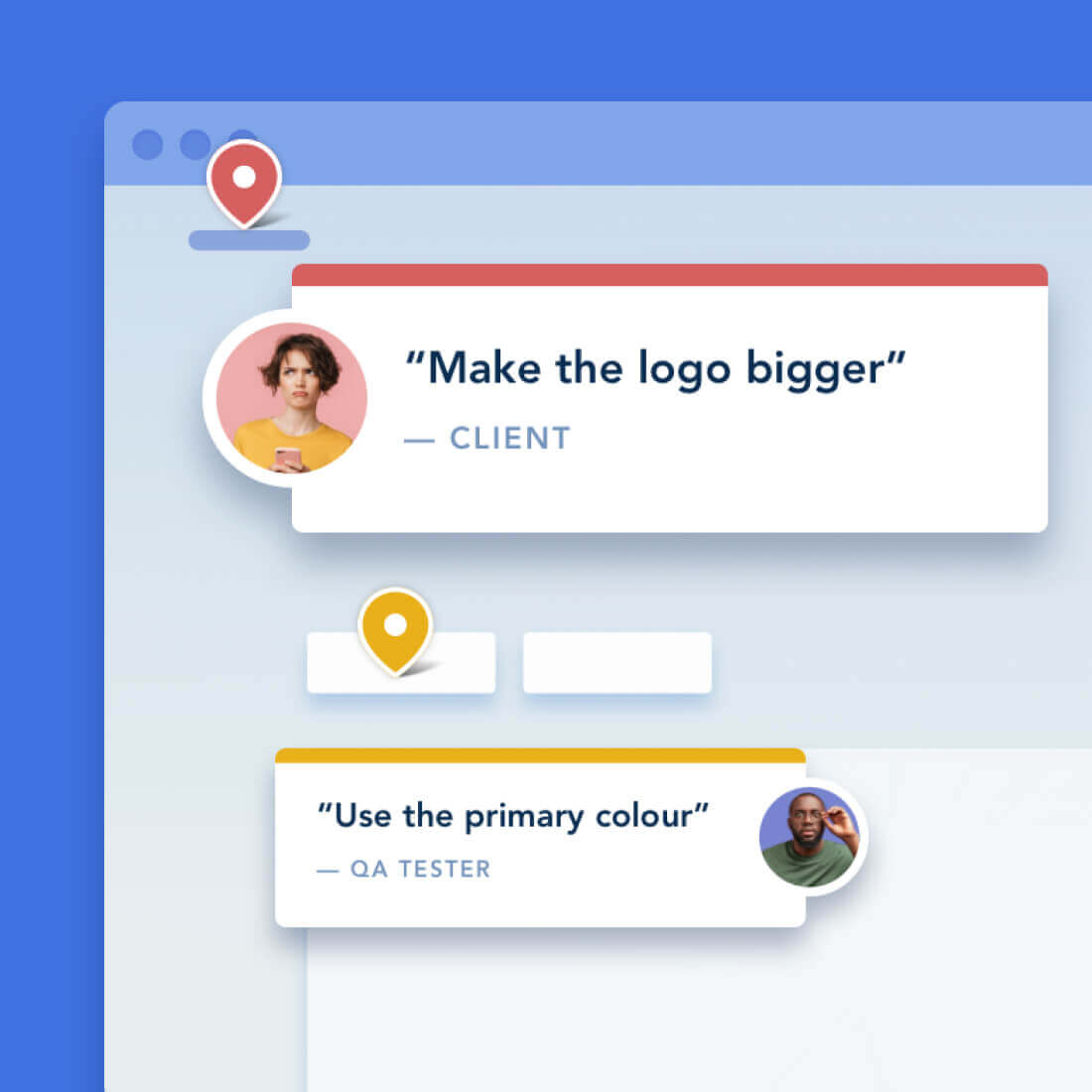
Clients drop a pin to show feedback in context
No need for accounts or log-ins — send clients a link and let them comment away. Feedback stays pinned to the exact page element, so your team always knows exactly what to change.
AUTOMATIC SCREENSHOT CAPTURE
You get a screenshot and all the technical details
No more chasing down browser versions, screen resolutions, and device details. Every client comment comes with all the information you need, captured automatically.
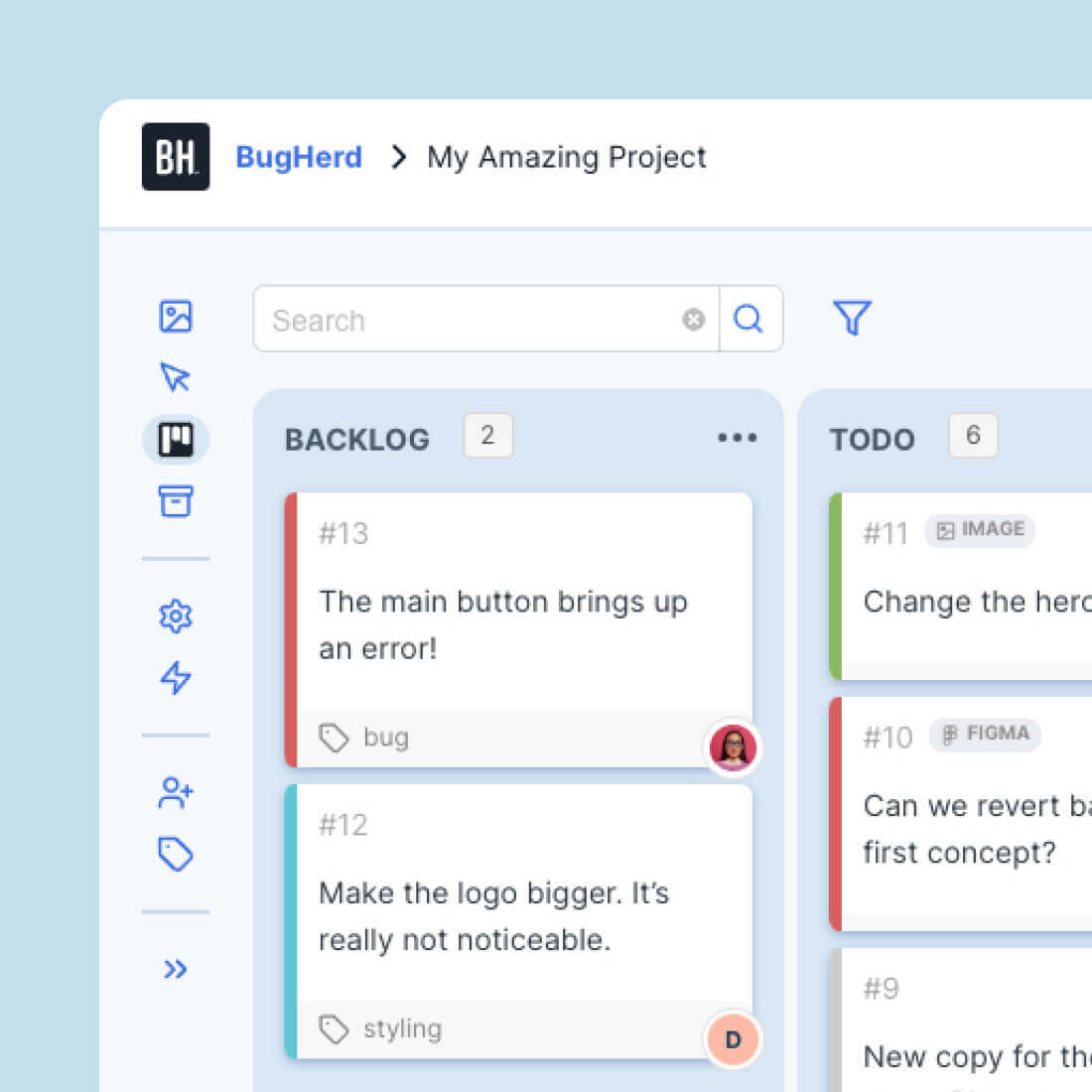
TASK TRACKING
Turn every comment into a clear next step
No need for accounts or log-ins — send clients a link and let them comment aEvery comment becomes a trackable task on a Kanban board, so your team can prioritize and resolve feedback easier than ever. Already using a PM tool? Send tasks there with one click.way. Feedback stays pinned to the exact page element, so your team always knows exactly what to change.
CLIENT COLLABORATION
Enhanced workflow when collaborating with Clients

Clients can review websites & files without logging in.
Client-version of the Task Board.
Set feedback deadlines for your Clients.
More control over Client permissions.

20+ INTEGRATIONS
Seamless integration with other tools
To streamline workflow further, BugHerd's feedback tool integrates with popular web apps such as project management, customer support, and CRM tools. These include Trello, Asana, ClickUp, Jira, GitHub, WordPress, MS Teams, Slack, Zapier, and many more.
This ensures that BugHerd fits seamlessly into existing workflows, enhancing collaboration and efficiency.
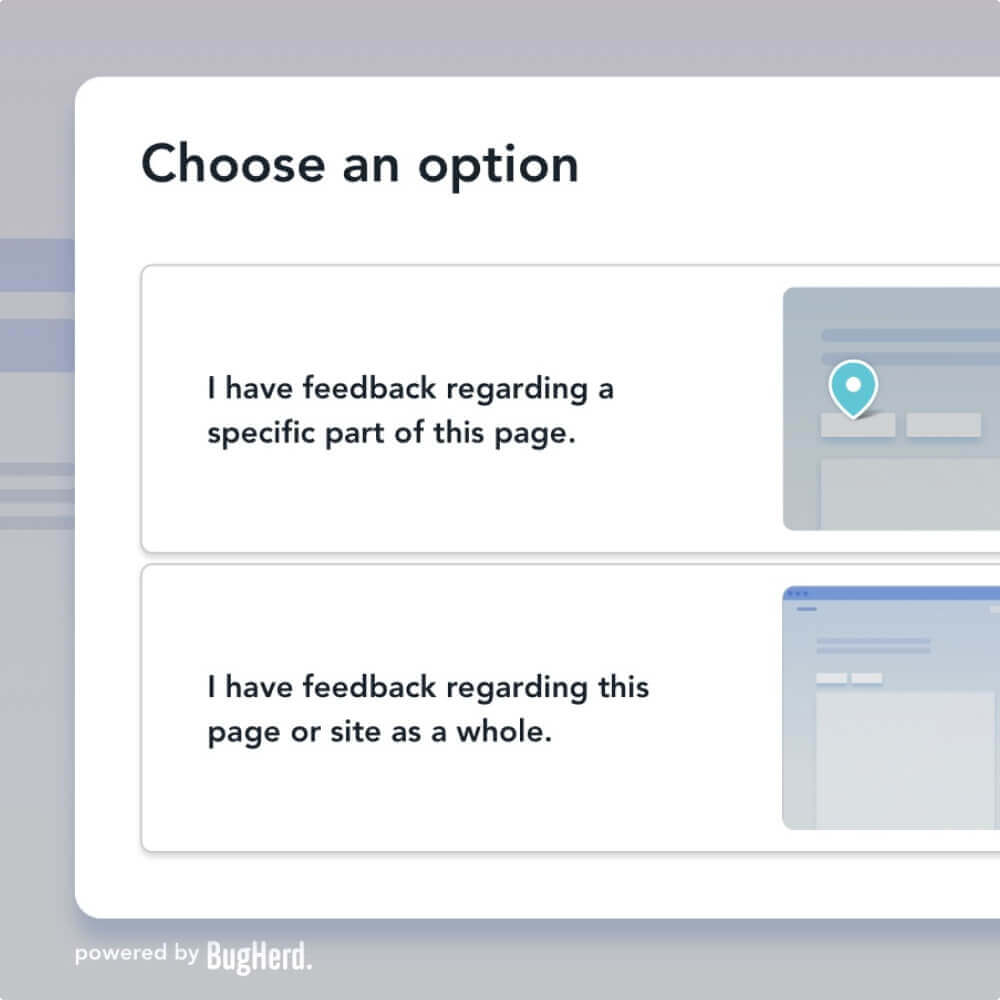
PUBLIC FEEDBACK
Receive ongoing feedback to make sure your website is always up-to-date
Once a website goes live, you can continue to receive feedback and bug reports via BugHerd's Public Feedback Widget which lets you quickly and easily collect user feedback from general website visitors.
Watch BugHerd in action
Simply click on the green dot and follow 🟢
Get started with BugHerd in minutes
1
Create your first project.
2
Get the BugHerd extension,
or install the Javascript code.
3
Invite your team and clients to leave feedback.
Finally, a visual feedback tool loved by web development teams and their clients.
Developers love BugHerd because it captures technical info from non-technical people – including full browser specs, screen sizes, and device info are captured automatically.
Designers love BugHerd because they can compare the design to production with ease.
Project Managers love BugHerd because it turns client feedback into clear, actionable tasks that keep your projects on track.
Effortless feedback. Happier clients. Better websites.
94%
94% of users report improved client satisfaction.
93%
93% of users report reduced time to delivery
95%
95% of users say they’re delivering higher quality products
Frequently asked questions
Here’s the answer to some commonly asked questions to help you discover if BugHerd is the right tool for you.
BugHerd's bug reporting software makes collecting website feedback as easy as point, click, and comment. Your clients simply click on any part of the live site to leave feedback, and BugHerd automatically captures a screenshot, technical details, and organizes it into actionable tasks for your team.
Does BugHerd work on all websites?
Yes! BugHerd is an excellent bug tracking tool that works on any website you’re developing or maintaining. Whether it’s a simple portfolio or a complex e-commerce site, BugHerd makes managing client feedback and bug reports seamless and efficient.
Does BugHerd work on staging websites?
Yes, BugHerd works on both live and staging websites. You can use the browser extension for live sites without any code. For staging or internal sites, simply install a JavaScript snippet. It’s flexible for all phases of web development and QA.
Do my clients need an account to use BugHerd?
Nope. Clients don’t need accounts or log-ins. Just send them a link, and they can start leaving feedback instantly. It’s that simple.
Can I see technical details with client feedback?
Absolutely. With BugHerd's bug reporting software, every comment includes a screenshot and metadata like the browser, operating system, and screen resolution. So your team knows exactly what needs fixing without chasing down extra details.
Is BugHerd easy to set up?
Super easy! BugHerd is a browser extension you can set up in seconds. Once it’s installed, you’re ready to invite clients and start collecting feedback.
Can I integrate BugHerd with my project management tools?
Yes, the BugHerd website feedback and bug tracking tool integrates seamlessly with tools like Trello, Asana, Jira, ClickUp, Slack, MS Teams and many more. With a visual feedback tool like BugHerd, all feedback that is collected automatically syncs to your preferred platform, so your workflow stays smooth.
What kind of feedback can clients leave with BugHerd?
BugHerd is a visual feedback tool as well as a bug reporting software which allows your clients and team members to leave comments, request changes, or flag bugs directly on your website. They simply drop a pin where they want to leave feedback, and BugHerd takes care of the rest.
Where can I see all the feedback?
All feedback is neatly organized on BugHerd’s task board. Think of it as a visual to-do list for your team, where you can manage, prioritize, and track tasks effortlessly.
How much does BugHerd cost?
BugHerd offers excellent value without compromising on functionality. Plans start at $42/month, which offers unlimited projects and unlimited guests.
BugHerd offers different pricing plans to accommodate various team sizes and needs. You can find detailed information on the pricing page of the BugHerd website. BugHerd also includes a free trial.
Does BugHerd offer a free trial?
Yes, BugHerd offers a free 7-day trial which enables you to check out all its great features.
1. Start a BugHerd free trial
2. Create a BugHerd 'project' for the website that you wish to track and receive feedback for
3. Install the BugHerd extension or add your project's Javascript snippet to your website
4. Invite your team and/or client(s) to your project to start giving feedback on your website
You can invite people to join your project to provide feedback and to help resolve feedback. BugHerd has two main user levels, members and guests. Members are able to view the Kanban-style Task Board and all the bugs and feedback reported. Guests are only able to provide feedback and respond to comments about bugs or feedback they've reported.
What is a bug tracking tool?
A bug tracking tool is software that helps development teams record, track, and manage bugs or issues in their applications. These systems provide a centralized location for reporting problems, assigning tasks, tracking progress, and ensuring nothing falls through the cracks. BugHerd serves as both a bug tracking tool and client feedback system, revolutionizing how teams collect and manage website feedback.
Which tool is best for bug tracking?
For web development projects requiring client feedback, BugHerd is the clear winner because it allows direct feedback on live websites without requiring client training or complex setup. BugHerd's visual approach eliminates the confusion and miscommunication common with traditional bug tracking software, making it the most efficient bug tracking tool for web developers and their clients.
What is the best tracking tool for beginners?
BugHerd is the best bug tracking tool for beginners because it requires zero learning curve for clients and minimal setup for developers. Unlike complex bug tracking systems that require extensive training, BugHerd's intuitive point-and-click interface means anyone can start leaving feedback immediately. Start your free trial to see how easy it is to get started - no credit card required.