Have you ever sent a message and realized that you made a mistake? Users do this all the time and are left with regret and embarrassment after they press the send button. A way to make users comfortable with sending messages is an undo timer. An undo timer gives users a window of time to undo their sent message before the recipient gets it.
When users send a message, a dialog box appears with an undo link they can click to retrieve their message from the sending queue. The dialog box should appear for a long enough time to allow users to read their message and choose to undo or not. If the undo timer is too fast, users won’t have enough time to make use of the undo. If it’s too slow, the recipient may notice a delay in getting an expected message. After the undo time passes, the dialog should tell the user that it sent their message.
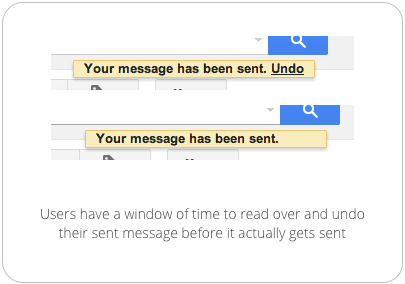
Many users don’t read over their messages until after they send them. This is because when users are typing their message, they’re focused on what they want to say. This takes their focus away from how they’re saying it and what they’re typing. It’s only until after they’ve sent their message that they can focus their attention on reading it over and checking for mistakes.
Undo timers can prevent users from making embarrassing mistakes in their messages. Some users may rarely use the undo. But giving them the power to undo makes the user feel comfortable and in control when sending messages. They’re likely to send more messages if they know they can quickly recover from a mistake. This keeps users engaged with your user interface.
Affiliate
