User interface techniques continued to evolve in 2012, often blurring the lines between design, usability, and technology in positive ways to create an overall experience that has been both useful and pleasurable.
Infinite scrolling, for example, is a technological achievement that also helps the user by enabling a more seamless experience. Similarly, advances in Web typography have an aesthetic dimension but also represent a movement toward greater clarity of communication.
1. Single-Page Sites
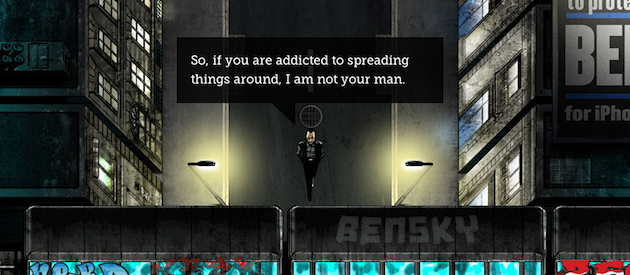
Single-page websites are everywhere. Big background images, rich illustrations, and animation techniques are being used to tell stories, entertain, and get a message across loud and clear. Free of the limitations of traditional website architecture, creative and beautiful one-pagers are flourishing. Two of our favorite single-page sites are Jess and Russ and Ben the Bodyguard. (Several other nice examples can be found here.) As with any trend, people want to emulate it, even if it’s not the appropriate solution. This can easily lead to homogenization of style and, in some cases, poor execution. When done correctly, however, the single page website works very well.
2. Infinite Scrolling
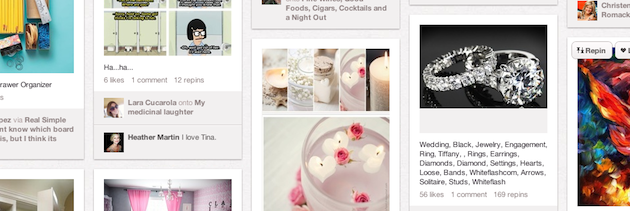
Infinite scrolling is familiar to everyone, even if they don’t realize it. It works best for unstructured information; live feed style, sorted by time. Sites with lots of images—like Google images or Pinterest—make excellent use of this technique, but thoughtful implementation is important to prevent user frustration. Lookbook is another good example. By pairing infinite scroll with a floating right column and a “back to top” button, the site allows users to consume endlessly and still get to other parts of the site easily. Infinite scroll is not a “one size fits all” solution—there are plenty of complex factors to consider, and pagination may still be the best technique for search results, large lists, and e-commerce.
3. Persistent Top Navigation or “Sticky Nav”
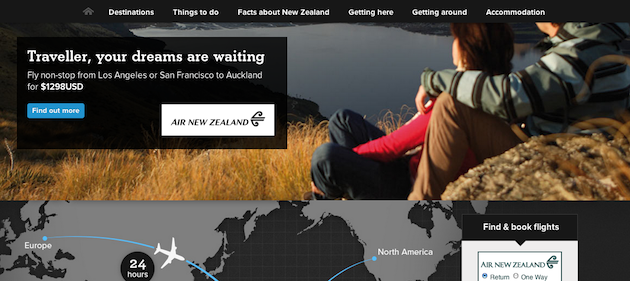
Persistent menus are ideal for complex sites, long scrolling pages, or applications with toolbar functionality. Persistent menus can be distracting, so it’s best to keep them slim and unobtrusive. A great example is New Zealand’s tourism website, which features a navigation that collapses down to just the main sections, leaving plenty of real estate for the rest of the page. The Gmail Web interface also does it right by giving users a persistent toolbar with the most used actions.
4. The Death of Web 2.0 Aesthetics
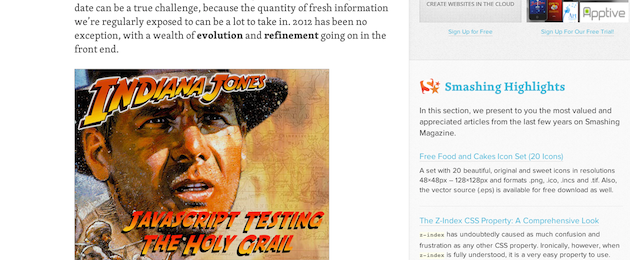
We’ve noticed a return to basics in visual design trends. A flat, clean, minimalist aesthetic with a focus on typography and information hierarchy has replaced the big, bright, juicy days of Web 2.0. A lot of websites and apps are even ditching graphical background images for pure CSS styles in order ensure a compelling experience across devices and resolutions. Our favorite recent visual designs include Basecamp, Dropbox, and the Smashing Magazine redesign.
5. Typography Returns
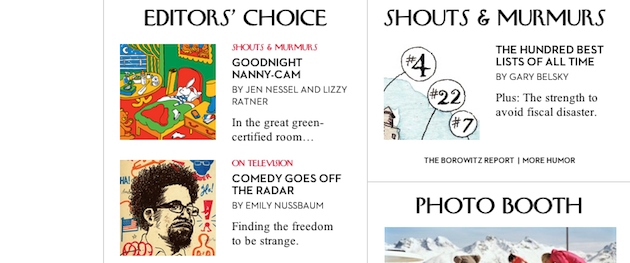
Thanks to maturing font technologies and improved font rendering on most browsers and devices, designers have more typefaces to choose from and more control of their type. There is an increased awareness of the importance of content, and with it, using typography to effectively communicate a message. With mobile, responsive design, and more retina displays, typography will continue to be an important focus on the Web in the next few years. One of our favorite examples is The New Yorker, which uses a standard Web font (Times New Roman) for body copy, beautifully paired with display fonts for headings and navigation (Irvin, Neutra).
In 2013, we’ll be looking for more examples of sites that improve user experience by judiciously balancing beauty, utility, and technology.