Is this a legacy thing or does a tilted cursor serve a purpose? I can tell that the angle provides a totally vertical left edge which helps when highlighting text but what else apart from that?
EDIT: When the cursor changes to the little hand cursor while hovering over buttons, the angle seems to be smaller. Why the difference?

asked Feb 17, 2014 at 9:41

8
This is the historical reason:

(Concept drawing taken from document: VLSI-81-1_The_Optical_Mouse.pdf)
The mouse, and therefore the mouse cursor, was invented by Douglas Engelbart, and was initially an arrow pointing up.
When the XEROX PARC machine was built, the cursor changed into a tilted arrow. It was found that, given the low resolution of the screens in those days, drawing a straight line (left edge of arrow) and a line at a 45 degree angle (right edge of arrow) was easier to do and more recognizable than the straight cursor.

answered Feb 17, 2014 at 9:47

10
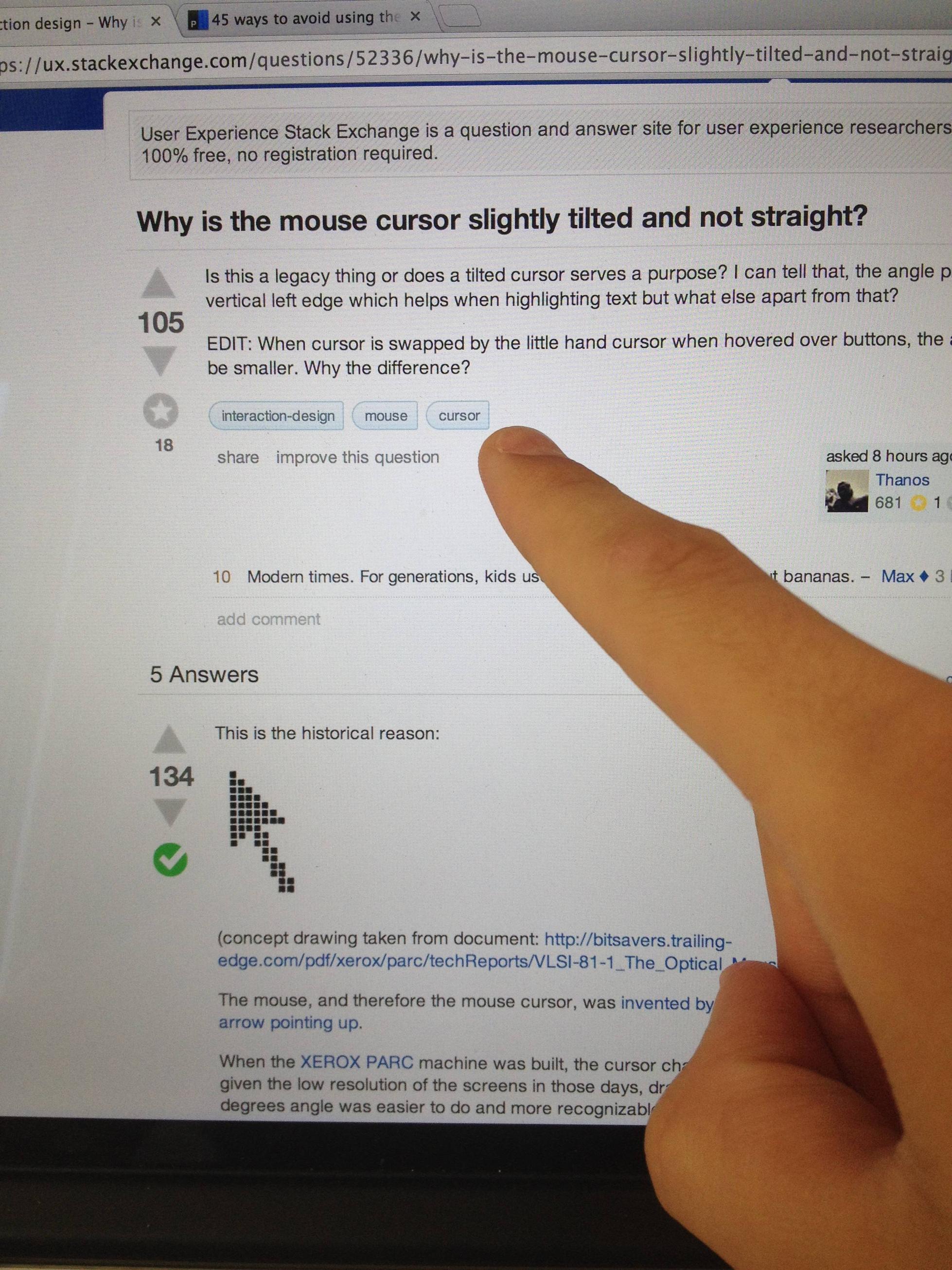
Take your right hand and point to your question.
There, you see.


27
In addition to Bart's answer, I'd like to add one more reason.
The reason the arrow was tilted to the left was so that the click position was easier to calculate, because the origin of the cursor's bitmap was in the upper left. This saved the mouse tracking subroutine a calculation on every click (its not much but it helped on older machines).


14
Low level visual cognition
In addition to the various answers given, there is also sense in a tilted mouse pointer if one considers the visual processes in our brain.
Visual information arriving from our eyes is first processed in the primary visual cortex by the V1 area, then by the V2 area. These two areas recognise low-level visual features (hue, lightness, size, orientation, etc.).
The popout effect
As visual information is processed by these areas, some visual irregularities truly pop out (ie, they are highly distinguishable), which greatly helps visual search (trying to find an item in a visually busy field). The popular name for this phenomenon is the popout effect.
A famous research from 1988 - A. Treisman, and S. Gormican: Feature analysis in early vision: Evidence from search asymmetries summarises many of these popout effects, and the irregularities they involve.
Orientation
One such irregularity is orientation, and it is neatly explained by the following illustration:

You should find it next to impossible to find the search target in 1 (a straight line in a group of straight lines). But rather easy in 2 - finding a tilted line in a group of straight lines. In 3 it should be equally next to impossible to find the tilted line in a group of tilted lines (of the same angle).
Since vertical and horizontal orientations are the most common ones on screens (and in life in general) a tilted mouse pointer will be more easily found.
More information can be found in Chapter 2 (What we can easily see) of Visual Thinking for Design, Ware 2008.

14
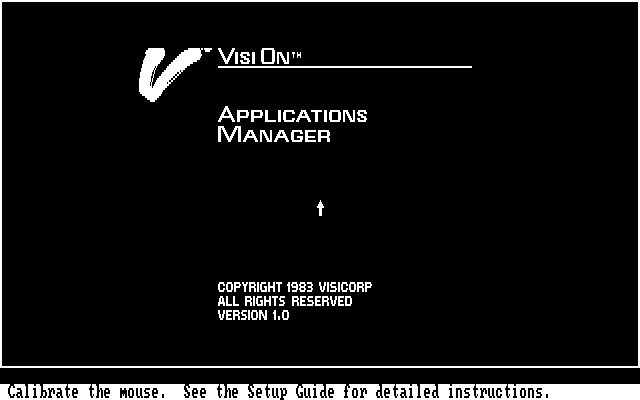
I've always thought that the arrow cursor is shaped similarly to your hand if you were point (naturally) at the screen with your (as typically dominant) right hand.
I have no support of this other than my own subjective experience but it strikes me as a natural shape when trying to relate real world interaction into a low resolution computer screen where rendering something resembling a hand would be impossible.
[Edit: Someone stole the only thunder I've ever had on StackAnything. Thanks!]

answered Feb 17, 2014 at 15:23

6

answered Feb 19, 2014 at 0:48

3
Also, there is another answer to this question. As a rule, the arrow mouse cursor must have one sharp tip (vertex) - because it is an arrow :)
On the other hand, it is better for a mouse cursor to look good and slick.
But drawing sharp tip on a rectangular pixel based display is very hard, especially without anti-aliasing.
The 0 degrees (horizontal or vertical) and 45 degrees lines are the only possible lines that look smooth without anti-aliasing.
That is why almost all arrow mouse cursors are based on one straight and one 45 degrees lines. As a result, the bisector line has angle of 45/2 = 22.5 degrees.
The tail of the arrow is much harder to be drawn well, but it is not so important as well.

4
It is a right-handed world.
It used to be that if you switched our right/left click buttons the arrow would point towards the right (opposite of the images cited).
This supports that the arrow mimics a hand pointing while providing angular contrast. Without a reference, it is an extension of the desktop metaphor.

1
Well, the cursor is a pointer, and mimics pointer angles from real life (~30-45° to the vertical).

Importantly, that angle serves to guide the eye down the length of the pointer, in the direction going "into" the screen, towards a single point, in the same way as perspective drawings do:

On the contrary, a straight arrow seems to point in the general up-direction, targeting no one point in particular. Have you ever used, or seen someone use, a pointer stick vertically upwards? That is indeed awkward, and reserved for moments where the object being pointed to is high up and well beyond the height of the person and the length of the stick combined, and can be vague in conveying what is actually being pointed at.

The fact that the mouse cursor is slightly tilted to the left makes a lot of sense. A very interesting fact:
If it were straight, it would take a nanosecond more to place the cursor on the desired object. Human mind is generally used to perceiving elements from left to the right, that is why the cursor is designed into the opposite direction, anticipating the intent of interaction with the element you are about to click on.
A nanosecond of time optimization is the closest thing to the absolute idea of irrelevance. With that I agree. However, on a perception level, it makes a huge difference.
The tilted cursor becomes similar to an athlete who's always on the start position, ready to take off towards anything you want to click on at any time.
It's a sensation that gives you so much comfort without you realizing why.
Semiotics, Cognitive Science and Psychology are all embedded into the simple and subtle decision of keeping the tilted cursor, just to simplify by a bit your experience.
Why was it tilted in the first place? Well, in its history, it seems like it was only an accident determined by some technical limitations:

1
The angle, the cursor is inclined at gives a better feeling of pointing something. A cursor straight at 90 degree would not provide a good effect.It provides improved appearance on low resolution screens.
Also the position calculation would become a lot easier when done from the top left corner of the pixel.


A straight cursor would also obscure more of the object underneath raising the same issues when designing for touch interfaces
It is actually straight
To understand that the cursor is actually straight (one edge parallel to the Y-axis), you must know that the upper left corner of the screen is the origin (0, 0) in computer graphics. Given the constraints that the entire cursor must be visible from the origin and an arrow head that is 45 degrees wide (an esthetic decision) there are only two straight orientations possible, the one we have or one rotated 45 degrees with the top edge parallel to the X-axis, as opposed to the left edge parallel to the Y-axis.
The feeling that the cursor is crooked in any way stems in part from the 45 degree head width and in part from the fact that only vertical or horizontal lines rasterize without any pixelation.
answered Feb 4, 2024 at 14:38

3
Explore related questions
See similar questions with these tags.