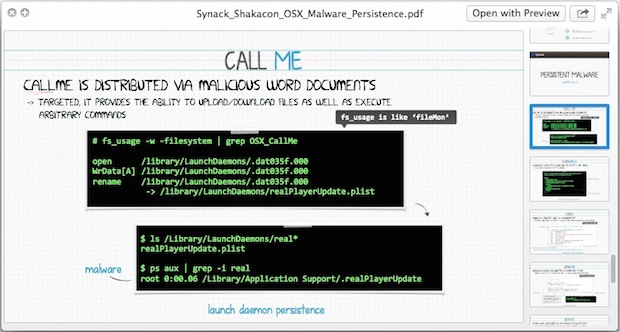
Note: This is an advanced topic aimed at expert Mac users. Macs are generally thought of as secure, certainly at least compared to the alternative world of Windows. But the reality is that while Macs are generally more secure than Windows, there is still legitimate potential for malware getting through to Mac OS X, despite GateKeeper, XProtect, sandboxing, and code signing.
That’s what this excellent presentation from Patrick Wardle, the Director of Research at Synack, a cyber security solutions provider, explains quite well, offering a thoughtful and detailed look of the current security implementations built into Mac OS X, and how they could be circumvented by malicious intent to attack a Mac.
Additionally, the Synack overview goes further and provides an open source script called KnockKnock, which displays all Mac OS X binaries that are set to execute upon system boot, potentially helping advanced users to examine and verify if anything shady is running on a Mac.
The excellent document, titled “METHODS of MALWARE PERSISTENCE on OS X”, is broken into five major parts:
- Background on Mac OS X built-in protection methods, including GateKeeper, Xprotect, sandboxing, and code signing
- Understanding the Mac boot process, from firmware to Mac OS X
- Methods of getting code to persistently run on reboot and user log in, including kernel extensions, launch daemons, cron jobs, launched, and startup & login items
- Specific Mac OS X Malware examples and how they function, including Flashback, Crisis, Janicab, Yontoo, and rogue AV products
- KnockKnock – an open source utility that scans for dubious binaries, commands, kernel extensions, etc, which can help advanced users in detection and protection
In case it wasn’t already obvious; this is all fairly advanced, aimed at expert users and individuals in the security industry. The average Mac user is not the target audience for this presentation, document, or KnockKnock tool (but they can follow some general tips for Mac malware protection here however).
This is a technical document that outlines some very specific potential attack vectors and possible threat entrants to Mac OS X, it’s truly aimed at advanced Mac users, IT workers, security researchers, systems administrators, and developers who want to better understand the risks posed to Mac OS X, and learn ways to detect, protect, and guard against those risks.
- Synack Presentation: OS X Malware Persistence (direct PDF doc link)
- KnockKnock: script to display persistent binaries that are set to execute on OS X boot (open source on Github)
The entire Synack Malware presentation is 56 detailed pages long in an 18MB PDF file.
Additionally, the KnockKnock python script is available on GitHub for usage and exploration.
Both of these are well worth a look for advanced Mac users looking to better understand risks to Mac OS X, pass it along!