a
free
lightbox
plugin ______
light,
responsive,
powerful.
Chocolat.js enables you to display one or several images staying on the same page.
The choice is left to the user to group together a series of pictures as a link, or let them appear as thumbnails.
The viewer may appears full-page or in a block.
$ yarn add chocolat
Open
Source
Easy
Free
Block,
Fullscreen,
FullWindow
container : DOM element
allowFullScreen : bool
Chocolat can be opened fullwindow (as many other lightboxes) but it can also be opened in a container (a block element in the page).
With recent browser you can also navigate through the images fullscreen.
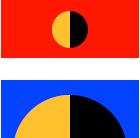
Cover,
Contain,
Native
imageSize :
'scale-down', contain', 'cover' or 'native'
You can choose either to crop the image or to make it perfectly fit its parent (be it any kind of block) but it’s still quite unclear.

Choose to restart at the beginning once you reached the last image.

You can navigate through the images using your keyboard and assign keys.
2 files
needed
Building a set
Create links to your full-sized images.
You can put images thumbnails within those links.
Image captions are adressed to the title atribute.
Links must have the css class chocolat-image.
Calling the script
Finally, we call the script that will enable navigation
The call is as follows:
Chocolat(document.querySelectorAll('selector'))
If you want to embrace the full power of chocolat check the documentation
Page is ready !
If you do not understand the subtleties of the installation,
try using the sample page provided in the archive.