11 March 2015
Follow @mrackwitzTL;DR: CocoaPods 0.36 has been released, with the long-awaited support for Frameworks and Swift.
CocoaPods 0.36 adds support for dynamic frameworks, and with that it also brings enhanced support for dependencies using Apple's new programming language, Swift. This has been one of the largest singular changes in CocoaPods, affecting almost all of CocoaPods' subsystems such as Xcodeproj.
And there were Swift & Dynamic Frameworks on iOS
Dynamic frameworks have always been available on OS X. That's different for iOS. Apple's mobile platform introduced third-party dynamic framework support in iOS 8. So the least common denominator was found before with using static libraries, which have always been supported on both platforms.
At the same time Dynamic Frameworks were introduced on iOS, Apple also introduced Swift. If you have third-party dependencies in Swift, you have only two choices: Either throw them in your project and compile one fat binary, which is no practical solution as this increases build times by limited availability of incremental compilation and makes it hard to generically manage very different dependencies, which could require different build settings etc. Or you can facilitate frameworks. Static libraries are not an option anymore.
Why is that the case? Because Apple doesn't let you build static libraries that contain Swift. Unlike Objective-C, Apple doesn't ship the Swift standard runtime libraries with iOS.
This decouples the language version from the platform version.
When you build an app with Swift, you're responsible yourself to ship them.
By default, Xcode uses swift-stdlib-tool to handle copying the Swift runtime dylibs, but the tooling falls short when attempting to ship frameworks that use Swift with an app that is Objective-C only.
Your app executable and the frameworks you ship will all use the same set of dylibs, which are embedded into the Frameworks subdirectory of the application bundle. First, that's because you can't link against different versions of the standard libraries.
Furthermore it is desirable to embed them only once and not multiple times, because of constraints to memory size and network speed, which are relevant for distribution.
With this release, we initially allow you to use both in combination with CocoaPods.
You can make CocoaPods integrate to your project via frameworks instead of static libraries by specifying use_frameworks!.
If that's not present, you won't be able to integrate dependencies, if you depend on a pod which includes Swift source code.
This is an all or nothing approach per integrated targets, because we can't ensure to properly build frameworks, whose transitive dependencies are static libraries.
This release goes along with probably one of the most drastic changes of the whole project, which includes CocoaPods itself, but also required similar changes to Xcodeproj as well.
Dynamic Frameworks vs. Static Libraries
So what's the difference between those both product types?
One difference is obvious in their names: Dynamic and Static are opposites. This explains how they are linked to your code when integrated. Static libraries are just archives of your compiled source code, which can be partly integrated. They are not linked themselves before they are linked somewhere else. Dynamic libraries are final linked executables. When they are built, they are linked and the linker encodes what their dependencies are and where those are expected to be. Once they are built, the binary itself isn't altered anymore.
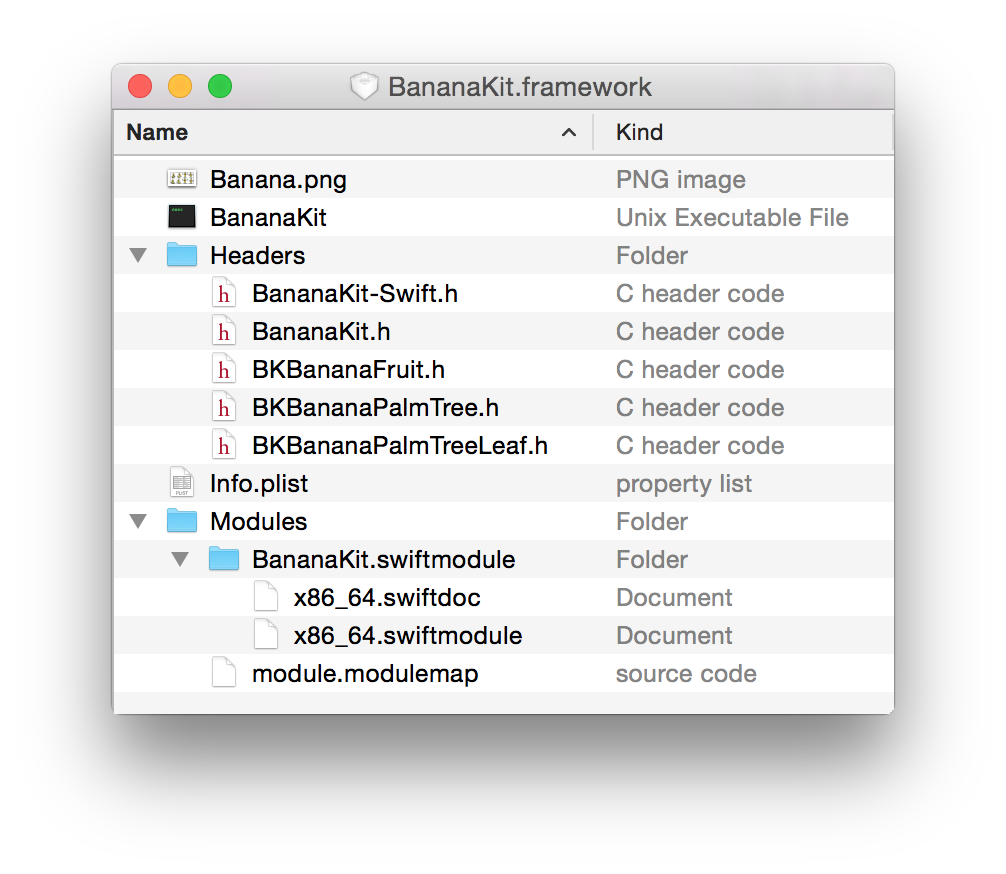
Another difference is their file system representation: Frameworks are bundles, which basically means that they are directories, which have the file suffix .framework and Finder treats them mostly like regular files. While libraries are just single FAT-binaries, which can't carry any resources as distinct files. If you tap into a framework, you will see a common directory structure: