Review: Improvements specifically address RT’s shortcomings—plus apps finally exist.
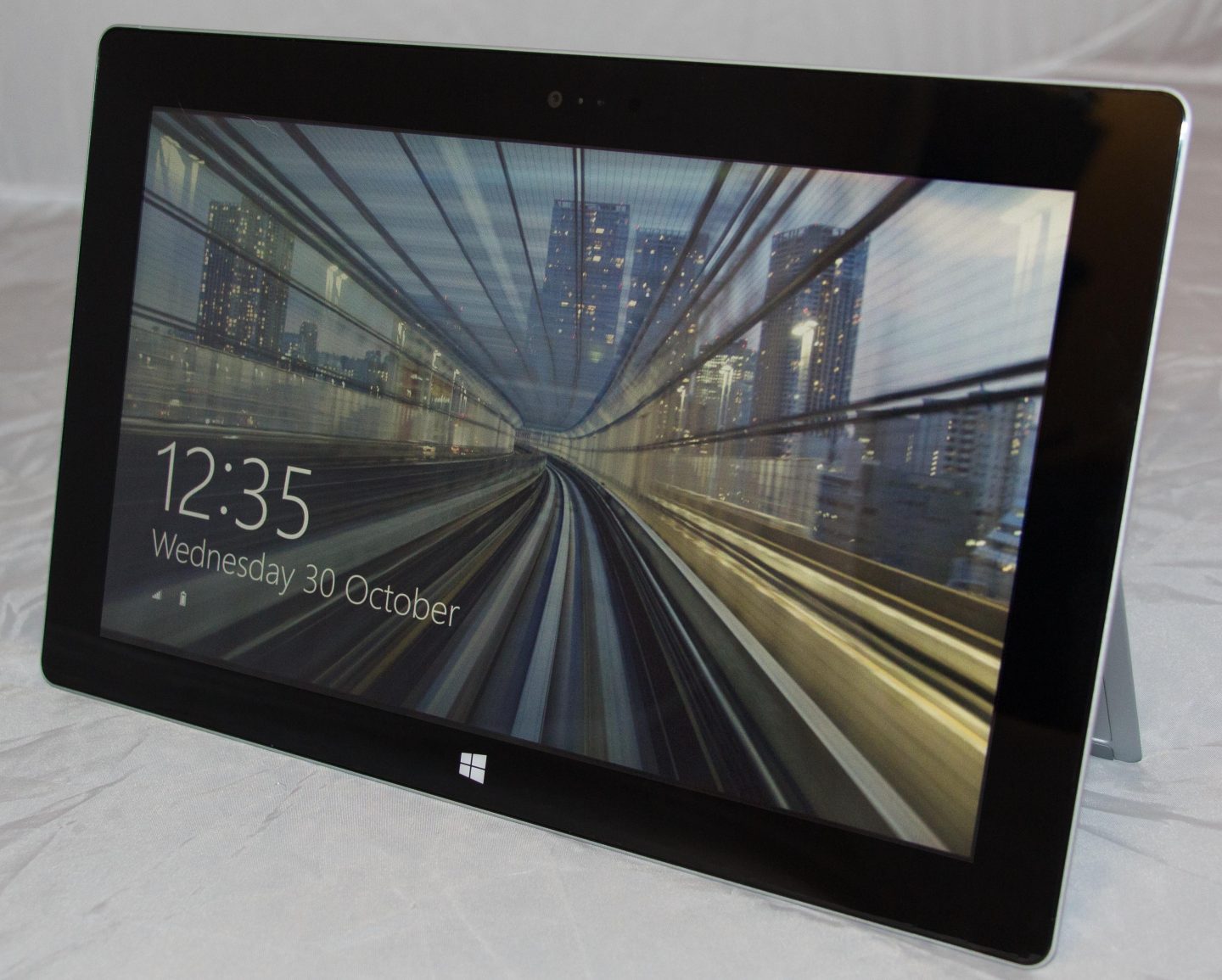
The Surface 2.
Credit: Peter Bright
The Surface 2. Credit: Peter Bright
The Surface RT, as it was then known, was Microsoft’s first attempt to build a tablet computer.
On the upside, it was a well-built tablet with an attractive screen. It was also a bit more than a tablet—an integrated kickstand was handy for watching streaming video and the like. When paired with one of Microsoft’s keyboard accessories, it became a good option for homework, e-mailing, light work, and more thanks to the bundled Office 2013 apps.
| Specs at a glance: Microsoft Surface with Windows RT | |
|---|---|
| Screen | 1920×1080 10.6″ (207 PPI), 5-point capacitive touchscreen |
| OS | Windows RT 8.1 |
| CPU | 1.7GHz NVIDIA Tegra 4 T40 |
| RAM | 2GB DDR3L (non-upgradeable) |
| GPU | NVIDIA Tegra 4 |
| HDD | 32GB or 64GB solid-state drive (of which about 20 or 52 GB are usable) |
| Networking | 802.11a/b/g/n with 2×2 MIMO antennas, Bluetooth 4.0 |
| Ports | Micro-HDMI, headphones, microSDXC, USB 3, Cover port |
| Size | 10.81×6.79×0.35″ |
| Weight | 1.49 lb (676 g) |
| Battery | 31.5 Wh |
| Warranty | 1 year |
| Starting price | $449 |
| Price as reviewed | $449 |
| Sensor | Ambient light sensor, accelerometer, gyroscope, magnetometer, 5MP rear camera, 3.5MP front camera |
| Other perks | 24 W charger |
On the downside, the screen had a disappointingly low resolution of 1366×768, and the processor, an Nvidia Tegra 3, was easily overwhelmed with even simple tasks. Windows RT 8’s touch interface worked well, but it was arguably incomplete since various tasks required the use of the desktop. Office 2013 took this to the next level, having virtually no touch interface at all. Sure, it was nice with one of the keyboard accessories, but those were expensive extras.
And that description was equally applicable to the device itself. At launch, the Surface RT’s $499 price meant it cost a comparable amount to an iPad without the rich breadth of the iPad’s software ecosystem.
It’s perhaps no great surprise, then, that the Surface RT didn’t go on to sell very well. Exactly how well (or how badly) it sold remains unclear, but the one thing we know for sure is that Microsoft wrote down $900 million in unsold stock when it cut the price of the tablets to a much more palatable $349. The company reports that since then, the tablet has gone on to sell better (though, again, we’re left without specifics).
Iterative development
The Surface 2 is a very pointed, specific response to the criticisms of the Surface RT (which has now been renamed to simply “Surface”). The design and concept of the machine remains essentially identical. It’s still a tablet with a kickstand and keyboard attachments, and Microsoft is still positioning it as something that does more than a “traditional” tablet. The purpose of the Surface 2 is not to reinvent Microsoft’s entry into the tablet market. It’s to refine it. Every change in the Surface 2 bar one is motivated by pain points suffered by the first generation device.
That one exception is, however, the logical place to start, just because it’s so blatant. The Surface 2 isn’t “dark titanium” (which is to say, black) anymore. It’s silver-gray. It still uses the same “VaporMg” casing, and it still feels the same, but it now looks metallic. In use, the difference is minimally noticeable. The all-glass front of the machine still has a black trim surround around the LCD, so it’s only the very edges of the system, where the case meets the glass, that betray the change.

The Surface logo replaces the Windows logo on the back of the machine.
The Surface logo replaces the Windows logo on the back of the machine.
The Surface 2 is also apparently an imperceptibly different size and weight to the first generation device. Microsoft claims that the new version is two hundredths of an inch taller, two hundredths of an inch thinner, and at least one hundredth of a pound lighter. Honestly, if it were two hundredths of an inch shorter, I would have assumed that “dark titanium” was one hundredth of an inch thick and that’s where the saving came from. As it is? I don’t have any measuring devices with the precision to assess the new vital statistics.
The Surface 2 isn’t the lightest tablet in its weight class, but to me at least, it’s light enough. I’ve long believed that there’s a certain critical density that gadgets need to offer. If they feel too light for their volume, they come across as insubstantial and fragile, almost untrustworthy. The Surface 2 feels satisfyingly sturdy, but it’s still light enough to hold comfortably, even in the “lying in bed, holding it in mid-air in front of your face” posture that looks idiotic but is good for watching videos.
The other external part that has changed is that all-important kickstand. Gone is the single 22-degree angle of the original kickstand. It’s been replaced by a dual-position kickstand that opens to 24 degrees and 40 degrees. The new angle is meant to make the Surface 2 more comfortable if you’re tall or using the device on your lap.
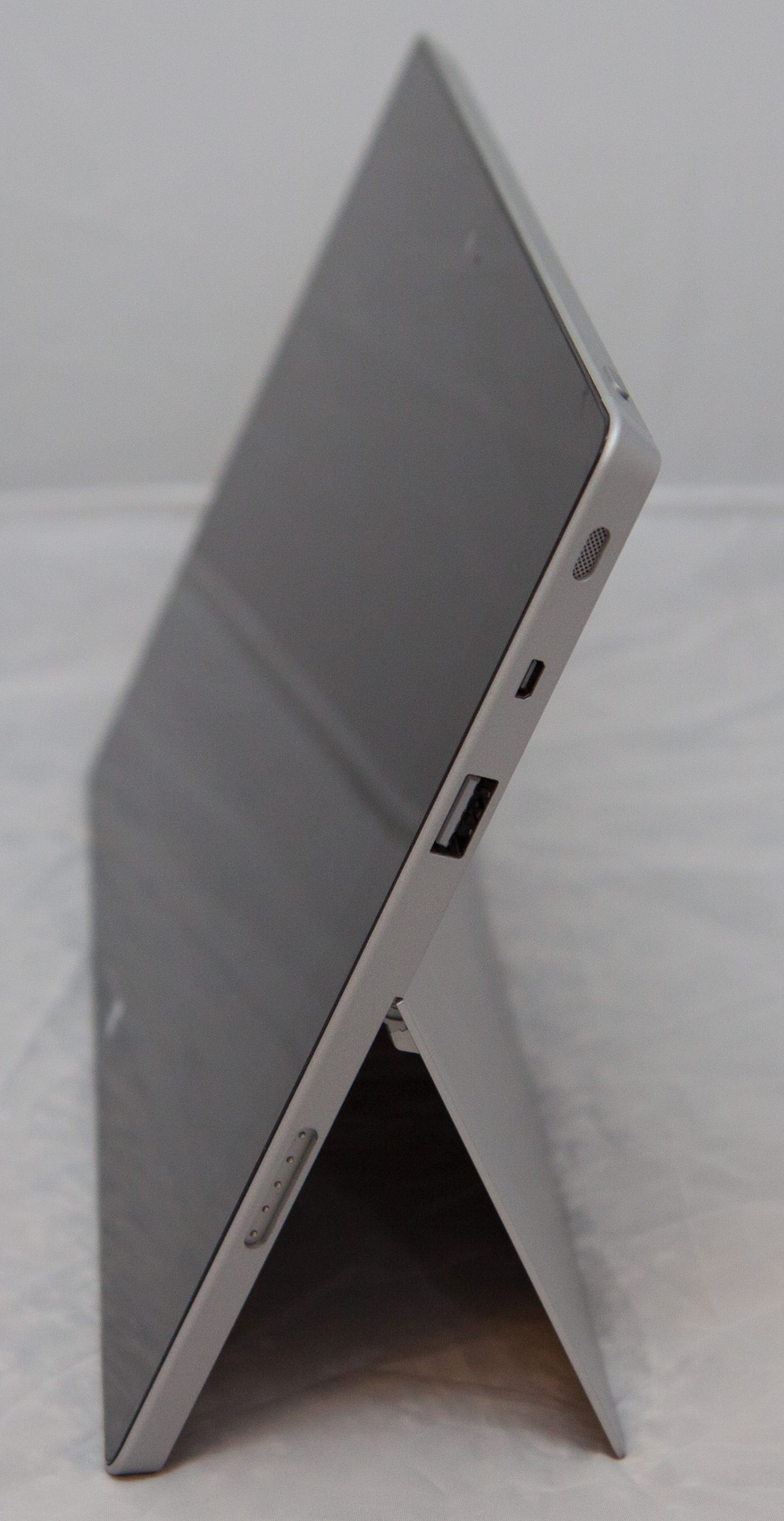
The Surface 2 at 24 degrees.
The Surface 2 at 24 degrees.
The old kickstand was remarkably crisp, confidently snapping into place. The new edition doesn’t feel quite as crisp in its middle 24-degree position, but that’s not altogether surprising. Since you can push the kickstand past 24 degrees, it doesn’t click into place with the same assurance as the old one. It’s not so stiff as to mean that you can’t overshoot 24 degrees and open it up all the way by accident, but equally, it’s not so flaccid as to make it hard to find the 24 degree notch.
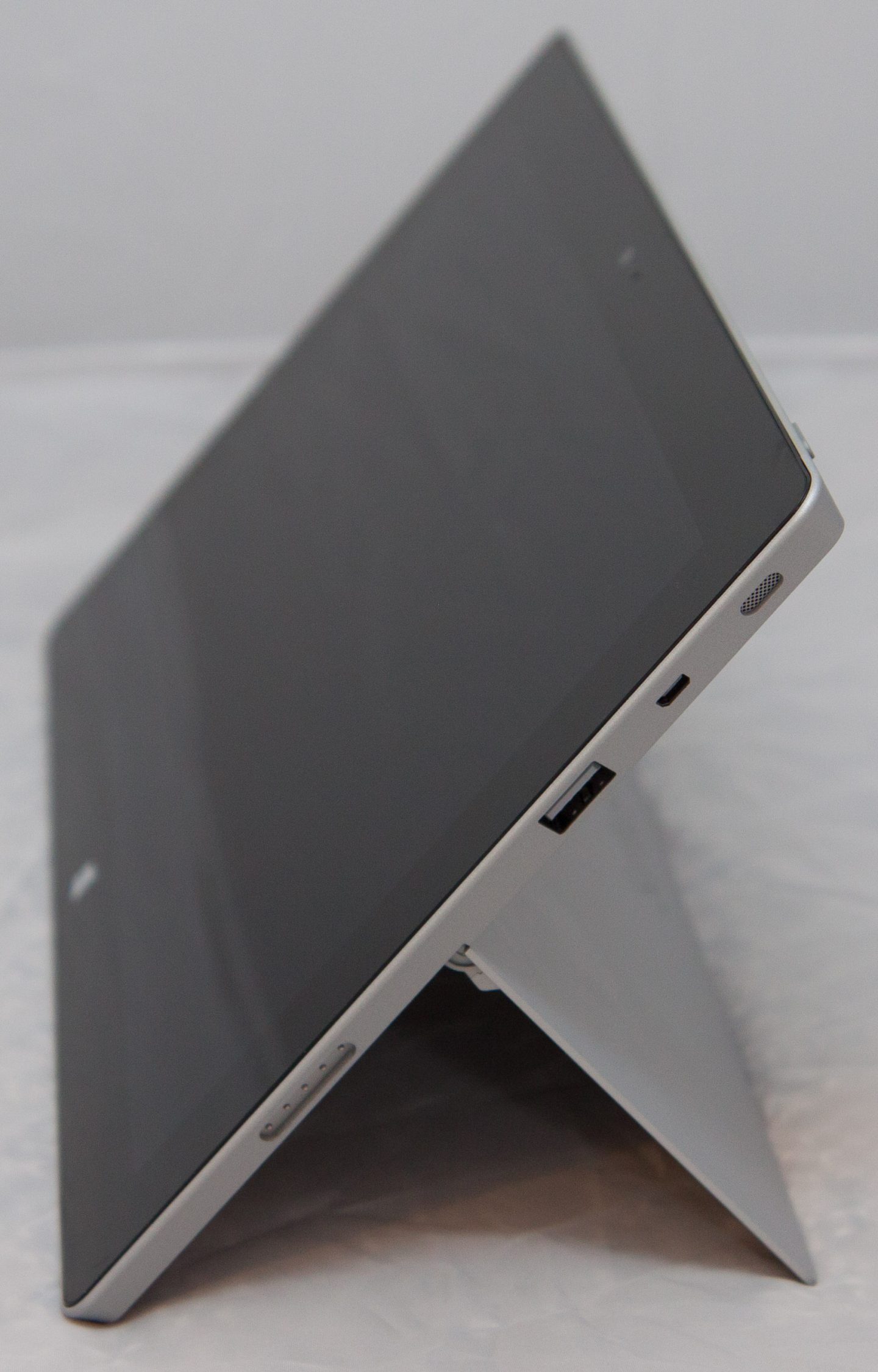
And again at 40 degrees.
And again at 40 degrees.
Overall, I’m impressed with the engineering. I did accidentally knock the Surface 2 into the more open position once or twice while using it, but that minor inconvenience is worth the greater convenience of the two angles. Even as someone who isn’t tall, the new angle is worth having whenever using the Surface 2 in non-optimum conditions, such as the tray tables on a plane. Because those tables are a bit too low and a bit too close to you, the 40 degree angle is nice to have.
Updated innards
The changes on the inside are simple and easy to assess. First, the screen is better. Second, the processor is faster.
The screen is now 1920×1080. It’s still a bright, good-looking screen with good contrast and viewing angles. The resolution has simply gone up. For all the criticism the resolution of the first device earned, this is functionally a very minor change. It’s minor because we all know the effect of a higher screen resolution. It doesn’t transform the device. The screen resolution of the old device never stood in the way of its functionality, and apart from the obvious “play 1080p videos at native resolution,” the higher resolution screen doesn’t introduce any more capabilities.
That’s not to say that the new screen doesn’t make text look crisper. It certainly does, and this is something that’s especially important given that tablets are generally used with a fairly short viewing distance. The Surface is undoubtedly improved with the switch to 1920×1080. But I’ve never once felt, “I’m really glad this Surface 2 has a 1080p screen, because I couldn’t have done X without it.” It’s just not that kind of an upgrade.
Much more transformational is that new CPU. Gone is the 1.3GHz quad core Nvidia Tegra 3, replaced by a 1.7GHz Tegra 4. The difference is plain: the new processor is a lot faster. It boots the device faster. It starts apps faster—often in half the time of the old version. It renders webpages faster. It does everything faster.

In the popular SunSpider and Kraken browser benchmarks, the new device trounces the old one. The Surface completes the SunSpider loop in 1003 ms. The Surface 2? 429.8 ms. The difference in Kraken is even more stark. The Surface runs the loop in 27301.2 ms. The Surface 2 does it in 10902.0 ms.
Where the Surface left you looking at splash screens as you waited for apps to start, the Surface 2 lets you get to work.
The new chip even makes the Surface 2’s external connectivity faster: its USB port is now 3 rather than 2.
Remarkably, the improved screen and CPU haven’t hurt the Surface 2’s battery life. In our looping browser battery test at 50 percent screen brightness, the original Surface went for 8 hours, 52 minutes before expiring. The new one is almost identical, at 8 hours and 59 minutes.

The integrated cameras that were so awful in the first generation Surface have been substantially upgraded. There’s a 3.5 megapixel front-facing camera and a 5 megapixel rear-facing camera, and they take pictures that are actually worth looking at—not that anyone should be using their tablet to take pictures. The speakers have also been upgraded to include some kind of Dolby technology.
Beyond that, the only other difference between the first and second generation is the power connector. The magnetic power connector is a fine idea in principle, but the connector Microsoft made is fiddly. It doesn’t always click into place correctly, meaning it has to be carefully put into position. It was easy to leave it looking like it was connected while not actually properly seated. Making this worse, the indicator light—a small, white LED at the end of the connector—wasn’t very easy to see.
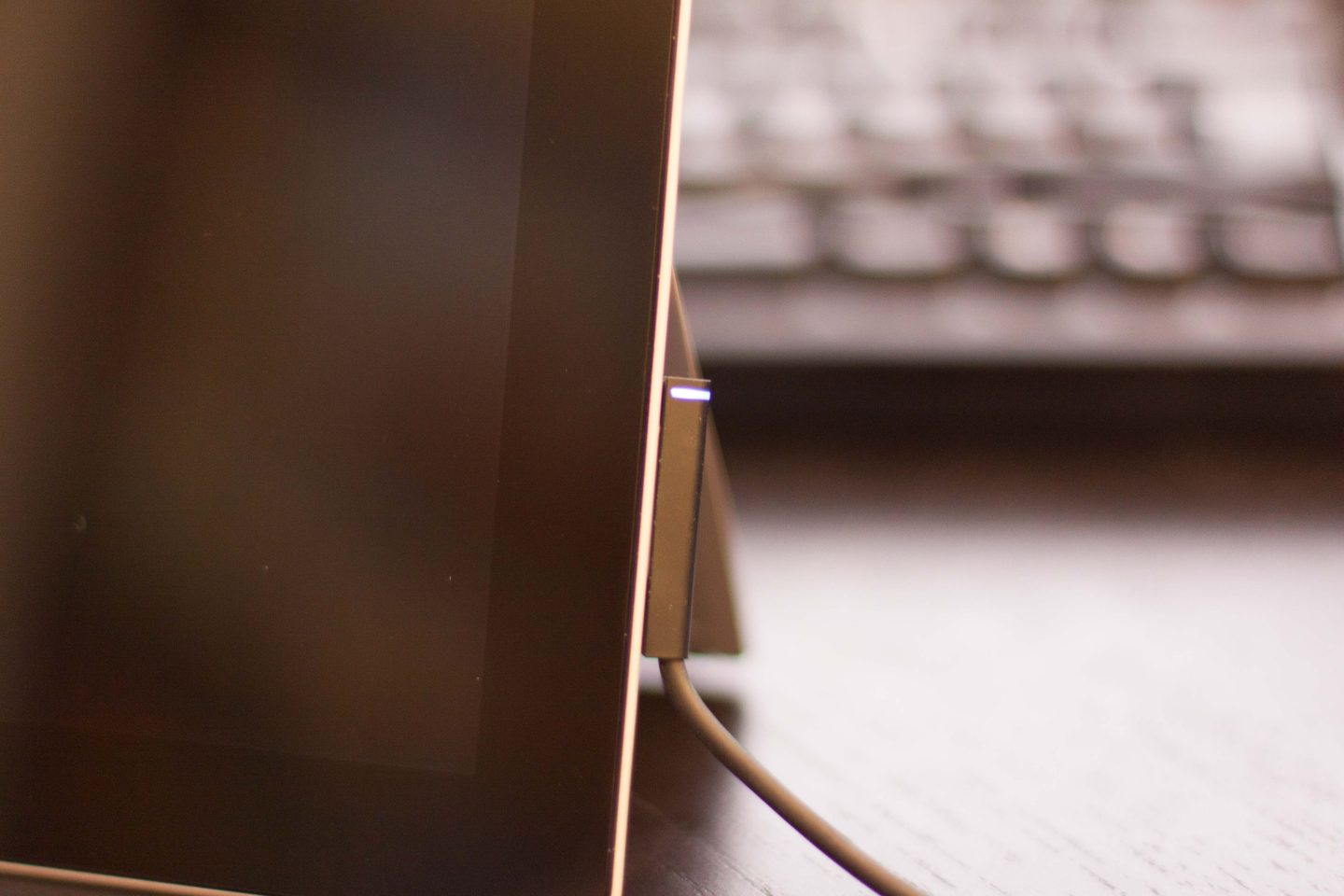
It connects better, and the indicator is much easier to see.
It connects better, and the indicator is much easier to see.
The new connector seems to be about as good as it can be without changing the design entirely. The indicator LED is now a stripe around the connector, making it much clearer, and the magnets appear to be stronger. It clamps more authoritatively and accurately than it did before. It’s still not perfect, however, and I think really the whole thing needs to be redesigned.
The rising tide lifts all ships
When I reviewed the first Surface, I felt that the hardware wasn’t really the issue. The issue was software. Windows RT won’t run traditional Windows applications, which means that the only things you can run on the Surface are Windows Store apps and Office. Ultimately, the value (or otherwise) of the Surface was governed not by hardware but by the growth of this software ecosystem. If the first Surface had a few core apps and one or two must-haves, the processor and screen weaknesses could easily have been overlooked.
The weakness of the ecosystem was particularly acute the first time around. I tend to believe that the availability of apps is less important to a tablet than it is to a smartphone. A tablet can run a full-size browser, and this in turn makes visiting regular sites—rather than the usually feature-deficient mobile versions—much more palatable. Internet Explorer in Windows 8 and 8.1 is a decent browser with a solid touch interface, so it can fill lots of app-size gaps.
Nonetheless, I think there are certain tasks where apps are important. A good example would be e-mail. It’s too useful to be able to look at e-mails offline to entrust them to a website. The original Mail app that shipped with Windows 8 was really bad, leaving this scenario all but unfulfilled.
Overall, the Surface felt like a weird hybrid. Windows 8 had a solid touch interface, but it had significant gaps. Tablet users were even forced to use the desktop, especially with Control Panel, to perform various tasks. It had Office for those times you needed it, but it didn’t include Outlook and didn’t include the keyboard accessories that are really needed to make Office viable.
Tablet plus
Where are we a year later? To start, the Surface concept makes a lot more sense to me now than it did before.
Windows 8.1 is a lot better. Windows 8.1 is substantially more complete, so much so that Windows RT 8.1 doesn’t even enable the desktop live tile by default. Office 2013 still lives on the desktop, so the desktop isn’t gone, but it’s much less important than it was in the first version. Office 2013 is now better than it was, too—it includes Outlook.
And the apps in the Windows Store? They’re still not as abundant or as high quality as one would like, but the situation is much better than it was a year ago. Apps like Twitter and Facebook are straightforward but work well, and they justify themselves as applications (as opposed to simply using their Web counterparts) through their support of Windows 8’s notifications and live tiles. I would certainly like to see more high quality applications there. But I think it’s liveable and getting better all the time.
The Surface 2 is now a well-rounded tablet. But it’s a well-rounded tablet that can go above and beyond the conventional tablet role if you want it to. It’s a tablet plus. The kickstand, the optional keyboards, USB port, and Office all make it something more than a tablet, and they do so in useful ways. Not everyone will want Office—but many people doing schoolwork or running a small business will find it useful. Not everyone will watch videos on their tablet—but the kickstand is great for those who do.
Still, two concerns remain. First is the price. The Surface 2 remains at the higher end of the pricing spectrum. It’s in the iPad range rather than the Android tablet range. Even though I think it offers more than a tablet, it’s competing against a product with a rich store and massive name recognition (the iPad) and products with bargain basement pricing (Android).
Microsoft is still counting on people really demanding the pluses the Surface 2 offers, and while I think they’re broad, I don’t think they’re universal. Even shaving $50 off would make it feel a lot more palatable to those who only want a tablet and not a tablet plus.
Second, there’s the nagging concern that if it had an Intel Bay Trail processor, and hence full Windows, it would be a tablet plus plus. Being constrained to Store apps is not as bad today as it was last year, but it still feels restrictive compared to the abundance of desktop x86 software that’s out there. But ultimately, as something that’s primarily a tablet, it probably doesn’t matter that much.
I think you could buy the Surface 2 and be happy with it. The first model required buyers to take a punt, to gamble on the Store delivering the apps they needed. The development the last year has seen largely removes that gamble. The Surface 2 works, and it works well. If none of its more-than-a-tablet features appeal, then you may be better served with an Android tablet or an iPad. But if any or all of the additional features do appeal, it’s a compelling alternative to most other machines in the price range, one that you will enjoy using.
The Good
- It remains an excellently built device
- Decent performance
- Nice screen
- Comes with Office, now including Outlook
- The kickstand is legitimately useful
The Bad
- We have to wait until next year to get a version with integrated LTE
The Ugly
- I still have a bad feeling about that price