Airmail 3 — This fully accessible mail client was designed specifically for iOS, macOS and watchOS. Email workflow is optimized with extensive customizations, custom actions and deep integration with a wide range of apps and services.



Airmail is designed from the ground up to be a powerful mail client which allows you to customize it to meet your needs. Integrate your favorite apps, and create custom actions to make your life easier. Whether you're using your Mac, iPad, iPhone or even your Apple Watch, Airmail can be wherever you need.
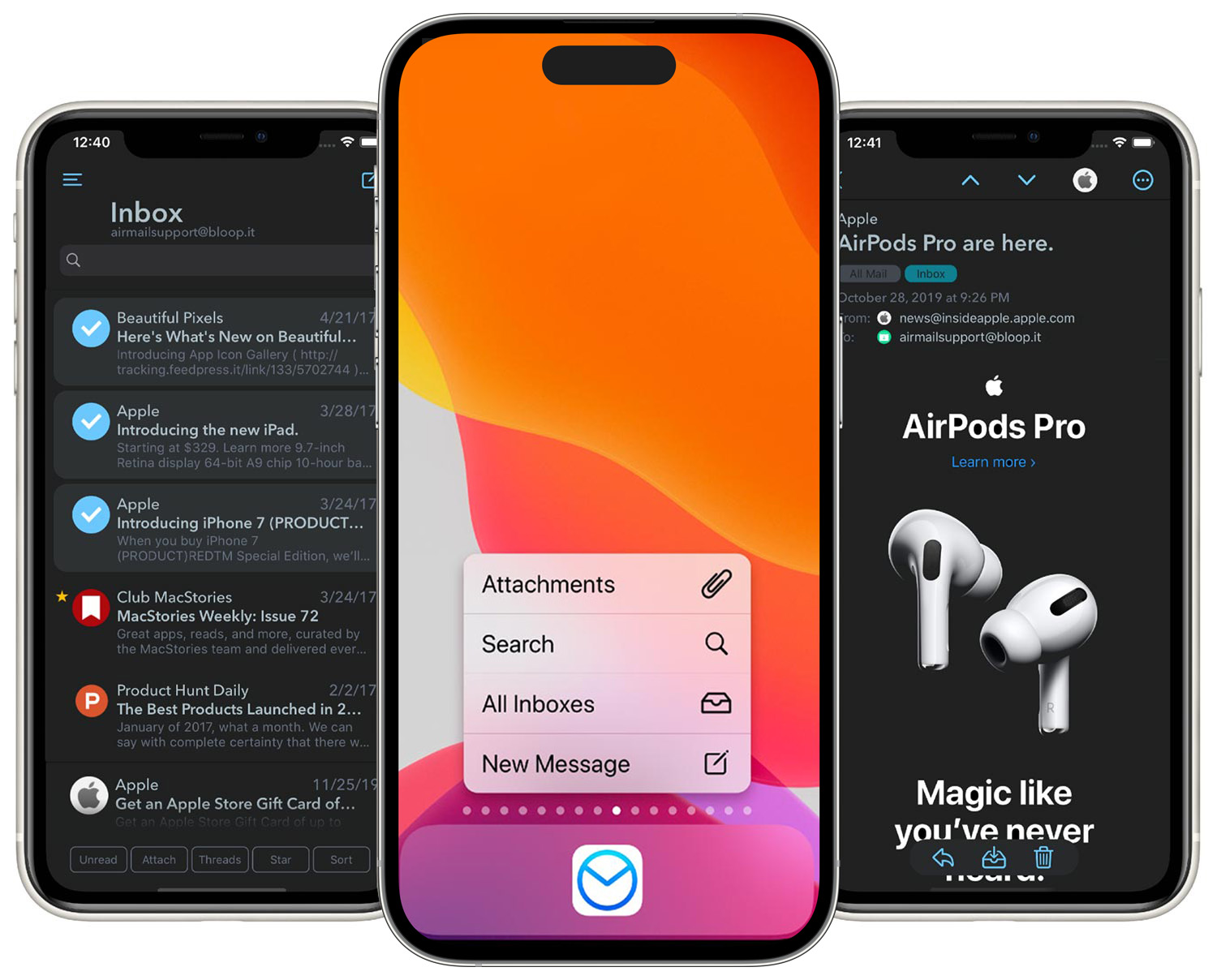

- iOS 14 Default Mail Client
Replace apple Mail as default mail client on iOS 14
- iOS 14 Widgets
Quick access to your mailbox form your home screen
- Unmatched Customization
Choose colours to quickly identify email accounts, and customize the view in the message list
- Dark Mode
When your device changes theme, so does Airmail. Choose from a choice of light and dark themes to delight your eyes
- Interactive Notifications
When you receive a notification you can do more than just open the email. Delete, archive, or even reply directly from the notification - choose the actions which make sense for your workflow
- Today View
Want to see a quick view of your inbox? Use the Airmail Inbox widget to keep on top of things and jump straight to the right email. You can also use the Airmail To Do widget to see those emails marked for follow up
- Share Sheet
Share documents or even text from other apps on your device to Airmail to create an email with ease
- Security with Face and Touch ID
If you want to add extra security to your email in Airmail you can enable Touch ID or Face ID to make sure it’s only you who accesses your email.
- Custom Swipe actions
Set up the swipe actions to meet your needs, whether you prefer to delete or archive, reply or forward, or even use one of your custom actions, you can do it.
- Powerful Sorts and Filters
Sort and filter your messages any way you want. use the quick filters at the bottom of the message lists to jump to unread messages, those with attachments, starred items, emails received today, or to set up another sort..
- Manage Messages in Bulk
Quickly handle multiple messages at once with bulk actions. Choose from any of the wide array of actions to handle as many messages as you need to at once.
- Powerful Sorts and Filters
Sort and filter your messages any way you want. use the quick filters at the bottom of the message lists to jump to unread messages, those with attachments, starred items, emails received today, or to set up another sort.
- Attachments
Add files and photos as attachments. Use the Files integration to add attachments from anything that is a file provider, and use the built in options to resize photos.
- Email Templates
Write an email once and save it as a template right from the composer. Then you can re-use it at any time instead of retyping it

- Unmatched Customization
Choose colours to quickly identify email accounts, and customize the view in the message preview.
- Touch Bar support
Not only does Airmail have support for the Touch Bar, but you can also customise the actions on it to make your life easier
- Dark Mode
Set Airmail to use light or dark mode, or to switch when your system switches
- Quick Reply
Send short replies quickly and easily without opening the full composer and losing your flow
- Actions
Use rules to handle email automatically when it arrives. Your rules even sync between Macs with iCloud
- Rules
Use rules to handle email automatically when it arrives. Your rules even sync between Macs with iCloud. .
- Today Widget
Use the today widget to check on your email when you get an overview of your day. Look at your inbox and see a quick list of emails with their senders and subjects.
- Share Extension
Share anything to Airmail to start an email with it, from files to text save time and energy
- Local accounts
Store archived accounts locally on your device without a connection to the server.
- Plugins
Choose from a variety of plugins to add support for Read Receipts, SMIME or GPG encryption and more.
- AppleScript Support
Use AppleScript support to automate sending email with custom scripts.

- External keyboard support
Airmail for iPad supports a variety of useful keyboard shortcuts to make managing your email from the keyboard easier than ever
- Specific iPad Layout
The layout is optimised for the screen of your iPad, whether it’s an iPad Mini or a 12.9" iPad Pro, Airmail makes the most of your device’s screen
- Split Screen Support
Multi tasking is hard to get right, but with support for split screen you can focus on email while referencing other material, or get your work done and check back on the facts as you go with ease
- Drag and Drop
Grab files and text from anywhere on your iPad and drop them into the email composer to add them to your draft
- Pencil Sketcher
If your iPad supports the Apple Pencil the you can easily add a helpful sketch or diagram to your emails when you need to, without needing another app.
- To Do Widget
Mark emails as needing further action and quickly jump to that list at any time.

- Personalized Notifcations
Choose which notifications make it to your Apple Watch, so only the most important items reach your wrist.
- Interactive Notifcations
Handle email right from the notification with quick actions.
- Reply with Voice
Dictate responses to email at the tap of a button
- Scheduled Notifications
If you only want email notifications between 9am and 5pm you can set that up
- Complications
Keep an eye on your inbox count with complications that fit every face

- Full Email Experience
Fully immerse yourself into the world of your emails.
- Infinite 3D Workspace
Manage multiple windows and organise multiple accounts within Airmail to customise your experience.
- Virtual Keyboard
Write your emails freely and comfortably in 3D space around you
Sync your account settings, signatures, templates, account icons between your iOS devices and Mac with iCloud sync. Set things up once you’ll never need to think about it again.

Airmail supports the following languages: English, Arabic, Burmese, Catalan, Czech, Danish, Dutch, Finnish, French, Galician, German, Greek, Hebrew, Hungarian, Italian, Japanese, Korean, Norwegian Bokmål, Norwegian Nynorsk, Polish, Portuguese, Romanian, Russian, Serbian, Simplified Chinese, Slovak, Spanish, Swedish, Traditional Chinese, Turkish, & Ukrainian.

Use Siri and Shortcuts to send email as part of other automations. Build anything from a mail merge, to a meeting notes parse which sends tasks to the person they are assigned to. Use either the Send or the Search action to integrate Airmail into everything you might want to automate on your iPhone or iPad.

Get notified that you have email when you get email, Airmail can even provide notifications on your Apple Watch. If you need privacy then use local notifications, or if you get a lot of email then switch to VIP notifications and choose your VIPs. Limit work email to just work time. Or use the smart inbox to limit the notifications you get.
Choose a different sound for each email account if you like, and make the most of notifications by performing actions with them. You can also choose if you would prefer for your notifications to be grouped or ungrouped - see every email notification individually or as a collection of “new email” notifications, the choice is yours.

Whether you use Todoist or OmniFocus, Fantastical or Calendar 5, Dropbox or OneDrive, you can integrate Airmail into your workflows. Just enable the apps you want and then you can share emails with just a click or a tap.

If you want to simplify your email workflow then custom actions can help you do that. Combine steps into a custom action which you can then execute at any time. Do you want to apply a label, forward, and then archive your email with just a click or a tap? You can do it with custom actions. . .



- Corporation Privacy
Airmail for Business is a client only and all your data is remain local on your device we do not have any access to them even in anonymous form
- Mobile device management
Airmail For Business support AppConfig for remote devices configuration
- No Subscription
Airmail for Business has no subscription and can apply
- Airmail Pro
all the features presents on Airmail Pro are unlocked and require no subscriptions. Realtime inbox Monitoring Send Later are not present in this version
- No Analytics
No tracking even in anonymous form
