Making ASCII Art in Vim
alexyang.devNeat. The quick and dirty way I use if I want to make something big and unmissable is to invoke figlet inside vim: ":r!figlet vim"
Ha! Never looked into :r, but I certainly will now
Glad I'm not the only one who does this.
> When asked, "do you need any special programs or software to make ASCII Art?", the great ASCII artist Joan G. Stark said: "All you need is a text editor with a fixed-width font."
You can find her impressive ASCII art archived at
https://web.archive.org/web/20091028031724/http://www.geocit...
Another slew of utility lies in `:help searchoffset`, often like the following: https://til.codeinthehole.com/posts/about-vims-semicolon-sea...
    /x/e-3
    /x/+1
    /x/;/yz
For the last example given in that article:
I find it much easier to use "\zs". That tells vim where you want the "start" of the match to be. Everything before the "\zs" is just treated like context:/test_.*_errors/;/errors
It is also useful for ":s/match/sub"/test_.*_\zserrorsNoice! :-D Never knew about that (even though it might be vim-specific), but yeah, so much easier than where I'll usually have to do some trial + error to get my cursor to land where I want it. (usually in a macro, or multi-`.` edit context).
Love it, this was new to me
It's one of those things you'd _never_ stumble over naturally, but once you're aware of the concept, it makes a ton of sense and you can immediately think of tons of uses for it.
    /def new_.*(/s+8
    /2026-/e
    /except/+1;/raise
Awesome! I added your blog to the docs for an ascii art color syntax I wrote for my vim-like editor, I'd love if you checked it out
https://civboot.github.io/lua/asciigame.html
Note: right now the editor crashes if you mis-type any of the syntax... it's not really fully launched, going to fix that soon hopefully but you can see a [screenshot](https://civboot.github.io/img/asciigame.png) of what it looks like
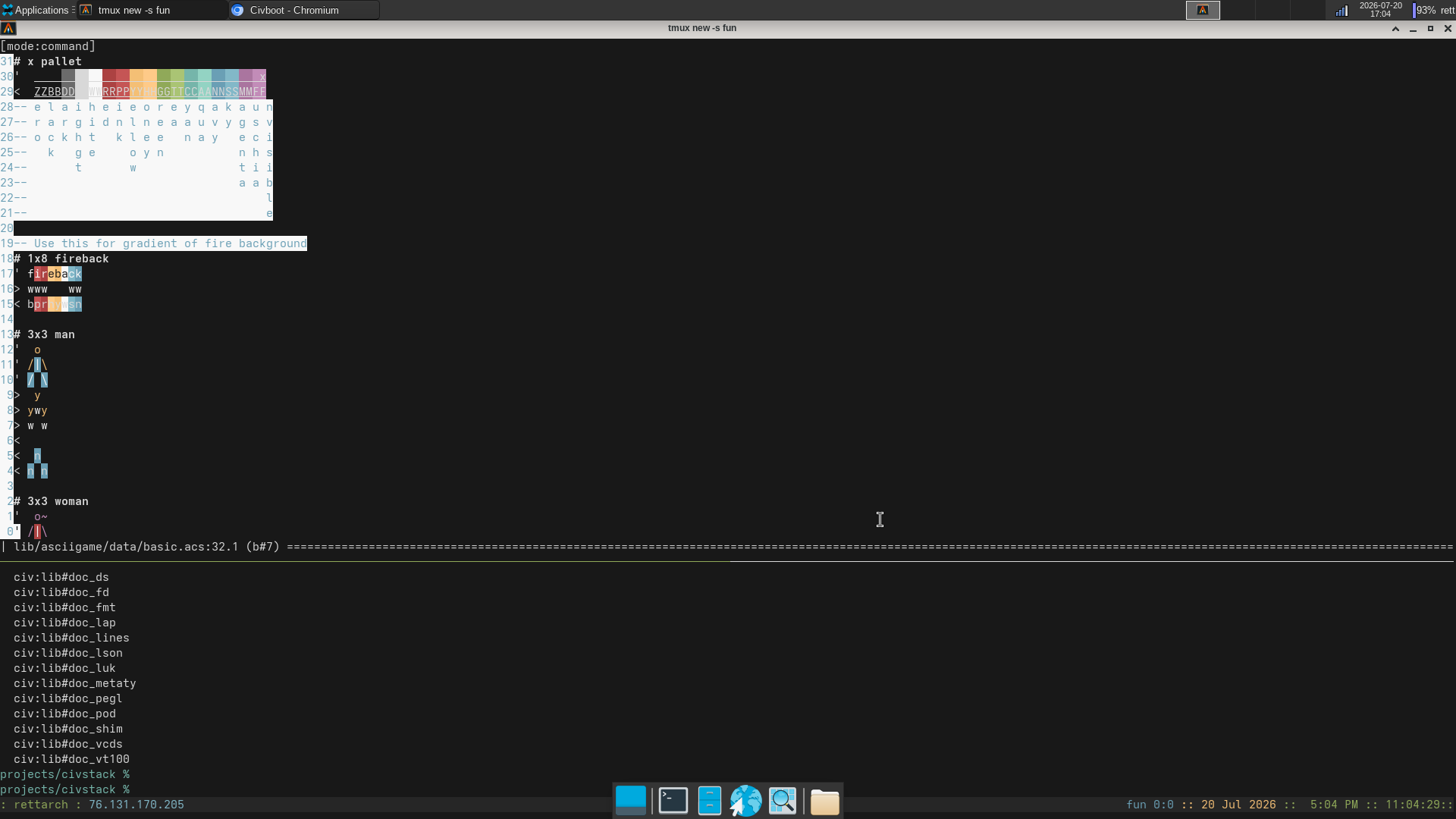
Also, if you know any other good references for getting into asciiart I'd love to reference them as well.
Note: the Ele editor isn't _quite_ ready for all the asciiart features in your blog post, notably virtualedit and macros are not implemented yet - but I just added basic visual mode so it's getting close!
> It's also totally valid to not use this feature and just fill the buffer with spaces at the beginning of your session instead; just know that in Vim it's not absolutely necessary.
I actually set up a script to fill a temp file with a page worth of some "background" character and then open it with a special vimrc (mostly oriented around making it so that mouse drags use visual-block mode regardless of what mode I was in before).
Visual block mode and virtual edit are such killer features of vim.
I also like plugins like https://github.com/nvim-mini/mini.move That allows you to move selected characters around; it's super useful to correct mistakes or reorder things quickly, and it's also very intuitive to make ASCII art with it!
True terminal art connoisseurs are still using their registered copies of TheDraw from 1991:
I know that AI will never replace me until it can generate ASCII art. So far it seems to struggle so I sleep well at night.
You can use artist mode in Emacs as an equivalent. It's really great for box plots and diagrams.
It is convenient to draw flow chart or architecture of something using vim and just ASCII