Charm – Tools to make the command line glamorous
charm.shI love Charm; doing `ssh git.charm.sh` is a lot of fun and really sparks the imagination about SSH apps. They also have usable solutions for auth and storage, which like, if you're thinking of writing something like this are the first things you'd start reaching for. They also work hard to enable you to run all your own services, so you don't rely on the Charm cloud for everything. Definitely a good model for future punk projects IMO.
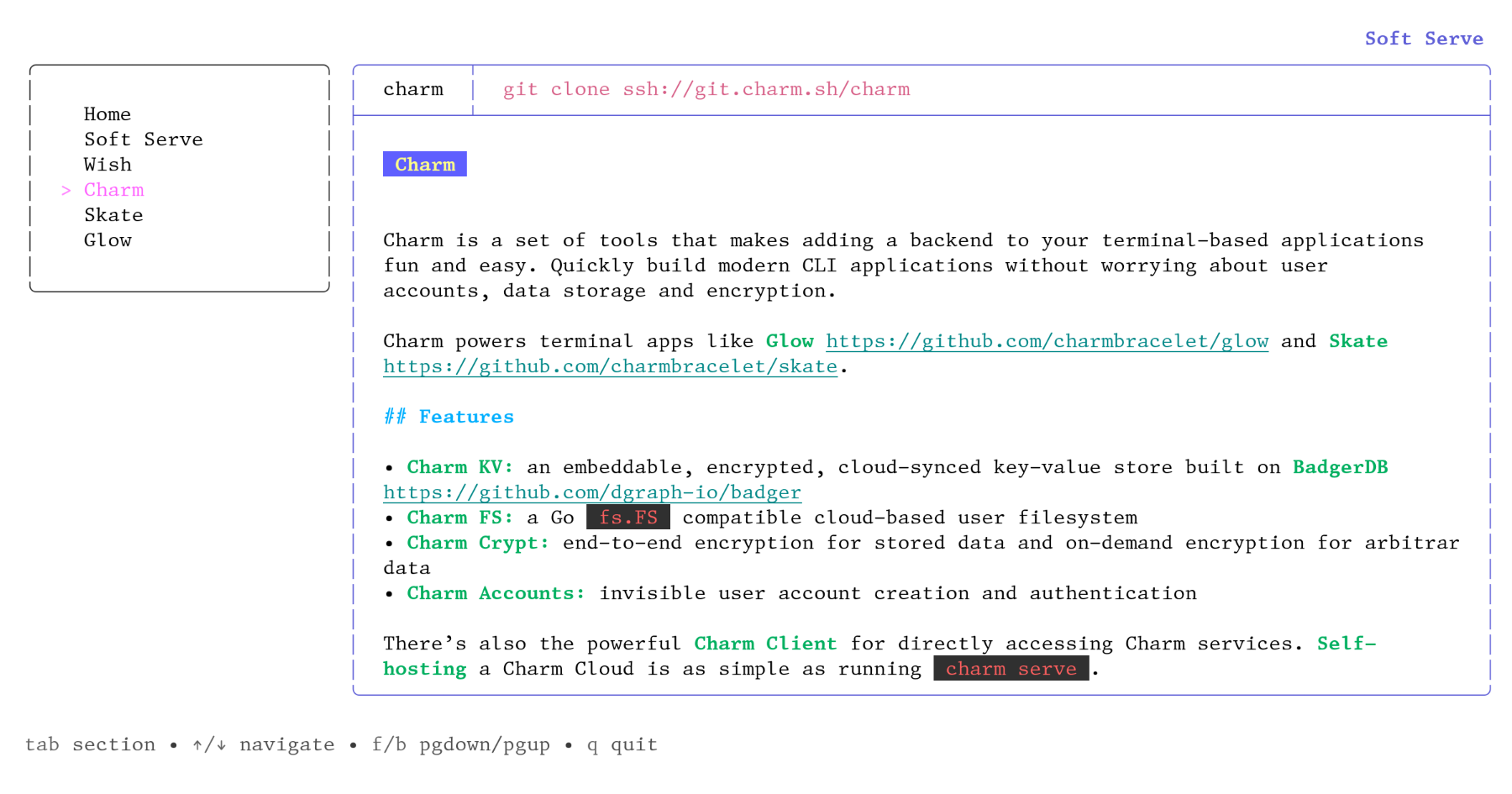
The dynamic intuitive interface provided by `ssh git.charm.sh` is a wonderful example of how text-based user interfaces do not need to be limited to REPL. I wonder if there is space for a new text-based web browser that adopts some of the design features showcased by Charm.
It surely is impressively well made. I am wondering though whether Charm actually qualifies as a text-based interface. Isn't it more like a replication of a graphical user interface, with windows and tabs etc.? If one's issues with working on the command line has always been that there are no "drawn" windows GUI elements, then this of course is a revelation, but we already have high-res versions of Charm, i.e. modern windows-based OSs.
There is no doubt, is a text based interface. The common term is text user interface (TUI vs GUI), and every app rendered as characters in a shell have been always considered TUI, whether they had windows, tabs, dropdowns and whatnot
OK. Then I probably should have asked whether there is anything gained by "drawing" a GUI with characters. Don't get me wrong, I spend most of my day on the command line. But I never thought "this would be so much better if it was more like windows / mac os".
I do think so. Terminal applications tend to be really accessible.
You said accessible, so would you expect terminal applications to work with screen readers for example? What about localisation?
I did not mean that kind of accessible. I mean easy to get, easy to install, easy to manage, easy to distribute.
apologies then! i dont understand how a tui app is necessarily get-able or installable or distributable. system package managers are more than capable of managing GUI apps, and a GUI can be distributed by uploading a zip to gh releases, just as a TUI app can be.
> would you expect terminal applications to work with screen readers for example
Can you explain to me any way in which they might not, bearing in mind they're basically text.
It's not automatic, any sufficiently complex interface will need to offer some kind of support. E.g. if your widget library offer dialogs, using e.g. ncurses, then TAB shouldn't allow you to flow out of such dialog. If you render graphic elements with special characters (dots, dashes or unusual glyphs), you would need to offer some hints to the screen reader to skip or identify differently that stuff. Just "read them out loud because is text" wouldn't work. It's been a long time since my last complex TUI so I don't know what's there today for accessibility
I did a quick Google for examples, and found this comment [0] on HN which gives some examples.
It being "basically text" doesn't matter; a pdf can be mostly just text but that doesn't mean in any shape or form that it's searchable.
> I wonder if there is space for a new text-based web browser that adopts some of the design features showcased by Charm
Not sure if you're aware, but older protocols are still around to be used for this use case, and Gopher has even had a bit of a resurgence as of late
A Gemini client might benefit:
Not using Charm, but I've designed a TUI Gemini client in Go! It's pretty popular, for terminal clients at least.
I miss a search function, but thanks for your client. I may write one a la av98, but with jimtcl instead of Python3. It makes really easy to write networked stuff, either with TLS or not. I wrote a finger client in minutes.
Aren't Gemini pages static-by-design? It would be hard to do something really interactive / state-preserving with them if I'm not mistaken.
Looks cool! Are there any security risks posed by ssh'ing into an unknown server?
By default, you are probably uniquely identifiable: the SSH client sends your public keys, and sites like GitHub and GitLab publish the public keys for each account too. Someone made a demonstration SSH server a few years back that would greet you by GitHub username based on this, but I can’t immediately find it.
If you don’t specify a username, your local account name will be used and thereby disclosed.
Much more seriously, if you have the ForwardAgent option enabled, the remote server can impersonate you, using your SSH agent to log into any remote server. Don’t enable ForwardAgent globally, despite its convenience, unless you have an agent that requires manual action for every action; and be exceedingly leery of using it even on trusted servers, lest the compromise of one machine allow the compromise of everything. Consider ProxyJump instead.
I think this is sufficient regardless of configuration (but don’t trust me to be correct, I haven’t verified the actual traffic or anything):
It’ll prompt you for a password, just press Enter, it’ll accept it.ssh -a -o PubkeyAuthentication=no nobody@git.charm.shNow of course using this will make you comparatively fingerprintable (though not identifiable) unless enough other people do it too. But then, they have your IP address, so—
If you want to skip the host key stuff, you can add `-o UserKnownHostsFile=/dev/null -o StrictHostKeyChecking=no`, though it’ll emit a warning about adding the host key to the known hosts file every time.
ssh whoami.filippo.ioAh, good, thanks. Unfortunately, whoami.filippo.io is not resolving.
https://words.filippo.io/ssh-whoami-filippo-io/ and https://github.com/FiloSottile/whoami.filippo.io are useful. It suggests also adding the option IdentitiesOnly yes.
Or just add a VM or user which specifically is used for such, and then destroyed. (By default, they still have your username and IP address, unless you take additional steps to obfuscate such)
You potentially send all your key IDs (ie public keys) your agent has. there are command line options to force your ssh not to use your agent in which case, barred any bugs in the ssh client, it’s like browsing to a domain in your browser.
This is the first time I’ve heard someone say sharing public keys is a security risk. Can you explain the threat model here?
I think it’s more of a privacy leak. E.g., the service could potentially figure out who you are if your public keys are tied to some other service, like GitHub.
If you ever manage to leak a private key it’s easier to track it back to you. There was a recent paper showing the ability to tie rather a lot of keys to the associated developers.
Would be easy to contact other web services and determine the identity marching a public key.
Regarding the concept in general, since it's just a screen with i/o you can't inspect its client-side code (the UI) nor what it does with your user input - but that can be more of a benefit for infosec reasons if you were to deploy this as an alternative to something like browser isolation[0] where you simply see what a remote browser sees without being able to inspect the contents of the page nor inject code.
You are probably using terminal software that has memory corruption bugs trivially exploitable by the remote end.
Also these https://marc.info/?l=bugtraq&m=104612710031920&w=2
It really does. I wonder if these SSH applications can be linked and used like web applications where it's delivered to the end-user over the network with terminal + SSH being used as a browser. The only problem for these applications (and Charmbracelet) would be that there isn't much audience that could use these.
Good point on the small target audience.. It really is a shame because this is a great looking project.
I think I should write a web app that handles the SHH connection on the backend and renders the SHH app into HTML so that they can be enjoyed by the masses.
=)
If you do this, please mention that using a proper terminal + ssh will work better(This is based on my understanding of technologies used, but I could be wrong), and you may be responsible for a lot of people taking their first steps into knowing computers a lot better!
ttyd is a nice little web terminal: https://github.com/tsl0922/ttyd Just a small, fast, low fuss C-based executable.
wetty is another good option if you want to run a nodejs server: https://github.com/butlerx/wetty
Both use xterm.js for the client terminal, which is these days the only game in town for a web terminal (it's what VS code and many other electron apps use too). It's quite good.
Do be aware though that running a web-accessible terminal is a huge security headache. You're opening up a websocket to effectively allow commands and code to run on your server. Pay attention to security and authentication options any web terminal gives you, and use them. Most are not very secure out of the box or just following their readme examples.
And watch out as many rootkits use web terminals as payloads so smart organizations and security policies will be looking for them or their traffic and you might get a very concerned IT person asking you questions if you use these on a network or machine you don't control.
This is what I come to HN to see - what a masterful and cool project. I'm literally dropping my plans today to make a project using this.
Please reply here with the Show HN link. I'd love to see what can be created in a day from the "never heard of it" state.
I'm still working on it! It's a MUD where the challenges teach basic OpSec practices. I switched to Python and abandoned Charm (using Textual instead)
same reaction
TUIs over ssh/telnet can be a lot of fun. Especially in cases where multiple people can interact with each other on the server. It simplifies the programming model as you only have one state on the backend that you render to multiple connections. Syncing up everyone becomes trivial. You can also use some React concepts, like rendering a virtual TUI and sending just the right set of minimal escape sequences back to the user to bring their display up to date.
A few months ago I implemented a telnet chat server[0] for fun and it was surprisingly easy to do so. Even by using a wasm vm that I was still working on at the same time.
Or the awesome https://github.com/rastapasta/mapscii :))
Yeah I was just thinking it's about time React Native made it to the command line.
This looks cool!
But: These mostly aren't command line applications, they're mostly terminal applications. They're no more "command-line" than running "firefox" from your shell is "command-line".
There's a big difference... a terminal application takes over your terminal and doesn't have all the usual advantages of command-line applications used from the shell, like history and easy scripting.
Ahh, after thinking about it for a moment, I see what you mean.
Yes, there is a difference. It might be better if they were called 'terminal applications', i.e. an app you run from the terminal, instead of command-line tools.
To put it another way,
sed -i -e 's/command-line/terminal-app'
:)
Regardless of name (while agreeing that names matter), they are some cool tools. I think I'm going to switch to Glow for my default markdown reader.
Upon connecting to the demo, they seem to use TUI for what you're talking about and CLI for what you're not talking about.
> There's a big difference... a terminal application takes over your terminal
What do you mean "takes over"? You can always open another tab inside your terminal. You can use tmux to open multiple panes inside the same tab.
> and doesn't have all the usual advantages of command-line applications used from the shell, like history and easy scripting.
That may be true but at least TUI apps can be truly platform and DE independent, unlike GUI apps coming out from GTK4 where every non-trivial GTK4 app in existence is a libadwaita app. Qt apps are buggy on Wayland right now. In such a scenario, anything that runs on a terminal is a welcome addition for me. I'm done with GUI apps, except my web browser.
Your typical command line application on Unix can be piped into another one, or get its input from a file. That's not what Charm is about.
Sure, that's okay, it helps build TUIs rather than CLIs. I'll gladly take TUIs over their GUI counterparts in most cases except where it isn't practical such as image editing.
A good example is the lf file manager.
https://github.com/gokcehan/lf
I was using ranger before this but yeah, I have no reason to use GUI file managers anymore.
I love the general renaissance of terminal UI tools we are seeing in the last few years.
I can't quite put my finger on what I like about it so much. Something to do with the simplicity and directness of these UIs, guaranteed optimised for efficient keyboard nav, widespread adoption of vim-like navigation keys, and the fact that they link directly with my terminal shell so I can stay entirely in a stream of thought while working through complex series of tasks that weave in and out of these apps and shell interactions.
I do wish it was easier to select text from the terminal screen without using the mouse. It is supported in terminals to place text onto the system clipboard, but rarely implemented in most of these apps. It's the main reason my hands leave the keyboard.
> I can't quite put my finger on what I like about it so much.
I can.
Doesn't require a 1.5GB build directory to make a 500MB binary that uses 3GB of RAM to display a chat client/music player/etc.
The node-based CLI tools kind of do though.
It boggles my mind people use Node for this.
'When all you have is a hammer'
I don't have a hammer, but I know how to import it!
Not sure what to do with it, I'll just import "structural connectors."
Hm. Oh, look, a "match tool to connector" library! Wait, it builds a map the wrong way. I'll just import a "reverse map" tool.
Hm. Well, whatever, my build directory is a few hundred GB and somehow includes all of McMaster's web inventory, but that's fine, SSDs are cheap!
And now I know that I need a "nail" for the hammer!
Sorry, can you tell I don't like modern web dev techniques and styles?
I mean, in a Node project, if I need some internal CLI tool, I'll just write a Node script. But for distributable apps, doesn't make much sense to me either.
Oh, do I have a terminal emulator to sell you:
> Hyper is an Electron-based terminal
I mean Hyper is really just an IDE that's REPL focused and so it makes as much sense to be in Electron as VSCode.
It makes ALOT of sense that vscode is written in electron. Why would you think otherwise?
I don't read the parent comment as saying that vscode shouldn't be written in electron. I read it as the opposite, that they are defending the terminal emulator using electron.
Also, out of interest, what reasons would you give for vscode being written with electron?
I read it as sarcasm, cause writing a terminal emulator in electron is really a stretch, could be wrong ofc.
At first I was a bit irritated that vscode is build on electron. Then I found code-server, essentially vscode in the browser and fell in love with it. I can run a fully fledged IDE on a PI without using too much ram or CPU power because the client does a lot of the ui heavy lifting. Then also the other way around, I use code-server on my powerful tower pc and can connect to it via vpn to run heavy coding tasks directly on the server while not miss8ng a single IDE feature. I use the metals plug-in to code Scala backend services and it works incredibly well. Much better then using remote desktop applications (nomachine, vnc, xrdp etc.) on the go. It's even better then ssh when the connection is bad, like mosh but for ui.
Also, every app uses the same font and colors, there is no animation, its very responsive.
The submitted library features a physics-based animation system, so that may change
no thanks
That's definitely not true. While fonts may be the same, colours are definitely not. Many terminals support a very large array of colours. Lots of tools have animations for progress bar, and a shell us no guarantee of being responsive. Anything that displays git statuses in the prompt will take multiple seconds to be ready on a large project, and many will just silently pause while they chug away at whatever they're doing.
In terms of responsiveness, there are plenty of terminal based apps that respond poorly to window resizing (the flickerkng is incredibly frustrating to me), or just don't handle aspect ratio changes at all and clip the ends of lines. Some tui applications don't clear their screen buffer properly on quit so completely break scrolling back the terminal. Many terminals really suck for performance and can really really chug if you accidentally dump a large JSON file to the terminal, for example. That's not responsive at all.
Also, natural language is a better command interface than iconic point and click for intermediate to advanced users. The mouse studies that came out of Apple back in the day were based on testing against the mass market so their findings only apply to mom, pop, buddy and sis.
Have there been studies done on "advanced users"? I'm an advanced user and I think mouse based interfaces are great when mixed sensibly with keyboard shortcuts and command search (like VSCode's Ctrl-Shift-P).
I'm not going to ever use the Edit->Copy menu but I'm also not going to learn the shortcut to click the Ublock origin button in Chrome, which I do maybe once a month.
Do you have any evidence for your assertion? It sounds like snobbery.
lol. Too true..
> I do wish it was easier to select text from the terminal screen without using the mouse.
Check out TMUX. TMUX has a copy mode that can be used to navigate the scrollback buffer for any TMUX window/pane and select and copy text. By default, that text is copied to a TMUX paste buffer, but can be copied to the system buffer using a simple command (e.g., `tmux show-buffer | pbcopy` on macOS or `tmux show-buffer | xsel -b` on Linux/X11). You can set that command to run automatically when you copy, which saves a step if you do it often.
Also, if you enable vi keys in TMUX (e.g., add `set-window-option -g mode-keys vi` to ~/.tmux.conf), then you can navigate copy mode using vi navigation keys, including '/' and '?' for search within the scrollback buffer.
Alacritty has a similar thing built-in, without tmux if someone doesn't like it for some reason.
This kind of copy and paste is a bummer though since it isn’t aware of word wrapping.
I just checked. TMUX does not insert newlines if there were no newlines in the buffer. That's usually what you want.
Maybe it varies by version, but I get this behavior all the time.
If you are copying from a text-mode app that does its own word-wrapping by inserting newlines or moving the insertion point, then it may not be possible for TMUX to undo that. Copying from shell output like `cat somefile` or `wget something`, however, works like it's supposed to.
You can configure kitty to open the entire scrollback buffer in an editor or a pager(less/nvim etc).
I wish there was something that have stdout in an env variable that is readily usable next time the prompt is available.
See https://sw.kovidgoyal.net/kitty/shell-integration in particular Open the output of the last command in a pager such as less
There is minimal effort in a CLI app compared to a full-fledged web app. I also appreciate how much faster things are when there is a CLI REST APP instead of a GUI front-end for the same application.
My first exposure to anything that could be related to professional day-to-day work was when my dad taught toddler-me how to use DOS in Windows 3.1
Unfortunately for me, I didn't do anything else remotely related to programming until my 20s. But I think this early exposure to a command line made it much easier to go through tutorials, since everything that I used to learn early on involved a unix terminal.
Anyways, command lines/terminals make me feel good. I don't think it's nostalgia. I'm not exactly sure what to call it.
It's the same feeling I get when I occasionally have to write Objective-C code. It's not the first language I learned, it's not my main daily language, and I'm not particularly good at it. But it's the first programming language that I was paid an actual salary to use. It helped me start my career, and it makes me happy. It just feels warm and comforting.
Same thing for me with terminals, I like it in a way that feels different than other things
It's because your interaction with the computer is based on language which is more natural than graphical point and click interaction.
> I love the general renaissance of terminal UI tools we are seeing in the last few years.
Terminals are underused. This is why I push for implementation of all off terminal codes such as double width and height, blink, smooth scrolling, ReGIS, Tek 4010 and so on. I had a small victory long ago by adding 25 and 50% fills in sysdig spectrograms so that running it on the framebuffer console looked better.
Imagine an htop using Tektronix graphics. Or ReGiS.
I managed to convince the Windows Terminal folks to support overline (so I could have a 3270-like status on tmux, where I added overline myself).
Now I got myself into promising to implement Tektronix for VTE.
I use tmux's scroll/select/copy/paste with vim bindings
Alacritty has this too, but I have never tried it because I use tmux.
Good point - perhaps this belongs much more in the terminal emulator layer. I will have to investigate the options there!
Tmux is a terminal emulator layer. It even has its own terminal type. (Well, shared by `screen`.)
> I do wish it was easier to select text from the terminal screen without using the mouse.
I've recently gotten into the habit of running my xterm inside Vim. At any given point I can do a `ctrl-\ ctrl-n` and edit the entire terminal history in Vim.
Very useful.
You can use TMUX for copy or a terminal that support it. I use alacritty and it supports direct copy with a vi move that turn the whole scrollback buffer into a vim-like buffer.
Tmux allows text selection like you describe.
Damn. I am generally not a fan of command line applications, but these libraries look amazing. I'm definitely going to be checking out Bubble Tea.
And the design of everything is really great. It's unique but not outlandish. Just clean, simple, and cute. Really impressive stuff here.
Awesome!
Just remember to use `ssh -a` (disabled SSH agent forwarding) when talking to untrusted systems.
Edit to add: by default, ssh doesn't forward the SSH agent, but that can be changed by config. Doesn't hurt to add the -a.
I thought by default it does not forward? But I guess better safe than sorry.
I doesn't forward by default, but for the off-chance that some wildcard rules in your .ssh/config do enable it, it's better to be safe than sorry.
Thanks. I didn't know that.
Charm's libraries for the CLI are just awesome. I think these guys are really breathing new life into the CLI and make it look appealing for all kinds of applications. Chose their bubbletea library for a CLI file transfer tool (https://github.com/ZinoKader/portal) and found it a delight to work with. Super easy to make something that looks and works great.
    # Arch Linux (btw)
    yay -S glow
This is really cool.
What I don't understand is with the recent adaptation of GPU-accelerated terminals, why not create something that actually renders Markdown like you'd expect in the browser, but in the terminal? It would have to be significantly faster than the bloat of a typical browser, but just with limited features... like no JS engine.
What about 'glow' and 'glamour' components of the charm project? What is their difference from what you propose?
Aside: I use glow to display help for special keybindings mode on sway.
Those are cool but they are still using just ANSI color codes and what not. I think it is great but not ideal or optimized than if terminals would implement a native markdown or markup renderer.
Wait, how would that even work? Do you want something like SIXL support but for markdown? Encode your markdown doc in an unholy escape sequence and throw it at the terminal?
It would work by the terminal API detecting file type and automatically rendering the markdown. Sort of like this:
https://github.com/alacritty/alacritty/blob/master/extra/ala...
Allowing for different sized headers and what not.
what is SIXL? when googling I can only find some random ETF that I don't think you're talking about.
It's called "Sixel", and it's a way to print graphics in the terminal:
I think the parent refers to sixel: https://saitoha.github.io/libsixel/
No idea if the tools are any good, but I absolutely love your branding. Opinionated, but perfect for the demographic.
I am the demographic in that I love using the command line and want to see it get modernized.
I thought the design was terrible. Noisy and pointless and frankly hard to see what is on offer.
It’s pretty and stylish but absolutely awful if you care about the content, and that makes me worry that the components themselves will be similar.
Maybe it's aimed at a younger demographic and not just all devs that use cli tools. The design doesn't appeal to me but the several animated examples and quick blurbs about functionality seemed to showcase what was on offer pretty well.
I'm young and had the same experience as GP - for me it's just too little said about too many different things, it's hard to tell what 'it' is (and I only realised on the second read through that that's partly because they are many things).
Imagine if Amazon had a landing page with headings like 'eShopping', 'Internet', and 'Cashierless Shopping' to describe what the company did. (And worse, then obscured them behind fun but not descriptive names.)
It's a nice page, a lot's gone into making it obviously, but it could be about just one project, each section that's currently a different one instead explaining a feature or aspect of it. Or as it is, the big headings should be the class of thing each project is, not its 'fun but not descriptive' name, IMO. (Underneath: 'FunName approaches blah differently by ...', sure, just not the big eye-catching heading when I'm just scrolling trying to see what's on offer.)
They are a company that writes several different tools for developers, not an e-commerce site for the general population. Which tool has a useless description that doesn't tell you what it does? If one tool is interesting to someone they can click it and they are presented with a great Readme that explains it in more detail. It takes like 30 seconds to parse the page and find out if they offer anything that is interesting to you.
You can’t tell if it’s interesting until after you have read the GitHub read me. That’s the problem.
> Imagine if Amazon had a landing page with headings like 'eShopping', 'Internet', and 'Cashierless Shopping' to describe what the company did. (And worse, then obscured them behind fun but not descriptive names.)
Well, they do have Route 53, EC2, Elastic something on AWS.
Yes, AWS is infamous for it, but at least in the closest I can think of to a single landing page (the 'service' drop down selector) they're grouped by 'compute' etc. And that's not really intended for describing each one, they each have a separate landing page.
Do you know what language the libraries are written for?
From the first line of the readme of the first listed lib:
> The fun, functional and stateful way to build terminal apps. A Go framework based on The Elm Architecture.
Not being able to determine that without having to go to GitHub seems like a problem with the design of the website.
I am of the same opinion. I closed it although CLI screens look nice, as I couldn't stand the arbitrary attention stealing noises all around.
`ssh git.charm.sh` is maybe more your style?
Considerably better
What is the demographic you think this is perfect for?
Just curious who this appeals to. It's not for me but that's OK I like opinionated things and recognised that that this is aimed at someone who probably will love it.
Not the parent, but I find it wonderful. The spring library is one I love.
There’s some charm to spending the time to challenge preconceived notions of CLI output. I find something very beautiful about picking up a new tool and being surprised by the output in a way that piques your curiosity or brings a smile.
It’s the greatest form of learning to be able to just play. Should you be implementing these into your enterprise internal tool to monitor your platforms support tooling? Probably not.
Perfect is a strong word, but it definitely seems to target a younger dev demographic and more specifically, maybe one that likes Japanese style animated cartoons.
/r/unixporn users
Perhaps it's developers who are looking for some validation from and engagement with their eight year old daughters?
:/
I really liked their web design.
Side note on web design: uBlock blocked nothing. Usually when a page that looks like this comes up, I notice 10's to 100's of blocked requests.
On top of that, I disabled JS out of curiosity, and the site worked completely fine, sans expected failures (the only thing that stopped working was the little videos by the libraries)!
I think this is the first site with this level of "Design" (Which I usually hate, but they did a really good job of here here) where both of these things are true.
Agree. I'm generally a fan of the more simplistic websites (sometimes that means them not looking modern at all), but they did a fantastic job here.
Great observation. I had opened it on my old mobile browser and it loaded super fast too!
I feel kinda compelled to run a torture test now.
Just tried w3m on desktop and it was decent, anyone have IE sitting around?
I have a celeron pc with xp nearby!
A bit late, but did you test it and if so how well did it work?
Just tested with WebPositive on Haiku on a T61, and it did in fact load - though it took a long time.
DankPods, is that you?
Could you say a bit more about your demographic and what you like about it?
It's definitely not for me, and I'm entirely ok with that. But I'm really curious about who it works for.
I'm nearly 40 and I also really liked the design.
From usability: It was clean, to the point, and I felt like the goal was to give me information so I could quickly find stuff I was interested in. no sidebars, no popups, no obvious dark patterns, just content.
From Preference: I really like the cyberpunk color scheme with, as I'd describe, bubblegum, aesthetic. It is fun without being overwhelming.
I like most things that pick a theme, and run with it while executing it well. Doesn't honestly matter what that theme is imho.
Demo: Early 20's male who likes tech.
Other examples of sites I like:
jwz (.) org (recommend typing this one into address bar, don't follow links from HN. https://xxiivv.com/ http://100r.co/site/home.html https://tildeverse.org/ , and most pages linked to from https://tildeverse.org/members/ http://9front.org , especially the FQA: http://fqa.9front.orgI never really liked the flat design, weird colors and shapes design trends from two years ago. So I'm happy to see subtle animations and gradients again.
same, breath of fresh air
Seriously, these are some landing page goals imo. I love everything about the design and images.
I love CLI tools, and I think we're just scratching the surface of what's possible. It's really neat to dig into the UI components that charm has available.
It feels as though many GUI-based web / chromium applications are collapsing under their own weight. They're slow and discoverability is bad. Maybe worst of all they're always distracting me with a popup / modal / alert that's unrelated to my current task.
A lot of these issues go away in a CLI, and I think there's a back-to-basics movement forming that could extend beyond the HN crowd.
Yes. Charm is hitting my brain like when I first heard about the idea of web apps as desktop apps (i.e. Electron). It feels like a beautiful paradigm.
While perhaps a bit more raw, if you’re interested in next gen CLIs and TUIs, see also Notcurses:
These apps look wonderful, only taking a casual glance at the repo, has anyone used, or would one recommend using Skate (https://github.com/charmbracelet/skate) as a personal PW manager or even keychain?
Also curious on how/what that would look like.
I’m going to clone and fork, this looks like a really great project for me to cut my golang teeth on for that very purpose.
For a command line library, this site is really fun and well put together.
I upvoted for the web design...
But as always there are already people in the thread dismissing it as obnoxious, pointless and unnecessary :) (and comparing it to Amazon's homepage, as if it was a consumer facing e-commerce site with a critical need for mass user retention from the first page load. Another person called it a red flag and highly suspicious)
It's very difficult to please HN when it comes to design, and usually the best design here is no design at all. If as a web designer you can't express yourself even for non-critical and lighthearted landing and showcase pages like these, the amount of outlets available to exercise your creativity becomes very narrow. I can't help but feel that in the eyes of this forum it's a pointless endeavour and not worth aspiring for.
That website has such a great design and color scheme. I feel like I walked into a VR party populated with characters from an arcade machine in neo Tokyo where a couple of school kids were sinking quarters before Akira was exhumed to battle Tetsuo.
I like the idea of ssh sites, would love to see an optional notcurses client for them - it will solve the problem of delay even when scrolling (I'm talking about git.charm.sh) and also enable true rendering of markdown / pics / etc.
I've been using Charm tools and libraries for a while now, truly some of the coolest stuff I've ever experienced on the command line.
I really like the idea of glow and I actually use it to read my markdown notes that I edited in nvim. One thing that I miss is running glow in watch mode to edit markdown file in one pane of terminal and see results in another pane. I think I’ll pick up the idea of ssh tui for my website and blog. It will be fun.
Really nice design.
I like CLI and TUI, they can be both practical and aesthetically pleasing, in my opinion the "beauty" of tools is something that can improve the quality of life for the end-user.
But I have a few negative remarks.
- The glow.exe app on Windows is 19M, the launch is fast and I love that it is self contained and portable, but I think that even a pretty markdown viewer could be compiled to a much smaller binary, like easily 10x smaller without doing hardcore demoscene style binary compaction.
- I looked at the examples and source code of some simple widgets like the spinner or the progress bar, I am not fond of the API, too scattered and quite verbose, here again I think that the exact same thing could be written with 1/3 or half the lines without being more difficult to read.
Go produces large binaries (15Mb+) by default (it optimises for startup time not storage space). There are options to reduce this, but they involve tradeoffs so here be dragons.
Go code tends to be verbose (if you come from a more succinct language). Again, this is a result of design choices made by the Go language designers: optimising for simplicity and explicitness (lack of magic).
I've been coding in Go for years, and find it incredibly readable compared to other languages. I now find less-verbose code harder to read.
> The glow.exe app on Windows is 19M, the launch is fast and I love that it is self contained and portable, but I think that even a pretty markdown viewer could be compiled to a much smaller binary, like easily 10x smaller without doing hardcore demoscene style binary compaction.
I've not dug into it but syntax highlighting for code fences probably is costing some space for the syntax definitions.
That binary size is due to the Go runtime also being compiled into it.
I liked their contact email: vt100@charm... :)
Everything there is worded so that sysadmins and devops kind of persons will love it. All the product names are cute and innocuous. This is a huge red flag and the entire operation is highly suspicious.
Yup, it's that old classic again! Goes something like this:
Step 1: Produce cutesy web site clearly aimed at a specific demographic
Step 2: ???
Step 3: ???
I've seen it so many times now that I can't believe people are still falling for it.
Falling for what?
That's the joke.
What do you suspect they are doing?
Supply chain attacks?
If they put this much effort into planting some backdoor that's going to get burned the second it's used or spotted in the openly published source code they can have it
They are building the supply chain. Who knows who the targets will eventually be; never everyone.
chill down
This appealed to me, too. Maybe the demo they are going for is, old.
Totally not relevant but those rollerskates look amazing in the Skate logo. In fact, all logos look eerily real in a way. I wonder what makes that so, it's literally as if i could grab them from the screen and put them on my desk. Well done, gfx artist !!
Mostly the GI. https://en.wikipedia.org/wiki/Global_illumination
I wonder if the vt-100 terminal emulator will be used to surf the next "web"... Instead of web sites, the nerds will run their own ssh servers, then you can run programs and read files on their "web site" (ssh shell). This has many advantages over the current web, for example built in user management - you can allow anyone access by their public ssh key. Now you say what about graphics ? Text only might be a break from the ad ridden web today, but you could also ssh -X to run GUI apps.
> Instead of web sites, the nerds will run their own ssh servers, then you can run programs and read files on their "web site" (ssh shell).
That used to be a common practice before the advent of the web. There are still plenty of them around, including a few games.
> Now you say what about graphics ? Text only might be a break from the ad ridden web today, but you could also ssh -X to run GUI apps.
There are some extensions outside of the VT100 protocol that allows things like graphics. Emacs buffers are capable of much more. They could achieve graphics right in the terminal. Ultimately, they are all variations of the same idea that HTML and CSS are based on.
What you are experiencing right now is what the millennials call "Yassification of the CLI"
Good point, great result tho
I love the footer.
haters > /dev/null™I hadn't seen Wish before. Seems like a great place to start building a modern BBS!
Gross candy-store like website. I can not believe that the start page is nearly 14 MB big.
And I still don't understand what they sell.
They're providing quality software for free, you not liking the presentation feels like part of the joke. Spongebob needed a Squidward
Seems like they charge for optionally providing hosting though. E.g. Bitwarden
Yeah, there's some discrepancy that doesn't make much sense to me. It's more like terminal is a fashion to those people, rather than a practical choice. The fact that their SSH website is painful to use across the pacific ocean proves the point. TUI is not the answer for sure.
I feel like this is kind of missing the main goal of command-line apps being string-in/string-out. With modal text dialogs, you can’t awk/grep/sed your way through automations anymore. And is it really easier to code than a real GUI?
The SSH angle is neat though. It works much better then vnc/parsec at lower bandwidths.
I applaud the effort but I think the approach of trying to make the terminal more graphical is the wrong approach. The efforts should be at making graphical displays accept terminal protocols. As a simple test, will the command watch YouTube.com/qtre375fj show an embedded video? Think lisp machine interface.
Looks cool! Hope Rust gets some libraries like this, i'd love to make use of this functionality!
Was thinking similar: "what lessons can we apply to Rust"
I don't know. I'm very skeptical about the recent TUI approaches. At least that's NOT what the current infrastructure is designed for.
I personally believe we really should graduate from the terminal infrastructure that was designed in the ancient time. We can make a good use of stuffs like client-side UI rendering (fast & reactive), graphical boxes (more compact boxes), image embedding, native multiplexing, capability negotiation, etc. These might be still possible on the existing infrastructure, but a clean slate should provide more consistent experience for everyone involved.
Reminds me of BBS.
Instant fan. I'm definitely going to be messing around with these. As someone who uses CLI constantly, this looks wonderful.
Also, this entire website is a work of art.
Is this like, a framework for making command line apps, the way Spring is a framework for making web apps?
Is Soft Serve for people who don't want to use GitHub?
> Is Soft Serve for people who don't want to use GitHub?
There's no web UI for soft serve, it's strictly a command line and config driven git repo manager. It's more of a direct comparison to look at gitolite (also a script/CLI driven repo manager).
If you're looking for a run your own web UI for git, check out gitea.
You can even hack it so that both projects share the repo directory. Use Gitea for web and native SSH and this for a TUI.
These tools make me want to build command line tools!
Oh my god, I think this is the single best thing I've seen happen to open source world after linux distro options bombarding all over!
I wrote a side scrolling beat-em up in the terminal ("telnet exploit.courses"). Charm seems to have identified all the pain points, the Charm backend with KV store and user authentication would be something i'd need to implement multiplayer functionality. Gonna play with this stuff for sure.
Love the website!
I'm at the opposite end of the cli taste spectrum (my PS1 is a single character), but I love this site.
I'm the same way, other than the git branch of the cwd where applicable. A minimalist command line is almost like a sacred place of pure intent where I can give my eyes a rest and catch a break from the mad world of GUIs.
Do you just have a super good memory, remembering where you are all the time? lol
Very bad memory!
But still, I don't need to be reminded upon each single command who am I, or where I am. It is better to display this information on the window title, or just run "pwd" in the rare cases where I feel lost.
I have one major problem with a lot of the recent TUI stuff that’s been happening: it almost always assumes dark terminal, and uses techniques that work poorly or terribly on light terminals.
For example: bat’s default colour scheme uses white text for the contents of files except where syntax highlighting changes it. Not the default colour, but white. This makes it completely unusable for me without --theme=ansi (which can go in ~/.config/bat/config), because the text is literally invisible unless I highlight it. This is an idiotic or thoughtless default.
The fact of the matter is that you can’t reliably do anything even vaguely interesting in colours, because clients are too inconsistent. Do the bright codes higher contrast, or do they mean lighter? Different programs and different themes treat them different ways, and the effects matter greatly.
This particular app is mostly not too objectionable in my high-contrast light colour scheme, but there are a few places where it’s clearly not what was intended and doesn’t work as well, though still tolerable. Pane focus outline is a fair way off so that it’s much less obvious, and some of the colour choices grate. Markdown `code` highlighting, which is supposed to be salmon-coloured with a subtle lightening background, is way off and quite painful. Screenshot: <https://temp.chrismorgan.info/2022-01-24-git.charm.sh-in-lig...>. It’s all particularly bad for me with a light terminal, but I imagine it’ll look at least mildly dodgy even on many dark colour schemes.
There are no satisfactory choices in designing TUIs with colour. You can: stick to 5–6 colours plus bold and have it work pretty well for everyone but miss out on some desirable possibilities; go up towards 16 and have it start to not work properly for more people (e.g. blue could be clearly visible, or nigh-invisible against black and just about painful to read); use 256 or 24-bit and design for a particular background and character of colour scheme, and feel badly out of place on other sorts of colour schemes and work really badly in other sorts of backgrounds, especially as you can’t predict whether a lighter colour means higher or lower contrast; or specify the background colour (only even vaguely reasonable for full-screen TUIs) and badly annoy a lot of people.
It’s unfortunately a dead end for design as it stands: ANSI colour codes are just very insufficient. Things could be improved if apps at least tried detecting the terminal’s default foreground and background colours (printf "\033]10;?\033\\" and "\033]11;?\033\\") and adjusted things if that works, but you’re still just fundamentally quite limited in what’s possible.
lipgloss, the ANSI color library from Charm, has support for specifying different colors for light and dark terminals.
I think it’s a pretty fair indication of the situation that it looks like their flagship app didn’t use this functionality.
Actually, on reflection I’m inclined to reckon lipgloss.AdaptiveColor an actively harmful API design direction, because it makes doing the right thing harder (scattered, inconsistent definitions) and encourages doing the wrong thing.
A vastly more robust approach is to shape your app around themes/palettes, and then allow the terminal’s colours to influence the default palette. Much like the traditional HTML/CSS approach: don’t use style="color:red;font-weight:bold", but rather class="error" and load in a stylesheet that says .error{color:red;font-weight:bold}.
Such an approach is also, incidentally, more flexible and user-pleasing because it necessarily allows more than two themes, allowing users to choose their own palette if they’re not happy with your default—though how that’s exposed is a distinct matter, especially as to whether ad-hoc themes can be created.
lipgloss looks to support some useful fundamentals for such a theme-based approach (styles, even with inheritance), but not to have built a palette abstraction on it, or adaptive palette selection, which is what you really need.
I use a light terminal color scheme, and was really pleased that when I tried the `ssh git.charm.sh` it gave me nice, usable colors on my background.
, I like it, but I am not sure about diving into Golant again.
Any way to use it in other languages?
Or do I just keep poking at Rich[1] in Python?
The one thing that jumps out at me that this has that Rich doesn't is the List selector thing and Viewports (Rich might have that but I haven't looked too hard)
Rich is the low level part, for list select or viewports, you need the high level lib from the same author: textual (https://github.com/willmcgugan/textual).
In that case, you can use something like Questionary.
A quick google shows that go can expose functions to c, so presumably you could use it in any language that has a c ffi.
Glamorous? More like glorious!
When you open the site on some mobile resolution, the ice cream cone looks like a pile of poo in the bottom left as the rest is cut out. Kind of funny considering the promise of a "glamorous cmd line".
I don't need it to be glamorous, rather to use it as little as possible.
When I started in computing the command line was the only way to make the computer do stuff, I don't miss those days.
While we're on the subject (and from Rich the other day) is there a library to do pretty command line apps for Java?
Wow, this is really cool.
Really effective use of colour. I like the aesthetic
... my eyes!
Color Scheme hurts my eyes.
I looked at their UI library. How did we get to a place where “The elm architecture pairs nicely with Go”.
Do you object to that idea?
This seems highly suspicious in light of recent supply chain attacks. Offering everyone a nice CLI experience, and so well branded and 1337 too.
According to Crunchbase, the company has two employees and receives millions in funding.
Something doesn’t add up here.
More often than not, it's the Crunchbase DB. Especially for early companies it can be pretty out of date quickly. My current employer had its entry badly merged with a similar named company that wasn't even close to what we did, so we had the wrong description for over a year.
Also it lists two employee profiles, but a size of 1-10. This is common too, again at my current employer we've got a headcount in the 20s but only 1 or 2 employee profiles on crunchbase. $3M is also not a massive seed round by any means, I've seen plenty of early startups with 2-4 employees raise $9M+.