Making My Own USB Keyboard from Scratch
blakesmith.meThis project looks nicer than most first efforts. Some random tips for anyone who wants to do something similar, with reservations for that it has been awhile:
1. Get a through hole supported usb connector instead of a pure smd one, since the latter likes to fall off.
2. I would avoid routing under the switches for durability, this might just be superstition though.
3. You can route the x and y of the matrix on different sides of the board to make things easier.
4. If you want to pick and place or wave solder it is probably easier to have the smd and through hole parts on different sides of the board.
5. No reason not to use the supported switch footprint, especially since you can connect your ground planes with the additional holes. (well, I guess space is a reason but still).
6. If you are going to assemble by hand, make the pads longer as needed. Probably especially on the microcontroller and diodes.
7. Solder in order of cost and success rate.
8. Always add switches, leds and connectors for debugging even if you don't intend to use them.
9. Some traces are quite close to the center hole, which might also be too small? Anyway, some margin is good for reliability/yield. (especially mixing 'technologies' e.g. holes/edges and traces).
Edit: Oh, I forgot. You might consider scripting the placement of the switches/diodes.
> 7. Solder in order of cost and success rate.
Thanks for this. I guess I've always gotten lucky here but now I'm imagining the frustration of getting done with all the discretes on a board just to blow it all on the uC. Great advice, thanks again.
Desc. or asc.?
I don't know but do whatever is riskier and costlier first.
Shouldn't it be riskier & cheaper first? That way if you fuck up you haven't wasted your expensive components.
Generally, riskier and more expensive are shared properties, you want to do those first since then you save the grunt work if you mess it up as well as you have more space to work with it.
Components are not wasted or used up by being soldered to a board.
In a lot of keyboard designs, you'll solder an Arduino Micro Pro to the PCB. It has, I dunno, 18 pins or something. Without a professional desoldering station, it's almost impossible to remove. I tried with desoldering braid, wick and pump but still managed to damage the Arduino. A more experienced person tried with a heat gun, also damaged the Arduino.
They certainly can be if you're not very good at desoldering. Especially BGA parts which require laborious re-balling for reuse.
Luckilly you won't be installing BGA parts to begin with using a soldering iron at home.
Small and robust switches don't exist in nature it seems.
Been doing a design proposal for a yet another ultrathin laptop, this time with "pro gaming" spin.
One of client requirements was "be it the end of the world, but switches must be mechanical."
That sounded like an easy task... , but we ended up spending a week on the switch and having them custom made by a watch parts factory.
It is remarkably difficult to design a purely mechanical mechanism for making a "snapping action" that will be small and moderately wear resistant.
We almost thought of "screw that, lets make the mechanism electrostatically actuated," but finally made a parallelogram mechanism with just enough set of spring loading there, and there
Sorry for being thick, but I just can't work out what you mean by suggestion #5. What does it mean to use the supported switch footprint? How could you use an unsupported one? What does it mean to connect your ground planes? What do you mean by additional holes (compared to what)?
I think OP is referring to the "PCB mount" version of the cherry keyswitches which has two extra supporting plastic pins. The other "plate mounted" version doesn't have them. Nothing about the PCB mount version prevents you from using a plate but it requires two extra holes per switch.
https://support.wasdkeyboards.com/hc/en-us/articles/11500927...
Yes, without these pins the switch can twist. Making them a mess to align without a plate. With those extra holes not only can you use the circuit board without a plate, you can also use any pcb mount switch you may have laying around, or have bought in bulk.
As for the ground plane [0], you usually want this uniformly connected despite the grid routing of the matrix. But since there is no connection on the plastic pins you can use these holes for that instead of making a bunch of other connections.
[0] https://en.wikipedia.org/wiki/Ground_plane#Printed_circuit_b...
As for #4 this depends on what process you use. For normal SMD reflow and THT wave you want to preferably have all components on same ("top") side. For singlepass wave soldering of both SMD and THT components you want the SMD parts on the bottom side, but such process is usually only worthwhile for very high volume (and usually single layer) boards and requires special board design.
Sure, but even just hobby stencil, reflow or pnp you might want to consider this. In this case you also have the plate which will block anything on the top once the switches are soldered.
> 7. Solder in order of cost and success rate.
I would recommend that if you're new to surface mount, to get a couple of SMD practice boards so you can exercise your skills and get a feel for what will be hard/risky and what will be easy/repairable. They're a few dollars online.
I wanted to make 12v instant failover UPS.
No idea how can i make DC to DC UPS with easily available items
I've 12v 0.5amp requirement @6watt.
I need this appliance to be running for 5-6 hours when power has failed.
Does anyone know of the community where I can ask such question?
If you’re open-sourcing a project, you can get a real USB PID instead of hijacking someone else’s: http://pid.codes/howto/
Oh nice, didn't know that! Thanks for the info!
Cool project!
For folks interested in doing this themselves there are some communities out there - others have mentioned qmk, here are some useful forums to check out:
* https://www.reddit.com/r/MechanicalKeyboards
Depending on your level of interest/commitment you don't have to design your PCB and software from scratch, there's a spectrum from designing your own PCB, case, etc. to putting together components designed and sold by somebody else.
I have a design wish for people who make things like this: “row modules”
Basically, as an example - i wouldnt be fond of the size of that spacebar, and would like other modules.
What if each horizontal row of the standard length on a qwerty were its own module, and you can snap several together to make the board you want.
Want a touchpad? Snap it to the base or side. Want a touchbar oled strip: snap it to the top. 9-key? No problem - gamer config wsad side module? Yep.
Want to just pull out the small qwerty section for some reason - just unsnap whatever you need.
Also, from a connection perspective, they should be little round rare earth magnet cylendars in dowl posts and you just mate the pieces this way.
Fyi, Daiso Japan carries these in packs of 8 for $1.50.
I'm curious why you want modular parts rather than just designing a board that has what you want? Keyboards are surprisingly easy to design now (as seen in this article), and you can design things that would be completely unreasonable for any modular system.
Indeed, and this guy did it the hard way. Get a teensy, some switches, diodes, and wire, and read this: https://github.com/qmk/qmk_firmware/blob/master/docs/hand_wi...
There is no need to spend any time on the software side of things. It's already been done to death.
even if you want a custom plate, PCB, case, firmware, you can use community-developed web tools like these to do it all:
http://www.keyboard-layout-editor.com/#/
https://kalerator.clueboard.co/
A neat response to this article would be someone making a keyboard using only these tools.
This is how I made mine:
(post is in Spanish, I wish to brag with my old mates:
http://clubdelpra.cluster003.ovh.net/foros/showthread.php?p=...)
I've been doing that myself recently. I have a 3d printer, so I took the dxf plate generated by builder.swillkb.com and just extruded it in OpenSCAD a bit for some thickness. 3D printed it, put it together with some screws (the generator even comes with screw hole options), hand wired the switches together, to a Arduino Pro Micro and programmed it with QMK.
There is no need to spend time on the hardware either, but OP wanted to learn something.
For those who might be interested here is my firmware project: https://github.com/marcv81/umk. I like to think it's more approachable than QMK, at the cost of features.
I can chime in here. I've been on a quest for the last 18 months for an apple layout mech keyboard. I thought I found one in the z70 pro board, but it's just subtly off. I want 4 keys to the left of space, and 5 to the right. I don't need both up and down arrows, just one there.
The first person to build a "row" based multi layout platform will really start to hit the right spot because some people would want a function row, others not, some would want an ISO enter, others ANSI, and as long as it was plug and play, it would eat the market whole.
People on Geekhack seem to love collecting keyboards. I just want one, that I can use, that will match my mac layout.
Hmm, 4 keys left of space and 5 to right is a really specific requirement. My Filco TKL JIS(Japanese Layout) has this and I made it fully reprogrammable using the Pegasus Hoof from here: http://bathroomepiphanies.com/controllers/
right, and that keyboard has a weird shift to try and accommodate the arrow. I wish it didn't. If I could pick row by row, I might spend more upfront due to cost of components, but not having to solder, and getting the "perfect" layout, I think it'd take off as long as it was stable.
It's one of those "I wish someone else solved this so I could spend my money on it vs. my time"
Thanks for the suggestions tho!
I think you're talking about the Minila Air, I removed that sugguestion as I noticed that it actually had 6 keys right of space. The keyboard I left has the correct number of keys on each side of the spacebar and arrows are separated: http://www.diatec.co.jp/products/det.php?prod_c=883
I'm gonna sound like a jerk, but the _dream_ is 60% with those 5 keys. That also has ISO enter :(
It's clearly possible, but nobody does it yet. I considered building my own board, but now I'm leaning modular. Thanks for the suggestion though, it's helpful to illustrate how "close" so many keyboards are and the obsession us KB nerds have.
>I'm curious why you want modular parts rather than just designing a board that has what you want?
A design requires an effort (the TFA author worked for 3 months on it) and future changes to it requires extra effort. Plus you need to have the knowledge, the time, and the will to go through all this.
Whereas a modular component could be assembled by anybody, tested, changed to a different format if their needs change or they don't like the first one etc, at a moment's notice.
I agree, but... designing one, two, even more entire keyboards is probably easier than designing a good flexible system of modules. It only becomes a total effort savings if you get lots of buy-in from others. The idea is definitely appealing to the programmer in me, though (make the most generic/flexible/composable design possible).
I actually made some single-switch PCBs with some (IMHO) clever design ideas to make one-off keyboards much easier to solder together, but never went much further with the idea.
>It only becomes a total effort savings if you get lots of buy-in from others.
I think there would be lots of buy in -- lots of devs (kickstarter level of "lots") would want to make a customized keyboard but can't afford the time/bother with going from scratch.
Rows can be very different between different layouts. The modularity of a generic row-module would be somewhat limited to specific layouts. Additionally it would enhance cost and complexity significant, while reducing certain practical aspects of such a design. I don't think todays technology is really there yet for a good enough solution.
If you wanna see a step into this direction you can look at the "Ultimate Hacking Keyboard". They have a collection of modules to be attached on the side of the keyboard. You will also see some of the problems of such a design there.
Personally I would aim more for single-key-modules. Make lego-like parts for a keyboard where each single key can be arranged on a board as you wish, like with lego-bricks. Does also scale far better across all used layouts, because at the end you have only a handful module-types which can be used for all designs equally. Makes mass-production cheaper on the long run.
It would be difficult to make this rigid. Keyboards need to be able to take a lot of abuse.
Make all modules magenetically sit atop a flat ridget baseplate.
I have something similar with my tiny bluetooth ipad keyboard which magnetically attaches to the ipad case
Not exactly as comprehensive as you are looking for but there is this: https://ultimatehackingkeyboard.com/
Has anyone seen keyboards with non-traditional touch surfaces? Such as trackpad keycaps?
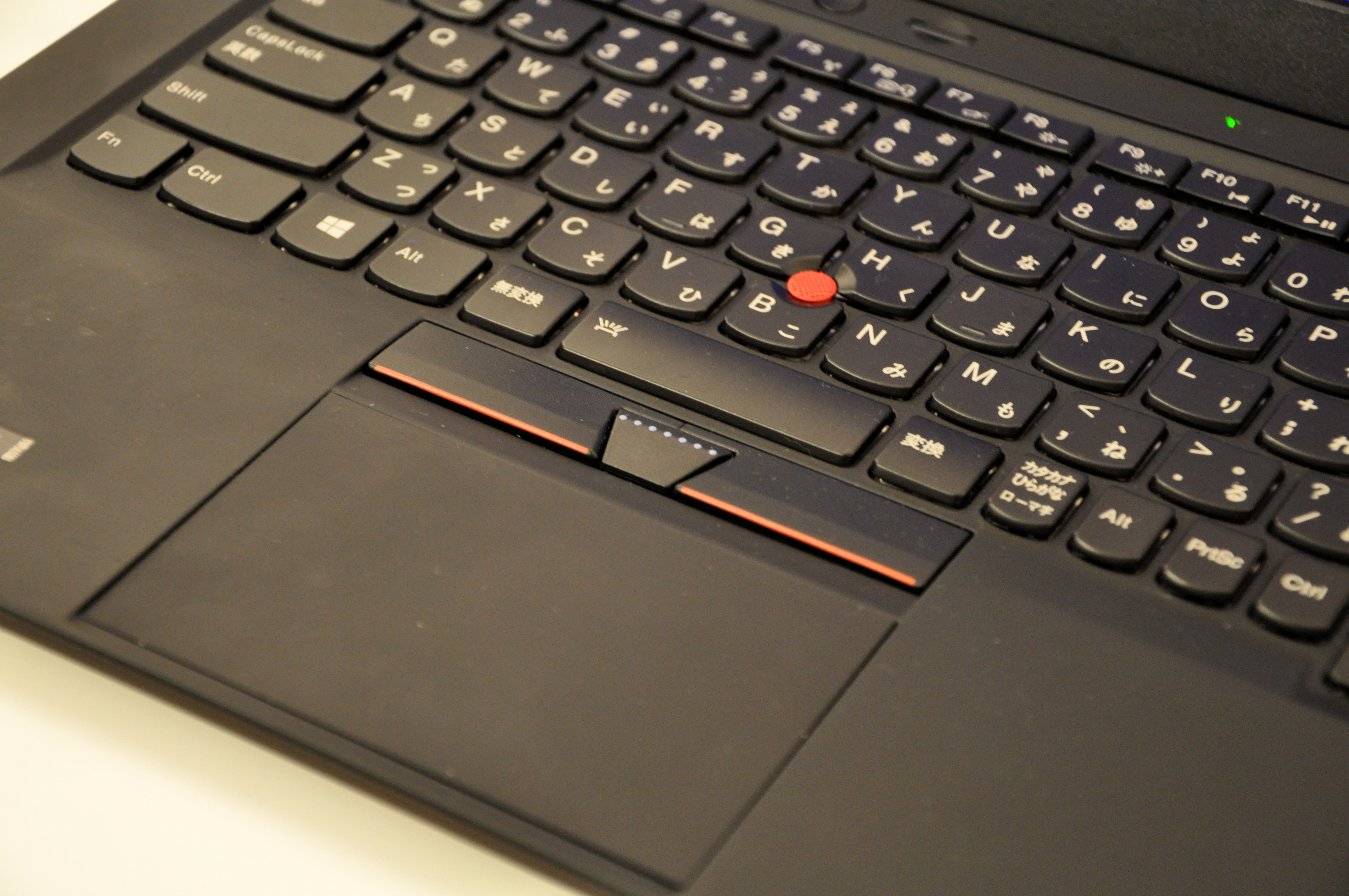
Backstory: My fingers slide smoothly across my ThinkPad laptop keyboard, so I was playing with optical hand tracking (with a surface mirror to better track touch) to make the entire keyboard (and surrounding laptop) into a multitouch surface. There were occlusion and jitter issues, even with fingernail markers, and I set it aside while still not quite working. But I was left thinking "I should get back to this" rather than "never again". Stroking a keycap as a trackpad seemed nice, even already having a touchpoint. Merely touching modifier keys (emacs) rather than having to press them. With a 3D display, I overlaid video of the keyboard, slightly above the screen plane so it was easily seen but only moderately annoying. And thus could overlay a multitouch control panel that doesn't require shifting attention from the screen, or hands from the keyboard. With screen-comparable VR/AR seemingly only a year or three away now, with attendant changes in UI constraints, there seems an opportunity to escape decades-old HID fetters, at least with professional UIs.
Yeah, Apple got their multitouch technology in 2005 by buying Fingerworks, the startup that made Touchstream keyboards, which were sort of like a giant single trackpad with key areas on it. Now that every Android phone and tablet has this feature, you could maybe use a tablet or two as a reconfigurable keyboard.
Myself, I really want more touch feedback from my keys, not less, but to each her own!
And there's currently the Lenovo Yoga Book C930 2-in-1 with an e-ink keyboard surface.
But as you say, not a high-end keyboard experience.
The optical hand tracking I mentioned was cameras on sticks perched on an existing laptop. So the multitouch was in addition to, not a replacement for, a niceish-for-a-laptop thinkpad keyboard. Well, except for modifier keys without the pinky exercise of actually pressing them (which may or may not be actually viable). If you ever say tactilely run your hands over your keyboard, and say drum your fingers, but all without sufficient pressure to press any key, it was that experience, added to the usual keyboard experience. With 3Dish hand pose and motion available, the two modalities might demultiplex fairly cleanly.
Even for programming in VR, I'd like to avoid UX regressions, and so start with a nice keyboard. Though I was happily surprised by being able to hold a chopstick without it much degrading typing. Providing a nice in-hand high-precision 6DOF controller. And potential 6DOF (pressure) stylus - ball on the end let it sort-of glide over keys... but jitter and pragmatics would need improvement to be viable.
I don't think OP is referring to a touch keyboard, but rather that the keycaps of each key would be one part of a larger multi-touch surface. As your finger left one key you could sort of "guess" the direction it was going and have something close to one big multi-touch panel that was composed of smaller surfaces. But I could be wrong as well.
Indeed. And with a keyboard like this[1], the gaps between keys are smaller than (my) finger width, so a sliding finger might provide continuous data.
Optical position tracking of fingers was actually ok (but not on a bus, and not so much for stylus), and with a look-along-the-keyboard-surface mirror, even optical height and touch was ok. But the touch wasn't great, and occlusion was a "keep it always in mind" problem. So I would have been delighted to find say a low-precision multitouch textile, to hopefully drape over the keys without too-much impairing typing. To decouple a fast low-precision-XY high-precision-Z touch, from simple and adequate camera XY. But crafting a capacitive grid... seemed a yak too far. All this was yak shaving - I actually wanted to be exploring VR IDEs catalyzing improved programming languages. :/
[1] https://upload.wikimedia.org/wikipedia/commons/c/ca/ThinkPad...
I had this idea a while back as well. What brought it to mind was wishing I didn't have to take my hands away from the keyboard to mouse around.
Anyway, Apple has patents covering this idea. I believe 9,041,652 is the one I'm thinking of.
Yes, patents have been amazingly toxic for HID progress.
Commercial HID innovation seems to be bimodal, DIY and bigco, with a patent-induced desert in between. Take multitouch. Years of crippled small companies, selling kits to dodge patents, to small DIY communities (DIY historically being much less of a thing than now). Speech-to-text and Nuance. Hand pose from webcam and colored glove research, becomes of-course-unsuccessful startup, bought by bigco, and thereby unavailable to support further innovation. Leap Motion's DIY Project North Star is an ongoing example - there's software, and you can buy parts, but not devices. So while there's an active small-company ecosystem around say keyboards, that falls off really fast. Small-scale markets of oem support for exploration and innovation... aren't an interesting niche for bigcos. So they produce patents and not products, and even proven too-small-just-a-distraction-for-us markets are abandoned.
As education innovation starts overlapping ML and tech, it looks to be picking up similar dysfunction. Ah well.
The Blackberry Passport had a keyboard like that. You could glide over the keyboard to scroll and other gestures. I don't know if the new breed of Blackberries have it, but it was a great feature.
The Key One and Key Two have it too.
The Waytools text blade sounds somewhat similar to what you're describing:
Interesting. Thanks. So an ortho keyboard with trackpad keycaps that span multiple keys. I wonder where they sourced the one-key-wide pads? This might be a relatively painless way to introduce trackpad keycaps into an existing keyboard ecosystem.
Product-wise, they seem to be in a multi-year struggle to get to production.
Web-dev lesson: A video-based ui, emphasizing closeups, where the video visuals stall, but music continues, with a hidden-by-default slider and no spinner, is an unfortunate combination.
Yes. https://vimeo.com/258421095 It's possible to turn a single keycap into a touch surface with the mechanics of a TrackPoint, and mapping to VR. Look for a product this year.
Oh, nifty. I didn't find a page to track keyboard status, but here's http://www.tactuallabs.com/ .
A depth camera can give rough finger height[1], and multi-camera care and kludgery can do even better, but, that last little bit, of high-speed high-reliability millimeter-ish is-it-touching-the-key-yet/still-or-not contact determination, is something I've not seen well addressed.
Given this unicorn-like keyboard, I wistfully note that having pressure sensing would be very nice too...
FWIW, I also note one way a company can easily support linux, often overlooked, is to provide only an as-is unsupported binary-blob library with any secret sauce, and leave it to the community to link it, wire it to IO systems, and deal with OS variants. The payoff, for a product throttled in part by community innovation and/or adoption bootstrap, is that while linux is often a small market, it's a highly-disproportionately innovative one. For this keyboard, the envisioned market may be mostly gaming, and thus mostly Windows. But it might be a youtube "look at my neat hack" video, which prompts some game dev to support it.
Yeah, this does that last millimeter in Z. It can do pressure, at least by virtue of knowing the force needed to move the keycaps and how far they've been pressed.
An SDK has to be part of this. I agree that Linux support will be good to have, especially if there are people like you to play with it. We should talk.
Previous thread on trackpoints:
Oops, yes, s/touchpoint/TrackPoint/.
For those who have previously tried them, and been unimpressed, I note that driver configuration can make a _big_ difference. A new-linux-driver and old-firmware issue has me now at merely "it's ok", but switching to an older setup was an "OMG - how could I have forgotten this?!" experience.
I love stuff like this. We made a whole laptop in this spirit, with a custom USB keyboard, optical trackball, motherboard and 3d printed/cnc milled case, also with KiCAD: https://mntmn.com/media/news_md/2019-01-14-status_update_on_...
Whoa, sweet project. Your assembly video is drool worthy cool. I've thought about doing my own laptop some day, but figured I'd work my way up to that difficulty with some other smaller projects to keep learning. Any advice to share for doing a custom laptop?
Cool. Please contact 36c3 to have dedicated space and punish even more diffusion material!!
One suggestion I have is to not mount the USB connector on the board itself, but instead on the "case" with a short pigtail leading to the board. There's a reason the majority of PC keyboards have a captive lead which runs into a strain relief on the case --- to keep the load off the solder joins when the cable moves around.
Interesting thought: The microcontroller in that keyboard is more powerful than the first IBM PC.
For anyone who’s tried both: are big keyboards with lots of modifiers or little keyboards with “layers” more comfortable and functional for you? I currently have a full-size mechanical PC keyboard and am debating buying a Planck.
For what it's worth, I use an Ultimate Hacking Keyboard (UHK, https://ultimatehackingkeyboard.com) and I really, really like it (have been using it for about 6 months now). I do not like the "ortho" keyboards, and I definitely need my keyboard to be split in the middle.
What I love about the UHK is the programmability: I can make the keyboard do lots of things, which makes switching between OSs much easier. The UHK makes heavy use of the "layer" concept.
I have a Planck and I'm trying to love it but it feels cramped and I find it hard to switch between it and the laptop (Thinkpad) keyboard. It's easy to program the layout so right now I'm considering moving the control keys to the center columns so my wrists can move apart, but then it will be even harder to get used to. Theoretically the ortho/columnar layout makes sense, but practically I don't feel the benefits and it throws me off completely, esp. the letters x & c (which I've learned to touch-type correctly on the standard keyboard).
One of supposed benefits of planck is reduced wrist pain. But I feel the opposite after years of using just the laptop keyboard. Because with a standalone keyboard I now use a mouse, I need to move my right hand a lot to reach it, whereas before I would just tilt it a bit to reach the touchpad. But also, because it is a mech keyboard, it's taller then the laptop, so my wrists are at an angle. I guess I need to learn how to keep my wrists above, floating in the air.
I have an ergodox and it has too many keys. The number row is hard to reach. The bottom extra row I basically never use. There are too many thumb keys. I end up using the keys under v and m as raise/lower keys and putting all the symbols (and some macros) on home row while the opposite hand's modifier is held (so ( is that key below v held with your thumb, and j).
Having extra keys for your pointer finger sounds good (those 1.5U side keys on the ergodox next to tgb and nhy), but it is actually difficult to precisely decide among 3 columns that you have to absolutely position your finger to hit. I feel like my accuracy in deciding between b or v suffers and having another possibility doesn't help.
So my suggestion is to go small. Not having a number row may be overkill; they are far away but I have yet to remap them. Figuring out what keys are most important to press and making them easy is crucial. I know I hated where {}, -, =, etc. were on traditional keyboards, so I was careful to put those on home row. It was worth it. Having an extra row of normal-sized keys instead of control, meta, super, space... probably not worth it. The 1u keys next to the 2u thumb keys on the ergodox... I basically never use them (they're arrow keys and page up/page down, but I navigate with emacs style keybindings so only use them for skipping through YouTube videos and things like that; nice to have, but impossible to use during normal typing).
Not using your pinky for enter and backspace is also great.
For completeness, my layout: https://github.com/jrockway/qmk_firmware/blob/master/keyboar...
There are a few keyboards similar to ErgoDox but with less keys:
* https://github.com/kata0510/Lily58
* https://github.com/omkbd/ErgoDash
This blog shows how the Lily58 designer took the ErgoDox design and removed the keys he found superfluous:
Yeah. I picked the Ergodox because it's basically an off-the-shelf part these days. Order one today, you'll have it on Tuesday. The same is not true of most other keyboards like that.
It's interesting, I use a kinesis advantage which has a pretty much identical layout and I use the bottom row of keys and thumb 1u thumb cluster keys regularly. In fact I now vastly prefer the fact that the arrow keys are so close to the home row.
That said - the kinesis is curved which probably makes it a lot easier to get your fingers to things?
The ergodox is shit, it's just a flat kinesis but they didn't bother to understand why the advantage uses wells.
I have an Ergodox and love it and use all the keys.
I have those 1u keys on the thumbs assigned as media keys but I could do without them if I had to as well.
get a kinesis advantage. The ergodox is just a shitty flat copy.
I'll pass. I use a lot of custom QMK features, like the ability to position the two halves wherever I want, and don't like Cherry Blue and Brown keyswitches. (I'm using a combination of Novelkeys Box Royal and Hako Royal Clears to weight the pinky keys slightly less, much like the Topre Realforce boards I used before switching to an Ergodox.)
It is not perfect, of course, but ultimately I don't really care about the well. The keyboard being flat is not what made typing uncomfortable for me; your mileage may vary. I would switch back to Topre switches instantly, though. I like the way they feel. Someday I will figure out how to stick the mechanism into a Cherry keyswitch form factor.
I think it depends on how you use your keyboard.
As far as orthos go I went from Kinesis Advantage to Planck to JJ50 to 75Keys/XD75. I use a lot of keyboard shortcuts and the Planck didn't have enough keys for me. I think I could've made the JJ50 work but the extra keys on the 75Keys/XD75 are really nice to have. Typically people put them in the center and it's almost like having a split keyboard.
If you use a lot of keyboard shortcuts I would suggest starting big and working your way down.
I'm using a Vortex Pok3r which uses layers and I love it.
[Context] I was using AutoHotkey for some years before this to rewrite my keyboard. My main goal was to get rid of moving my hand to the arrow keys and back when programming to be more efficient, and have a fast way of moving around in text. Like Ctrl+arrows for jumping words, using Shift for chars/words/lines for quick selection, etc. For anyone not into this, the problem with the AutoHotkey solution is "keyboard shadowing": most keyboards don't use dedicated wires to each key but a matrix of wires instead, so, if you press 2 given keys, the system won't be able to tell if you pressed a given 3rd key or not. Also, different keyboards use different wires, so you can't use the same configuration on every keyboard.
I do miss a normal keyboard when I'm on the phone and want to use the arrows with one hand. Newer Vortex models do include dedicated keys so I might experiment with them. Also, I'm so much more efficient this way that I basically carry it with me everywhere and it's quite heavy. (I have 2: 1 at office, 1 at home.) The programmability of the thing is quite limited but still a huge win for me.
The build quality if the Pok3r is outstanding. I can't recommend it enough. I'm not affiliated.
I haven’t tried both. Nor am I a keyboard hardware enthusiast. I have just spent some time modifying my keyboard through software (Linux X Server).
I don’t get the apparent fascination that (mech) keyboard enthusiasts have with small keyboards. I can understand moving or removing the keypad since it displaces the mouse (then again, “don’t use the mouse!”), but beyond that I don’t see the appeal except for the aesthetics.
I think the happy hacking keyboard has the missing keys on the FN layer. Hopefully the FN key is programmable, or else you are stuck with whatever the manufacturer wants the FN key to mean. (Pet peeve of mine: cheap keyboards now seem to come with those dang FN keys which can’t be reprogrammed like the regular keys and are just for garbage multimedia functionality.) With a regular boring full-sized keyboard I can program/re-purpose whatever the key is on the equivalent position to the FN key, or choose another key entirely. Right now I can access all F1–F36 keys by using a series of modifier keys right in reach of the glorious Home Row (prostrates). That’s just by modifying my standard keyboard in X. And of course I can access F1–F12 without using modifier keys since I have an (almost) full-sized keyboard. That way I get the best of both worlds: I can use modifier keys to access every key from near the home row, or just one-key while using a fidget spinner with the free hand.
With most mechanical keyboards I’ve encountered the FN key is fully programmable, along with every other key on the keyboard. Typically rather than having the functionality hard coded the FN key will activate a second layer, it’s similar to how shift activated a layer of uppercase characters, but with different functionality.
On mine I have a key that flips into a symbols layer, placing characters commonly used in programming either on or close to the home row, and flips hjkl into vim style cursor keys. I’ve also got another layer on a different key which disables almost all my customisations and turns it into a standard qwerty keyboard for gaming.
If you’re deep into layout customisations via X I suspect you’d really like a decent mechanical with customisable firmware, and probably a few spare keys for mapping to layer shifts.
Xkb gives me eight different layers just on the shift keys (not the control keys etc.). Just takes a ton of time to learn because Xkb is borderline arcane (:)) and because you have to do everything manually if you want something beyond “swap control and Caps Lock”.
If time is money I wouldn’t be surprised if I could have saved a lot of money by just buying a mechanical keyboard with good on-board firmware and programming. At least I have a hard time imagining that the programming would be harder than on X.
it's a tradeoff between more keypresses vs. more finger/arm movement; also the topic is pretty contentious and nobody will give you an unbiased answer. My biased opinion is that layer-based boards without thumb keys are horrible, something like the Atreus is exclusively better than the Planck.
The Planck was designed to be small, not ergonomic. The popularity of the layout is (imho) due to good market timing, low cost, competent business operation, and good electronics design work.
I have a TKL and a 46-key ergo keyboard. On my TKL I miss having lots of thumb keys for layers; I have backspace on a layer.
On my Mitosis Anaphase, I occasionally miss having dedicated punctuation from my big board.
I made an USB-controlled relay from old keyboard circuit board. The relay is connected to the Scroll-lock LED, which is totally useless otherwise. Which means I can switch the relay on from keyboard or bash-script. At the moment the relay is connected to the ambient light in my lair.
funny, I was just looking at a keyboard stream on twitch for https://ishtob.net/hadron/hadronv3-groupbuy and I was just browsing the open source code used in the keyboard here https://github.com/qmk/qmk_firmware
$255 for a keyboard? Wow. What are the more higher end keyboards you've seen?
It's $255 and doesn't come with any switches from what I can tell. Not the person you're responding to but I've heard good things about the UHK: https://ultimatehackingkeyboard.com/
I didn’t like it, despite waiting a couple of years (I think) for mine to ship.
The lack of Esc is just plain stupid and needlessly “special” for a hackers keyboard, especially with zero space constraints. The keys themselves I’m not a fan of, but that’s because nothing beats the buckling spring keys I’m used to - so not counting that against them. Build quality is great, however.
Can't you remap one of the other keys to be escape - I think for those who care keyboard layout is highly personal - I can find somebody has designed a keyboard that looks great and then make layout choices I find very strange. But if the keyboard uses qmk then I can easily fix that.
If you're not happy then build your own - or buy a unicomp board and replace the controller so you get the best of both worlds - buckling spring and programmable keyboard.
I have the UHK, I really like it (it is so far the best keyboard I've used). I could make use of another row of keys, but they chose to minimize size, which makes the keyboard nicely portable (especially if you put the two halves together back-to-back).
A big part of the appeal of the UHK is the agent, which lets you configure the keyboard any way you want. Not all keyboards let you do this, so it's often an apples to oranges comparison.
That's not much for a high-end keyboard. Spend some time browsing http://reddit.com/r/mechmarket/ . You can pay north of $1K if you want to, especially on a rare board; new ones are commonly around $500. Just one recent example: https://zealpc.net/collections/custom-keyboards/products/gb-... .
That’s nothing when you venture into the world of Korean custom keyboards. ~$500 for the case (usually milled out of quarter-inch thick aluminum with a solid brass weight) and PCB. Then add switches and custom key caps.
I have a Keyboardio Model 01: https://shop.keyboard.io/
The Kickstarter version cost $250, they go for $329 now. It's really comfortable, and I use the palm-switch and thumb keys very naturally.
VE.A2 is probably $500 or $400 at least now
Reminds me of the time I rewired an old Mac SE keyboard to an USB keyboard controller.
Basically, I took an USB keyboard controller from a cheap secondhand Dell keyboard, reversed its matrix, and then rewired every combination to the USB controller board using a wires peeled off from an IDE connector.
Very time intensive, and to say the truth, not really working well in the end, but, hey, I was a student at the time.
It was far less ambitious than the titled project, but here are the pictures:
http://blog.kakwalab.ovh/IMG_6920.CR2.jpg

http://blog.kakwalab.ovh/IMG_6921.CR2.jpg

(yes, it's a mess).
Does anybody know if there’s anything inherent in this that makes it have to be QWERTY in layout, or in shape?
What I’m thinking about is to actually make a custom physical user interface. Less of a keyboard and more the bridge of USS Enterprise.
Nope! In fact, I run mine with a Dvorak layout by default. A lot of people who use the QMK firmware do all kinds of custom modifiers, macros, and what not. And if you're doing your own PCB, you can arrange the buttons any way you want, with any switch type.
You could make it whatever shape you want. Then program it to emit whatever usb key codes you want (there are existing libraries to do this quite easily).
This one happens to emit standard qwerty key codes, but there are many more that do other things. For example, there are standard key codes to launch a browser or the calculator (and some keyboards have buttons to do that too). You could also make it emulate any kind of standard usb HID (human interfact device). This one is a keyboard, but you could make something that identifies itself as a mouse, game controller, etc.
My Ergodox is configured so that hitting a particular key switches hjkl to mouse control, with clicks on the other hand. I can’t say I use it often, but it’s nice for times when you just want to click a single thing and then get back to typing.
That is great. I remember having a microsoft keyboard back in the day that had a mouse click button and it was surprisingly useful.
you aren't limited to QWERTY but there are some limitations in what you can send from a USB keyboard. Depending on what you're trying to accomplish you might want to do some of it in the keyboard and part on the computer using AutoHotkey/Hammerspoon.
I would suspect this same line of thinking is what led to the Touchbar on new MacBooks.
If you’re into custom-made keyboards and keyboard parts, check out my Kinesis advantage replacement controller project: https://michael.stapelberg.ch/posts/2018-04-17-kinx/ (only 0.2ms of input latency!)
Nice work! It would be interesting to compare the latency to the new Kinesis Advantage 2 keyboard, which has brand new firmware.
Once I pulled a prank on a colleague by setting up a 555 timer inside their keyboard so that alt+f4 would constantly get pressed (every ~1 second). Because that friend was a software hacker, I knew he would look for rootkits and all sorts of nefarious software issues that could lead to this behavior. Anyhow, he did eventually figure it out (not after he was sure his BIOS was infected - yes this was 2007).
What I learned during that prank was that keyboards are very complicated. A keyboard is essentially a giant switching system where pressing keys closes circuits, and a microprocessor looks to see what lines are high/low and infers which keys have been pressed. There's whole systems designed around avoiding "ghost keys", which arise because the number of combinations of possible simultaneous button presses of the switching system far outnumber the possible combinations of signals.
If every key has a diode then you won't get ghost keys.
That's how NKRO keyboards work.
This may be irrelevant, but I've long wondered, do we really need the buttons at all. Couldn't we just have a "sensory board", where each individual could initialize the board using their hand movement / finger press patterns to individual letters and/or words based on probabilities.
There have been a couple of attempts at this: projection keyboards, Magic Leap. The technology is fine but the learning required to type on something invisible is considerable.
There is a shop in Japan for DIY keyboard
https://japantoday.com/category/tech/japan%E2%80%99s-first-d...
So much effort just to type on Cherry browns. Without the stiffness of a plate mount even.
What is it like typing on a keyboard that's just a grid? Every keyboard I've used has had each row be shifted slightly which seems to make touch typing easier.
I find typing on a grid much more comfortable and pleasant than typing on a traditional staggered layout.
As an experiment, place your fingers on the home row and naturally curl them out/up or in/down and see how straight or curved the path they follow is. For me, on a normal keyboard, I find that the buttons above the home row are positioned well for my fingers but for the ones below, my fingers naturally curl over the gap between the keys, meaning I have to also bend sideways. With a grid I can press both the keys above and the ones below without any sideways motion (for the four keys on each hand above and below the home row testing keys).
Nowadays I use a kinesis advantage, though, which has not only grid layout but also has them in a curved height to more naturally let your fingers reach the rows without any additional movements and I love it. But even on a flat keyboard, I find a grid works better for me.
I really like it, it takes a little getting used to though. Some people claim all kinds ergonomic benefits or negatives with orthos but I haven’t noticed a difference.
I used a Planck as my daily driver for about 6 months before finally getting around to building an Ergo.
that's a legacy from typewriters, they had to shift the rows to stop the metal pieces that push characters to collide with each other. But I've never tried typing in a grid. I'm also curious.
Nice. This reminds me of some old patents I like for optical keyboards, e.g. https://patents.google.com/patent/US4379968A
Though real optical would require optical equipment in the desktop's or laptop's chassis or motherboard, and OS support, since it wouldn't be USB at any stage.
The keycaps can't be easily DIYed right?
Keycaps are fairly straightforward to 3d print.
If that's not DIY enough you can make a mold and cast them from silicone (the method used by most artisan keycaps) or make them out of wood.
I have seen a parametric keycap library here https://github.com/rsheldiii/KeyV2
But standard FDM printing will not get you keycap that are smooth on the top, as they tend to be sculpted to fit a finger better, and you're still looking at ~0.4mm layers at best. You may be able to do it with SLA 3D printers which are able to do higher resolutions than FDM printers.
https://imgur.com/a/AalpV1r is an interesting project that 3d printed the keycaps too
It's hard to get the mounts on the keys just right on an FDM printer too, at least in my experience.
There are a lot of people who 3D print keycaps I believe. I skipped that and bought DSA blanks from Signature Plastics.
Yeah, you can 3D print key-caps reasonably easily. Sorry, I can't remember the exact 3D model, but there's a free Cherry MX switch model around somewhere that surprisingly has the entire interior mechanism modeled. You can pull out the key mesh and tweak it a little bit to meet your needs, then it prints really well and fits nicely on Cherry (or Gateron) switches. There's also a handful of pre-created 3D printable keycaps on Thingiverse, however when I last looked into it I wasn't very happy with them.
Although, I must admit, whilst I've had all my components (including RGB LEDs and transparent Gateron switches) for what must be over a year now, I still haven't gotten around to finishing the project!
I'm not a mechanical keyboard guy. Is it as difficult to type on a qwerty grid layout as it seems like it would be?
It takes a couple of hours of getting used to.
Hey it looks great. Question about the circuit: is it NKRO, or is there any shadowing or ghosting?
This is some great quality content!
Great project scope, execution, and write up.
Thanks for the kind words. It was also a lot of fun, and full of good learnings for future projects.
Nice job! Did you consider 3d printing any components?
This project was more about learning the schematic, PCB, firmware and laser cutting work. There might be some fun learnings from 3D printing the keycaps, but I didn't want to expand the scope of this too much, since there were already quite a few "risky" parts of the build (given my current electronics skillset). The top and bottom plate design was mostly about simplicity.
Where does one find the time for such activities.
Incredibly cool project!
Sweet. Words per minute?
love the colour. Took me right back to the Data General days.