The art of debugging – or how it took me 3 years to fix my PC
medium.comTo taint the clickbait, it of course did not take them 3 years:
> I’ve recently been trying to resurrect my old PC. I haven’t used it at all over the last 3 years and moved twice in the meantime
You're right. It took me over 5 years from the moment I assembled this PC to the moment I found the mistake ;)
Anyway, I don't think that anyone would actually think that I worked on this for 3 years. But when applied to software (to which this story lead me), I often hear "it took them 3 years to fix this". It's pretty much the same here. The bug was there, it caused serious issues (also with other systems), I applied various random workarounds and I spent a lot of time on it and yet, it got fixed by an accident much much later.
What I think is going on here is that such titles are subverting axioms of conversations that give language meaning normally.
It's perfectly reasonable in general to say it took you 3 years when you weren't actually working on it all that time. Like, say, if you were talking to a friend who you tell everything to.
But when it's in a title or headline, it's implicitly presumed to be the most significant thing about your story to a stranger, thus what makes it notable and interesting. Given that baseline, one tends to interpret it as meaning you were working most of the time on it, because that makes it worthy of attention.
That's why it seems not unexpected to me for a person to feel disappointed and mislead.
I appreciate the sincerity and depth of your analysis. This nicely wraps words around a concept which I had considered, but never organized well, and previously never expressed. Nice work
Well, that was mostly inspired by something known as Grice's Maxims. I read about them years ago and immediately thought someone should write extensively on how discourse in reality not only often relies on assuming them, but also frequently subverts them, cooperatively or maliciously. But I'm too lazy.
Even better -- you've now given me a term to research further!
>I don't think that anyone would actually think that I worked on this for 3 years.
Your title literally says it took you 3 years.
Tragic how clickbait has become so normalized.
Become? These sorts of title tricks have been common practice in the magazine industry for decades and in newspapers before that. Now we're just in the latest stage where it's been adopted by individuals :-D
I don't think that anyone would actually think that I worked on this for 3 years.
I 'actually' thought that, of course - it's what it says, or what I read it as saying. (One of your most recent comments says "It took 3 years for 20 people to build CKEditor", which presumably means you worked on it for 3 years, but now I'm kind of uncertain what to believe.)
I went through something similar building my first PC. I had worked a summer job just to be able to afford one, researched all the parts obsessively, and slowly waited for all of the parts to be shipped to rural Alaska. I put the all of the components in the case, flipped the PSU switch, pressed the power button, and -- nothing, not even a BIOS screen. Five red LEDs were lit on the motherboard, indicating a major hardware fault: CPU, motherboard, RAM, or PSU. Well, there was nothing else for it but to start replacing the parts one by one to see what was broken. It would take a day or two to get the Return Merchandise Authorization, and two weeks shipping time in either direction, so every month or so I would get a new part in to try to get this machine to work.
That went on for about five months. I was crazed with frustration, and a growing pile of electronics boxes, tools, and testing devices filled the corner of my room. I had a collection of components which I was sure were working: the system at least appeared to boot to BIOS when lying on the workbench, but when all the parts were hooked up inside the case, we got five red lights again: major hardware fault. Finally, at the limits of my frustration, I turned to my brother for aid: "It works on the bench, but not in the box. I don't know why. You figure it out."
He returned not five minutes later with the widest grin you can imagine. I was incredulous, and this was a better practical joke than he could ever have devised. He showed me that having the case's reset button (correctly) connected to the motherboard caused the error condition. I was so thankful that I almost didn't want to strangle him!
I've seen situations such as that. Working outside the case, but not in the case is usually points to a short of the motherboard through the case (of course, assuming it is wired correctly).
As I recall, it took me a considerable while to determine that the equipment worked outside the case. I think I tried replacing the RAM, CPU, and PSU before doing the mobo, and unless you have an idea that the case itself might be the issue, well, why would you take the rest of the machine apart? And even if you suspected a board short, you might easily be misled into thinking that it was a part of the case touching the mobo inappropriately, and leave the reset/power leads connected: it's a lot easier to punch the case reset button than to use the tiny one built into the board. And of course, figuring out that the system works without the power switch connected is not super useful in itself: that is something of a necessary component.
I'm just still amazed that he figured it out that quickly; I really didn't tell him much about what had happened, and I'd hardly had time to leave the room before he'd solved it. What a jerk :)
> This is not a story about CPU soldering or whatever hardware engineers find sexy
Guess I should dig out my old writeup of blowing up the floppy drive I needed to boot my PC by dropping a pencil in it, and the ensuing repair..
One time I had a tiny magnet inside one of my USB ports. Vexed me for several minutes.
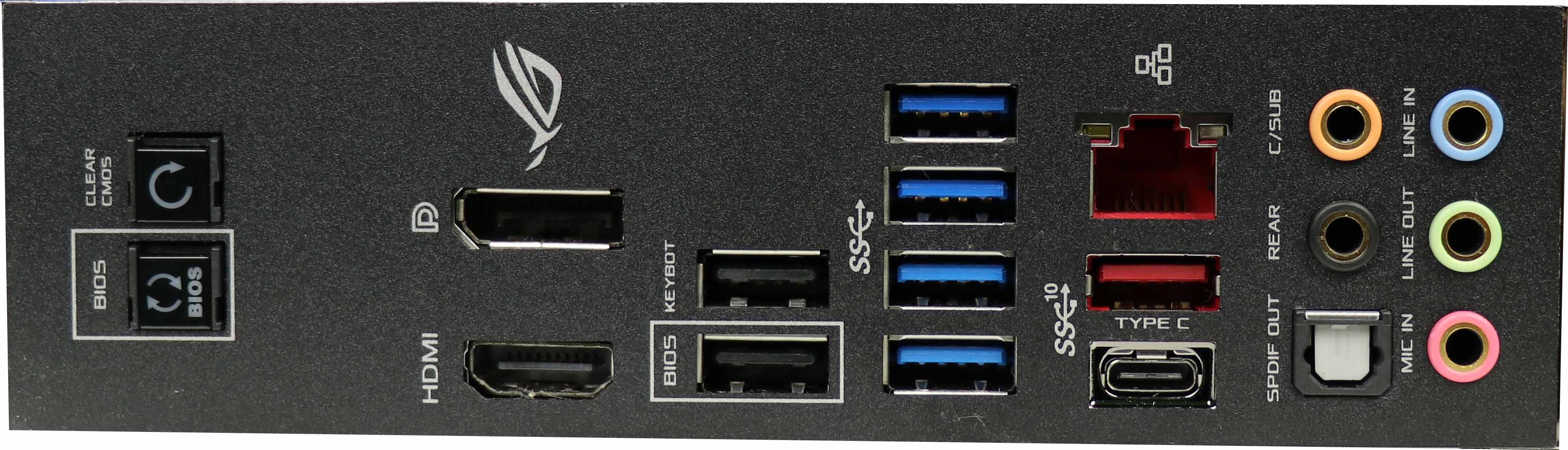
The I/O shields behind the PCs don't fit well, can cut you and are really bad design. Glad that new (premium?) motherboards have them integrated. https://laurentschoice.com/wp-content/uploads/2018/01/io-1.j...
I also have a very odd issue which I think has its root in the underlying firmware. I have an Dell Latitude E6520 notebook with a Intel Core i7 Sandy Bridge processor. Though I bought this laptop in 2013, it is still fast and works quite well even with Visual Studio / ReSharper.
Only one thing, it is sluggish as hell. Mouse clicks not responding, everything feels slow. Except when I undock it from the docking station and redock it again. Then you feel the fan spinning up, the CPU doing work, and everything becomes smooth. I checked the clock speed, its the same before and after docking. There is nothing keeping the CPU busy either. Its like something is somehow preventing the system from executing efficiently until the system is re-docked.
The solution? I don't know, I might never find out. I will just keep redocking my laptop every time I boot Windows.
Your real problem is that you have a known workaround - you'll maybe some time trying to work out the issue 'next weekend or the one after', when you've got a bit of free time :)
If you can find a bit of time - CPUID & HWMonitor are handy tools for just capturing what your CPU and motherboard are currently up to (compare when slow and when fast)
I think yours is a pragmatic attitude in this age of interconnected complex technologies. Debugging things is satisfying but time sucking.
My eclipse on fedora has a hideously annoying flashing effect while editing e.g HTML files. Seems to be caused by the top menu disappearing and then appearing again a second later. The janky effect is infuriating, but at the same time, half an hour or so of googling has led to nothing, and I can sense a rabbit hole of frustration if I try and get to the bottom of it.
The most pragmatic approach feels to be too just put up with it until something else happens - perhaps a shift to Ubuntu so that I can screen share again will resolve it.
In my experience, the GPU, USB and SATA are the causes of sluggishness without CPU usage. Not sure what could be the problem with your dock - does it have a USB 3.0 controller that the laptop does not? eSata? You are 100% sure the CPU is not being heavily used by anything after first time docking?
The dock is a standard wide-connector Dell port replicator, with indeed USB, DVI connections and possibly eSATA. USB 3.0 did not exist back then.
It sounds like you have a slow HDD in there, an SSD would certainly help with sluggishness. I'd also recommend repasting the cooler with Thermal Grizzly paste, it's sub-$10 for enough to do 3 CPUs and it's the best non-conductive paste available.
So after redocking my HDD is suddenly fast? No, I don't think so. It is an SSD BTW, I also have a secondary HDD.
Maybe the fans aren't running when they should and the CPU is struggling with heat?
Won't Intel chips down clock in that case?
I think that's the point.
The parent commenter specifically said they checked clockspeed was good.
Good point, I missed that.
I have a feeling you that you got a Nvidia card, so disable Optimus in bios.
Yes, that is disabled.